Local video marketing: what to film and where it runs
A how-to for businesses that sell to their own city or region: the five local videos worth making first, Google Business Profile video rules, local paid social, how video fits local search, and a low-cost production plan.

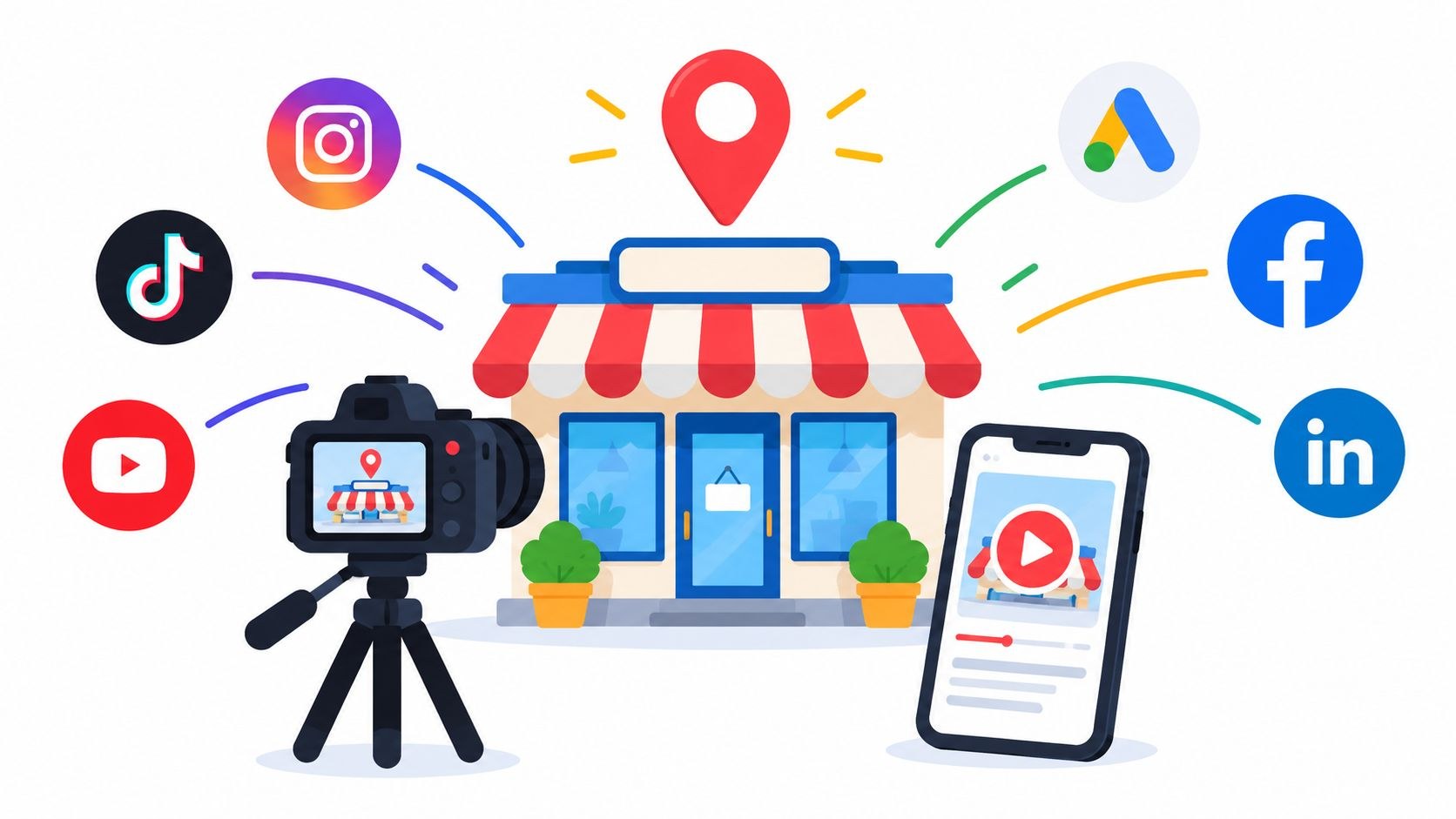
Local video marketing is short video made for the people who live near your business. Each clip goes where they look before getting in touch, which usually means your Google Business Profile, ads aimed at your area and the pages of your own site. The videos answer what those people actually ask (where you are, who they will meet, what the job involves, whether customers like them were happy).
Most local jobs I see at Moonb, where I work, start with a phone full of decent clips. The shop front on a sunny morning, a customer who said something lovely at the counter. None of it is anywhere a buyer would see it, because nobody decided what to make or where it should go, and the habit died in the first busy month.
Why local buyers watch before they call
People check a local business from several angles before they pick up the phone. BrightLocal’s Local Consumer Review Survey 2026, a panel of 1,002 US adults, found the average consumer now uses six different review sites when choosing a business. Most of what they find there was written by other people; your own video is the part you get to direct.
And video is already part of that habit. In BrightLocal’s 2025 edition (1,026 US adults), over three-quarters of consumers said they watch video when looking for information about local businesses, and the top answer was video that businesses posted about their own products or services. More than a third preferred it to content from their own friends, influencers they follow or everyday social media reviewers.
Pew Research Center’s social media fact sheet puts YouTube at 84% of US adults and Facebook at 71% in its 2025 survey, with half using Instagram. Your neighbors are on these platforms already.
I read all of this fairly bluntly. Someone watching a local business’s video is usually close to deciding, so the video has one job, which is to answer whatever still stands between them and the booking. Most weeks I would take a 40-second clip of where to park and who greets you at the door over a polished brand film.
The five local videos worth making first
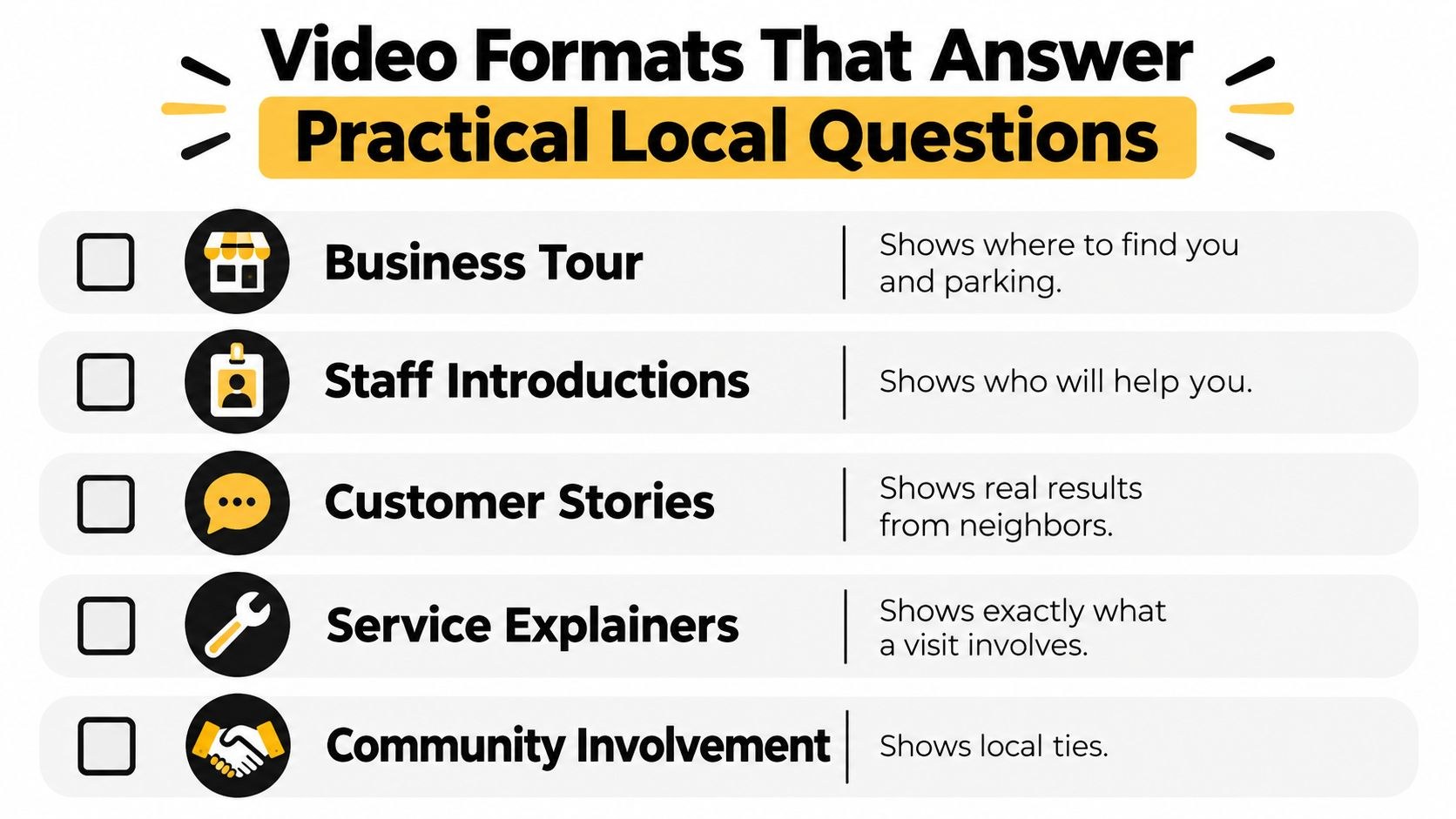
Start with the questions your front desk answers every week. Each has a matching format, and I would make them roughly in this order.
A business tour shows someone how to arrive: the street, the sign, the entrance, the first thing they see inside. If the door is around the side or parking is awkward, show it plainly. That is the bit people actually worry about.
Staff introductions put a face to the name on the booking confirmation. Who this person is, what they do for you, one thing they like about the job, and stop. Film the receptionist as well as the owner; theirs is often the first voice a new customer hears.
Customer stories pick up where reviews leave off. The good ones sound like a neighbor talking about the problem and how it turned out, in their own words. Our testimonial video examples has formats worth borrowing, and get written permission from anyone you film before the clip goes anywhere public.
Service explainers walk through what happens during a job or an appointment and what the customer should do beforehand. Recurring questions make the best material I know of, and our guide to FAQ videos covers formats, length and where to put them. Regulated fields are stricter; the dental video marketing playbook shows what that looks like in a clinic.
Community involvement is the one I see buried under logos most often. Film the charity run or the stall at the street fair itself, and keep your branding small.
| Format | Question it answers | Where it runs first | Length to aim for | Who films it |
|---|---|---|---|---|
| Business tour | How do I get there, and what is it like inside? | Google Business Profile, contact page | Up to 30 seconds on the profile | Owner or manager, phone on a gimbal |
| Staff introduction | Who will I be talking to? | Team page, booking page, local paid social | 20 to 45 seconds | A colleague holding the phone, staff member on camera |
| Customer story | Did people like me get a good result? | Service pages, local paid social | 45 to 90 seconds | Owner interviews, someone else frames the shot |
| Service explainer | What happens, and how do I prepare? | Service pages, Google Business Profile, YouTube | 60 to 120 seconds, shorter cut for the profile | The person who does the work, talking as they go |
| Community involvement | Are they part of this place? | Organic social, Google Business Profile | 15 to 30 seconds | Whoever is at the event with a phone |
The lengths are my own starting points. The profile limit is the exception, and that one is Google’s rule.
Where each video runs
Google Business Profile
Google is specific about profile video. Its photos and videos help page wants clips up to 30 seconds long, up to 75 MB, and 720p or higher. Media only shows on Google once the profile is verified, every upload is reviewed against Google’s photos and videos policies, and Google says it can take up to 24 to 48 hours before new photos and videos appear.
Read Google’s tips for posting media to Maps before you shoot. They ask for media you captured yourself at the location and steer away from stock photos, collages, heavy edits, borders and added text, while superimposed promotional content should be relevant to the place. Translated for a busy owner, the profile wants your real footage with light edits, and the graphics-heavy ad cut goes somewhere else.
The verification video trips people up. Video is one of the ways Google lets a business verify its profile, and Google’s video verification page gives it separate rules: captured live, unedited and with no breaks, at least 30 seconds long, recorded and uploaded from a mobile device through the profile. A storefront has to show the location (street signs, building numbers, nearby businesses), permanent signage whose name matches the profile, and proof of management, such as opening a cash register or a storage room. No other people’s faces, no sensitive information. It exists for Google’s benefit, so shoot it on its own and don’t try to reuse it in your marketing.
Google’s own walkthrough of the storefront version takes the requirements one at a time, with chapters for location, existence and affiliation:
Local paid social
Paid social lets you keep the spend inside your service area. Going by Meta’s help page on choosing locations for your ad, you can target up to 250 cities or up to 50,000 ZIP or postal codes, and the ads reach people who live in or recently spent time in those places. Watch for the setting Meta calls “Reach more people likely to respond to your ads”. With it on, ads can run beyond the locations you picked, so switch it off if you only serve one area.
Staff intros and customer stories usually do best here, recut to vertical with burned-in captions. If your master edit lives on YouTube, iHatePosting has a walkthrough on how to post a YouTube video to Instagram that covers export settings and reframing landscape footage for vertical Reels. Our notes on social media best practices deal with the posting habits around it, and vertical video dimensions has the 9:16 safe zones.
Your own site
The explainer goes on the service page it explains, the tour on the contact or location page. If you work in several towns, each location page deserves its own tour and its own staff intro; one shared reel across all of them throws away the local detail you filmed for. The longer cut can also go up on YouTube as a Short if you keep it vertical or square, since YouTube’s Shorts upload page allows short videos of up to 3 minutes.
How local video helps you get found
I am wary of anyone who promises video will lift your map ranking. Google’s page on improving your local ranking says local results are mainly based on relevance, distance and popularity, and the longer explanation underneath calls the third factor prominence:
- Relevance is how well a profile matches what someone searched for, which is why Google asks for complete and detailed business info.
- Distance is how far the business is from the searcher.
- Prominence is how well known the business is, based on information such as how many websites link to it and how many reviews it has. Google adds that more reviews and positive ratings can help.
Adding photos and videos is on Google’s list of profile tips, as a way to show customers what you offer and tell the story of the business. Video is not named among the ranking factors, and Google states there is no way to request or pay for a better local ranking. So I count video as the thing that converts once search has done its part. The listing gets you seen. The video helps the person who found you decide to call, and every happy customer it brings in is another shot at a review, which does count toward prominence.
Google Business Profile has its own video on those three factors:
Filming with a small team
Two people can film almost everything in that table, one talking and one holding the phone. Habits matter more than gear:
- Sort the sound first. A clip-on microphone fixes most of what makes phone video feel amateur, and if the money only stretches to one thing, buy the mic.
- Shoot near a window, light on the face, window out of frame.
- Lock exposure and focus before you hit record, then hold the phone with two hands or put it on a small gimbal.
- Film vertical and horizontal versions of anything you plan to use in both places. Cropping later eats the edges of the frame, which is usually where the sign or someone’s face was.
- Keep release forms on a clipboard by the door so customers and staff sign before they appear on camera.
Let staff talk in their own words. A script read off a phone always sounds like exactly that. Give them a rough outline of three points and a couple of takes, and they come across as the person your customer is about to meet.
A low-cost production plan
Most of what local video costs is time, so the plan is mostly about batching it. For teams starting from zero, I suggest something like this:
- Pick one question a month: parking, first visits, how a repair works, what a consultation includes.
- Book one half-day shoot around it. Get the tour or explainer, two staff intros and, if a willing customer is around, one story.
- Cut each shoot into several pieces, meaning a full version for the website, a profile clip of 30 seconds or less, and vertical captioned cuts for social and ads.
- Publish the website version first, then the profile clip, then spread the social cuts across the month.
- Look at what led to calls, direction requests and bookings, and plan the next month from that.
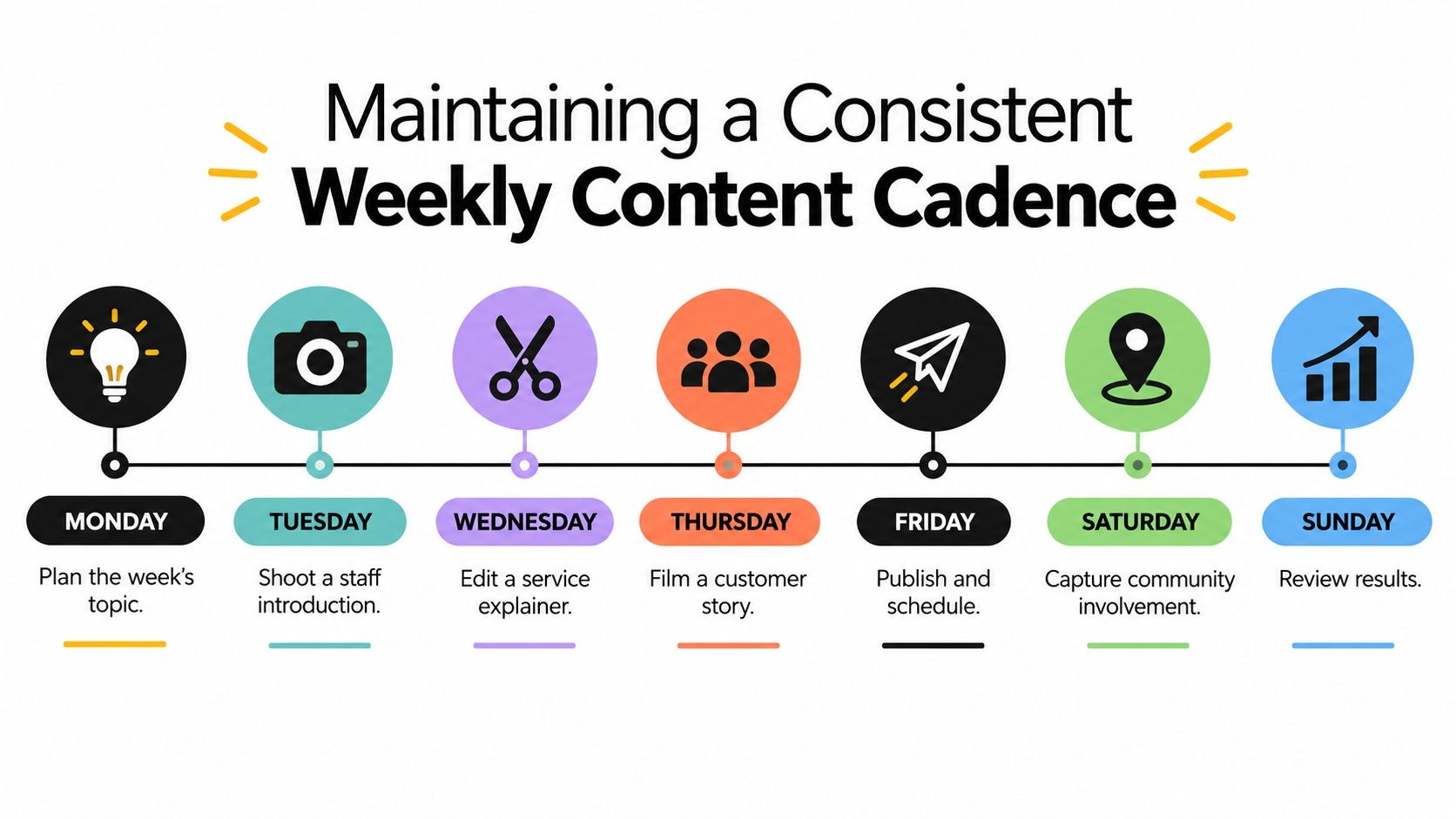
The weekly version above suits a team where someone owns video as part of their job. A smaller shop can stretch the same steps over a month, which is fine; the aim is for filming to feel ordinary, so nobody sits on their hands waiting for a big launch.
Our video marketing strategy framework goes deeper if you want this routine tied to goals and channels.
What to outsource as it grows
Editing breaks first. Shooting takes an afternoon, but cutting that one shoot into a website version, a profile clip and four vertical captioned cuts takes far longer, and it ends up with whoever is least busy that week. Hand the edit off first and keep filming in house, since your staff know the place and the customers know them.
Higher-finish work comes next, like a customer story for a paid campaign or a launch video for a second location. That is worth a proper crew or a creative team, and our roundup of small business video production companies compares what different providers do and where each one fits.
If you are weighing a broader outside team that also writes and distributes, OGTool’s guide to what a content marketing service actually buys you covers service types, deliverables and the contract questions worth asking. Past a few dozen clips, filing becomes its own job. NanoPIM’s guide to videos for ecommerce is written for online stores, but its section on managing a growing video library (one central home for the files, with a DAM explained) is useful to any business with a folder of clips nobody can find.
Measure against business actions from the start. Google’s Business Profile performance page reports calls from the call button, direction requests, website clicks, messages and, if a booking provider manages them, bookings. Add tagged links on the site and the social cuts, then compare a month with fresh video against a month without. A view count on its own only tells you somebody saw the clip.
Frequently asked questions
Up to 30 seconds, up to 75 MB and 720p or higher, per Google's help page. Every upload is reviewed against Google's photo and video policies and can take up to 24 to 48 hours to appear. Don't mix this up with a verification video, one of the ways Google lets you verify a profile, which works the other way around: at least 30 seconds, recorded live and unedited on a mobile device. Keep the two jobs apart.
Not directly, going by what Google says. Local results are mainly based on relevance, distance and prominence (Google's summary line says popularity), and video is not listed as a ranking factor. The help is indirect: a complete profile supports relevance, and a clip that wins a booking can lead to another review, which Google counts toward prominence. Judge video by the calls, direction requests and website clicks in your profile's performance report.
Whatever question your staff answer most often, usually how to find you or what a first visit involves. Film a short tour or explainer with a clip-on microphone in good window light, and that one shoot gives you a profile clip, a website version and a vertical cut for local ads. Staff introductions make a good second shoot because they need almost no setup.



