Dental video marketing: a practical playbook
How a dental practice plans, films and publishes patient video: which videos bring patients in, the HIPAA rules for filming in a clinic and the FTC rules for testimonials, where each one runs, and one shoot day that fills a quarter.

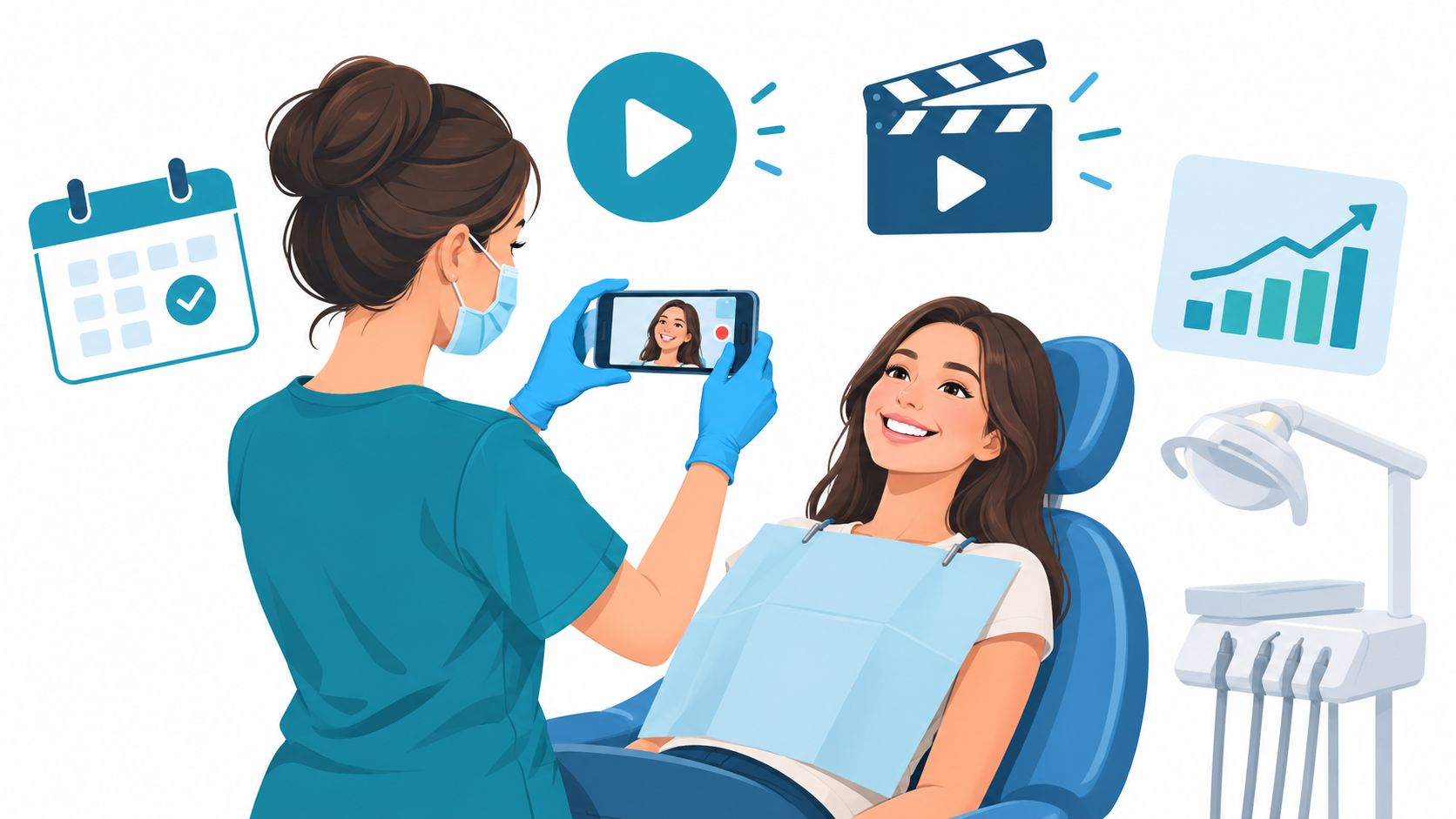
Dental video marketing means filming short videos that answer what patients want to know before they book (who the dentist is, what the office looks like, what a treatment involves, how insurance works) and putting each one where that question comes up: your website, your Google Business Profile, paid social and the screen in your waiting room.
Get the release forms signed before you plan a single post. My team at Moonb does it in that order for every healthcare client, and dental offices most of all, because the room you want to film is full of patient information, down to a face in the next chair.
Patients choose a dentist before they call
Think about what they’re choosing. Somewhere to sit with their mouth open for an hour.
They want to see the room and hear the dentist before they book, mostly to work out whether anyone there will rush them. Sixty seconds of the dentist explaining the first visit answers most of that.
Pew Research Center’s 2025 survey found that 84% of U.S. adults say they use YouTube, the most used platform it tracks, and among adults 65 and older the share was still 64%. Remember that second number if you do a lot of implants and dentures.
The American Dental Association’s own guidance on video marketing is more modest than most vendor advice, and I agree with nearly all of it. Videos should “be short, typically less than three minutes long,” it says, and should “close with a camera card shot with the practice’s contact information.” It also suggests a walking tour of the practice “so prospective patients can see your practice before visiting.” Its advice to “educate the viewer, not promote the practice or any services you offer,” is the hardest to follow when the dentist approving the script also owns the practice.
The videos that bring patients in
Start with the questions your front desk hears every week.
| Video | The patient’s question | Where it runs | Length I’d aim for | Who can film it | Review load |
|---|---|---|---|---|---|
| Meet the dentist | Will I like this person? | Homepage, new-patient page, a 30-second cut for Google | 60 to 90 seconds | A small crew, since it won’t be reshot often | Light: no promises about outcomes |
| Office tour | What happens when I walk in? | New-patient page, Google Business Profile | 30 seconds for Google, up to 2 minutes on the site | A phone on a gimbal, rooms empty | Moderate: screens, charts, other patients |
| Procedure explainer | What actually happens, and will it hurt? | The matching service page, YouTube | 90 seconds to 3 minutes | Either; a clinician signs off the script | Moderate: every clinical statement checked |
| Patient story | Did someone like me have a good experience? | Service pages, paid social | 30 to 90 seconds | A quiet room and a proper microphone | Heavy: HIPAA authorization and FTC endorsement rules |
| Before and after | What result could I expect? | Service pages, where your state allows it | 15 to 45 seconds | A consistent clinical photo setup | Heaviest: authorization, substantiation, state rules |
| First visit and insurance | What do I bring, and how does billing work? | New-patient page, appointment confirmation emails | 60 to 90 seconds | A phone, with the front desk on camera | Light: no prices without an exam |
| Aftercare | What am I allowed to do tonight? | Text or email after treatment | 60 to 90 seconds | A phone | Moderate: clinical accuracy |
If you only make one, make the procedure explainer for the treatment patients research hardest before they commit. Implants or clear aligners are the obvious picks.
Meet the dentist and the office tour
A meet-the-dentist video should sound like the first five minutes of a consultation. Get the dentist talking the way they do in the chair, how they explain a treatment plan and what they tell someone who’s scared, then ask what a new patient’s first hour looks like. Please don’t have them read a biography to camera.
The tour is for people nervous about a room they’ve never seen. Walk the route a new patient takes, door to front desk to chair, with the rooms empty (the privacy section explains why) and the people they’ll meet in the frame wherever you can.
I like the welcome video from UT Health San Antonio’s student dental clinic because it covers the screening new patients need and what the first appointment with a student dentist involves, the two things I’d expect them to ask about.
Anyone in that chair on camera needs the paperwork in the HIPAA section.
Procedure explainers
These belong on the matching service page and on YouTube, where people type their treatment questions; my teardown of 22 healthcare explainer videos includes two Invisalign explainers worth borrowing from. Cover what happens, what the patient may feel, how long it takes and what comes next. Keep “painless” and “guaranteed” out of the script. Nobody can promise either, and the ADA Code warns against anything likely to create an unjustified expectation about results. A clinician approves every sentence before filming.
Patient stories
Let the patient tell it (our testimonial video examples collect thirteen ways to shoot that). Ask what brought them in and what surprised them, and give them room to keep going. The ADA suggests “30-second patient testimonials posted on the practice’s website or YouTube.com channel,” plus conversational segments where “you or your team member can be off-camera and ask questions.” The second is my favorite. Off-camera questions get better answers than any script I’ve seen a patient try to read.
The first-visit video OHSU made for its pediatric dentistry clinic is a good model even if you never treat children. Its burned-in captions are written in the first person (“We just finished our first dental visit!”), and captions like that let a patient story work with the sound off.
Before and after
I still drag my feet on before-and-after videos, because a recognizable smile is patient information, and it implies a result. Your state dental board may have its own rules on it, and the ADA tells dentists to check those before any video campaign. I’d only publish one with a signed HIPAA authorization and results you can back up, after someone who knows your state’s rules has read them.
First visit, insurance and aftercare
Insurance questions stop some people from calling at all. A short front-desk video can explain how the practice checks coverage and what to bring to the first appointment. Leave prices out; nobody knows what treatment costs before an exam.
An aftercare video is for nine in the evening, when the patient can’t remember whether they’re allowed to eat yet. Text or email them after the appointment and the answer is on their phone before they think to call.
HIPAA rules for filming in a dental office
HHS lists dentists among the providers HIPAA covers, “but only if they transmit any information in an electronic form in connection with a transaction for which HHS has adopted a standard,” according to its page on covered entities. Whoever runs your billing will know. If nobody’s sure, plan the shoot as if it does.
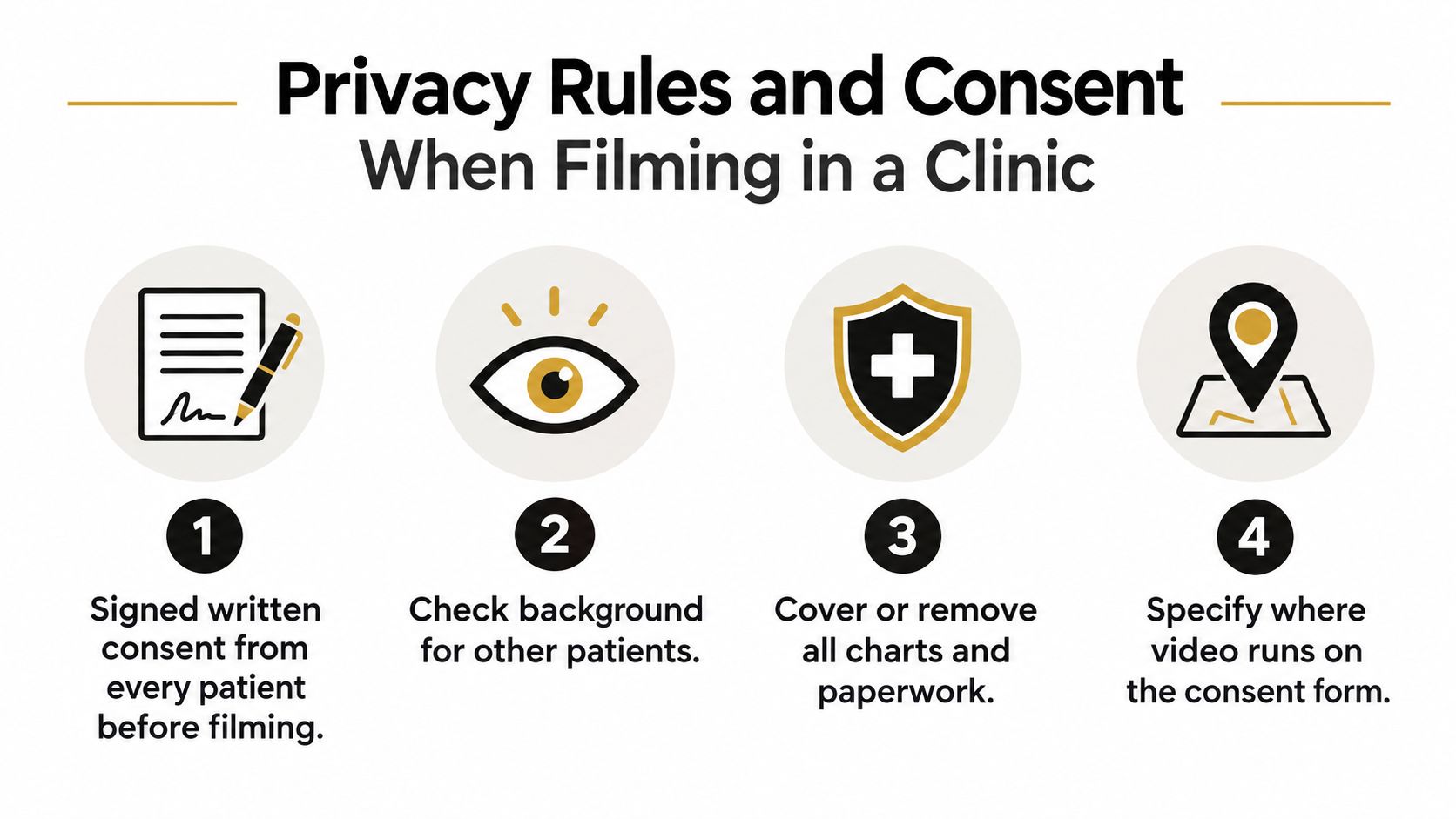
Marketing needs a signature. HHS’s guidance on marketing says “With limited exceptions, the Rule requires an individual’s written authorization before a use or disclosure of his or her protected health information can be made for marketing.” A face is an identifier, too. The HHS de-identification guidance lists “full-face photographs and any comparable images” among them, with voice prints in the same list under biometric identifiers. So treat any patient on camera in your office as protected health information.
For the shoot itself, HHS has a specific answer on film crews in treatment areas. Providers cannot let media personnel, “including film crews,” into areas where patient information is accessible “without prior written authorization from each individual who is or will be in the area.” Blurring later won’t rescue the footage. HHS says it is “not sufficient” to have the crew “mask the identities of patients (using techniques such as blurring, pixelation, or voice alteration software)” when no authorization was obtained.
It also covers hiring outside video help. HHS allows a contract film crew for public relations material with protections in place, and if patients will be identified and interviewed, “or if PHI might be accessible during filming,” the provider “must enter into a HIPAA business associate agreement with the film crew.” And the authorizations have to exist “before such materials are posted online.”
The regulation, 45 CFR 164.508, sets what the form must contain, including a description of the information, who may disclose it and to whom, the purpose, “an expiration date or an expiration event,” the patient’s signature and date, and a statement of the right to revoke in writing. On a video form, name the specific footage and every place it will run, and give the permission a real end date.
The privacy check before you roll
One person checks every frame against this list, and it shouldn’t be the camera operator, who is busy watching focus.
- no other patient seen or heard, including through an open door
- monitors turned away or off, schedules and charts off the desks and walls
- no screen reflected in mirrors, glass doors, framed certificates or polished equipment
- signed authorizations on file for every patient who appears, and releases for every staff member
- interviews in a closed room, so a conversation from the next operatory never reaches the audio
Film operatories empty unless the patient in the chair has signed. HHS notes the Privacy Rule doesn’t require a provider to keep media out of areas generally open to the public, which may include waiting areas. In office hours, though, a waiting room is full of patients, so shoot it before you open.
Comments and reviews belong in the plan
Posting video means answering comments and reviews. HHS settled with New Vision Dental, a California practice, over “the impermissible disclosure of patient protected health information (PHI) in response to online reviews”; the practice paid $23,000 and agreed to a corrective action plan. Whoever answers comments should never confirm that someone is a patient, even when that person posted first.
Somebody also has to decide which replies need a second pair of eyes. Captapi’s guide to social media compliance sorts posts by risk. In its split, posts built from approved templates go straight out, while anything with a regulated claim or personal data waits for a reviewer. At a dental office, any reply that so much as hints at someone’s treatment gets escalated.
Advertising rules: the FTC, the ADA and your state board
Patient testimonials fall under the FTC’s Endorsement Guides, revised in 2023. The FTC’s own FAQ on the Endorsement Guides says endorsements claiming specific results “usually will be interpreted to mean that the endorser’s experience reflects what others can also expect,” and that lines like “Results not typical” or “Individual results may vary” won’t change that interpretation. So an advertiser either proves the results shown are typical or clearly discloses “the generally expected performance in the circumstances shown in the ad.” I’d hold a before-and-after reel to the same standard as a whitening testimonial.
Connections need disclosing too, and staff are the easy ones to miss. When a share could be seen as promoting the company, the same FAQ says “employees endorsing the post should disclose their relationship to the company,” so a hygienist who reposts your implant explainer from their own account should say they work there. Patients count as well. Someone who received “a free or discounted product” for a review should disclose that connection “everywhere you endorse the product,” and in my book that covers any patient whose treatment was discounted in exchange for a video.
Section 5.F of the ADA Code of Ethics sits under its veracity principle and says “no dentist shall advertise or solicit patients in any form of communication in a manner that is false or misleading in any material respect.” Advisory opinion 5.F.2 gets more specific, and its list of statements to avoid includes those “likely to create an unjustified expectation about results the dentist can achieve.”
In 2025 the ADA added advisory opinion 5.F.7 for social media. As ADA News reports, it extends the “false or misleading in a material respect” standard to statements made by influencers and adds influencers to those who must disclose paid partnerships with vendors.
The ADA’s video guidance also tells dentists to “review the applicable regulations issued by your state dental board and all relevant state and local laws before beginning any video marketing campaign,” and warns that “some jurisdictions may prohibit soliciting online reviews by patients.” I won’t summarize them. They differ from state to state, and anything I wrote would be out of date somewhere by the time you read it. Check the advertising rules in every state where the practice is licensed and the ad will run, and give a healthcare attorney or your compliance lead the final read on scripts and authorization forms.
Where each video runs
The full-length versions belong on your website. Each procedure explainer sits on its own service page next to the booking button; the dentist introduction and the tour go on the homepage and the new-patient page. Add captions and a transcript, for viewers with hearing loss and for search engines, which need text to read.
Google Business Profile
Google’s help page on managing Business Profile photos and videos says profile videos can be “up to 30 seconds long,” up to 75 MB, at 720p or higher. Uploads are reviewed against Google’s photo and video policies and, Google says, can take up to 24 to 48 hours to show. So the profile gets its own 30-second cuts of the tour and the dentist introduction. Google’s own walkthrough puts the duration and file-size limits on screen.
Paid social
Ads get cropped and trimmed, and people watch them cold, so the 15-second cut needs the same claims review as the full video. Each ad should point at the matching service page.
With local creators, the ADA’s 2025 additions treat hiring influencers as “fee splitting” when they are “paid some amount or percentage of the professional fees collected from actual or prospective patients,” so keep their pay unconnected to what patients pay you, and disclose the partnership.
I’ve no problem with a practice testing ad angles on an AI platform for video and ad creation like ShortGenius before paying for a shoot; it drafts a script and turns it into a short video or UGC-style ad. I’d stop at hooks and captions. Its generated people and rooms don’t belong in anything presented as your practice.
The waiting room
Everyone in your waiting room has already booked, so that screen is for getting them ready. Play the procedure explainers and the implant aftercare there, silent, with burned-in captions like the OHSU video’s, and change the loop every month or so.
What it costs: phone or crew
What a dental video costs depends on crew days, the number of people on camera, locations, editing, captions and how many versions you need, so any number I gave you here would be a guess; the sourced ranges by production tier in what video production costs are the closest benchmark I’d trust. Ask for a quote that separates pre-production, filming, editing, graphics, revisions and travel, so you know which line to push back on.
Then decide which videos you film yourself.
| Phone, filmed in-house | Small professional crew | |
|---|---|---|
| Best for | Quick answers, staff introductions, aftercare, office updates | Dentist introduction, office tour, explainers that stay up for years |
| Setup | Tripod, clip-on mic, window light, one quiet room | Cameras, lighting, dedicated audio, a call sheet |
| Audio | A phone mic struggles in a working clinic | Dedicated mics and someone listening to them |
| Staff time | Your team sets up and records | The crew runs production; staff only appear on camera |
| Editing | Basic cuts and captions | Color, sound, graphics, several versions |
| HIPAA paperwork | Staff releases and patient authorizations | The same, plus a business associate agreement if patients are interviewed or records are within reach |
| Cost | Mostly staff hours and a few accessories | A day rate plus editing, quoted by scope |
A phone is fine for anything you’ll replace in a few months. The dentist introduction and the tour are the two videos a new patient sees first, and nobody reshoots them every season, so that’s where I’d pay for a crew.
A one-day shoot plan that fills a quarter
Prepare the topics, rooms and paperwork beforehand, and decide where every clip will end up.
Collect the questions from the front desk and from treatment-plan conversations first, and pick the four procedures you most want to explain. Write each video as bullets: the patient’s question, a direct answer, the steps, what the patient will feel, one next action. The hook, body and call to action from my video script guide shrink down fine for a 60-second answer.
Then build the authorization folder, a list of every screen and wall chart that needs covering, and a shot list with a destination for every shot (our free shot list template works for this). Book a day when the schedule is closed, or block the rooms you’ll film.
| Time | What you film | What it becomes |
|---|---|---|
| 8:00 | Privacy check: authorizations on file, screens covered, charts cleared | Setup only |
| 8:30 | Light and mic the interview room | Setup only |
| 9:00 | Dentist interview: approach to care, the first visit, nervous patients | Homepage introduction, a 30-second Google cut, 2 or 3 social clips |
| 10:00 | Explainers for your four priority procedures | Four service-page videos, plus a short cut of each |
| 11:30 | Quick answers from the dentist and a hygienist | 8 to 10 social clips |
| 12:30 | Lunch, and back up every card to two drives | Insurance against a lost card |
| 1:15 | Office tour with the rooms empty, following a new patient’s path | Website tour, a 30-second Google tour, the waiting room loop |
| 2:15 | Front desk on insurance and the first visit; staff introductions | New-patient page video, 3 or 4 staff clips |
| 3:15 | Aftercare explanations for the procedures you filmed | Videos to send by text or email after treatment |
| 4:00 | Detail footage: hands, instruments, sterilization, signage | Cutaways for every edit |
| 4:30 | Retakes and vertical versions | 9:16 versions for social |
| 5:00 | Review the footage for screens and reflections, reset the rooms | A list of shots to drop or fix |
Shoot the vertical versions on purpose. Cropping a horizontal interview later usually cuts off something you needed; my guide to vertical video dimensions covers the safe zones. Patient stories get their own day, scheduled around the patient, with the authorization signed before the crew arrives.
That day gives you roughly twenty short social clips, enough for one or two posts a week across the quarter. The longer pieces roll out month by month.
| Month | Website | Google Business Profile | Social | Waiting room |
|---|---|---|---|---|
| Month 1 | Dentist introduction and tour go live; first two explainers on their service pages | The 30-second tour | One or two quick answers a week, plus the dentist clips | Tour and first-visit loop, captioned |
| Month 2 | The last two explainers; the front-desk video on the new-patient page | The 30-second dentist introduction | Answers continue, staff introductions start, and a small paid test points at one service page | Procedure explainers join the loop |
| Month 3 | Aftercare videos added to post-treatment texts; a patient story if you have a signed authorization | A 30-second cut of your strongest explainer | The remaining answers, with more paid spend behind whichever post brought bookings | Aftercare and prevention content |
Afterward the job is cutting one shoot into a stack of platform versions. Hooked’s playbook on video marketing for small businesses has a section on adapting one video for each platform, and it’s worth handing to whoever does the edits. Someone in the practice also has to own the calendar (approvals, the authorization file, publish dates, the booking link each video points to).
Tracking which videos lead to bookings
I’d watch these four instead of views.
- watch time on service pages, which tells you whether an explainer holds attention
- clicks from a video page to the booking form or the phone number
- booking requests from pages with video, compared with pages without
- what new patients say when the front desk asks how they found you
The stage-by-stage approach in video for lead generation works for a practice too. Give each video one destination and a tracking link. Check the numbers once a quarter, since a single month is too noisy to judge, and model the next batch on whichever videos led to bookings.
Frequently asked questions
Yes, for every patient who appears on camera or is in the room while you film. With limited exceptions, HIPAA requires a patient's written authorization before their information is used for marketing, and HHS says blurring a face later does not fix footage of someone who never signed. If an outside crew will interview patients or could see records during the shoot, the practice also needs a business associate agreement with that crew. The simplest setup is empty treatment rooms on the main shoot day, with any patient who agrees to take part filmed separately once their form is signed.
Up to 30 seconds. Google also caps the file at 75 MB and wants 720p or higher, and every upload is reviewed against its photo and video policies; Google says it can take up to 24 to 48 hours to show. Cut a short version of the office tour and the dentist introduction just for the profile, and keep the full-length ones on your website.
Where your state board allows it, yes, with more paperwork than any other format. The patient signs a HIPAA authorization, and I'd have it name the footage and every place it will run. If the result is presented as that patient's experience, the FTC says it will usually be read as what others can also expect, so you either have proof the result is typical or clearly disclose what patients can generally expect; tacking on a 'results may vary' line does not change that. The ADA Code warns against creating unjustified expectations about results, and state dental boards have their own advertising rules, so read your board's as well.



