FAQ Videos: What They Are and How to Make Them
FAQ videos answer your customers' most common questions on screen. Here is what makes them work, where to place them, and how I would make one.


An FAQ video answers one of your customers’ most common questions on screen, usually in under a minute. I have built these for help centers and product pages, and slipped them into onboarding emails, and the useful ones all start the same way: someone on the support team is tired of typing the same reply, so we film the answer once and let it work on repeat.
The reason a video often beats a text answer is plain. If the question involves a screen, a setting, or a sequence of steps, showing it is faster than describing it, and the customer copies what they see instead of guessing what you meant.
What an FAQ video actually is
An FAQ video is a short clip that answers a single frequently asked question about your product, service, or policy. It can be a person talking to camera, a screen recording with a voiceover, or a short animation, and it lives wherever that question tends to come up. The format matters less than the discipline: one question per video, answered plainly, with nothing a viewer has to sit through to reach the point.
Skip the questions you wish people asked. The ones worth filming are already stacking up in your support inbox and getting raised on your sales calls. Pull twenty of those, sort by how often they repeat, and you have your first shot list.
Why they beat a wall of text
People reach for video when they want to learn something or fix a problem. A large share of what gets typed into Google and YouTube is some version of “how do I,” which is the exact job an FAQ page is meant to do. The outdoor brand L.L.Bean is a good example: it used Google Trends to find the questions outdoor fans kept asking, built a how-to series around them, and grew its YouTube channel subscriptions by 592% in about two years.
Video also holds attention better than a block of text. In HubSpot’s 2026 State of Video data, viewers stay through about half of an educational video under five minutes, and that attention holds up as clips get a little longer. Half of a ninety-second answer is usually enough to get someone unstuck.
There is a second payoff most teams miss. A video keeps people on the page longer, and a page that answers its question well tends to rank for that question, so the same clip that saves a support reply can also pull in the next person searching for the same thing.
Where FAQ videos earn their keep
Most FAQ videos live inside a support flow, and they pay for themselves by answering a question before it turns into a ticket. Zendesk’s walkthrough of building smart self-service resources is a good way to see the shape of that: a help center is designed to catch repeat questions, and a short clip embedded next to the article is often the piece that makes a skimmer stop and actually follow the steps.
If your support team answers the same five questions every week, those five are your backlog. Film them, drop each one into the relevant help article, and watch which ones stop generating replies.
The length that keeps people watching
I keep each FAQ video short, ideally under two minutes and often under one. The data is steady on this: engagement falls as videos get longer. In Wistia’s 2025 State of Video Report, viewers watched half of the videos under a minute, and that share slid as length climbed.
Average engagement rate, the share of a video an average viewer watches, grouped by video length. Keeping an FAQ video under a couple of minutes is what keeps it watched.
One question per video is the rule that makes this easy. The moment you try to answer three things in one clip, it runs long, and the person who only cared about the first thing gives up before you reach their part.
Where to put them
An FAQ video is only as good as its placement. The spots I have seen earn their keep:
- Product and pricing pages, next to the objection that stalls a purchase.
- Your help center or knowledge base, embedded in the matching article.
- Checkout and setup flows, where a two-line worry can kill a sale.
- Onboarding emails, so a new customer sees the answer before they hit the wall.
- Social and search, where the same clip doubles as content people can find.
That covers most of a customer’s path without asking anyone to file a ticket. If you are mapping this to a wider customer education effort, the FAQ set is usually the simplest place to start, and it feeds naturally into a stronger onboarding sequence later.
Formats, and when to use each
There is no single right style. Here is how I choose, depending on the question:
| Format | Works best for | Effort | Feel |
|---|---|---|---|
| Talking head | Policy, reassurance, “is this right for me” | Low to medium | Personal |
| Screen recording | Software steps, settings, account tasks | Low | Practical |
| Animation | Concepts with nothing physical to show | Medium to high | Polished |
| Live-action | Physical products, assembly, unboxing | Medium | Tangible |
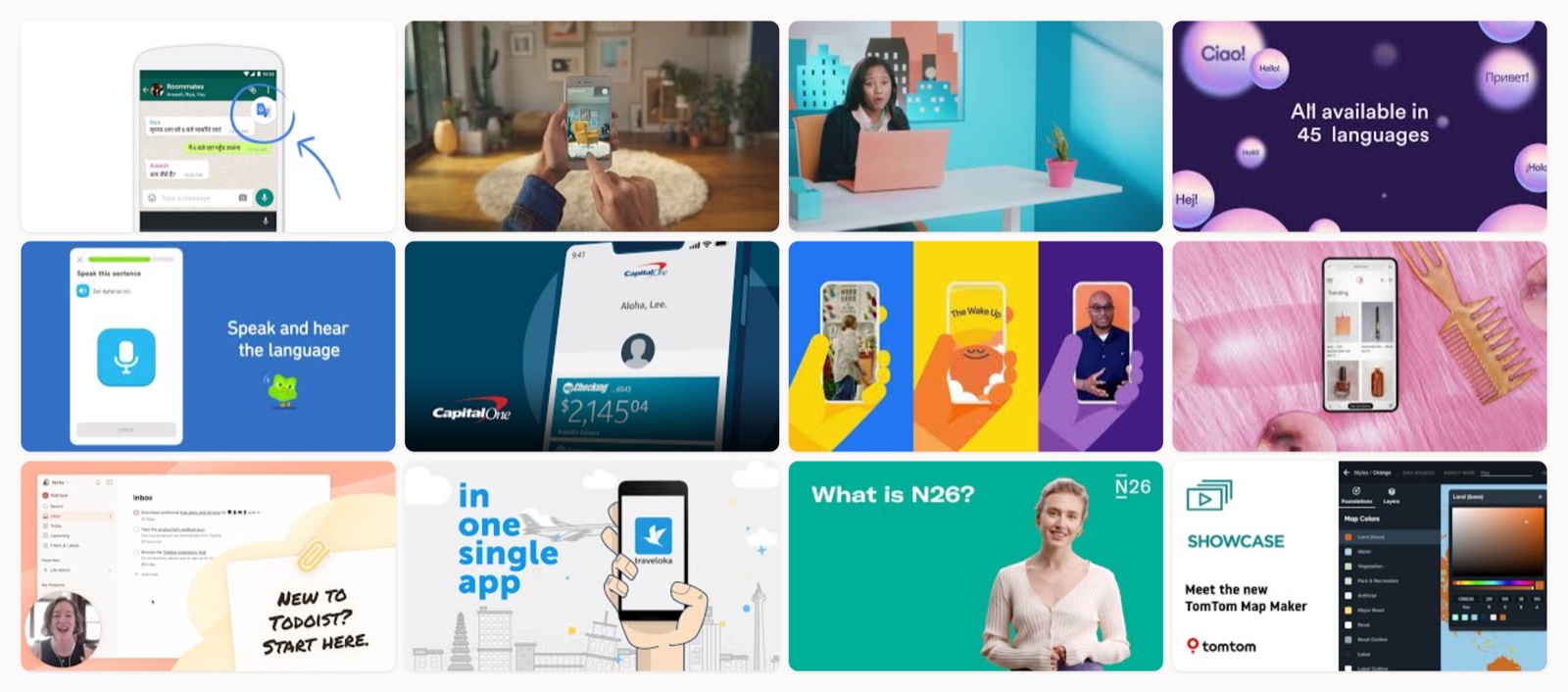
For anything with steps on a screen, a screen recording with a clear voiceover is hard to beat, close to the method in our guide to making instructional videos; if you want to see the format done well, our roundup of instructional video examples is worth a look. For a physical product, a short live-action clip does what no diagram can.
How I would make one
Once you have your list of real questions, the production is short.
- Write for the ear, not the page. Say the answer out loud first, and if it sounds stiff, trim it until it sounds like you helping a friend.
- Answer the question in the first five seconds, then show the steps, and skip the logo intro.
- Caption everything. Many of these get watched on mute in a support tab, so the words on screen carry the answer.
- End on the next step, whether that is a button to click or a related question to watch.
You do not need a crew for most of this. A tidy screen recording and a decent microphone will carry a software FAQ, and the cost only climbs when you move into animation or filmed product work, which is worth understanding before you commit (our breakdown of what educational video production costs is a useful reality check).
When a client asks us at Moonb to build a full set of these, we start by reading their last hundred support tickets rather than by writing scripts. The questions are already there. The work is answering each one once, clearly enough that nobody has to answer it by hand again.
Frequently asked questions
Aim for under two minutes, and often under one, with a single question per clip. Wistia's engagement data shows viewers watch about half of a sub-minute video and less of anything longer, so a tight answer gets watched and stays findable for that one question. If a topic truly needs more room, split it into a short series of clips rather than one long video.
No, run both. Keep the text for fast scanning and for the search snippet, and add a video wherever the answer involves a screen, a setting, or a physical step that is easier to show than to describe. Many teams embed the clip directly inside the matching text answer, so the same page serves people who skim and people who watch.
They can, in two ways. A clear video keeps visitors on the page longer, which is a positive signal, and a video with a transcript and proper markup can appear as a video result in search. Add an accurate transcript and captions so both search engines and anyone watching on mute get the full answer.