8 Instructional Video Examples Worth Studying
Eight real instructional videos taken apart for the craft decisions that make them land, plus what to copy when you make your own.

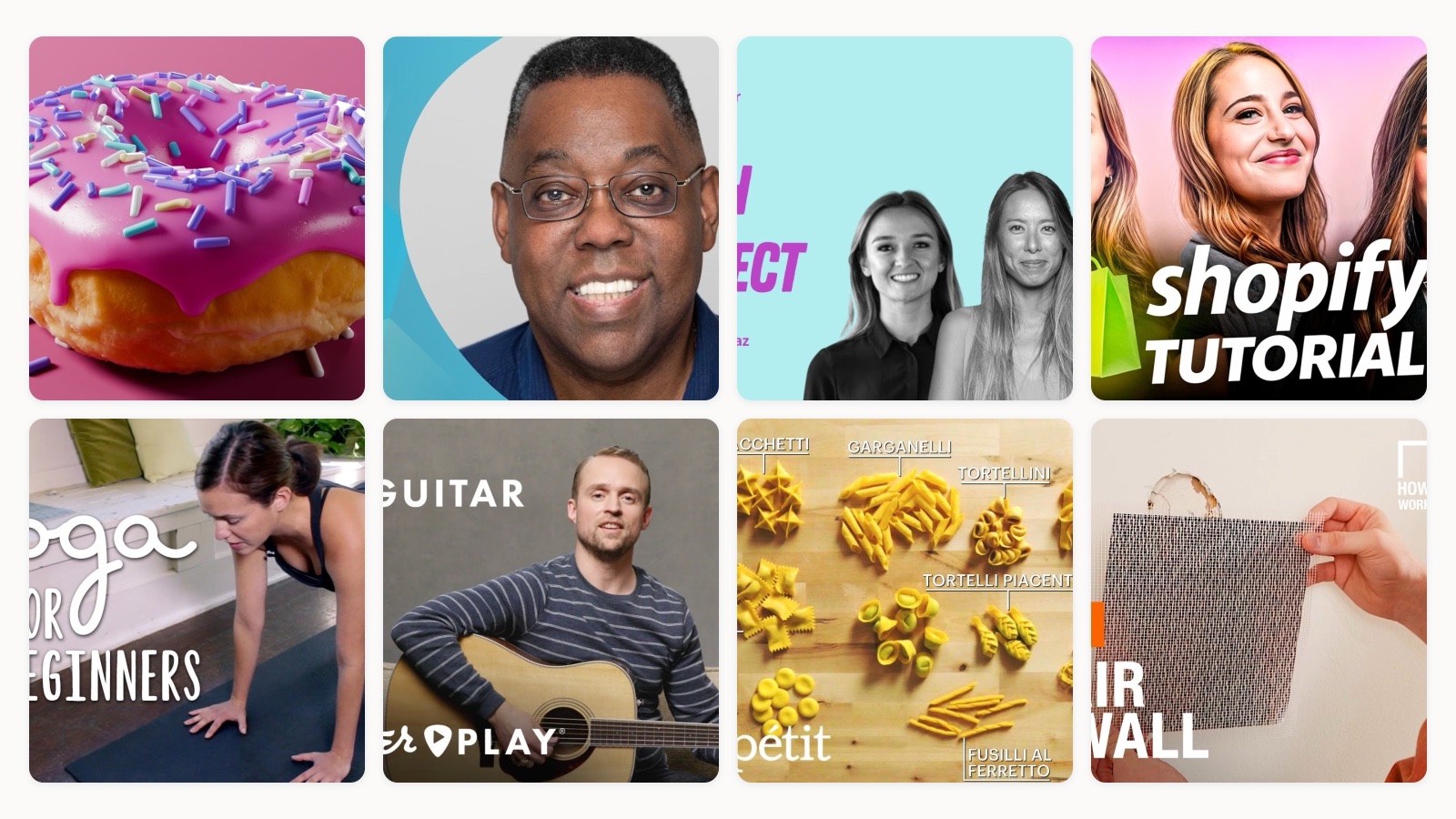
I brief and direct instructional videos for a living, and I will tell you the least glamorous thing I have learned. The best instructional videos are almost never the most expensive ones. They are the ones that cut the viewer’s mental effort down to nearly zero.
That is the whole game. Pick one job per video, make it impossible for the viewer to get lost, and polish becomes optional. Below are eight real examples, each made by the brand or creator who actually knows the subject, and I want to take apart the specific choices that make them work. Watch them, then steal the mechanics.
What actually counts as an instructional video (and what doesn’t)
An instructional video teaches someone to do a thing. When it is over, the viewer can do something they could not do before. That is the test, and it is stricter than most people think.
A product demo is a different animal, even though the line gets blurred constantly. A demo shows you what a product can do so you will want it. An instructional video shows you how to do a task so you can go do it, whether or not the tool is the point. The real difference is who the video serves. A demo serves the seller. Instruction serves the person trying to learn.
Most of what gets tagged “instructional” online is really a demo or an ad wearing a how-to costume. The examples I picked below are the real thing. Every one of them leaves you able to do the task, and most come straight from the owner’s own channel, so the person teaching actually made the thing.
Instruction usually takes one of four shapes. A tutorial or step-by-step how-to. An explainer that makes a concept click. A webinar or recorded lesson. A demo used to teach rather than to sell. You will see several of those below.
Eight instructional videos worth studying
Blender Guru, the donut tutorial
This is the one I point people to first, and it has taught an enormous number of beginners how to use 3D software. The craft lesson is pacing. Andrew keeps stopping to say, in effect, pause and do this now. He does not race ahead of your hands. He assumes you are following along in real time, and he builds in the beats for you to catch up.
The scope choice is just as smart. A donut is a perfect first project because it is small, it forgives mistakes, and it still touches every core tool. He did not try to teach all of Blender. He taught one object, and the whole toolkit came along for the ride.
Adobe, getting started with Photoshop
Photoshop is a program you could spend a decade learning. Adobe’s own onboarding video is smart enough not to pretend otherwise. It is scoped to roughly your first ten minutes with the app, not the whole thing.
That restraint is the lesson. A beginner does not need the full feature tour. They need to leave the video able to do one real thing, so they come back tomorrow. First-party onboarding fails when a company tries to show off everything it built. This one wins by choosing what to leave out.
Canva, presenting with confidence
I love this one because Canva teaches a skill next to the product, not the product itself. The subject is presenting well, which is a thing people are actually anxious about. The tool shows up as a way to help, not as the star.
That is a durable move. When you teach the adjacent human skill your audience already cares about, you earn their attention honestly, and the tool becomes the natural next step instead of the pitch. Useful first, product second.
Shopify, setting up your store
This one is long, and it works anyway, which is the point. People love to say instructional videos have to be short. Not true. Length is fine when navigation is good.
Shopify breaks the whole store setup into skippable, timestamped sections, so the viewer who only needs the payment part can jump straight there. The video respects that nobody watches a forty-minute tutorial start to finish. Chapters turn one intimidating block into a menu of small jobs. If your content honestly takes a while to teach, do not cut it down. Break it up.
Yoga With Adriene, yoga for beginners
Adriene has built one of the most-followed teaching channels anywhere, and the craft is worth studying even if you never touch a mat. Watch the framing. The shot almost always shows her full body, because a beginner needs to see the whole pose, not a tight crop of her face.
Then listen to the timing. Her verbal cues land exactly when the movement happens, not before and not after, so you are never guessing. And the tone removes the fear of doing it wrong, which is the real barrier for a nervous first-timer. Instruction as hospitality. The viewer feels welcomed rather than tested.
Fender, learning your guitar
Fender sells guitars. This video does not try to sell you one. It teaches you the fundamentals of the instrument you may already own, and that is the strategy.
A brand that makes you competent before it asks for anything builds a kind of trust that no ad buys. A confident beginner keeps playing. They keep buying strings and picks and eventually a better guitar, and they do not return the one they have out of frustration. Teaching the fundamentals first is patient, and it pays off later. Watch how calm the video is about that.
Bon Appetit, handmade pasta shapes
This is a masterclass in show, do not tell. The camera lives overhead, right above the hands and the dough, because the shot itself is the instruction. You are watching exactly what your own hands need to do, from the exact angle you will see them.
There is very little talking-head time. When the technique is physical, the best thing a video can do is get out of the way and let you see the hands work. If you are teaching anything tactile, from a craft to a repair, put the camera where the viewer’s eyes will be and let the doing carry it.
The Home Depot, repairing drywall
A retailer that sells by teaching. There is an on-screen tool list so you know what to grab, real hands working on a real wall, and a calm walkthrough aimed squarely at a nervous DIYer who has a hole in their drywall and no idea where to start.
Notice the title. It matches, almost word for word, what a panicked person types into search at the moment the problem happens. That is the how-to playbook in one clip. One clear task, a literal searchable name, and enough confidence-building that the viewer believes they can actually do it. The sale takes care of itself once someone feels capable.
What the best instructional videos have in common
Look across those eight and the same handful of decisions keep showing up.
Every one owns exactly one job. The donut, the first ten minutes, the drywall patch. None of them tries to teach everything, and that restraint is why they finish strong. When a video tries to cover too much, the viewer feels behind by minute two and leaves.
The framing serves the task, not the presenter. Overhead on the hands for pasta, full body for yoga, the screen for software. The camera goes where the learning is. And the tone assumes the viewer is capable, which lowers the fear that makes people quit before they try.
There is real demand under all of this. Pew Research found that 51% of YouTube users say the platform is very important for figuring out how to do things they have never done before, with 87% calling it at least important. People are showing up to learn on purpose. My job, and yours, is to not waste that intent.
How to make instructional videos people actually finish
Start by writing the one sentence a viewer should be able to say when the video ends. “Now I can patch a hole in my drywall.” If you cannot write that sentence, the video does not have a job yet, and you are not ready to shoot.
Then keep the structure boring on purpose. A quick promise of what they will be able to do, the steps in order, a short recap, and a nudge toward the next thing. Beginners do not want a clever structure. They want to always know where they are.
Design for silent viewing too. A large share of people watch with the sound off at least some of the time, so on-screen step text and captions are not extras. If your instruction only exists in the narration, half your audience misses it. Put the key step on screen as text every time.
Make it easy to move around. If the task is long, add chapters and timestamps the way Shopify does, so people can leave and come back to the exact spot. And do not confuse production value with clarity. A clean screen recording with tight scope beats a beautifully lit video that tries to cover too much. If you want the deeper build, we wrote a full walkthrough on how to make instructional videos.
Where instructional video earns its keep
Instruction pays off anywhere the same question gets asked more than once. Customer onboarding is the obvious one. A good set of how-to videos means a new customer gets competent without waiting on a support reply, and your team stops answering the same ticket over and over.
It also earns its keep before the sale. Fender and The Home Depot both teach fundamentals to people who have not bought anything yet, because a person who feels capable is a person who buys and keeps. Video suits this because people reach for it. Think with Google’s research points to the same behavior the Pew numbers do, purposeful, self-directed learning on video at scale. When someone wants to learn a task, they look for a video, not a wall of text.
Internally, the same logic covers training. A short single-purpose clip that a new hire can rewatch beats a live session nobody remembers. If that is your world, our piece on educational video production cost breaks down what these actually take to make.
None of this needs a huge production. It needs a clear job, honest framing, and captions. When teams want a steady stream of this kind of teaching video without standing up an internal production department, that is the sort of work my team at Moonb takes on as an embedded creative team. If a running how-to library is on your list, here is how we plug into in-house marketing teams.
Frequently asked questions
As long as the single task honestly takes, and no longer. A two-chord guitar lesson can run two minutes and a full store setup can run forty, and both work if the scope is one clear job. When the task is long, add chapters and timestamps so people can jump to the part they need instead of watching straight through.
An instructional video leaves the viewer able to do a task, and it serves the person learning. A demo shows what a product can do to make you want it, and it serves the seller. The same footage can lean either way, so the honest test is who the video is really for and whether the viewer can go do something when it ends.
Screen recordings and live action work just as well, and often better. The right format follows the task. Software teaching wants a screen capture, anything physical wants an overhead live-action shot of the hands, and animation earns its place only when you need to show a concept that has no camera-friendly version. Pick the format that shows the viewer exactly what their own hands or eyes need to do.



