How to write a video sales letter for B2B software
A video sales letter is a sales page in video form, built to get one action. How to build the script in six beats, pick a length and a presenter, and test it without fooling yourself.

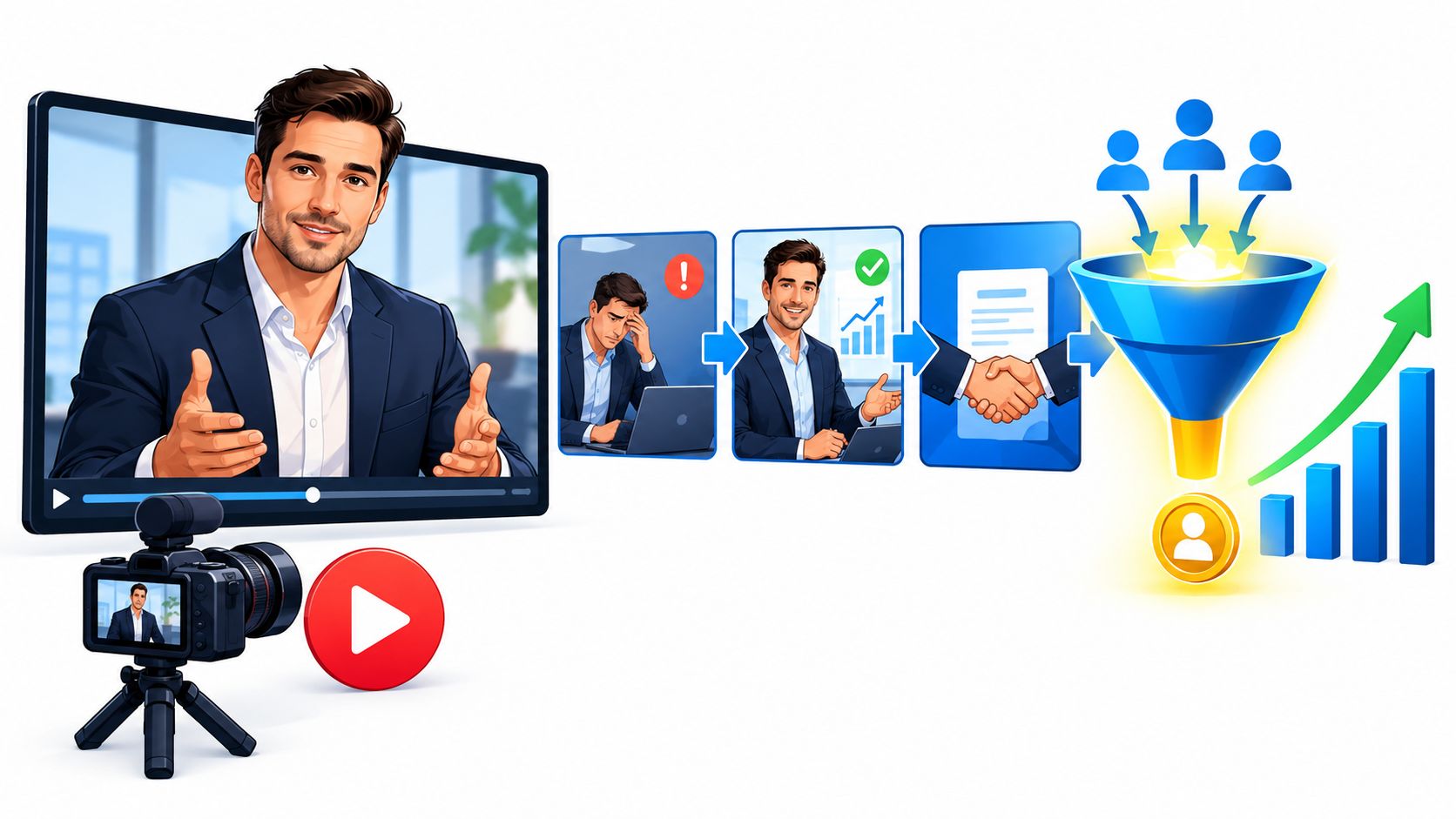
A video sales letter (VSL) is a sales page turned into a video: one argument, delivered in a fixed order, that asks the viewer to take a single action at the end, usually booking a demo, starting a trial or filling in a form.
Most VSL briefs I see (I work at Moonb) arrive in one of two states. Someone wants “a video for the landing page” and hasn’t decided what it should make people do. Or there’s a long text sales page that converts badly, and the hope is that video will rescue it. I’d rather get the second one. A VSL is only as good as the argument under it, and a page that already argues something gives you something to film.
What a video sales letter is
A VSL gets mixed up with three other formats. A product demo shows how the software works, feature by feature or workflow by workflow. An explainer makes an idea or a process easier to grasp. A brand film builds a feeling about the company. A VSL will happily borrow from any of them (a stretch of screen recording here, a diagram there) as long as every borrowed piece pushes toward the button.
So I open every brief with the same slightly awkward question. What should the viewer do when the video ends, and how will you count it? If nobody can answer, you’re making an explainer, which is fine as long as everyone agrees that’s what it is before the edit starts.
| Format | Main job | What success looks like |
|---|---|---|
| Video sales letter | Make the case for one action | Demo bookings, trials, qualified forms from viewers |
| Product demo | Show how the product works | Viewers who reach the parts that matter to them |
| Explainer | Make an idea or process clear | Fewer confused questions in sales calls |
| Brand film | Build a feeling about the company | Recall and sentiment over time |
The format is older than video
The sequence comes from print. Aaron Montgomery Ward formed his mail-order company in August 1872 and published a general merchandise catalog listing 163 products. Even after department heads took over the product descriptions, Wikipedia’s account of him says, “he still went over every line of copy to be certain that it was accurate.” Richard Warren Sears followed with his first general catalog in 1896 (Wikipedia, Aaron Montgomery Ward).
The direct mail letter I come back to most is Martin Conroy’s “Two Young Men” for The Wall Street Journal, a direct mail piece in continuous use from 1975 to 2003 that, by Wikipedia’s account, “earned an estimated $2 billion in subscription sales” (Wikipedia, Martin Conroy). It starts with a story about two graduates who were very much alike and doesn’t get to the Journal until you want to know why, twenty-five years on, one of them was a department manager and the other was the company’s president.
On video you also set the pace: what the viewer sees, and when. Great, until the value takes too long to show up and they leave before your best argument plays.
The six beats of a VSL script
I won’t sign off on a VSL script until I can find these six beats in it, in this order.
I fuss over the opening more than anything else in the script. A Google, YouTube and Ipsos study of skippable TrueView ads (US, January 2012) concluded that “Peaking interest in the first 5 seconds is key to driving viewership” and that “‘Curiosity’ is the top reason consumers choose to view an ad” (Think with Google, TrueView Ads: Getting Viewers to Watch, Not Skip). It’s old data, and it’s about ads. I still think it holds, because a VSL on a landing page is up against the same finger hovering over the tab. Open a question in the first seconds, and make sure the script answers it.
- Hook. A specific tension the right viewer recognizes. The logo sting and the company history can wait, and if you open a curiosity gap, the rest of the script owes the answer.
- Problem. Make the buyer’s difficulty concrete; for a finance team, that might be rebuilding the same revenue numbers from three systems before every leadership meeting. Don’t inflate it. A viewer who doesn’t recognize the situation stops trusting everything after it.
- Mechanism. How the product deals with that problem. Name the approach if a name helps people remember it, then show the workflow. Hand someone a feature list and they have to connect each feature to their own task, which most won’t bother doing.
- Proof. Why anyone should believe you: a documented customer result, a third-party review, a live demonstration. In the drafts I see, this is the beat most often padded with something that only looks like evidence.
- The offer. What the prospect gets or can do next, with the terms that matter. For a demo, say what happens on it and how long it takes.
- Call to action. One action, plain words, an obvious destination. “Learn more” tells a qualified buyer nothing about what comes after the click.
How long each beat runs depends on who’s watching. Cold traffic needs more problem and more proof before it acts, while people who already know the product can reach the offer much sooner. And if the video’s promise has to match your ads, emails and sales deck, settle it first in a brand messaging framework and write the script from that.
Jenny Hoyos makes short videos for a living, and in this TED talk she breaks down her framework for telling a story in 60 seconds or less. Her examples are social videos, but I’d show this to anyone writing a VSL hook.
Write the logline before the script
Before anyone writes a full script, I ask for two sentences that hold the whole argument. Screenwriters do the same for a different buyer. AmaJova’s guide to selling a film script tells writers to start their submission package with a logline of one or two sentences naming the protagonist, the central objective, the main obstacle and the consequence of failure, so a producer can see what the film is about and why an audience would choose it. Their reader is a UK producer weighing finance and production, a long way from a head of finance with a demo slot to fill, but the same test works on a VSL. If you can’t say who the viewer is, what they want, what’s in the way and what staying stuck costs them, the six beats will wander.
A sample script for a B2B software VSL
This one runs about 90 seconds, for an unnamed, made-up revenue reporting tool aimed at finance teams at mid-sized software companies. The product is invented for this guide, and so is every scenario in it. I left the proof beat as placeholders on purpose, because that slot only ever gets real, approved evidence.
| Time | Beat and voiceover | On screen | Production note |
|---|---|---|---|
| 0:00 to 0:15 | Hook and problem: “It’s the night before the board meeting. Which accounts are growing? Three dashboards, three answers.” | A finance lead with three browser tabs, each showing a different revenue figure. Text: “Three dashboards. Three answers.” | Write the hook for the target buyer; it describes a situation, it makes no claim about every finance team. |
| 0:15 to 0:30 | Problem deepens: “When every team defines revenue its own way, the meeting turns into an argument about whose number is right, and the decision waits another month.” | A meeting paused on two conflicting slides. Text: “Agree on the number first.” | Keep it recognizable and specific. |
| 0:30 to 0:45 | Mechanism: “This tool pulls your billing and CRM data into one view. Connect the sources, agree the definitions once, then review account movement in one place.” | Three steps animate in. Text: “Connect the sources. Agree the definitions.” | Check every capability against the real product before recording. |
| 0:45 to 1:00 | Proof: “[Approved customer result, with context]. [Second documented result or third-party review].” | One proof card per claim, readable for at least three seconds. | Placeholders only until legal and the customer approve the wording. |
| 1:00 to 1:15 | The offer: “Bring the questions your team argues about. In a 30-minute walkthrough we’ll map them against your own data.” | Screen recording of the workflow that answers one of those questions. | The duration and format in the voiceover must match the real demo. |
| 1:15 to 1:30 | Call to action: “Book your walkthrough below.” | Product screen settles; a “Book a walkthrough” button appears and matches the page button. | Same words in the video, on the button and in the confirmation email. |
Let the shots follow the turns of the argument, so the viewer can feel the move from problem to mechanism to proof. I’d keep one look across the whole film, though, and let what’s on screen carry each change. For software, a clean, zoomed screen recording carries almost the whole film, because it explains a workflow better than any amount of decorative motion.
Most teams reach for demo footage in the mechanism and offer beats. Our software demo script examples make good raw material there, as long as the VSL stays in charge. Out of a demo that might cover ten features, I’d take the one that answers the problem the VSL opened with and leave the rest for the sales call. For the drafting itself, our guide to writing a video script has a general method for getting a first version onto the page.
Length, pacing, on-screen text and the presenter
There is no correct VSL length. A 90-second cut can beat a four-minute one, and the reverse happens too. The rule I go by is that every extra beat has to answer a question a real buyer would ask, and if it doesn’t, it gets cut.
Organizational psychologist Niro Sivanathan gives that rule some backing. His TEDx talk, republished on TED’s channel, explains the “dilution effect,” which TED’s description calls a cognitive quirk that weakens our strongest cases. In a VSL it looks like the fourth testimonial nobody needed, or a feature tour bolted onto an argument that was already working.
For a first version, before testing tells you anything better, I’d start from this:
| Audience and product | First cut | Presenter | Pacing |
|---|---|---|---|
| Warm audience, simple product | Short, about the length of the argument and no more | Voiceover over product visuals is enough | Get to the use case and the button fast |
| Cold audience, familiar workflow | Long enough to set up the problem and show proof | Optional; let the screen recording lead | Alternate a line of explanation with a stretch of demonstration |
| Cold audience, complex or high-consideration product | Longer, if each added beat answers a real objection | A subject expert who can handle nuance, paired with product footage | Give security, process and proof details room to breathe |
On presenters, I lean toward a person on camera when trust depends on who is talking (a founder explaining why they built it, a security lead walking through compliance), and toward voiceover over the screen when the product itself is the most convincing thing you can show. I’d also take no presenter at all over one reading stiffly from a prompter.
Design it to work with the sound off
Assume a good share of visitors will meet your VSL muted, and treat captions as part of the edit. The W3C’s guidance for WCAG 2.2 draws the line clearly: “Captions not only include dialogue, but identify who is speaking and include non-speech information conveyed through sound, including meaningful sound effects” (W3C, Understanding Success Criterion 1.2.2). The same page treats subtitles as dialogue-only. Audio description is narration that describes the visual details the soundtrack alone doesn’t carry. Different problems, so work out which ones your audience has.
On the edit itself, keep on-screen text short enough to read without pausing, with real contrast against the footage. Put the call to action beside the player as well as inside the video, since plenty of visitors scroll past without ever pressing play. Keep music low enough that nobody strains to hear the voiceover, and drop it if it still competes. And pick a thumbnail that promises what the video delivers; if that’s your first test, we have a separate guide on optimizing and testing video thumbnails.
What to test first and how to measure it
There’s a VSL benchmark that gets repeated around the web, a specific conversion rate for pages with a VSL against text-only pages. I couldn’t trace it to a primary, independent study, so it isn’t in this guide, and I wouldn’t plan around it. Use your own page as the baseline.
Measure the path from attention to revenue, in this order:
- Play rate, meaning how many visitors start the video at all.
- Drop-off points. Where attention falls, and which beat is playing at that second.
- Whether the people you want are still watching when the proof and the call to action arrive.
- Click-through on the call to action, both in the video and beside it.
- Qualified pipeline, meaning the clicks that became meetings and then revenue.
Then test one big thing at a time. I usually go in this order, since the early items move more people:
| Test | Why it goes early | What to compare |
|---|---|---|
| Thumbnail and the line beside the player | Decides whether anyone presses play | Play rate |
| Hook (first 5 to 15 seconds) | Decides whether they stay for the problem | Drop-off in the first 30 seconds |
| Proof sequence | Decides whether the claim is believed | Reach of the call to action, click-through |
| Offer framing and call to action | Decides whether believers act | Click-through, qualified bookings |
| Presenter versus voiceover | Expensive to change, so test it once the argument works | Click-through and pipeline |
Hold traffic sources and page placement steady between variants and split visitors randomly. Then judge each variant on what people did after watching; watch time on its own will flatter a long cut. Polish’s guide to running a landing page split test is a good walk through the mechanics, from writing a hypothesis and setting a baseline and minimum detectable effect to not rewarding early movement. Leave each test running long enough to see qualified outcomes. In B2B those can take weeks to show up, and with a small sample, what looks like a winner is often just noise.
I’d build the master edit in modules, with a swappable hook, proof block and call to action, so a new variant means re-cutting one section and you always know exactly what changed. If you want to run these tests as a routine, the ad creative testing playbook covers keeping the hypothesis, variant, audience and success measure straight.
Mistakes that kill a VSL’s conversion rate
Almost all of these show up in the script before anyone books a shoot, so read it from the first line to the last click with this list open.
- Opening with the company. The viewer gets your founding year before any reason to care. Start with the buyer’s problem, or their question.
- A slow value proposition. By the end of the second beat a viewer should be able to say what the product helps them do. If they can’t, the setup is too long.
- Proof without substance, like a customer quote that says you’re great and nothing else. Give each proof point its context and its source, and don’t put a number on screen until it has sign-off.
- Hiding the terms. When price, contract length or the demo format only appear after the click, the wrong people click and the right people hesitate.
- A vague call to action. Name the action and what happens next.
- Optimizing for completion. Someone can watch to the end and still be the wrong buyer, so look at qualified actions next to engagement.
- Expecting captions to rescue a dense edit. They help, but they won’t fix a cluttered screen or a wall of text.
- Changing several things at once. When the page, the audience, the video and the offer all move together, the result tells you nothing.
Check the page around the player too. HDM’s landing page best practices cover the surrounding pieces (clearer copy, stronger calls to action, better forms, trust and page performance), and our own breakdown of video landing pages looks at where the player should sit and what goes around it. If anything on that audit has no clear answer, fix it before you send more traffic.
Keeping the VSL current
Product screens change, and the proof you had last year gets replaced by better proof, so a VSL that works today won’t stay accurate by itself. Keep the approved version of each module labeled by audience and by the test it came from, with a note on which claims have sign-off and until when. Then, when a sales lead asks for a version for a new vertical, you re-cut a hook and a proof block and leave the rest of the film alone.
Sometimes the hardest pitch is internal, to a sales team that is skeptical of the VSL before it exists. Investor and teacher Mar Hershenson’s episode of TED’s The Way We Work series helps with that pitch too, with three steps for telling a story that gets a yes.
Before anyone commissions a new one, I want to know who has to act and what they already know. Most of the brief follows from that: what the video has to explain or prove, the one action at the end, which claims are approved, which numbers decide success, and which sections we’ll want to swap for the next test.
Frequently asked questions
It depends mostly on who is watching. A warm audience looking at a simple product usually needs only a short cut that reaches the use case and the button fast. Cold viewers weighing something complex may need longer, but every added beat should answer an objection a real buyer has. Pick a starting length from the audience, then let drop-off data and qualified bookings decide whether you cut or extend.
A product demo shows how the software works. A VSL argues for one action, such as booking a demo or starting a trial. It often borrows demo footage for the mechanism beat, then wraps that footage in a hook, a problem, proof and a single call to action. If your video has no defined next step and no way to count it, call it an explainer or a demo.
Use one when trust depends on who is speaking, like a founder explaining why the product exists or a security lead covering compliance. When the product itself is the most convincing thing you can show, voiceover over product footage tends to work better. A stiff presenter reading from a prompter hurts more than having none. Presenters are also expensive to reshoot, so test that choice only once the script's argument is working.



