Kittl vs Canva A Definitive Comparison for Modern Creatives

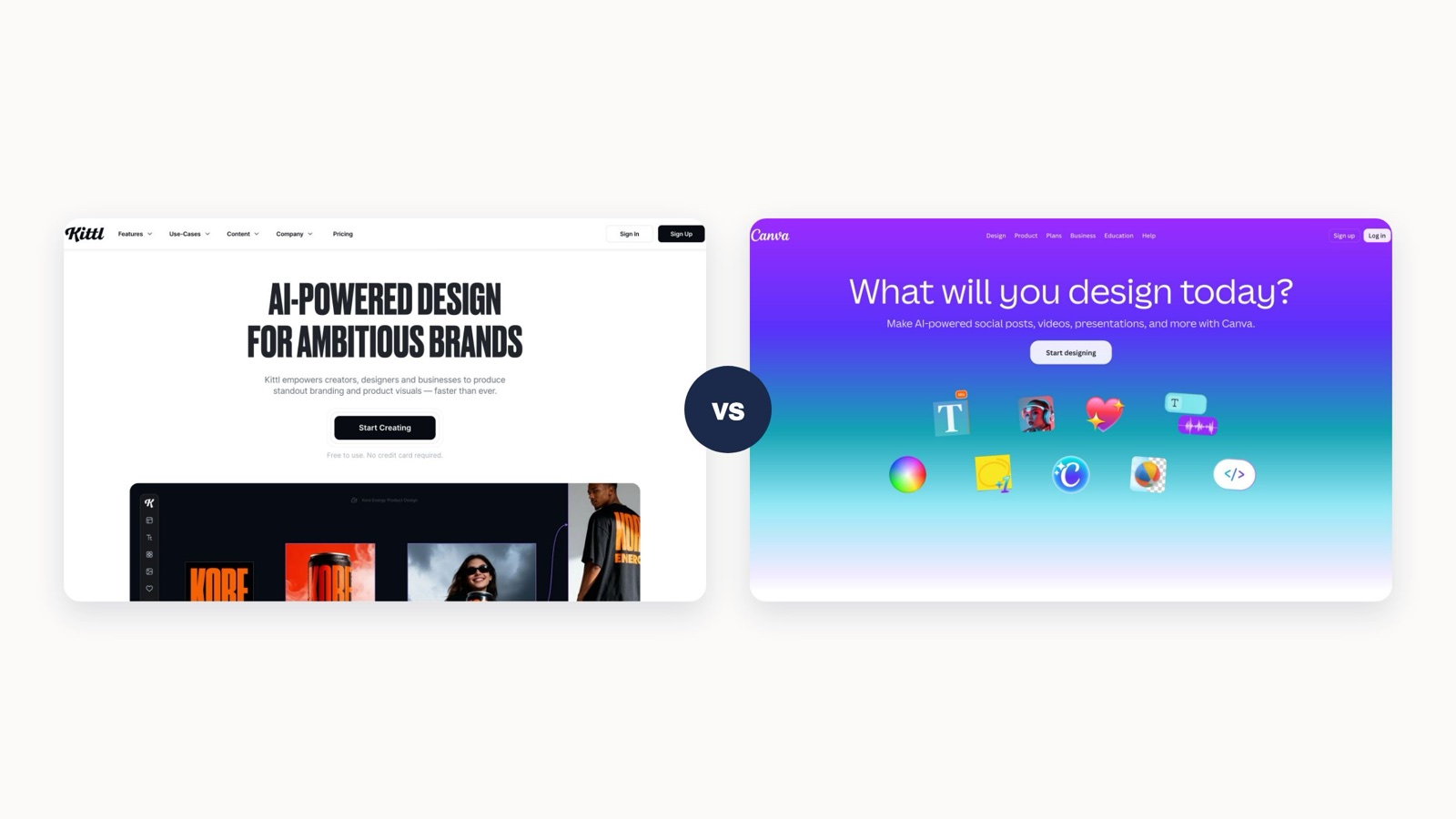
Here’s the thing about the Kittl vs. Canva debate: it comes down to a fundamental difference in philosophy. Kittl is a specialized tool for artistic, print-focused designs like merch and logos, giving you incredible control over text and vectors. Canva, on the other hand, is the ultimate generalist for churning out high-volume digital marketing content, built for speed and collaboration.
Your choice really hinges on what you value more: niche creative power or broad marketing efficiency.
Comparing Kittl and Canva at a Glance
For any marketing leader or creative team trying to build the right design stack, the first step is knowing what each tool was built to do. Kittl really came from a place of wanting to give non-designers access to professional-grade typography and illustration tools. It’s a powerhouse for creating unique, high-quality assets where intricate text effects, vector manipulation, and print-ready files are absolute must-haves.

Meanwhile, Canva has cemented itself as the go-to content creation engine for businesses of all sizes. Its main draw is the sheer volume of its template and asset libraries, paired with a super intuitive interface that lets teams produce social media graphics, presentations, and internal docs at lightning speed. If you want to get the most out of it, check out our guide on how to use Canva like a pro.
The decision isn't just about features; it's about workflow. Kittl empowers deep, focused design on individual assets, while Canva optimizes for the rapid, collaborative creation of a wide range of marketing materials.
To really see where they stand side-by-side, this table breaks down the key differences between Kittl and Canva. It’s a quick way to see which platform’s core strengths line up with your team’s main goals.
Kittl vs Canva High-Level Overview
This overview should give you a solid starting point. Now, let's dive deeper into what each platform can really do.
Comparing Core Design Capabilities and Asset Libraries
When you get past the feature lists and actually start creating, the real differences between Kittl and Canva become crystal clear. One platform is built for artistic depth and precision, while the other is an engine designed for speed and volume. Figuring out this core distinction is the key to choosing the right tool for your team.

This isn't just a simple "kittl vs canva" debate. It's a question of what you need to prioritize: intricate creative control or rapid-fire content production. The right choice depends entirely on what your team is trying to get done.
Kittl: The Specialist for Artistic Expression
Kittl's strength is in its sophisticated tools that give you professional-grade control without the headache of a steep learning curve. Its powerful text transformation engine is a huge standout, letting you create complex warping, shading, and decoration effects that are just not on the table in Canva. This makes it perfect for crafting unique typography for logos, posters, and merchandise.
Imagine you're designing a graphic for a new t-shirt line. In Kittl, your workflow would look something like this:
- Advanced Text Warping: You'd use anchor points to bend and shape text along custom paths, getting that dynamic, hand-drawn look.
- One-Click Effects: With a single click, you can apply realistic vintage textures, distressed looks, or intricate shadows to both text and illustrations.
- Vector Editing: You can directly tweak the points and curves of illustrations to refine shapes and details, making sure the final design is perfectly sharp and scalable for printing. You can even find plenty of free icons and illustrations that can be edited this way to match your brand style.
This is the level of detail that sets Kittl apart for projects where originality and artistic quality are the main goals.
Kittl is built for the creator who needs to craft a single, high-impact asset with precision. It replaces the complex functions of tools like Adobe Illustrator with an intuitive, browser-based interface, making professional design more accessible.
Canva: The Generalist for Marketing Velocity
On the flip side, Canva's power is all about its massive scale and efficiency. While it doesn't have Kittl’s deep editing tools, it makes up for it with an enormous library of ready-to-use assets and templates designed to get multi-channel marketing campaigns out the door fast. For teams that need to pump out a high volume of content quickly, Canva is the undisputed champ.
The sheer size of Canva's library is a game-changer for marketing teams. Its dominance is clear with an asset library giving paid users access to more than 141 million stock items, while free users still get a very generous 4.7 million assets. This includes a huge collection of videos, music tracks, and animations—formats that Kittl doesn't even support. With over 600,000 templates, Canva covers pretty much any marketing need you can think of, from Instagram stories to corporate presentations, leaving Kittl’s smaller, more curated collection in the dust. For any organization managing ongoing content production, this abundance means faster turnarounds and less time spent on custom design work.
Workflow: A Tale of Two Tasks
Let's walk through two common scenarios to see how these differences actually play out.
Task 1: Creating a Social Media Graphic
- In Canva: You'd start by searching for a "social media post" template, find one that fits your campaign, swap out the text and logo, and maybe grab a new photo from the massive stock library. The whole thing can take less than five minutes.
- In Kittl: You could definitely create the graphic from scratch, but you would be spending more time on the design details themselves. The workflow is less about cranking it out quickly and more about crafting a unique visual from the ground up.
Task 2: Designing a Complex Merchandise Graphic
- In Kittl: This is where the platform really shines. You can create intricate lettering, combine it with unique vector illustrations from its library, add textures, and export a print-ready SVG file. The tools are built for exactly this kind of work.
- In Canva: You could make a basic design, but you’d hit a wall pretty fast. You can't get the same level of text manipulation, and the lack of robust vector editing means you have way less control over the final print quality.
Ultimately, the core design capabilities of each platform reflect what they were built for. Kittl gives you the depth needed for specialized, artistic creations, while Canva offers the breadth and speed required for high-velocity marketing.
Team Collaboration and Workflow Efficiency
Beyond the design tools themselves, the real test for any creative platform in a business setting is how it handles teamwork. This is where you’ll see one of the biggest divides between Kittl and Canva. One is clearly built for the controlled chaos of multi-stakeholder projects, while the other is tailored for a more focused, feedback-driven process.
For marketing teams, this isn't just a minor feature difference—it directly impacts deadlines, brand consistency, and how efficiently you can get campaigns out the door. The right choice really comes down to how your team needs to work together.

Canva: The Hub for Integrated Teamwork
There's a reason Canva has become the go-to for collaborative design. Its features aren’t just bolted on; they’re part of a cohesive system designed to manage the entire creative process for a marketing department. With support for up to 100 members on its Business plan, it's ready to handle large, complex organizations.
Here’s where Canva really shines for teams:
- Real-Time Co-editing: This is a game-changer. Multiple people can jump into the same design and work simultaneously, just like in a Google Doc. It’s perfect for those moments when a designer, copywriter, and project manager all need to make live changes together.
- Commenting and Task Assignment: Team members can drop comments directly on specific design elements and assign action items to people. This keeps feedback clear, contextual, and out of messy email threads.
- Structured Approval Workflows: For teams that need tight control, managers can set up formal review processes. You can lock key elements and require an official sign-off before a design can be downloaded, which is a lifesaver for maintaining brand standards.
For a busy marketing team, Canva acts as a central command center. It cuts out the endless back-and-forth and version control headaches by keeping all communication, edits, and approvals right where the work is happening.
This whole ecosystem is anchored by Canva’s robust Brand Kits. A marketing director can lock in brand fonts, colors, and logos, making it nearly impossible for even a new hire to go off-brand. That level of control is essential for any team trying to maintain consistency across a high volume of assets.
Kittl: A Focus on Creator-Centric Feedback
In contrast, Kittl's collaboration tools feel much more streamlined and are clearly aimed at individual creators or very small teams. While you can share designs and leave comments, it doesn't have the real-time co-editing or the heavy-duty project management features that define Canva. The fact that its "Business" plan tops out at just five team members tells you a lot about its intended user.
The workflow in Kittl is less about everyone jumping in at once and more about a clean, sequential feedback loop. A designer creates something, shares it for review, and others leave comments. It’s a perfect setup for a freelancer getting feedback from a client or a small e-commerce brand where one person designs and another gives the final thumbs-up.
A Real-World Scenario: Campaign Approval
Let's imagine a five-person marketing team launching a new ad campaign to see how this plays out.
- With Canva: The copywriter drops in the ad copy while the designer tweaks the layout. At the same time, the social media manager is resizing the ad for different platforms. The marketing director can then pop in, review the finals, leave a few comments for minor changes, and hit the approve button—all within the platform.
- With Kittl: The designer would craft the main ad visual, probably focusing on some slick typography or a custom illustration. Then, they'd share a link for feedback. The rest of the team would add their comments asynchronously, and the designer would create new versions based on that input. The process is much more linear and less built for rapid-fire collaboration.
So, while both platforms allow you to work with others, they're designed for fundamentally different needs. For larger teams juggling complex campaigns and needing strict brand controls, Canva's mature collaboration suite is the obvious choice. For solo creators and small, agile teams that prioritize high-quality design with a simple feedback process, Kittl offers just the right tools without the project management overhead.
And as your team grows, improving how you handle these assets becomes critical. Our guide on creative asset management offers some great insights into building more efficient systems.
Pricing and Licensing: Where the Real Differences Emerge
Let's talk about money. The monthly price of a tool is just the tip of the iceberg. To really understand the cost of Kittl vs. Canva, you have to look at how they scale with your team, what you get for your money, and—most importantly—what you’re legally allowed to do with the designs you create.
The two platforms come at pricing from completely different angles. Kittl uses a per-seat, feature-based model, which is pretty standard for specialized software. The cost is tied directly to an individual creator’s need for professional-grade tools. This makes it a straightforward choice for freelancers or small teams whose business revolves around commercial design.
Canva, on the other hand, sells a team-based subscription. It’s built to be an all-in-one hub for a marketing department, bundling a massive suite of features together. The price goes up with more users, but the core value is in the wide-ranging collaborative and productivity tools you get.
Breaking Down the Subscription Tiers
Kittl's pricing is built for creatives who sell what they make. The Expert plan runs $24 per editor per month and unlocks its full design suite, more AI credits, and priority support. For bigger teams, the Business plan at $65 per editor per month adds much higher AI limits, expanded commercial licensing, better security, and a full terabyte of storage.
Canva’s model is all about enabling teams to produce content quickly. But their pricing has seen some major shifts lately, revealing a lot about their strategy. The most talked-about change was the massive price hike for their team plan in the US, which shot up from $119.99 to $500 for a minimum three-person team. That 317% jump sent a lot of users looking for alternatives and highlighted just how volatile subscription costs can be. It’s a good reminder to think about future budget stability, not just today's price.
Here’s the bottom line: Kittl’s pricing scales with a creator's need for professional tools and commercial rights, making perfect sense for businesses selling design-based products. Canva’s model is built for organizational efficiency, charging a premium for a convenient, all-in-one toolkit.
Cost Projections for Growing Teams
To see how this plays out in the real world, let's map out the estimated annual costs for teams of different sizes. This kind of forecasting is essential, especially for organizations that rely on predictable expenses through models like subscription-based design services.
The table below uses Kittl's Business plan ($65/user/month) and Canva for Teams ($500/year for the first 3-5 users, then scaling per user).
Annual Cost Projection for Creative Teams
As you can see, Canva is the more budget-friendly option for getting a team started. However, as you scale and your needs become more specialized, the value proposition can shift dramatically.
Commercial Licensing: A Critical Distinction
This might be the single most important factor for any business. Kittl’s plans are designed from the ground up for commercial use. They explicitly grant you the rights to create and sell print-on-demand products, client work, and other merchandise. For e-commerce brands and creative agencies, that clarity is a massive advantage.
Canva’s licensing is a bit more complicated. While the Pro and Teams plans include commercial rights, there are strings attached depending on whether you're using their free or pro assets. For example, you can't trademark a logo made with any of their stock elements, and there are limits on using assets in products you sell. This means teams have to be extra careful and constantly check Canva's content license agreement to stay compliant, adding an administrative headache that Kittl’s simple approach avoids.
Making the Right Choice for Your Business Needs
Choosing between Kittl and Canva isn't about picking the tool with the longest feature list. It’s about understanding your team's core creative mission. The right platform is the one that removes friction from your daily workflow, not the one that just adds more buttons to click.
Ultimately, you need to align the tool's fundamental strengths with what your business is trying to achieve.
Start by asking one simple question: what is our team's main creative job? This flowchart can help you visualize that first fork in the road.

The path is pretty clear. If you need fine-tuned artistic control for one-of-a-kind assets, Kittl is your specialist. But if the name of the game is churning out a high volume of marketing collateral, Canva is built like a production engine.
Scenario Driven Recommendations
To make it even more concrete, let's move past generic comparisons and look at how this plays out in the real world. See which one of these situations feels most like your team's day-to-day.
You Should Choose Kittl If...
Your business model is built around selling physical goods defined by their unique designs. This is where Kittl’s specialized toolkit gives you a real edge.
- You're an E-commerce Brand Focused on Apparel: If your world revolves around creating eye-catching t-shirt graphics, custom hoodies, or tote bags, Kittl is hands-down the winner. Its advanced text warping, one-click textures, and print-ready SVG exports are essential for producing professional-quality merch.
- You're a Creative Agency Designing Custom Logos: When a client needs a completely original logo—something that can be trademarked and scaled from a tiny favicon to a massive billboard—Kittl’s vector editing tools provide the precision you absolutely need.
- You're a Print-on-Demand (POD) Entrepreneur: For anyone selling on platforms like Printful or RedBubble, Kittl just gets it. The artboard presets are already sized for specific POD products, making sure your designs meet the exact print specifications from the start.
Kittl is the right call when the design is the product. Its features are geared toward empowering genuine artistic work and producing high-resolution, commercially viable assets you can sell directly.
You Should Choose Canva If...
Your main objective is to feed a multi-channel marketing machine with a steady diet of on-brand content. Here, speed, collaboration, and sheer volume are what matter most.
- You're a SaaS Marketing Team: You're on the hook for daily social media posts, sales presentations, webinar slides, and blog banners. Canva’s enormous template library and slick Brand Kits are built to produce this wide range of assets at scale while keeping everything perfectly on-brand.
- You're a Small Business Owner Juggling Multiple Roles: You need to create marketing materials yesterday, and you don't have a design degree. Canva’s dead-simple interface and huge stock library mean you can get professional-looking flyers and ads done in minutes, not hours.
- You're a Large Corporation with Cross-Functional Teams: When legal, sales, and marketing all need to sign off on a design, Canva’s real-time comments and approval workflows are a lifesaver. It becomes the central hub for creative production, keeping everyone on the same page.
The Hybrid Strategy: A Powerful Approach
For a lot of growing businesses, this isn't an "either/or" decision. Adopting a hybrid strategy—using both platforms for what they do best—can create a remarkably efficient workflow. It’s a smart way to acknowledge that not all creative tasks are the same.
Here's how a marketing team could put this into practice:
- Kittl for Foundational Brand Assets: A designer uses Kittl to craft the core company logo, a set of unique brand illustrations, and custom typographic treatments for a big campaign. These high-impact assets are then exported as SVGs or transparent PNGs.
- Canva for Daily Execution: Next, those foundational assets are uploaded into the team's Canva Brand Kit. Now, the entire marketing team—designers and non-designers alike—can easily drag and drop these polished graphics into social media templates, presentations, and newsletters.
This approach truly offers the best of both worlds: the artistic depth of Kittl for your cornerstone assets and the operational speed of Canva for everything else. For a more detailed breakdown of how Canva stacks up against other tools, this in-depth Canva comparison offers some great insights. By knowing exactly what you need, you can build a design stack that actually accelerates your business goals.
When to Move Beyond DIY Design Tools
Kittl and Canva are fantastic tools for getting visual content off the ground. But there’s a tipping point in every company’s journey where even the best DIY platforms start to feel restrictive. As your marketing ambitions grow, the very thing that made these tools so appealing—their simplicity—can start holding you back. This is when the conversation naturally shifts from "Kittl vs. Canva" to "DIY vs. a dedicated creative partner."
Teams usually hit this wall when the demand for high-level creative strategy outgrows what they can handle internally. You might see it in brand messaging that feels a little different from one campaign to the next. Or maybe you're struggling to create more advanced assets, like motion graphics or polished videos. There's often a lingering feeling that the creative just isn't landing with the impact it should. Before you know it, your marketing team is spending more time fiddling with design tweaks than focusing on growth.
The Limits of In-House DIY Design
When a growing business leans too heavily on tools like Canva or Kittl, a few cracks inevitably start to show. These platforms are brilliant for executing specific tasks, but they weren't built to handle the strategic thinking that drives real business growth.
You’ll likely run into a few common challenges:
- Lack of Strategic Direction: Your team can churn out beautiful assets, but there isn't a single, cohesive vision connecting them to your bigger business goals.
- Inconsistent Quality: Without a seasoned creative director at the helm, the quality of your brand assets can swing wildly between campaigns, watering down your brand's overall impact.
- Inability to Scale Complex Assets: Need a slick animated explainer video or a full-blown ad campaign? That kind of sophisticated content is typically beyond what DIY tools can deliver.
Embracing a Full-Service Creative Partnership
This is where plugging into an on-demand creative infrastructure makes perfect sense. Instead of taking on the cost, time, and overhead of hiring a full in-house team, a full-service partnership gives you an entire creative department for a predictable monthly fee. This model instantly connects you with a dedicated team, including a Creative Director, designers, and animators, ready to go.
Outsourcing your creative production frees up your team to do what they do best: focus on strategy and growth. It shifts the creative function from a recurring operational headache to a scalable, strategic advantage that actually fuels your expansion.
By moving past DIY tools, you're no longer juggling freelancers or stretching your marketing team to its breaking point. Instead, you get a reliable partner laser-focused on delivering high-quality, strategically-sound creative work whenever you need it. If your team is bumping up against these limits, it might be the right time to check out some of the best unlimited graphic design services that offer a more scalable path forward.
Frequently Asked Questions
When you're weighing two popular design tools, a few key questions always pop up. Let's get straight to the point and answer the most common queries people have when comparing Kittl and Canva.
Can a Marketing Team Really Ditch Canva for Kittl?
For most marketing teams, the short answer is no, Kittl can't completely replace Canva. Think of it this way: Kittl is a specialist, and Canva is a generalist.
Kittl is fantastic for creating those really artistic, intricate designs—think custom logos, t-shirt graphics, and detailed illustrations for print. But it doesn't have Canva's massive library of business templates, stock video, or the streamlined collaboration features needed for pumping out digital content at scale. A team would quickly miss the efficiency of whipping up social media posts, slide decks, and digital ads in Canva.
Which One Is Better for Print-On-Demand Products?
Hands down, Kittl is the clear winner for print-on-demand (POD) products. This isn't even a close race. The main reason is its ability to export designs as SVG (vector) files. This is absolutely critical for POD because it means your designs can be scaled to any size—from a coffee mug to a billboard—without losing a pixel of quality.
On top of that, Kittl's advanced text effects, texture tools, and illustration features are built for creating commercial-grade merchandise. While you can export a PDF for print from Canva, you just don't get the same level of fine-tuned creative control that Kittl delivers.
How Do Their AI Features Stack Up?
Both platforms have jumped on the AI bandwagon, but they're using it for different things. Canva's "Magic Studio" is a whole suite of AI tools aimed at boosting productivity. It can help you write copy, generate entire presentations, and create images—it's all about speed and variety for business content.
Kittl's AI, on the other hand, feels more integrated into the actual creative process. It focuses on things like AI image generation and background removal that directly support its core strengths in illustration and artistic design. If you have more questions about AI design tools, Glima.ai's FAQ section is a great resource.
The Takeaway: Canva’s AI is for getting more done, faster. Kittl’s AI is for enhancing the creative process itself.
Is It a Nightmare to Move Designs from Canva to Kittl?
It's not a simple copy-and-paste job. You can't just upload a Canva project file into Kittl and pick up where you left off. The platforms are built differently.
Your best bet is to export individual assets, like a logo, from Canva as an SVG (if you have Canva Pro) or a transparent PNG. You can then import that file into Kittl, but you'll lose all the original layers and text editability. It’s more of a transfer of assets than a true migration.
Tired of the back-and-forth with DIY design tools and ready for creative work that just gets done? Moonb offers a full-service creative team—from motion designers to ad specialists—all for one predictable monthly fee. Discover how an on-demand creative infrastructure can scale your business.