What is a Lottie animation? 10 real examples and how it works
A Lottie animation is a small JSON file that a player draws in real time. How it works, how it compares with GIF, MP4 and SVG, and 10 real products that use it.

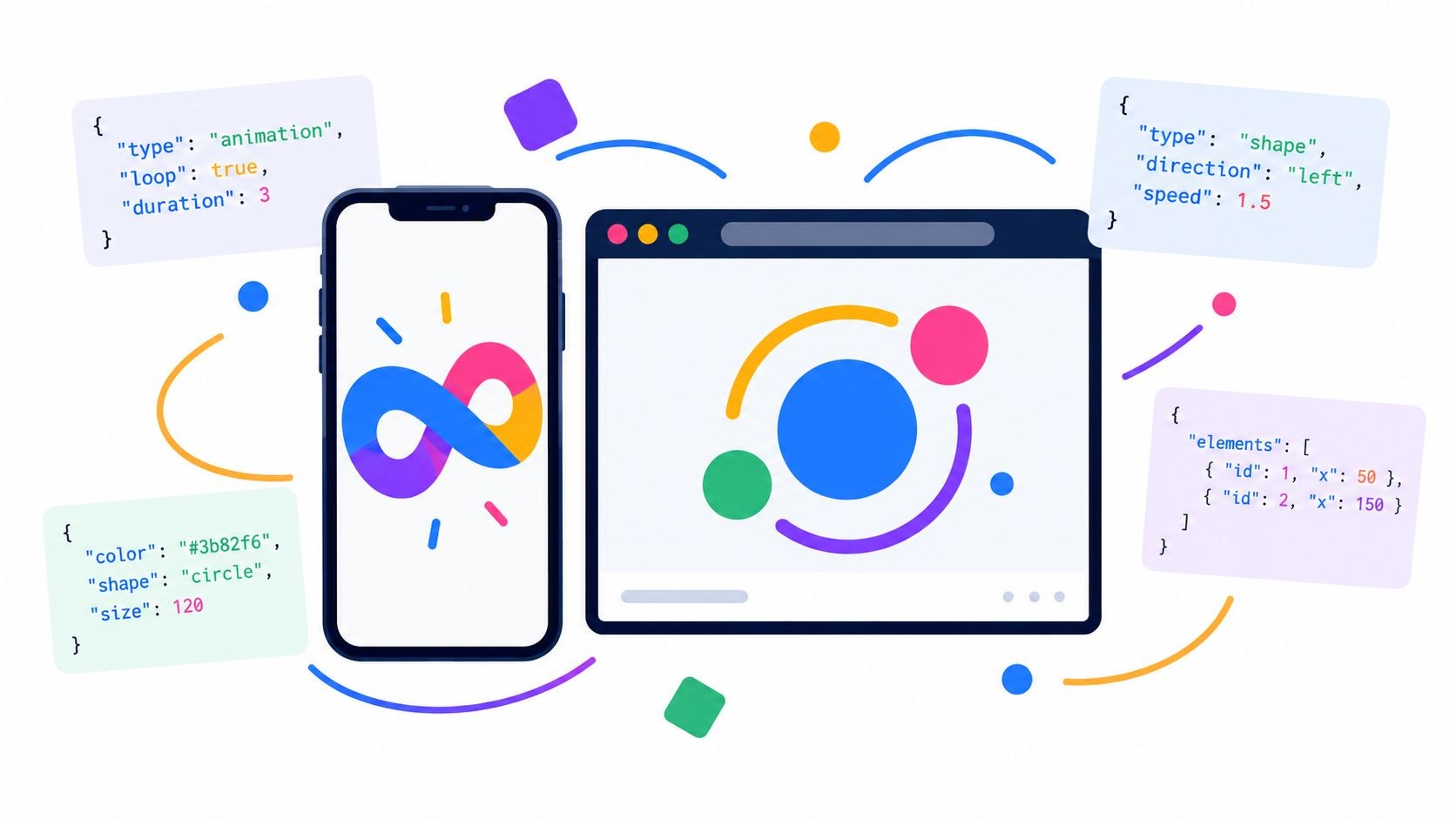
A Lottie animation is a small JSON file that describes vector shapes, layers and keyframes, and a player library draws it in real time inside a website or an app. Most are designed in Adobe After Effects and exported with the Bodymovin plugin, which is the workflow Airbnb’s Lottie documentation describes. In the words of the LottieFiles format specification, the format “describes animations as JSON objects that can be rendered natively on mobile and web platforms.”
The choice usually gets made one screen at a time, whether this loader or that onboarding step should be a Lottie or a video file, and that’s how most product teams put the question to Moonb, the studio I co-founded. The ten products below had to make the same call. Where a team said what went wrong, I kept it.
How a Lottie file works
Open a Lottie JSON in a text editor and the top reads like a spec sheet. LottieFiles’ specification marks seven top-level fields as required: v for the Bodymovin version that exported it, fr for the frame rate, ip and op for the first and last frame, w and h for the canvas size in pixels, and layers, the array that holds the animation itself. Inside those layers, any property can be static or animated with keyframes. Image assets are allowed too; OneSignal’s files, further down, have PNGs in them.
A player then draws it, frame by frame. lottie-web, the browser player, renders to SVG, canvas or HTML, and your code can play, pause, change speed or jump to a segment. The README’s performance note opens with “This is real time rendering.” and warns against masking with huge shapes and using too many nodes, so every extra shape or mask adds work for the visitor’s device.
The format started in 2015, when Hernan Torrisi created it as an export format for After Effects, says the Lottie Animation Community, a non-profit project hosted by The Linux Foundation that is writing the formal spec. Airbnb then built native players around it; Lottie for Android 1.0 is dated January 30, 2017 in its changelog.
You’ll also run into .lottie files. LottieFiles’ docs describe dotLottie as an open-source format that “aggregates one or more Lottie files and their associated resources (like images and fonts) into a single, compressed file.” It’s a ZIP archive that can also carry color themes and state machines for interactive animations, and Zomato and Wise, both below, ship it for the smaller files.
LottieFiles, which makes Lottie tools and players, put out this short explainer of the format.
Lottie vs GIF vs MP4 vs animated SVG
| Format | What is inside | Scales up cleanly | Transparency | Control from code | Plays where | Watch out for |
|---|---|---|---|---|---|---|
| Lottie | JSON: vector shapes, layers, keyframes | Yes | Yes | Play, pause, speed, segments; dotLottie adds state machines | Web, iOS, Android and React Native, through a Lottie player | lottie-web plays no video, audio or image sequences; some After Effects features do not export |
| GIF | Raster frames, each palette up to 256 colors | No, fixed pixel size | One color can be fully transparent, nothing in between | Very little: it plays and loops on its own | Anywhere an image works | Heavy files for anything longer than a blink |
| MP4 video | Compressed pixel frames | No, fixed resolution | Needs a codec that carries alpha, such as VP8 or VP9 in WebM; Safari supports alpha in neither | Play, pause, seek | Every major browser | You cannot recolor or retime one element without re-rendering |
| Animated SVG | Vector drawing code plus CSS or SMIL animation | Yes | Yes | Full access through the DOM and CSS | Browsers | Complex timelines are slow to build by hand |
The transparency cells come from MDN’s guides to image formats and video codecs. If an animation has to sit over a photo or a colored section, read the Safari note before you pick video; Safari does play transparent video encoded as HEVC with alpha, which Apple added in iOS 13 and macOS Catalina. Animated SVG has no trouble with transparency and gets painful on long timelines; MDN covers it under SVG animation with SMIL.
Airbnb’s docs say GIFs are “more than double the size of a bodymovin JSON” and PNG sequences are “often 30-50x the size.” The Washington Post turned a 2 MB GIF into a 385 KB JSON file. From the video side, Google’s web.dev guide shows a 3.7 MB GIF shrinking to a 551 KB MP4 and a 341 KB WebM. For flat vector motion Lottie usually wins on weight; anything photographic belongs in a video file, since lottie-web won’t play video at all.
You can also stack the two. Wise did that on its US homepage: its LottieFiles case study says the team tested WebM, dotLottie and Rive for file size, compatibility and memory use, then layered dotLottie interface cards over WebM footage. The clips on that page show a payment row, a currency list and a converter moving on top of the video. Wise updates its copy often for translations, so the cards also had to cope with translated text and different font sizes. For most marketing pages I’d pick the same split, vector interface on top and real footage underneath.
Which screen gets motion, and what that motion should tell the user, is a UX call, and I’d want it made before anyone draws a keyframe. On teams where the UX vs UI split is fuzzy, that call usually ends up with whoever is animating, and I don’t think it should.
Most Lottie work comes down to a few jobs: loaders and progress, success checks and other micro-interactions, onboarding and empty screens, celebrations, stickers and reactions, and small charts or diagrams that draw themselves as you scroll. For motion outside product UI, start with my rundown of the types of motion graphics.
10 real products that use Lottie
Most of these come from LottieFiles case studies written with each company’s team, so they lean friendly. The last three are older, from 2017 and 2019.
1. The Washington Post: comment reactions and interactive stories
This is the example I’d show any content-heavy site first. The Post’s comment section has a row of reaction emojis that animate when a reader clicks or hovers, and its newsroom designers use Lottie in interactive articles too: map overlays, moths in flight, nuclear weapons in space, game overlays recreated from The Sims, animated type. The stories linked from its LottieFiles case study ran in 2024 and 2025.
They switched for weight. The team used to cap animations at 2 MB as MP4 or GIF, with exports that “often reduced the quality or complexity of the art.” The 385 KB file above is theirs, a JSON “half the size of most of our static images.” Reactions repeat down a whole page, so each one had to be tiny. Watch the colors too; the team found that specific shades can shift during vector conversion, and they check them after export.

2. Zomato: a year-in-review with a roast mode
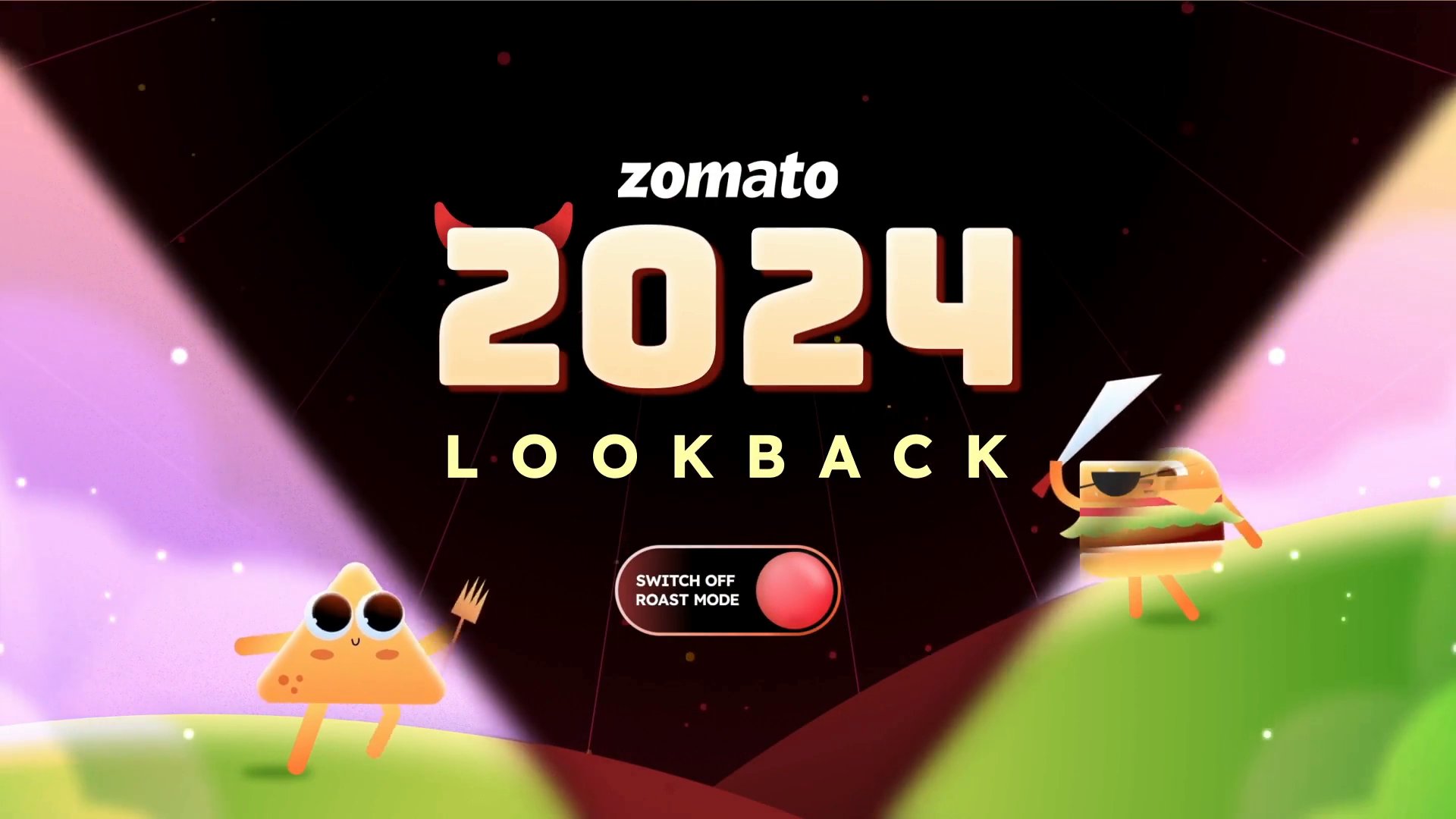
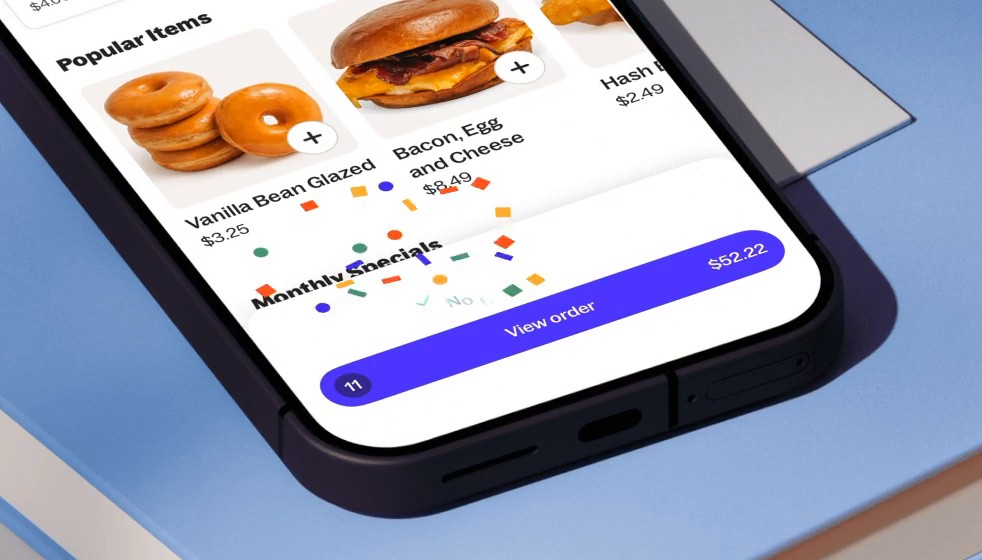
Zomato Lookback 2024 recapped each user’s year of food orders, in a warm Nice Mode or a cheeky Roast Mode, and Zomato puts its reach at 18.7 million impressions in its LottieFiles case study. Each opening screen stacked three layers: a Lottie background for the mode, a Lottie for the story’s context, and text pulled live from Zomato’s backend. The text sat outside the animation.
Videos and GIFs had been slowing the app down. Most Lookback files came in under 100 KB, around 70 to 80 KB, and dotLottie compression saved 60 to 70 percent of file size. By the team’s account, the small files kept the flow smooth, and managing several Lottie layers per screen was the complex part.
3. Grubhub: confetti at an order milestone
When a Grubhub diner reaches a set order milestone, confetti fires in the app and on the website. Grubhub’s designers described the project in LottieFiles’ case study. Their earlier animations had stayed simple, built inside their usual design tools, and this time they wanted something big. Lottie has also let product designers take on motion themselves; Grubhub’s director of product design told LottieFiles that Lottie “democratized and empowered designers who traditionally aren’t motion designers.”
The Grubhub case study says the experience “correlated with higher reorder rates” among new diners who hit the milestone. Encouraging, though I wouldn’t tell anyone the confetti caused the reorders. The team still builds motion project by project while it works toward a shared system.
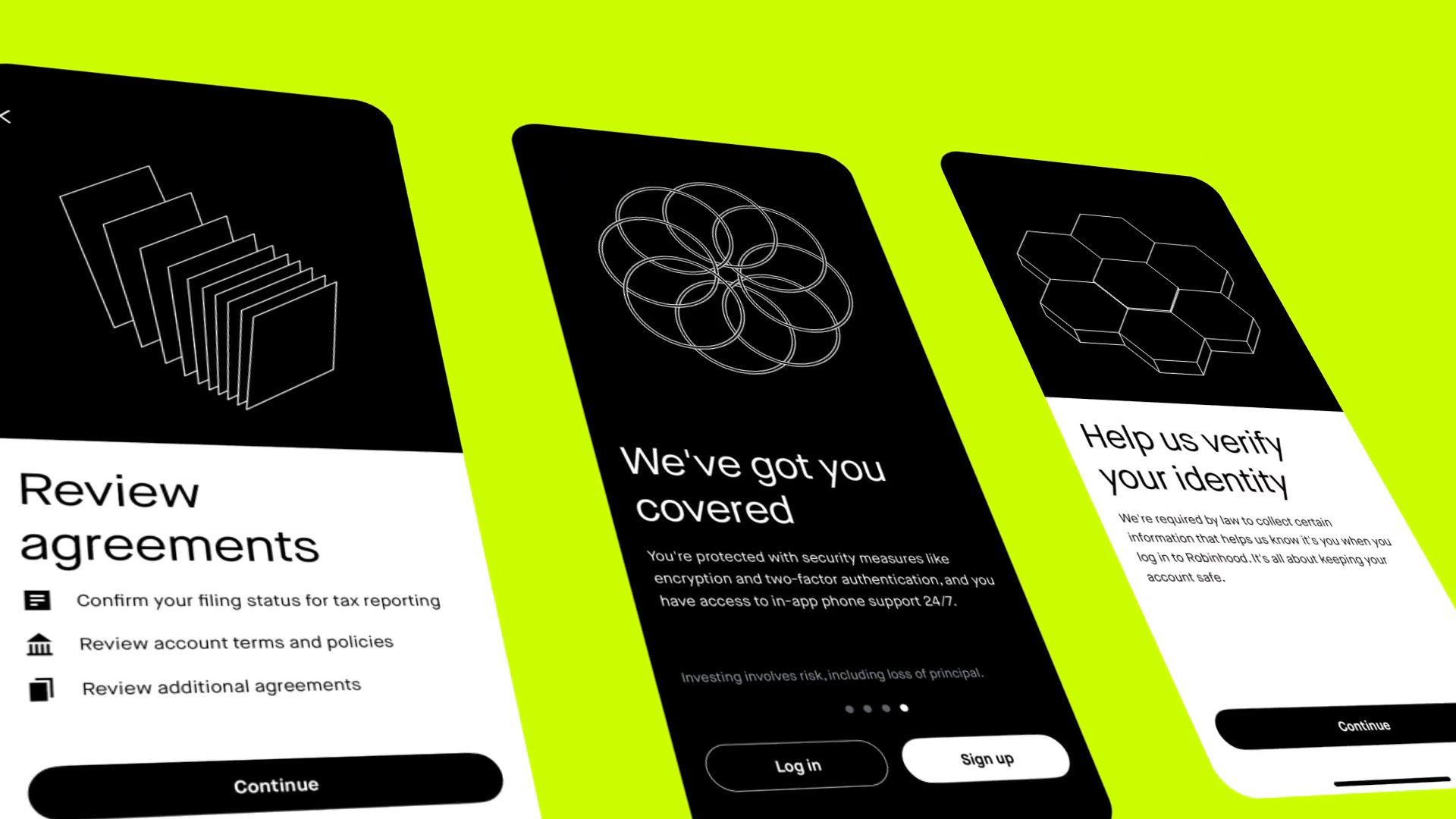
4. Robinhood: onboarding, support loaders and a waitlist toy
Robinhood’s product creative team has worked with LottieFiles since 2019 or 2020, on onboarding, account transfers and support screens. In the Robinhood case study, Azeem Segrave, who works on in-product motion there, describes replacing a “dead” support waiting screen with an animated loader, and a waitlist animation where people could play with a small fidget spinner, which cut how long the wait felt.
Of the ten, Robinhood is my favorite, because each animation makes a wait feel shorter or a sign-up step easier. The team says rebuilding the brand’s colorful illustrations in code could take months even for simple actions, and MP4s or image sequences were too big and gave too little control.
Masked feathers still bother them. Robinhood has asked for better support so gradients and colors blend properly, which today takes “glitchy workarounds across platforms.”
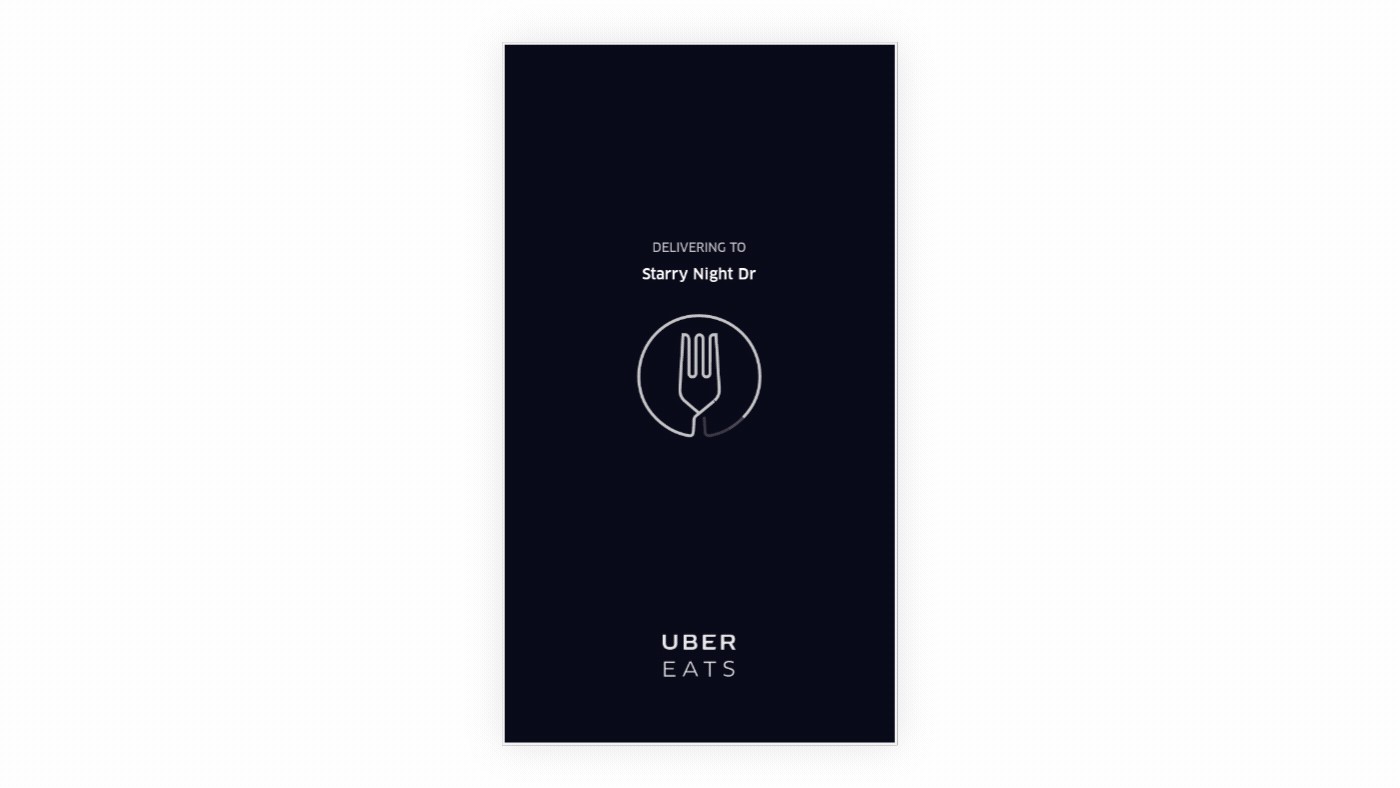
5. Uber: from the Eats loader to a shared motion library
Uber Eats was already using Lottie for its loading animation in August 2017, a fork inside a circle drawn with trim paths, according to the community showcase in Airbnb’s Lottie docs. In a 2026 interview with LottieFiles, Uber designers Liz Hayward and Melody S. described what that grew into: one central workspace of animations for the whole product, a custom flower animation that plays when a woman user is matched with a woman driver, and takeover animations for the launch of autonomous vehicles on the platform.
Hayward called Lottie “kind of a no-brainer” for the small files and the compatibility across platforms. The shared library came later, after designers working from personal accounts left the team with “rogue confetti popping up.” Melody S. said blur is something they use a lot and have to “cheat” in Lottie, and LottieFiles’ host pointed them to the newer .lottie format for blur support.
The interview is on LottieFiles’ YouTube channel.
6. OneSignal: success states, empty dashboards and a homepage hero
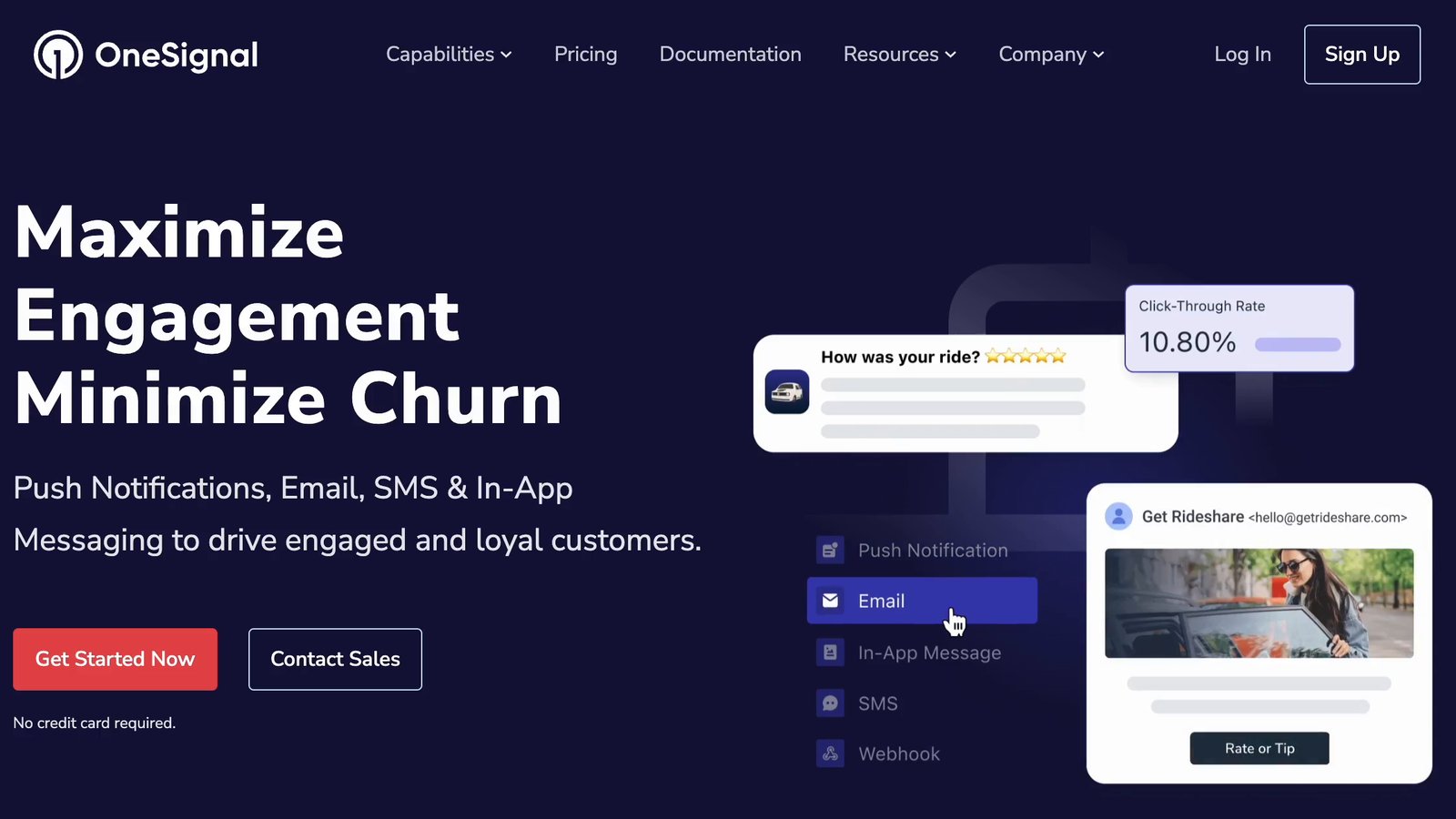
OneSignal’s design team started looking at Lottie in 2021. According to the OneSignal case study, a Lottie now confirms each message a customer sends, and empty dashboard pages show the feature in use. The homepage hero uses them too, for customer messaging journeys across OneSignal’s channels.
They wanted motion that wouldn’t slow pages down and that designers could maintain with little developer help. After optimizing, their JSON files typically shrank by 50 to 80 percent and ended up between 45 and 85 KB, rarely over 100 KB.
Their Lotties include raster parts too. Designers export elements from Figma as PNGs at 2x, compress them, animate them in After Effects and export with Bodymovin. Since some After Effects features don’t survive export, OneSignal standardized more than 25 motion patterns it knew would export cleanly, and the team uses LottieFiles’ feature support checker as a quality-control step.
7. Canva: Lottie files inside user designs
Canva lets users import Lottie animations into their designs and then renders them into GIF and MP4 exports. According to a June 2024 LottieFiles post, Canva’s iOS app moved from the rLottie renderer to the open-source ThorVG library and measured about 80 percent faster rendering and 70 percent lower peak memory on a one-minute design made only of Lottie elements. On the web, Canva renders each frame with Airbnb’s lottie-web inside a headless Chrome instance.
Canva also had fewer loading and rendering errors after the switch, since ThorVG supports more Lottie variants than rLottie did.
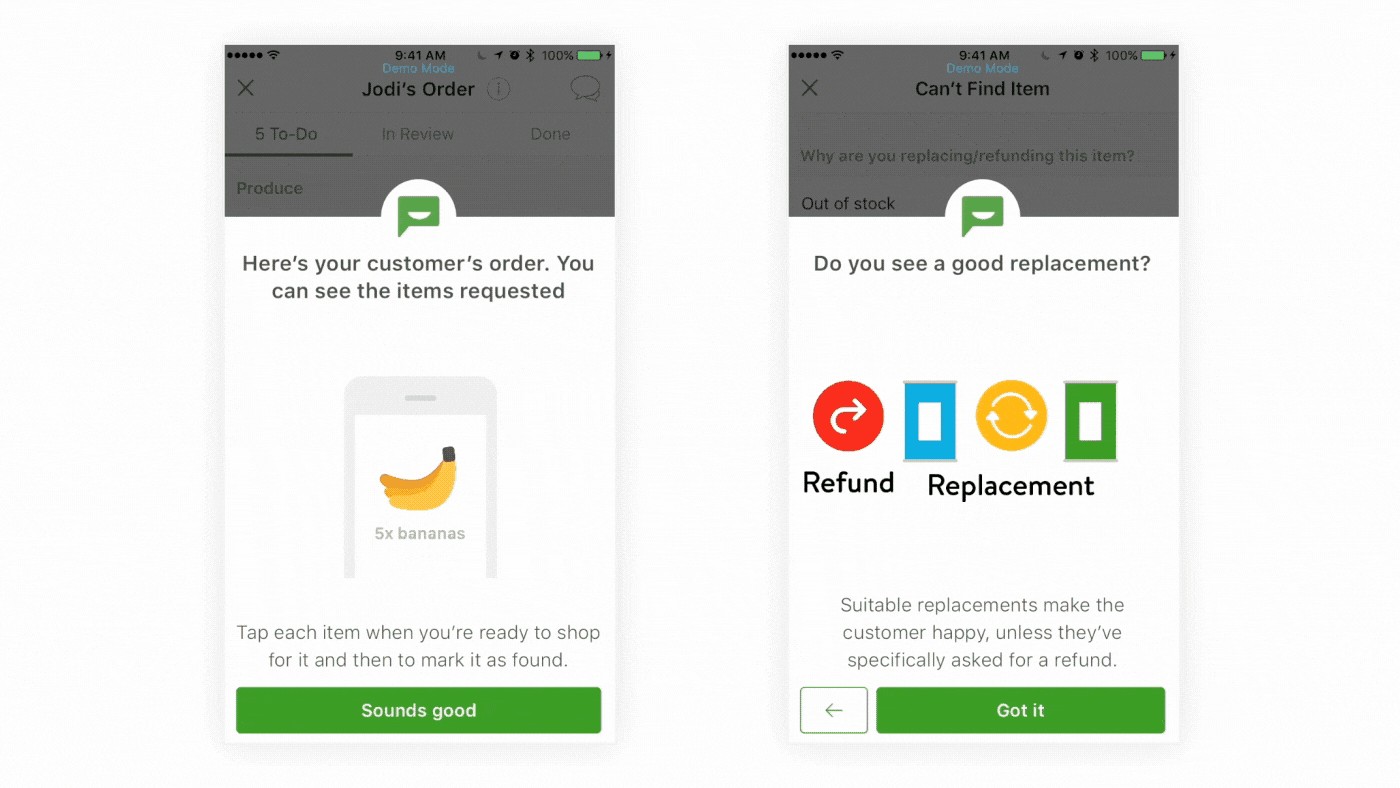
8. Instacart: teaching shoppers the app
Instacart used Lottie for “a handful of educational animations to teach shoppers,” per the community showcase, which added the clip in August 2017. It walks a shopper through marking items as found and choosing between a replacement and a refund.
Robert Paige, Instacart’s first motion designer, explained the format choice in the Instacart case study. PNG sequences “can get so long that there’s no way those can be under 2MB,” he said, while with Lottie there is “just one solution for web, mobile, iOS, and Android.” The clip is from 2017, and a short animated tip at the step where a new shopper might get stuck is still a good idea. I’d show each one once and make it easy to skip, because tutorial motion wears out fast. I collected more onboarding patterns in these app walkthrough examples.
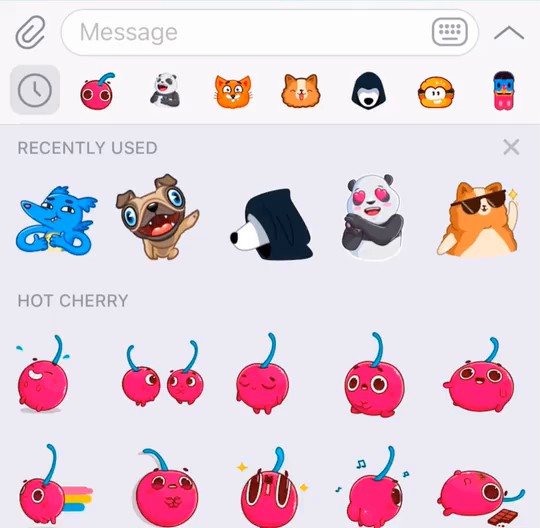
9. Telegram: animated stickers
In July 2019 Telegram launched animated stickers in a Lottie-based format it calls TGS. Its announcement says each sticker takes about 20 to 30 KB, six times smaller than the average photo, uses less battery than GIFs and runs at 60 frames per second. Artists export with Bodymovin-TG, a fork of Bodymovin.
I find Telegram’s sticker rules more useful than the launch post. They require a 512 by 512 canvas, no more than 3 seconds, a loop, 60 fps and a 64 KB ceiling, and they ban a long list of After Effects features, including expressions, masks, layer effects, images, text and 3D layers.
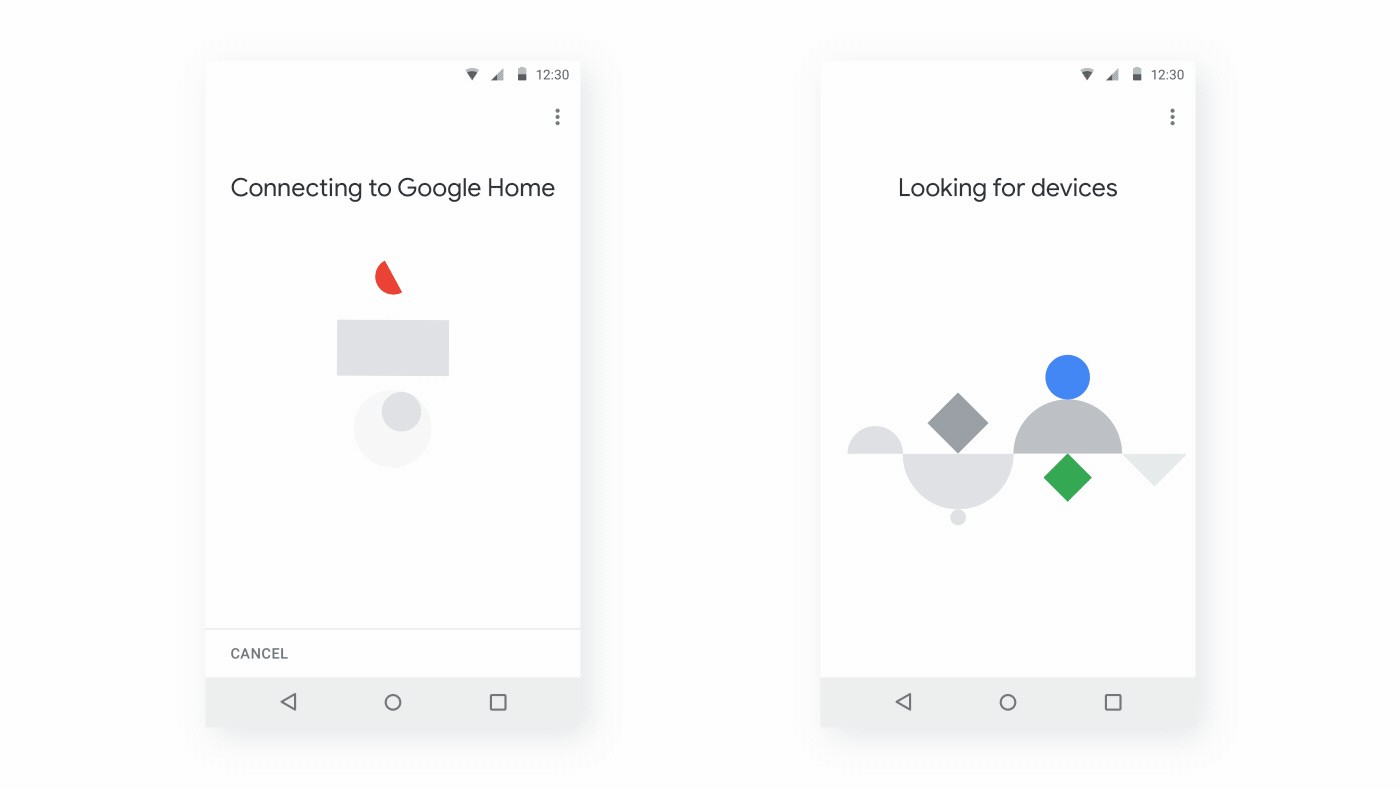
10. Google Home: setup and connection screens
The community showcase entry for Google Home, added in December 2017, says it used Lottie “for over 40 different animations in their iOS and Android apps,” from intros to connecting loaders and errors. The clip shows abstract shapes in Google’s colors shifting around on the “Connecting to Google Home” and “Looking for devices” screens.
Pairing a device takes an unpredictable amount of time, so a looping vector loader suits setup. Over 40 animations also means over 40 files to retest every time the player version in your iOS or Android build changes.
Ten Lottie examples compared
| Product | Where the Lottie runs | What it is for | Caveat | Evidence |
|---|---|---|---|---|
| The Washington Post | Website comments, interactive stories | Reactions, story graphics | Exact shades can shift in conversion | LottieFiles case study; stories from 2024 and 2025 |
| Zomato | App year-end recap | Layered, personalized story screens | Several Lottie layers per screen to manage | LottieFiles case study on Lookback 2024 |
| Grubhub | App and website | Order-milestone confetti | The reorder lift is a correlation | LottieFiles case study |
| Robinhood | App | Onboarding, support loader, waitlist | Masked feathers need workarounds | LottieFiles case study; work since 2019 or 2020 |
| Uber | Apps across the product | Loaders, celebrations, launch takeovers | Blur has to be faked | Airbnb’s Lottie docs (2017); LottieFiles interview (2026) |
| OneSignal | Website and dashboard | Success state, empty states, hero | Feature limits, worked around with 25+ safe patterns | LottieFiles case study; work began 2021 |
| Canva | Editor and video exports | User-imported animations | Renderers support different features | LottieFiles post, June 2024 |
| Instacart | Shopper app | Tutorial tips | A 2017 snapshot | Airbnb’s Lottie docs (2017); LottieFiles case study |
| Telegram | Messenger | Animated stickers | Strict size and feature rules | Telegram blog, July 2019 |
| Google Home | iOS and Android apps | Setup, loaders, errors | 40-plus files to retest on player updates | Airbnb’s Lottie docs, December 2017 |
How to make a Lottie animation
After Effects is still the classic route. Install the Bodymovin extension (the lottie-web README links to aescripts and Adobe’s add-on store), open it from Window, Extensions, Bodymovin, pick the composition, choose a destination folder and click Render. You get a JSON file, plus an images folder if the composition had image or Illustrator layers. LottieFiles also makes its own After Effects plugin, and Instacart’s Robert Paige says it means “we don’t even have to leave After Effects.”
Whichever plugin you use, the player has to draw everything you animate, so I’d read the performance tips in LottieFiles’ spec before starting. Among them is a warning that effects can be computationally expensive.
These three browser tools export Lottie without After Effects.
- Jitter: animate in the browser, click Export and choose Lottie. Its Figma plugin copies frames straight in, and it also exports GIF and video up to 4K and 120fps.
- Lottielab: creates and edits Lottie animations in the browser and imports large files from Figma and After Effects.
- Lottie Creator from LottieFiles: no After Effects required, exports Lottie JSON, dotLottie, WebM, MP4, MOV and GIF, and builds state machines for interactive files.
For designers who live in Figma I’d pick Jitter or Lottielab. A motion designer already fluent in After Effects should stay there and export with a plugin. LottieFiles’ July 2026 launch video for Creator 2.0 shows its editor, including the Motion Copilot prompt panel.
Our free SVG to Lottie converter gives an existing SVG icon an entrance animation such as draw-on, pop or fade and downloads JSON or dotLottie. For a first loader, this Lottie loading animation guide covers the design and export steps along with the web and React Native code.
You can also skip drawing and start from an existing file. Check the license before you ship it; our list of free Lottie animation sites gives it site by site. Our Lottie resources roundup covers players and plugins. Teams without a motion designer should start with these animation tools for non-designers.
lottie-web plays no audio, so a full explainer with a voiceover goes out as a video file. For anyone making one with AI tools, this guide to using an animated explainer video maker does the planning and the script before any prompting, and I’d keep that order.
Checking a Lottie file before it ships
I want every file opened in a viewer before it goes to engineering. Our Lottie viewer previews Lottie or dotLottie files, scrubs them frame by frame and shows size, frame rate and colors; the Lottie editor swaps colors, changes speed, trims and compresses, then saves JSON or dotLottie.
Then test in the player your app actually uses. As Canva found, renderers support different features, so a file that looks perfect in a preview can break in your app’s version of the player. Check the weight while you’re there. OneSignal’s 45 to 85 KB range is a sensible target for a UI animation; if yours is ten times that, look for embedded images first.
Some people switch motion off. Since version 1.0.2, Lottie for Android has shown an animation’s final state when system animations are disabled. And under WCAG 2.2.2, moving content that starts on its own, lasts more than five seconds and sits next to other content needs a way to pause, stop or hide it. When the same animation has to go into a social post or an edit, Lottie to MP4 turns it into an MP4, a GIF or a WebM with a transparent background.
Frequently asked questions
For flat vector motion, usually. A Lottie stays sharp at any size and your code can control its playback. Airbnb's Lottie docs also put GIFs at more than double the size of the equivalent JSON. GIF still has a place where no player can run, like an email or a chat that only accepts images. For photographic footage, use a video file.
Yes, as long as the site or app ships a Lottie player. Airbnb's Lottie docs list open-source players for Android, iOS, the web and React Native, and LottieFiles' dotLottie players for web, iOS and Android run on the ThorVG engine. Feature support differs between them, which is why a file that plays perfectly in one can drop an effect in another.
Yes. A player can render a Lottie frame by frame into a video file or a GIF, which is what Canva does when people export a design with Lottie files in it as an MP4 or a GIF. It makes sense when the animation has to play where no Lottie player runs, such as a social post or a video edit. Keep the JSON as the master, though, because the video copy loses the small file and the ability to recolor or retime single elements.



