Sales presentation design: how to rebuild a deck that sells after the call
A practical guide to sales presentation design for the lead rebuilding the deck: decision brief, a before and after outline, live versus forwarded slide rules, data slides, keeping a shared deck consistent, and a pre-pitch checklist.


The sales decks people send me at Moonb for a redesign usually look fine on the call. Then the champion forwards the PDF to a CFO, someone in security opens it a week later, and there’s a slide that says “Our Solution” with nobody next to it to explain what the solution is. Deals stall in that second reading, and almost nobody designs for it.
So when I talk about sales presentation design, I mean one deck a presenter can carry through a meeting and a buyer who missed it can still follow and pass on. If you want to study finished decks first, our sales deck examples break down real ones from Zuora, Gong and others. I’ll stick to the rebuild itself, in the order I’d do it with a sales or marketing lead.
The deck your buyers read after the meeting
Everyone designs a sales deck for the presenter, who needs a story to follow. A deck also has to give the buyer enough context to judge the proposal, and hand the buying committee language and evidence it can repeat in a meeting you’re not invited to. Those two jobs usually get left to luck.
Logo and company history up front, then feature slides the speaker talks over, then “Questions?” at the end. On the call the presenter fills every gap. Read cold, it’s a pile of disconnected claims with no next step.
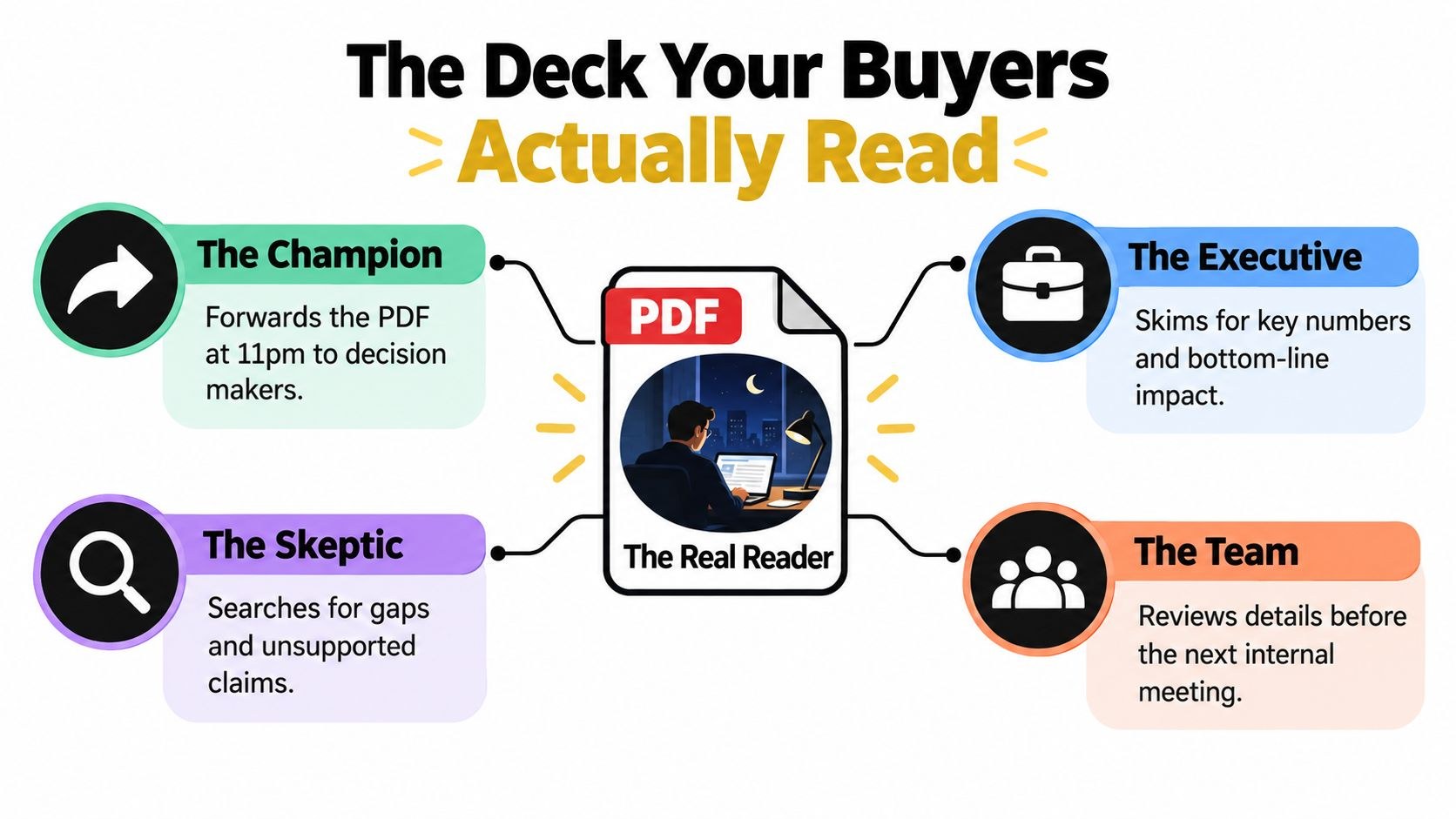
And the people reading it later want different things. The champion opens it late at night looking for wording to reuse before forwarding it on, while the executive skims for business impact and for the decision you’re asking for. The skeptic hunts for claims with nothing behind them. The wider team wants implementation details before their next internal meeting.
Plenty of buyers prefer to do this reading without you anyway. In a Gartner survey of 632 B2B buyers, 61% said they prefer an overall rep-free buying experience, and 69% reported inconsistencies between the information on a sales organization’s website and what sellers told them. Gartner’s Robert Blaisdell put the consequence plainly: “When sellers provide information that doesn’t match the organization’s messaging elsewhere, it can create mistrust, potentially putting the transaction at risk.”
So I hold every slide to one test, whether it makes sense to someone who wasn’t in the room. Build the live version and the forwarded version from the same approved narrative. The live one can lean on builds and speaker notes. The forwarded one needs complete headlines, visible evidence, source notes and enough context to stand up on its own.
Write the decision brief before you open the slides
Leave PowerPoint, Keynote and Figma closed for now. Start with a half-page brief that answers five things:
- Decision: what should this presentation move forward?
- Audience: who attends, who approves, and who evaluates the file afterward?
- Success: what does each of those people need to see?
- Evidence: which two or three proof points will carry the most weight with them?
- Time: how many minutes are really left once questions and discussion are taken out?
Then write the meeting objective as one sentence, something like “By the end of this meeting, the buying team agrees to validate the integration workflow with its technical owner.” Compare that with “present the platform”. Only the first tells you which slides stay and which go.
Say the prospect is a fintech. Your notes might read like this. The commercial lead wants less manual reporting; operations wants a clear workflow and rollout path; security wants evidence on access and data handling; finance wants the assumptions behind the business case. The next step is a technical validation, and nobody is signing anything yet.
Be strict about what the prospect actually said versus what you’re assuming. Write “reported reconciliation delay” only if they told you about one. If they didn’t, it belongs on your list of questions. And if your company already has a brand messaging framework, take the central promise and the proof language from it, so the deck and the follow-up email say what the website says. That mismatch is exactly what Gartner’s buyers were complaining about.

From there I turn the notes into a stakeholder map with four columns: role, concern, evidence required, and the slide or appendix section that answers it. I check the last column hardest. Any empty cell there is a stakeholder concern with no slide answering it.
Set the time limit early too. The University of Rochester’s presentation guidance calls “one slide per minute (preferably less)” a good rule of thumb, to avoid rushing. I take that number and subtract the question time first, because a deck that fills every minute leaves the buyer no room to tell you what’s blocking the decision, and that’s the most useful thing they’ll say all meeting.
A structure that holds attention from the first slide
Weak decks usually fail before anyone picks a font. They follow the seller’s internal order (who we are, what we built) while the buyer is thinking in decision order: is this my problem, what changes, can I trust it, what do I do next.
The swap I end up making on most decks looks like this:
| Slide position | Weak deck | Rebuilt deck |
|---|---|---|
| Opening | Logo, mission, company history | The buyer’s current problem and what it costs to leave it alone |
| Context | A long list of market observations | One governing idea tied to the buyer’s situation |
| Product | Feature catalog | The solution mapped to the problem they described |
| Proof | Generic logo wall and testimonials | Evidence matched to the specific risk each stakeholder raised |
| Detail | Technical content buried mid-deck | A clear workflow, stated assumptions, objections answered |
| Close | “Any questions?” | A named next step with an owner and a date |
Open on the problem the buyer has right now, or the risk sitting in their current setup. Then state one governing proposition, for example “Automated reporting removes the manual handoffs from the weekly close.” Every slide after it should prove it, explain it or qualify it. A slide that does none of that goes to the appendix. Or the bin.
Show the impact without theater, using the buyer’s own words or a baseline they gave you. A simple workflow showing where the time and risk pile up works too. Please don’t invent a cost figure to make the pain look bigger; if they haven’t put a number on it, label yours as an estimate and ask them to check it.
The solution comes in only after the buyer has nodded at the problem, and it should show the mechanism. I usually draw that as a short process diagram of how the change fits into their existing workflow, with a product screenshot only if it helps.
Then proof, which I like to sort by the objection it answers: business proof for the outcome the executive cares about, operational proof that the team can adopt it, technical proof on integration and security, and commercial proof that explains the pricing logic and scope. Deal with the objections you know are coming before anyone has to raise them. If integration always comes up, give it a slide. If the rollout depends on the customer’s data quality, say so on the slide.
Close on a specific ask: the action, who takes part, what material they need and when. Something like “Confirm the technical owner and run a workflow review next week” gives the committee a concrete thing to approve. (Investor decks follow a different order for different reasons; if your team builds both, our pitch deck examples cover that side.)
When the slot gets cut in half, trim company history first, then duplicate feature slides, then decorative transitions, then low-value appendix material from the live path. What survives is the problem, the governing idea, your strongest proof, the main objection and the ask.
Design rules for presenting live and for the forwarded PDF
I treat the live presentation and the leave-behind as two related products. When you’re presenting, you explain and the slide mostly tells people where to look. The forwarded file has nobody narrating, so the claim, its context, the evidence and what it means for the buyer all have to sit on the slide itself.
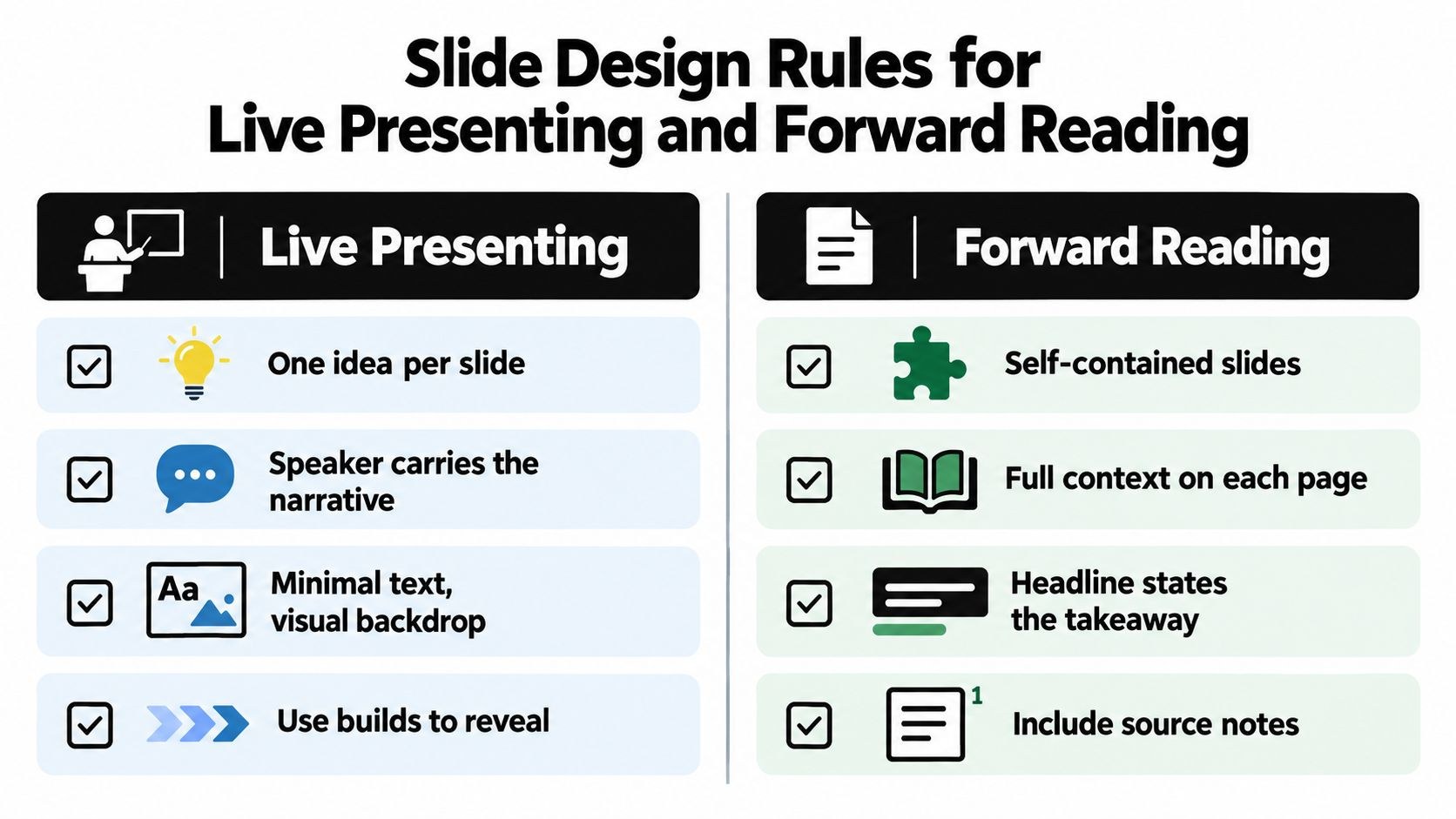
The rule that helps both versions most is the assertion-evidence structure: a full-sentence headline that states the conclusion, backed by a chart, diagram or image. A topic label says “Implementation.” An assertion says “Implementation runs through the approval workflow you already use.” With the second, the reader gets the conclusion before even looking at the visual.
This one has research behind it. Joanna Garner, Penn State’s Michael Alley and colleagues had two audiences hear the exact same words while looking at different slides, topic headlines and bullets for one group and assertion-evidence slides for the other. According to the summary on the assertion-evidence research page, “the assertion-evidence audience understood and remembered the content better than the common-practice audience,” and the difference was statistically significant. The study was published in the International Journal of Engineering Education in 2013. I haven’t seen an equivalent study on sales decks, but I’d bet on the same mechanism. For the slide-by-slide rewrite of topic headlines into claims, see our guide to the perfect presentation deck.
Alley explains the approach himself in this lecture from the Science Communication Lab:
Past the headline, the two versions pull apart, and I split them like this:
| Design choice | Live version | Forwarded version |
|---|---|---|
| Ideas per slide | One, and the speaker adds the color | One, plus the short explanation a presenter would have said aloud |
| Sequencing | Builds reveal a process step by step when order matters | Everything visible at once; builds collapse into a single finished slide |
| Text | Minimal; the visual dominates | A caption or two lines under the visual so the claim stands alone |
| Evidence | Shown, then discussed | Placed next to the claim it supports, never parked in a distant appendix |
| Nuance and caveats | In the speaker notes | On the slide, small, with source, date and scope |
| Testing | Read it from the back of the room | Open the exported PDF on a normal laptop and on a phone |
Set the grid once (title position, content margins, footer treatment, page numbers) and pick a type scale that reads from the back of the room and still survives being shrunk into a laptop PDF.
Color should mean something. I use one accent for the recommended path and neutrals for context, with a warning color only when the difference matters. Once five ideas each get their own color, the recommended path stops standing out.
How to design data slides without losing the room
On a data slide the buyer usually needs one fact, so I pick the chart by the job it has to do:
- Comparison: bars or a compact matrix to contrast options. The headline states the decision, for example “The proposed workflow removes two approval handoffs”.
- Trend over time: a line chart, with the period labeled plainly and the inflection point that matters annotated.
- Breakdown by segment: bars, or a carefully labeled composition chart, with the segment that affects the decision called out.
- Process: a flow diagram, with the stage your solution changes highlighted.
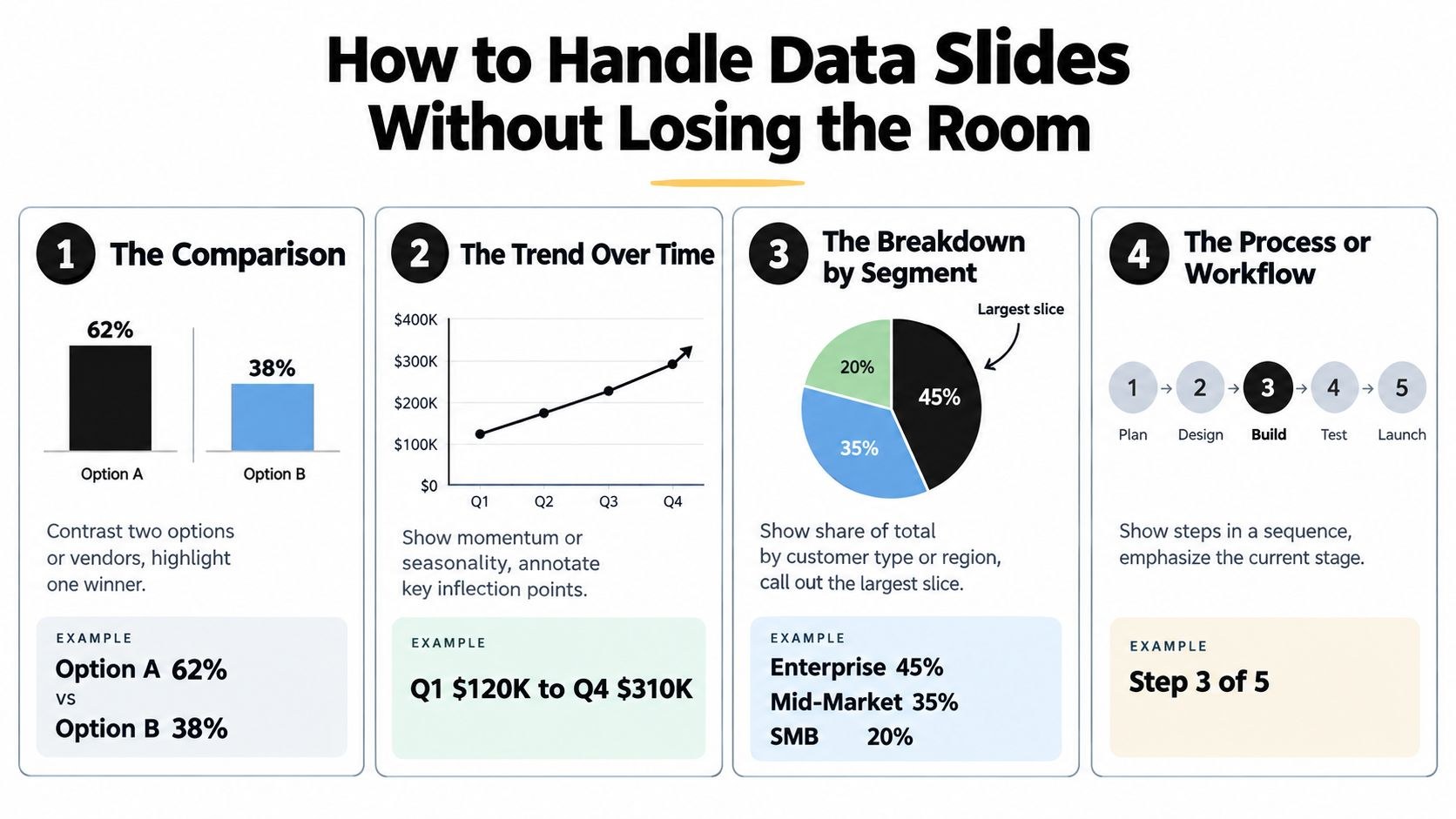
The headline states the conclusion, and one sentence under it says why that matters to this buyer. Put labels right next to the data so nobody has to decode a legend, and strip gridlines, gradients, shadows and decorative icons whenever they compete with the comparison.
Diagram templates deserve extra suspicion. One of three pilot studies from Carnegie Mellon researchers, published in the Journal of Technical Writing and Communication in 2023 and summarized on the same research page, found that visual organizer images such as PowerPoint’s SmartArt “can backfire by unintentionally indicating imprecise relationships while adding little in terms of visual interest.” So I go through every arrow in a process graphic and delete the ones that don’t stand for a real step or handoff.
A typical SaaS ROI slide shows how this goes wrong. The weak version crams every input, formula, scenario and sensitivity into one table. A better live version puts the current case against the proposed case, highlights the one assumption the result depends on, and states the conclusion under the chart. The full table moves to the appendix for finance, with a pointer from the main slide so the logic is never hidden.
Don’t claim a return unless the calculation has a clear source and assumptions the buyer agreed to. Mark estimates as estimates. State the period, the population, the currency and what’s excluded. I’d rather show a plain chart with careful labels than a polished one built on fuzzy assumptions, because the polished one ends up generating more objections.
Some teams pull their deck numbers straight from a live reporting tool. For them, this roundup of seven insights dashboard examples covers layout ideas and which metric combinations sit well together on one screen. Useful when you’re deciding which pair of numbers deserves a slide.
Templates, master slides and version control for a deck many people edit
In most sales teams the master deck gets duplicated until nobody knows which copy is current. I’d put one owner in charge of the whole system, starting with the template.
Lock the slide masters, theme fonts, core colors, footer and standard layouts, then build reusable layouts for the slides you make over and over: problem statement, comparison, workflow, proof, customer quote, data chart and appendix divider. You want enough layouts that editors move fast and few enough that nobody invents a new structure on a Thursday night. If your brand rules are still scattered across old files, how to create brand guidelines covers what to pin down first.
The master lives in a read-only folder, away from the working copies. Working decks carry the account name and a version in the filename, something like 2025-03_Acme_v3_Jane, and the approved PDF export carries the same identifier so nobody forwards v2 by mistake.
Every editor should pull from the same shared location: approved logos in light and dark versions, product screenshots labeled with their capture date (delete the old interfaces), approved claims stored with their source and scope, charts with their editable data and a note on the calculation, and the brand rules for type, color, spacing and imagery. If you already run a creative asset management setup for marketing files, use it here.
I’d also write a one-page editor guide for the boring stuff. Which headline style is approved, how a customer quote gets credited, which layouts exist, who signs off on a new claim. New sellers shouldn’t learn the system by copying whichever deck in the folder happens to be the messiest.
Stakeholder-specific material goes into modular appendix sections in the master library, such as a security section, an integration section and a finance section. Link to them from the main path so the presenter can jump to the right one, and you won’t end up with five contradictory decks drifting apart.
One owner approves changes before anything goes out, and final versions get archived somewhere read-only. Sounds bureaucratic. Then a rep sends a prospect last year’s pricing logic.
Before you lock the template, send the team this TEDx talk by Sofija Venckute, about why we keep presenting in ways audiences say don’t work:
The pre-pitch checklist
Run it a day before the pitch. Five minutes before joining the call is too late to fix whatever it turns up.
| Area | Check | Passes when |
|---|---|---|
| Story | Opening problem | The first content slide names the buyer’s actual situation, in their words |
| Story | Governing idea | Every major section proves, explains or qualifies one proposition |
| Story | The ask | The close names the action, the owner and the timing |
| Slides | Headlines | Titles state conclusions; no topic labels left |
| Slides | Forwardability | Each slide makes sense to someone who missed the meeting |
| Slides | Speaker notes | Notes hold the context and caveats the slide leaves out |
| Evidence | Data slides | Every chart has a sentence saying what it means for this buyer |
| Evidence | Sources | Claims carry source, date, scope and assumptions where needed |
| Evidence | Objections | The risks this committee will raise each have a slide or appendix section |
| File | Export | The PDF opens cleanly on a laptop and a phone, and every link works |
| File | Version | Filename, owner, date and approval status match the master log |
The last-minute mistake I see most is adding. A stakeholder asks for one more feature, then another proof point, and the deck grows while the decision gets harder to see. I push those requests to the next version unless someone owns them and they fit the story.
Frequently asked questions
Fewer than you have minutes, once question time comes out. Presentation guidance often uses about one slide per minute or less as a rule of thumb, but a sales call also needs room for the buyer to talk. I plan the live path for well under half the slot and keep the rest in an appendix the presenter can open if someone asks. The forwarded PDF can carry that appendix in full.
Build both from the same master and the same approved story, then export two versions. The live one keeps builds, sparse slides and speaker notes. The leave-behind collapses the builds into finished slides, adds a short caption under each visual and puts sources on the page, so someone who missed the meeting can follow it.
One named person, usually in sales enablement or product marketing. They approve every change to the master, the slide library and the claims bank. Sellers still edit their own working copies for each account, but new claims, layouts and proof points go through that owner first. Without one, the master slowly splits into several versions and buyers start seeing numbers that contradict each other.



