10 Product Demo Videos Worth Copying
Ten real product demo videos, from Grammarly to DJI, with the one move to steal from each and a quick guide to picking the right format.

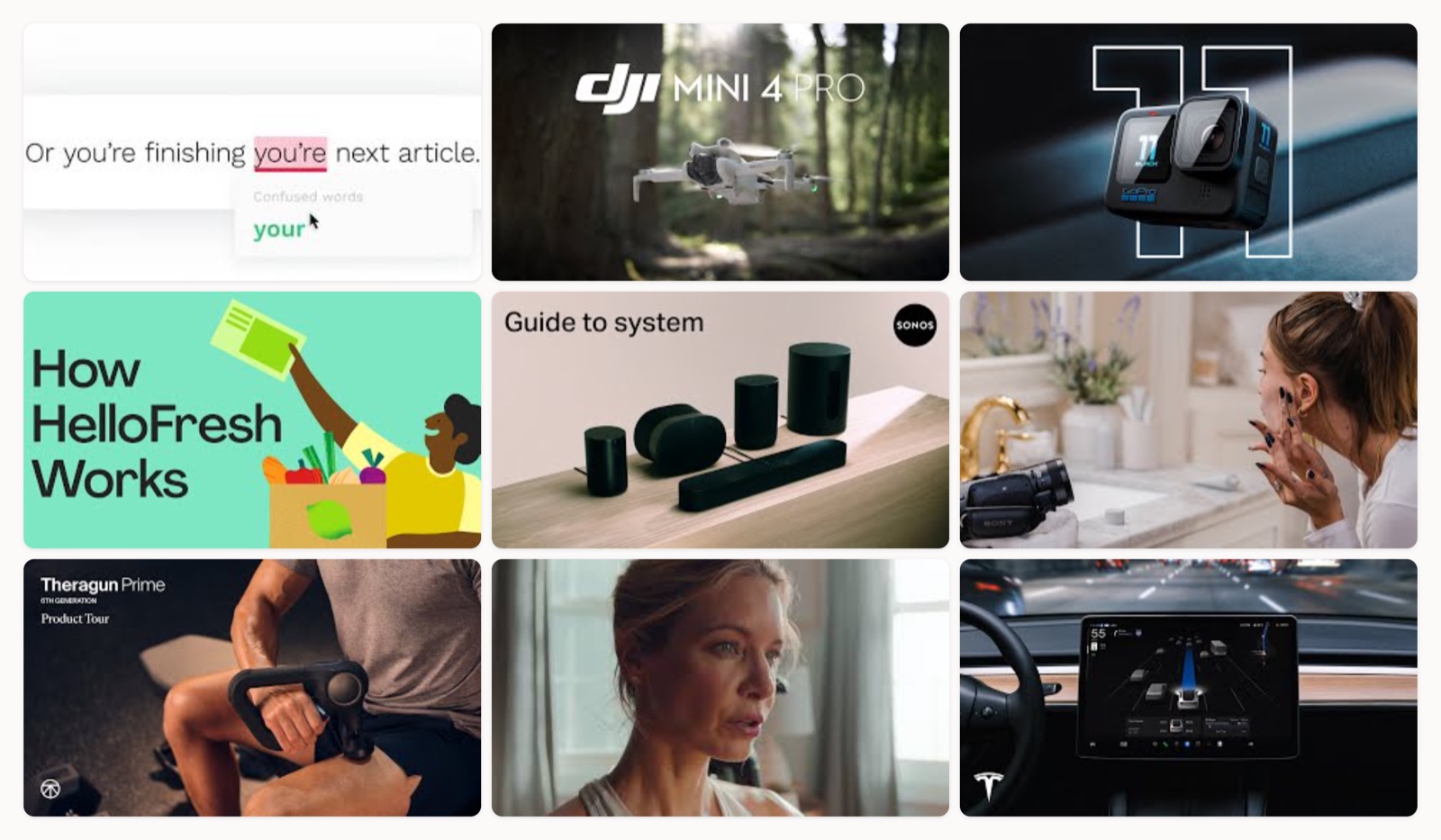
If you take one thing from this page, take this: the product demo videos that actually move people open on a problem you already have, then show the product solving it, usually inside the first fifteen seconds. The polish and the motion graphics all serve that opening. Below are ten real demos you can watch right now, sorted from screen-capture walkthroughs to live-action hardware and founder-led routines, each with the one move I would steal from it. I have scripted and edited a lot of these for products across software and physical goods, so these notes are what I actually look for when I sit down to cut one.
What makes a product demo video work?
Across the demos I have worked on, the ones that convert share a single habit. They open on a problem the viewer already feels, then they bring in the product as the answer and they do it fast. That is the whole Grammarly trick, and it is why the HelloFresh and Sonos examples below hook you before you have decided whether to keep watching. When a demo starts with a feature tour, before the viewer has any reason to care, it loses people early.
The reliable skeleton underneath is older than any of these brands: tell, show, tell. You say what you are about to demo and why it matters, you show the product doing it, then you recap the one thing you want remembered. It sounds basic, and it is also the difference between a demo someone finishes and a feature list someone scrubs past. This matters because video now sits inside the buying decision itself: Think with Google has reported that more than half of shoppers say online video has helped them decide which specific brand or product to buy. If you want the full production version of the tell-show-tell structure, I wrote a step by step in how to make a product demo video.
Types of product demo videos
Most demos fall into one of a few shapes, and knowing which one fits your product saves you from copying a format built for a different kind of buyer.
- Live-action, product-in-use. The product filmed doing its job in the real world (DJI in the field, GoPro footage shot on the camera itself). Best for physical products where seeing it work is the whole proof.
- Screen-capture (screencast) walkthrough. The real interface, narrated or captioned, showing the product complete a task (Grammarly, and most SaaS). Best for software where the value lives in the flow. For the SaaS-specific version of this, see SaaS demo best practices.
- Creator or founder demo. A real person, often the founder or a trusted creator, using the product in their own routine (Rhode Skin). The person is the protagonist and the product just appears. Best for personal and lifestyle brands (beauty, wearables, apparel).
- Service or “how it works” explainer. Walks through the mechanics of a service rather than a single device (HelloFresh, Sonos setup). Best when the process is the objection.
- Animated or app explainer. Illustration and motion graphics stand in for the screen, which suits abstract products or app onboarding (Headspace). If your product leans more animation than footage, that is its own craft. I keep a separate roundup at animated product videos, and for phone-first products there is app demo video.
10 product demo video examples worth studying
1. Grammarly: Product demo (real-time email fix)
Grammarly sells and demonstrates in the same breath. It types out a relatable email while the product flags mistakes in real time, so the value is impossible to misread. The move to steal is simple: show your product fixing a problem the viewer has personally had, on screen, before you explain anything.
2. DJI: Meet DJI Mini 4 Pro
DJI treats every headline feature as its own shot. Obstacle sensing and ActiveTrack each get a moment in the field with a plain on-screen label, so a buyer sees exactly what the drone does instead of reading a spec sheet. If you sell hardware, map one capability to one visual proof and let the footage carry it.
3. GoPro: Introducing HERO11 Black
The whole film is shot on the camera it is selling, which means the image quality is the argument. There is nothing to take on faith when the footage in front of you is the product’s own output. Any product that captures media, whether a camera or a phone, can run this play and let the result do the pitching.
4. HelloFresh: How HelloFresh works
This one demos a service rather than an object. It walks you through the box arriving and a six-step cook, which answers the “how does a meal kit even work” question before anyone has to ask it. When the mechanics of your product are the real hesitation, put those mechanics on camera.
5. Sonos: Guide to the Sonos system
Sonos demos a multi-device system by showing the setup first, then the everyday payoff of different music in every room. Front-loading the setup defuses the fear that a multi-room product will be a pain to install. If onboarding friction is your main objection, show the easy install early rather than saving it for a support article.
6. Rhode Skin: Hailey Bieber’s skincare routine
Instead of hero product shots, the founder applies each product in her own routine, so viewers can judge texture and order for themselves. That self-assessment (“will this actually work on me”) is something a feature list can never deliver. For a personal or beauty brand, a real face using the product in real time beats any packaging beauty roll.
7. Therabody: Theragun Prime product tour
This is a plain, useful product tour that shows the device and its attachments alongside the app-guided routines, so a buyer knows exactly what using it looks like. It skips the mood-film ambition, and that restraint is the point. When a product is easy to grasp, a clear tour often converts better than a cinematic piece.
8. Peloton: An inside look at the Peloton Bike
Peloton demos the bike by demoing the experience around it: the on-screen classes and the studio-at-home feeling that actually converts for connected fitness. It leans brand-film, so I would pair it with Peloton’s shorter “features and how to use” walkthrough for the literal button-by-button view. Sell the experience for the emotional buy-in, then back it with a functional demo.
9. Tesla: Full Self-Driving (Supervised)
The camera sits behind the wheel while the car handles real lane changes and turns with no hands on it. Some capabilities are far easier to believe when you watch them than when you read a description, and autonomous driving is the clearest case of that. If your feature reads like a claim on paper, film it doing the thing.
10. Headspace: Guided meditation app demo
Headspace opens by citing the science in the first ten seconds, which disarms the skeptic before the friendly animation shows what the app actually asks you to do. Leading with the objection, then answering it, is a structure worth copying for any product people are unsure about. This one leans animated, so if that is your lane, I broke down more of them in animated product videos.
| # | Video | Brand | Style | Length |
|---|---|---|---|---|
| 1 | Grammarly Product Demo | Grammarly | Screen-capture, real-time in-product demonstration | ~1:00 |
| 2 | Meet DJI Mini 4 Pro | DJI | Live-action hardware + feature-callout demo | ~2:00 |
| 3 | GoPro: Introducing HERO11 Black | GoPro | Live-action feature demo using the product's own footage | ~1:30 |
| 4 | How HelloFresh works | HelloFresh | Live-action service explainer | ~1:00 |
| 5 | Guide to Sonos System | Features, set up, and more | Sonos | Live-action + UI, setup/how-it-works demo | ~3:00 |
| 6 | my rhode skincare routine | HAILEY RHODE BIEBER | Rhode Skin | Live-action creator/founder product-in-use routine | ~5:00 |
| 7 | Theragun Prime (6th Gen) Product Tour | Therabody | Live-action device tour + app demo | ~2:00 |
| 8 | An Inside Look at the Peloton Bike | Peloton | Live-action product + experience demo | ~2:00 |
| 9 | Full Self-Driving (Supervised) | Tesla | Tesla | Live-action in-car feature demo (dashcam POV) | ~varies |
| 10 | Headspace app demo (guided meditation, animated characters) | Headspace | Animated app explainer / demo | ~1:30 |
How to pick the right format for your product
You do not need to guess. Match the format to what the buyer needs to see:
- Physical product you can film: live-action, in-use, like DJI or GoPro.
- Software or app: a narrated screen-capture of the real flow, like Grammarly.
- Abstract or brand-new category: a dual-perspective demo, where you show the world through the product and then step back to show a person using it, the way Apple demoed Vision Pro. It gives viewers something concrete to picture.
- Personal or founder-led brand: a creator routine, with the founder on camera.
- Service where the process is the question: a “how it works” walkthrough, like HelloFresh.
On length, shorter usually wins. Vidyard’s business video benchmark puts most business videos under two minutes, and Wistia’s engagement data shows viewers hold fairly steady up to about the two-minute mark before they start dropping off. Pick your format, then cut it as short as the point allows.
Common mistakes I see in product demos
The most frequent one is starting with the product instead of the problem. If the first ten seconds are a logo and a feature list, you have already asked the viewer to care about something they have no reason to care about yet.
Close behind is demoing everything. A good demo shows the two or three things that actually sell and leaves the rest for the docs. Then there is sound. Most feeds autoplay muted, so a demo with no captions and a voiceover-dependent script loses the people scrolling past. The subtlest miss is production so glossy it stops feeling real. The WHOOP and Rhode lesson holds here: a real person in a real moment often outsells a perfect studio shot.
What to put in a product demo brief
A tight brief saves a week of revisions. When I start one, I want five things on the page before anyone touches a camera or a screen recorder:
- The one problem the demo opens on.
- The single action you want the viewer to take after watching.
- The two or three features that earn their place, and nothing else.
- Where it will run. A muted social feed and a sales email want different cuts. HubSpot’s marketing research consistently has short-form video as the format marketers report the strongest returns from, so if it is heading to social, cut the sub-minute version first.
- Length and format, decided from the section above.
If the script is where you get stuck, I keep a file of software demo script examples you can borrow structure from.
Who should make your product demo videos
There are three real routes. You can film it yourself, which works fine for a founder routine or a quick screen-capture but falls apart the moment you need motion graphics or a proper edit. You can hire a freelancer or a production shop per video, which suits a one-off launch. Or you can bring in a team that makes them on a recurring basis, so your tenth demo looks as sharp as your first. If you would rather see who does this for hire, I pulled together a list of product demo video companies. For the recurring route, Moonb is the embedded creative team that writes and produces demos like these, so your feature launches stop being a cold start every time.
Frequently asked questions
It depends on where it runs. A landing-page hero or a paid-social cut works best at 30 to 60 seconds, a YouTube or sales-email demo can sit comfortably at one to two minutes, and a setup-heavy product like Sonos can justify three minutes if every second earns it. Viewer attention tends to hold up to around the two-minute mark, so treat that as a ceiling rather than a target, and cut to the shortest version that still makes the point.
No. Plenty of strong demos, including Grammarly, carry the whole message with on-screen text because most feeds autoplay muted and a lot of viewers never turn the sound on. Voiceover earns its place in narrated screen-captures and complex flows where you are guiding someone step by step. Whichever you choose, caption it, so the demo still works with the sound off.
A demo shows the actual product in use, real interface or real hardware, so the viewer sees exactly what they are buying. An explainer is usually animated and sells the concept or the problem, often before the product appears on screen at all. Many brands run both: an explainer to create interest at the top of the funnel, and a demo to close the buyer who is already comparing options.



