How to Make a Cartoon: A Complete Production Guide
How to make a cartoon, from concept and script to style, storyboards, animation methods, and when to bring in a team. A production guide from a studio founder.

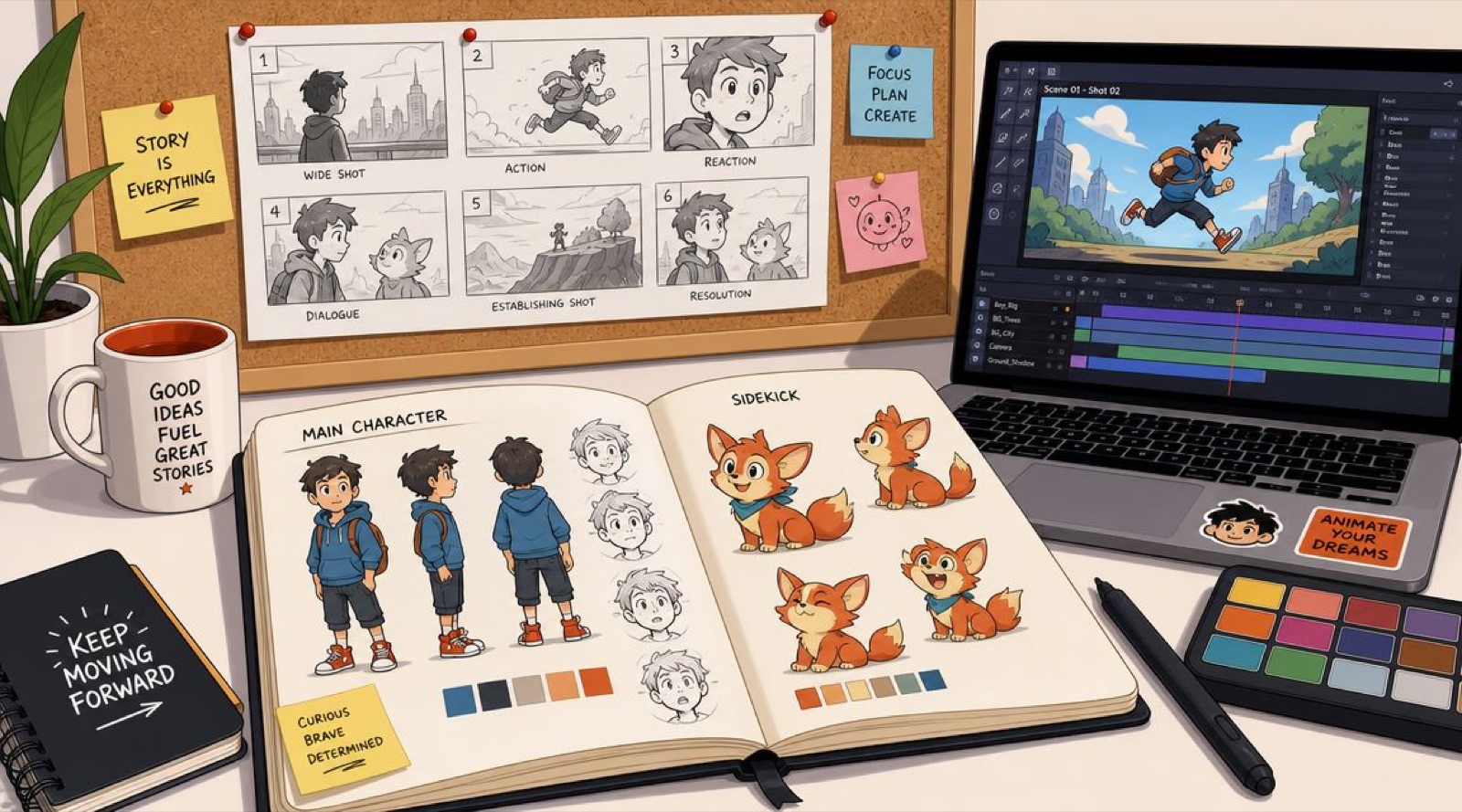
I have watched more cartoon projects go sideways than I can count, and almost none of them broke at the drawing. They broke weeks earlier, in a meeting where someone said “let’s make a cartoon” and everyone nodded at a slightly different picture in their head. Was it a brand mascot or a product explainer? A one-off social spot or a running series? Frame by frame, rigged characters, or motion graphics? Who writes it, who signs off on the timing, who decides it is finished? By the time those questions surface out loud, there are usually already sketches, a scratch voiceover, and an invoice.
So here is what I tell every client who asks me how to make a cartoon. The drawing is the easy part. Making a cartoon is a production problem, and for a marketing team it is mostly a decision problem in a trench coat. Get the decisions in the right order and the animation runs almost procedurally. Get them out of order and you pay for it later in revision rounds, characters that drift off-model, pacing that turns to mud, and a final cut that does not fit the channel you built it for. This guide is the cartoon-specific version; for how any animated piece gets made end to end, our guide to the animation process covers the broader craft.
The industry runs on that logic whether anyone says so or not. The standard animation pipeline splits into three stages, pre-production (script, storyboard, animatic), production (asset build, rigging, animation), and post (compositing and render), and the entire reason it is ordered that way is money. A change locked in pre-production is a note on a page. The same change in post is a re-render across a dozen files (Toon Boom’s pipeline overview lays this out cleanly). The tools sped up enormously over the decades. That sequence never budged.
Demand is not the worry. The global animation and VFX market is projected to grow from roughly $197 billion in 2025 to about $221 billion in 2026, per Mordor Intelligence, so the appetite for animated content is not thinning out. What separates a cartoon that earns its keep from one that eats a quarter is almost never talent. It is whether the team made its decisions early or paid to unmake them late.
From Spark to Script: Building Your Cartoon’s Foundation
Before anyone designs a character or boards a scene, write down what this piece has to achieve, who needs to care, and what the viewer should understand or do after watching. Skip that step and the script becomes a collection of nice moments instead of a useful piece of communication. That is where I have seen the most budget burn, and it burns silently, because the sketches look like progress while the strategy underneath is still undecided.
The early failure in cartoon production is rarely drawing quality. It is a foundation problem wearing an art costume. A marketing manager approves the idea because it sounded clear in the room, and two weeks in there are storyboards, a rough VO, and no shared answer to the one question that governs everything: what job is this doing?
Start with the business job
A cartoon for a homepage hero, a paid social ad, and a customer onboarding flow can share a concept. They should not share the same script by default. Each one carries different pressure. Homepage animation has to clarify value fast without exhausting anyone. Paid social has to earn attention in the first breath. Onboarding is allowed to slow down and teach.
That single choice ripples both directions. Script length changes. Scene count changes. Voiceover density changes. Approval gets easier or harder depending on how many stakeholders read their own goal into the piece. I ask for this brief before I quote anything, because the answers move the price more than the runtime does:
- Business goal: explain, persuade, onboard, entertain, or carry a campaign
- Audience context: cold traffic, returning visitors, current customers, or internal teams
- Distribution channel: product page, YouTube, LinkedIn, email, paid social, or Shorts
- Success behavior: click, sign up, remember the brand, grasp a feature, or share it
When those answers stay fuzzy, I already know the revision rounds are coming. A creative brief generator can force the shape of it if you are starting cold.
Production rule: if the message cannot be stated in one sentence, the concept is still in development.

Write a script the production team can actually use
Animation scripts have to carry visual intent, not just copy. The writer, illustrator, animator, editor, and voice actor all need enough direction to picture the same sequence before production starts. When that alignment is missing, the team pays for it in revision rounds, which is the most expensive way to discover you were never aligned.
A format I keep coming back to includes:
- Scene number
- What the audience sees
- Voiceover or dialogue
- On-screen text
- Timing, transition, or motion notes
Specificity is the whole game. “Character slumps at the desk as unread messages stack up” gives the team something to stage and time. “Office scene” is a question disguised as a direction, and that question gets answered later through extra meetings, new boards, or retakes. If your team wants a usable structure, this guide on how to write a video script for production treats the script as a handoff document rather than a writing exercise, which is the right mental model. To pressure-test length before boarding, I run the draft through a video script timer.
Keep the story small enough to animate well
Business cartoons perform when they carry one clear idea through a tight sequence: problem, friction, resolution, action. That works because animation is expensive in small, cumulative ways, not just the obvious ones. Every extra gag, setting, secondary character, or explanatory detour adds boards, approvals, new assets, and timing work.
Here is the trade every team seems to relearn the hard way. A richer concept sounds better in the brief and often produces a weaker video. More scenes dilute the point. More dialogue flattens the pacing. More visual ideas make the final piece harder to cut down into alternate ratios or later campaign assets. Good scripts respect rhythm on the page. They leave room for reaction shots, transitions, and the odd second of silence, and they resist saying out loud what the animation could simply show.
Lock the script before visual production spreads
Teams love to solve unresolved story problems during design. It is one of the costliest habits in this whole craft. Once character sketches, background layouts, voice tests, and early motion passes are underway, even a small line change can force updates across several files and several approvals. I run one last check before the project fans out:
- Channel fit: vertical, square, and widescreen do not support the same staging
- Read-aloud test: if a line is awkward to say, it will feel awkward on screen
- Visual clarity: each scene should imply what the viewer is looking at
- Message discipline: one cartoon carries one primary takeaway
Well-made cartoons feel light. The production behind them is anything but. The teams that get consistent results treat scripting as the control point for scope, clarity, cost, and reuse.
Defining the Look: Character Design and Visual Style
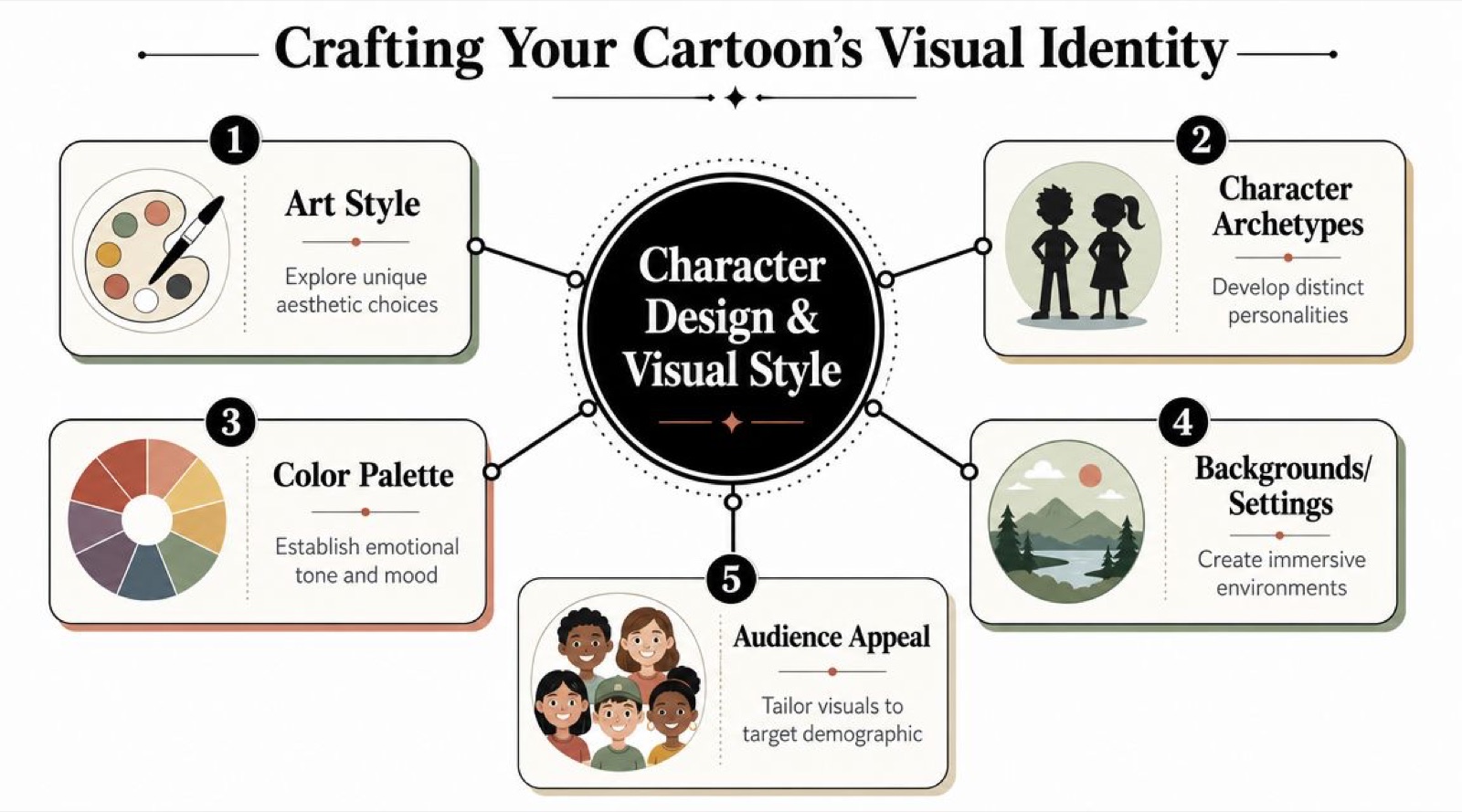
For business use, a character has a job beyond looking appealing: it has to stay recognizable across ad sizes, aspect ratios, editors, landing pages, and future campaigns. A good cartoon style hands the team repeatable rules, and repeatable rules are what make production faster and revisions less painful. I have signed off on beautiful concept frames that fell apart the moment they had to move, and that failure is almost always a style decision, not an art one.
The classic version of this goes like this. A team approves a character that looks great as a static concept, and two weeks later the face disappears at thumbnail size, the hands are too detailed to animate at speed, and every new scene raises a question the design was supposed to have already settled.
Build a character system the team can actually use
Start with role, because role drives design. A mascot can carry more exaggeration. A customer proxy usually needs broader relatability. A product personification has to balance personality against instant product recognition. Those choices set the silhouette, the expression range, the wardrobe, and how much acting the character has to do without leaning on dialogue.
Distribution should shape the design early. If the cartoon needs to survive short social placements, small screens, and cropped feeds, the character has to read fast: clear silhouette, simple facial construction, controlled detail. I have watched teams approve gorgeous concept art that had to be simplified later because every expression change slowed the schedule and pushed up cleanup time. Nobody enjoyed that meeting.
Lock the model sheet before asset creation spreads
If more than one designer or animator will touch the project, model sheets need to exist early. They are the reference set that stops the character from drifting between scenes, vendors, and revisions. A useful one includes:
- Front, side, and three-quarter views
- Core expressions: happy, confused, concerned, excited, neutral
- Signature poses: standing, pointing, holding an object, reacting
- Scale notes: relationship to props, UI elements, or other characters
Add rigging notes if the character will be animated digitally. Elbows, knees, shoulders, hand swaps, and mouth shapes all need to behave predictably. This is one of the biggest hidden trades in the whole discipline. A design with layered clothing, tiny fingers, or intricate hair looks premium as a still, and then becomes a running cost the moment it has to turn, gesture, lip sync, and repeat across a series. For teams that want the mechanics before they commit, our guide to the animation process walks the full pipeline. Artists refining pose options during this phase tend to move faster on a responsive tablet with a reliable Stylus Pen.
Choose a style your pipeline can support
Teams often pick a look off a mood board alone. Production does not care what won the mood board if the style breaks the schedule. Use a plain decision lens:
| Visual choice | Good for | Production risk |
|---|---|---|
| Highly detailed line art | Premium hero pieces | Slows cleanup and revisions |
| Flat vector shapes | Scalable social and explainer work | Can feel generic without strong direction |
| Painterly textures | Brand films and mood-driven work | Harder to keep consistent across scenes |
| Simplified geometric characters | Fast motion workflows | Limited emotional nuance if over-reduced |
The right answer tracks output volume and shelf life. A one-off campaign film can carry more detail. An always-on content program usually rewards simpler shapes, reusable poses, and a background system the team can reproduce without rebuilding every frame. For teams sketching early directions before custom artwork is approved, animation tools built for non-designers are handy for rough direction boards.
A one-off character drawing is artwork. A documented character system is production infrastructure.
Define the full visual language, not just the character
Characters rarely fail on their own. They fail because the world around them is underdefined. Backgrounds look like they wandered in from another project. Typography fights the acting. Motion feels springy in one scene and stiff in the next. So I build a visual bible that covers the whole set of rules:
- Color rules: primary, secondary, accent
- Background logic: flat scenes, perspective rooms, abstract environments, or UI-heavy layouts
- Typography: what appears on screen and what never should
- Motion language: snappy, elastic, calm, exaggerated, or corporate-clean
- Do-not-use examples: outlines too thin, gradients that break the brand, expressions that feel off
This is the point where cartoon production turns scalable. The team stops asking “how should this next scene look?” and starts applying decisions that were already made and approved. That saves time, and more importantly it protects the outcome: consistent style improves recall, shortens review cycles, and makes future cutdowns and variants far less costly to produce. AI can speed up concept exploration and asset variation here. It can also multiply inconsistency if the rules are vague, so the standards still do the heavy lifting.
Blueprint for Motion: Storyboarding and Animatics
Plenty of cartoon projects go off the rails after the script is approved, not because the idea is weak, but because nobody translated it into shots, timing, and screen direction. This is where cost control actually lives. Fixing a confusing sequence in thumbnails is a sketch. Fixing it after animation, voice sync, and compositing is a small crisis.
Storyboards turn intent into production decisions
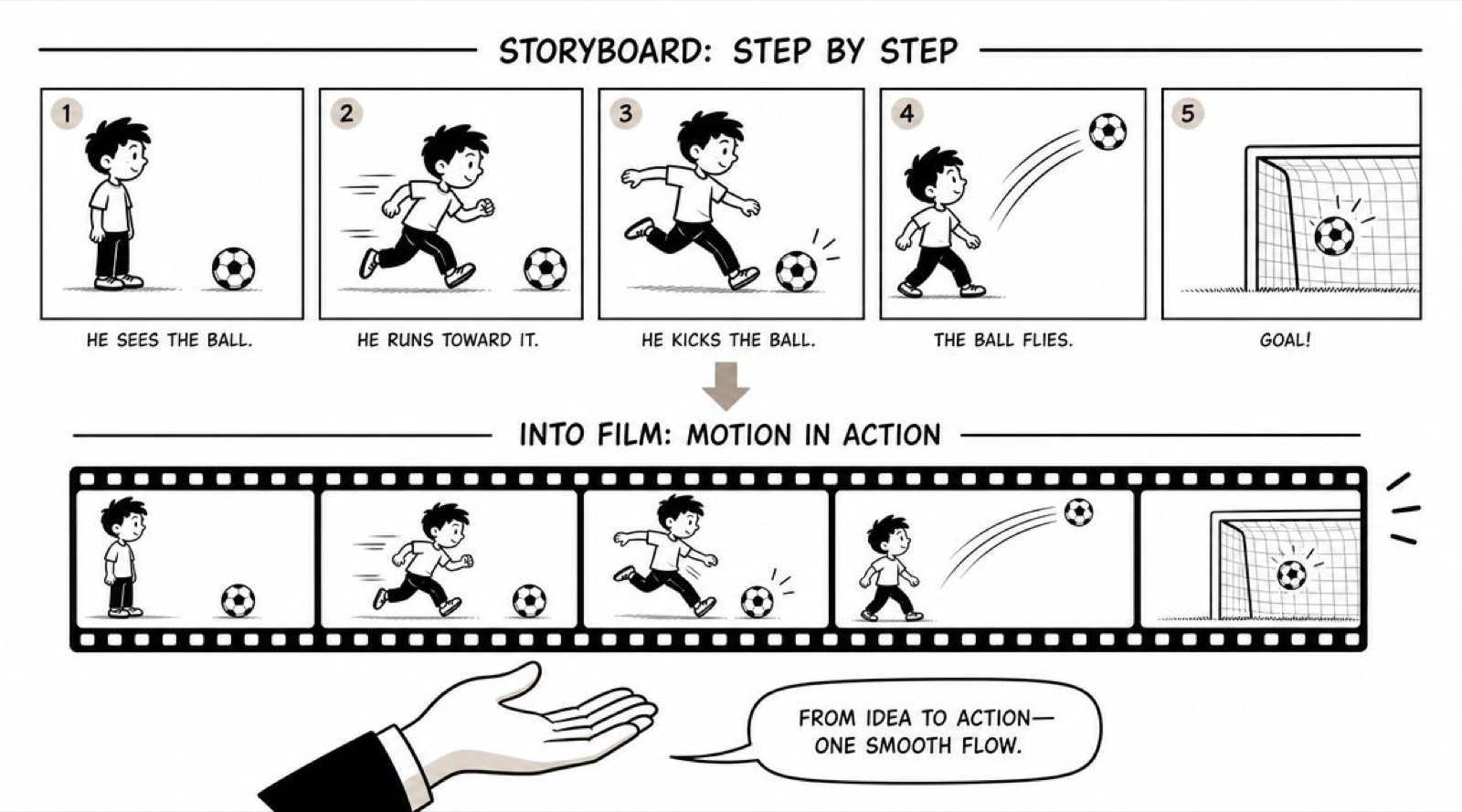
The storyboard is not a sketchbook exercise. It is the first real version of the cartoon as an experience. Here the team decides what the audience sees first, what gets held back, where attention should land, and how one idea hands off to the next. For brand work that has direct consequences. If the product benefit shows up too late, retention drops. If a joke steps on the message, the piece is entertaining and useless. Each panel should answer a short, practical set of questions:
- What is the shot? Wide, medium, close-up, insert, over-the-shoulder
- What changes inside it? Character action, camera move, text, prop interaction
- What must the viewer notice? A feature, an expression, a gag, a transition cue
- How does the cut work? Hard cut, hold, push, wipe, match action
Good boards are clear, not pretty. If your team needs a shared reference, this article on the purpose of a storyboard treats it as a communication document for production and review, which is exactly what it is.
Animatics expose pacing problems early
An animatic is a timed storyboard with rough audio, temporary transitions, and basic motion. It is often ugly. It is also the first assembled “movie” of the project, and its whole reason to exist is to test pacing and timing before expensive animation begins, which is why I trust it more than any static board. The question it answers is blunt: does the cartoon work before anyone spends real money making it look finished?
That test catches what scripts and stills miss. Comedy reads fine on the page and drags once it is timed. An explanation that felt concise in copy turns rushed when the visual needs a beat to register. Voiceover runs ahead of the action. A product reveal lands too late for a six-second cutdown even when it works at full length. If the animatic is confusing, rendering will not rescue it. My reviews usually stay on four things:
- Is the opening clear within the first few seconds?
- Does each scene earn its runtime?
- Do the transitions help comprehension or pacing?
- Does the timing fit the channel and how that audience behaves?
That first question carries more weight than most stakeholders expect. Google’s ABCD research, built on more than 17,000 campaigns measured with Ipsos, Nielsen, and Kantar, found that creative quality is the single largest driver of a video ad’s sales effectiveness, on the order of 70 to 80 percent (Think with Google). And in skippable formats, viewers pay more attention to the opening seconds than to any other part of the ad, which is a polite way of saying the first three seconds of your animatic decide whether the rest gets watched at all. I would rather find a weak opening in a $200 animatic than in a finished render.
Review for clarity, not decoration
Brand managers lose real time reviewing boards and animatics as if they are judging finished design. That aims the whole conversation at the wrong target. Storyboards and animatics are for checking sequence, messaging, framing, timing, and visual hierarchy. They are not the place to debate final textures or whether a shadow edge feels premium. Those notes belong later. Useful feedback at this stage sounds like:
- “The product value is still unclear by this panel.”
- “The feature needs a close-up earlier.”
- “This transition adds motion but not understanding.”
- “The CTA lands after attention has already dropped.”
Vague notes slow everything down because the team has to guess. “Make it pop” could mean stronger contrast, faster timing, a tighter joke, or a different camera choice, and the animator will pick one of those and probably the wrong one. Precise feedback shortens revision rounds and protects the budget. Storyboarding and animatics are not busywork between writing and animation. They are the decision layer that lets a team produce cutdowns, variants, and future episodes without rebuilding the logic of the piece each time.
Choosing Your Path: Animation Production Methods Explained
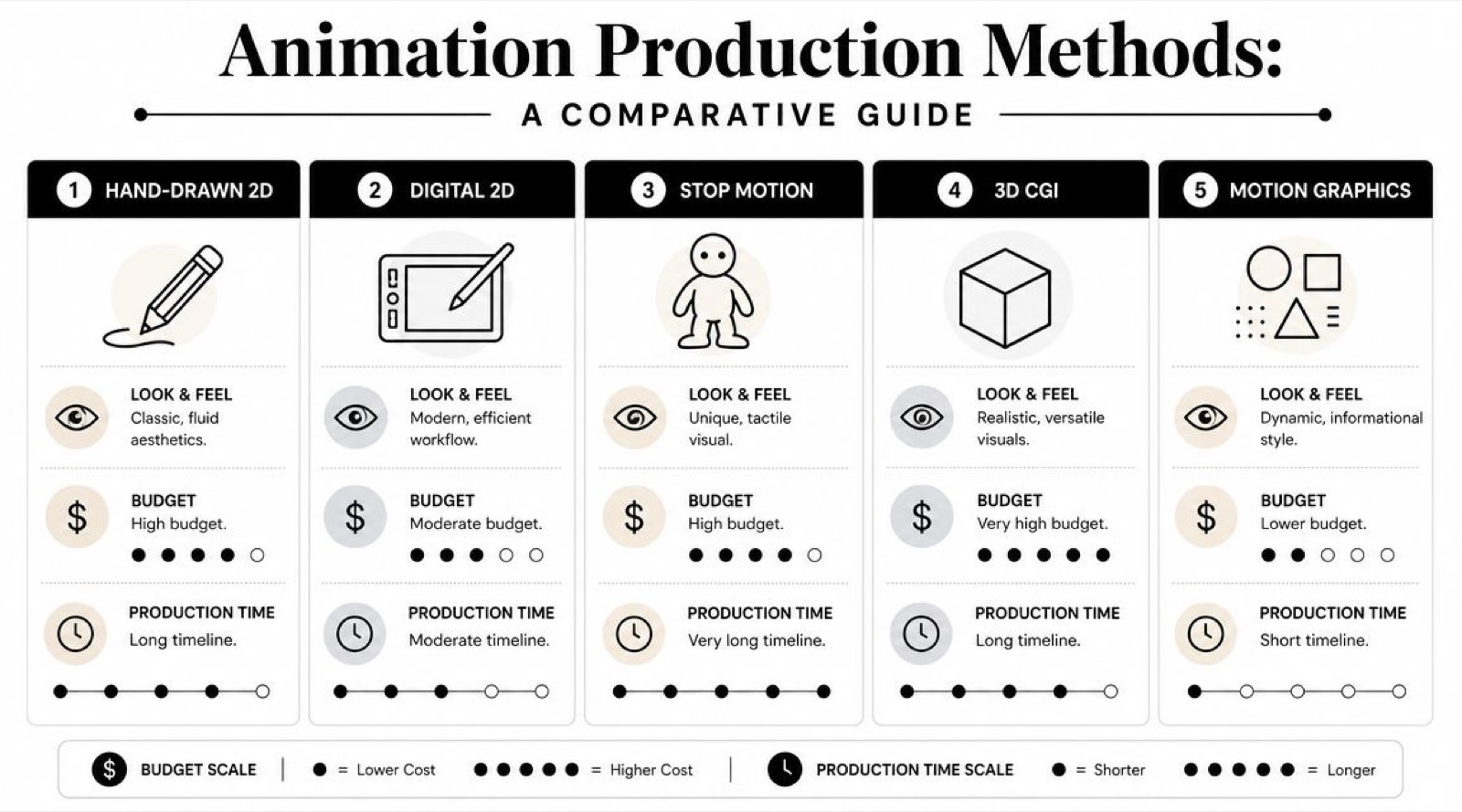
Method sets the economics of the whole project. It decides how fast you can revise, how easily you can reuse assets, how many versions you can spin out, and whether the cartoon can grow into a campaign instead of staying a one-off. I have watched a team approve a strong script and then lose weeks because they picked the wrong method for the job, usually because the call got made on taste instead of output requirements.
Frame by frame animation
Frame by frame hands animators the most control over acting and motion. Every pose can be pushed, held, distorted, or softened to serve the story, and when the performance is the product, that control earns its cost. It also carries the highest revision risk. A late script change or a legal edit can trigger redraws across multiple shots. For brand films, launch pieces, and short character-driven spots, that trade can make sense. For a content program that needs monthly output, it usually strains the schedule. My rule of thumb: if you expect frequent revisions after approval, frame by frame is rarely the safe choice.
Rigged 2D animation
Rigged 2D uses prepared character parts and animation controls instead of redrawing every movement, which makes it a strong pick for brands planning recurring content, a mascot, an explainer series, or internal training. The savings show up after the first build. Once the rig is solid, the team produces new scenes, cutdowns, and platform variations faster than hand-drawn work allows. That is where the business value starts, because you are not only buying a video, you are building a reusable content system.
One thing decides whether that works: setup quality. A weak rig hands you stiff shoulders, awkward mouth shapes, and cramped posing, and if the character was designed without animation in mind, the team eats that later in rig fixes and workarounds. Artists refining parts and pose options during development tend to move quicker on a responsive tablet paired with a reliable Stylus Pen.
Motion graphics and hybrid animation
Some briefs need no character acting at all. They need information to land quickly and in the right order. Motion graphics do that well for product demos, UI walkthroughs, service explainers, dashboards, and benefit-led campaign ads. There is real cognitive science under this, not just preference. The multimedia principle from Richard Mayer’s work holds that people learn more deeply from words paired with relevant visuals than from words alone, because verbal and visual information travel through two separate processing channels (overview of multimedia learning). A well-built motion graphic is that principle turned into a deliverable.
Hybrid workflows sit in the middle. They mix 2D characters, 3D product objects, interface animation, typography, and compositing, which is common in commercial work because it gives the team flexibility without forcing every shot into one visual language. For stakeholders who want the wider map, this overview of the technique of animation for different production goals is a solid reference.
Chester Sampson’s walkthrough of a beginner animation workflow is the clearest short version I have found, and it is worth playing during an internal kickoff to get everyone on the same vocabulary:
Animation method comparison
| Method | Best for | Pros | Cons |
|---|---|---|---|
| Hand-drawn frame by frame | Brand films, expressive shorts, character-heavy storytelling | Rich acting, highly custom movement, strong artistic identity | Slow revisions, heavy labor, hard to scale |
| Rigged 2D | Explainers, repeat series, reusable mascots, training | Faster iteration, reusable assets, consistent characters | Can feel stiff if the rig is weak |
| Motion graphics | Product promos, data visuals, ads, UI explainers | Clear communication, flexible edits, efficient production | Less character warmth and performance nuance |
| Hybrid 2D and 3D | Tech products, mixed-format campaigns, modern branded content | Efficient for information-heavy visuals, adaptable across channels | Style consistency needs tight direction |
What works for which kind of team
A team producing one hero piece can justify a slower method if screen presence is the whole point. A team building a repeatable content engine usually gets better returns from rigged 2D, motion graphics, or hybrid production. The decision rules I hand people:
- Choose frame by frame for high-expression storytelling, premium brand moments, and short films where custom performance matters more than revision speed.
- Choose rigged 2D for recurring character content, explainers, onboarding, and campaigns that need multiple versions over time.
- Choose motion graphics for product marketing, process explanation, and information-heavy scripts where clarity beats acting.
- Choose hybrid workflows for modern branded content that mixes character, interface, product, and data in one piece.
The best-looking method on a mood board is not always the one that performs across a full campaign, and I have lost that argument enough times to now win it early.
Bringing It to Life: Tools, Timelines, and Quality Control
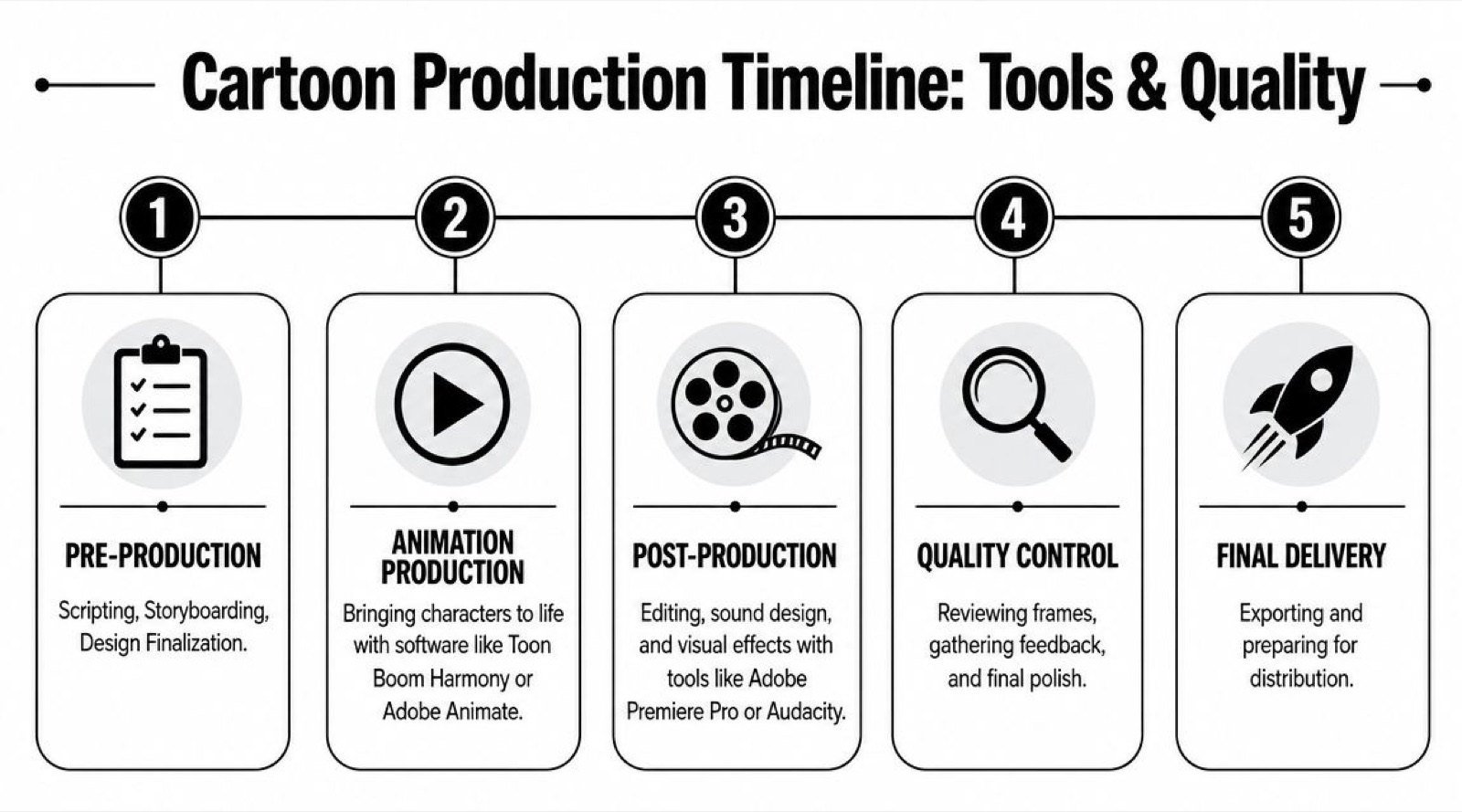
A cartoon stops feeling hard at the concept stage and starts feeling expensive in production. The script is approved, the style is set, everyone is excited, and then the pressure arrives. Files go missing. Revisions stack up. Scenes drift off-model. A two-week schedule becomes five. If the goal is not one good-looking piece but a repeatable process that supports marketing, training, and campaigns, then tools and review structure matter as much as animation skill.
Choose tools that match the pipeline
Tool choice should follow the production method you already picked. Hand-drawn and rigged 2D teams tend to live in Toon Boom Harmony or Adobe Animate. Illustrator, Photoshop, Procreate, and Clip Studio Paint cover design assets and painted elements. Premiere Pro and After Effects still handle most editing and compositing, and Audacity is fine for quick voice cleanup. The trade is simple: popular software is not automatically the right software. A team shipping one-off social clips can tolerate a looser stack, while a team planning recurring episodes and campaign cutdowns needs software that supports version control, shared assets, and predictable handoffs.
Hardware moves throughput too. Roughing poses or cleanup frames on a sluggish tablet slows every stage after it, so a decent Stylus Pen is a practical buy for teams doing digital sketching or frame cleanup. AI can speed up support tasks around all of this, but it does not run the production. It helps with reference gathering, early exploration, and some repetitive prep. Timing, acting, brand judgment, and final approvals still need a human owner.
Set approval gates before animation gets expensive
The cheapest revision happens early. Once a scene is cleaned up, colored, and composited, every note costs more because several departments may have to reopen the file. Strong teams prevent that by setting gates that each focus on one kind of decision:
- Blocking: scene timing, key poses, camera direction, overall performance
- Refinement: in-betweens, facial acting, transitions, motion clarity
- Cleanup: final lines, shape consistency, model accuracy
- Color and comp: palette, lighting, effects, typography, audio sync
- Delivery prep: exports by channel, captions, aspect ratios, version packaging
Keep each review narrow. Comment on timing during blocking, on polish during cleanup. When stakeholders wait until final delivery to raise a story or layout issue, the schedule slips and the budget follows it out the door.
Quality checkpoint: every round needs one review goal and one decision-maker. Split ownership creates contradictory notes and rework nobody asked for.
Organize files like the project will expand
Most marketing teams start with one cartoon and end up needing six more versions. A launch video becomes paid social edits, onboarding clips, internal training, and localization requests. The file system should assume that from day one. Separate scripts, storyboards, design files, voiceover, project files, renders, and approved exports. Name scenes consistently. Store the approved palette, fonts, and logos in one locked place. Mark which file is current and which is client-approved. This sounds administrative because it is, and it also saves real money. Teams planning recurring output usually benefit from a documented operating model, and if you are weighing capacity and role coverage, this guide on how to build an in-house creative team is a useful lens.
Give feedback your animators can use
“Make it pop” is not feedback. “The benefit lands too late, and the character action pulls attention off the headline” is feedback. Useful notes tend to answer three things:
- Is the message clear?
- Does the work stay on-brand and on-model?
- Can the team revise this without reopening unrelated scenes?
That last one matters more than most teams expect. Efficient cartoon production is not only about craft. It is about controlling revision scope so the work scales across campaigns without rebuilding the pipeline every time.
DIY vs Done-For-You: When to Partner with a Creative Team
By now the question is not whether you understand how to make a cartoon. It is whether your team should build and run the whole system in-house. For some companies, DIY is the right call. If you already have an animator, a designer, an editor, and someone who can shepherd script-to-delivery, producing internally gives you control and fast access to brand context. It holds up best when the volume is low and the stakes are moderate.
For a lot of startups and scale-ups, the hidden problem is coordination. Tutorials stop at drawing and skip the decision layer entirely, which leaves teams to work out style selection, production capacity, and channel fit on their own, usually mid-project.
When DIY is the right call
An internal approach is usually reasonable when:
- Your team already has specialist coverage: not just design, but animation, editing, and direction
- The brand shifts constantly: internal proximity helps when messaging moves fast
- You need close daily iteration: especially on product marketing or founder-led content
- The scope stays narrow: one-off internal explainers or simple social clips
Even then, internal production gets brittle when one person owns too much of the workflow, and that person eventually takes a vacation.
When outside support is the smarter move
Partnerships make more sense when the bottleneck is operational rather than conceptual. If your team knows what it wants but cannot reliably script, design, animate, revise, and version at a steady pace, outside support becomes a production decision instead of a luxury. That is especially true when you need:
- Multiple formats from one core asset
- Recurring cartoon or explainer output
- Creative direction plus execution
- Predictable review cycles and fewer freelancer handoffs
I also look outside when internal stakeholders keep changing direction mid-project, because a managed process absorbs that far better than a single overextended in-house creative. A useful parallel shows up in other creative businesses. Teams building media brands or content operations hit a point where process matters as much as talent, and this piece on managing your record label sits in a different industry while making the same point: output gets stable when roles, systems, and decision rights are clear.
Freelancers, agencies, and ongoing creative teams are not the same thing
Freelancers are excellent when you already know how to direct the work, and less so when you need someone to shape the process itself. Traditional agencies can carry large campaign pieces, but they often run heavier than an ongoing content program needs. An ongoing creative team fits when you want continuous capacity without standing up a full department. If you are weighing that against hiring internally, this overview of how to build an in-house creative team gives a practical way to compare overhead, specialization, and management load.
The weak question is “can we make this ourselves?” Many teams can, eventually. The better question is “what setup lets us make this well, over and over, without dragging marketing into production chaos?”
If your team needs cartoons, explainers, or animated campaign assets on a repeatable basis, Moonb is built for exactly that operating model: an embedded creative team across scripting, design, animation, and revision, so marketing gets ongoing output without assembling and coordinating every specialist internally.
Frequently asked questions
Method and length set the floor, but the real levers are revision scope and reuse. A short motion-graphics explainer is usually the most economical route, hand-drawn character work the most expensive, and rigged 2D sits between them while getting cheaper per asset after the first build. The cost people underestimate is late change: a script edit after animation starts can cost a meaningful slice of the original quote, because it ripples through boards, assets, and renders. Lock the script and model sheet before production spreads and you remove the biggest source of overrun.
For a straightforward explainer, plan on a few weeks: about a week on script and boards, an animatic review, then a couple of weeks of animation, cleanup, and a color-and-sound pass, with revisions folded in. Frame by frame runs longer because every frame is hand-built, while rigged 2D and motion graphics move faster once the assets exist. Rushing rarely saves money; it trades schedule for overtime and reshoots.
Settle it in writing before work begins. You want the final exports, and for anything you plan to extend, the source and rig files too, because the rig is what lets you produce future cutdowns and episodes without rebuilding the character. Ask specifically about ownership of the model sheet, the rig, and the project files, plus usage terms on any licensed music or stock inside the piece. A studio building for reuse should be comfortable handing those over.