Company Explainer Video: The 2026 Guide
How to plan, script, and produce a company explainer video that helps buyers understand your offer and moves them to the next step.

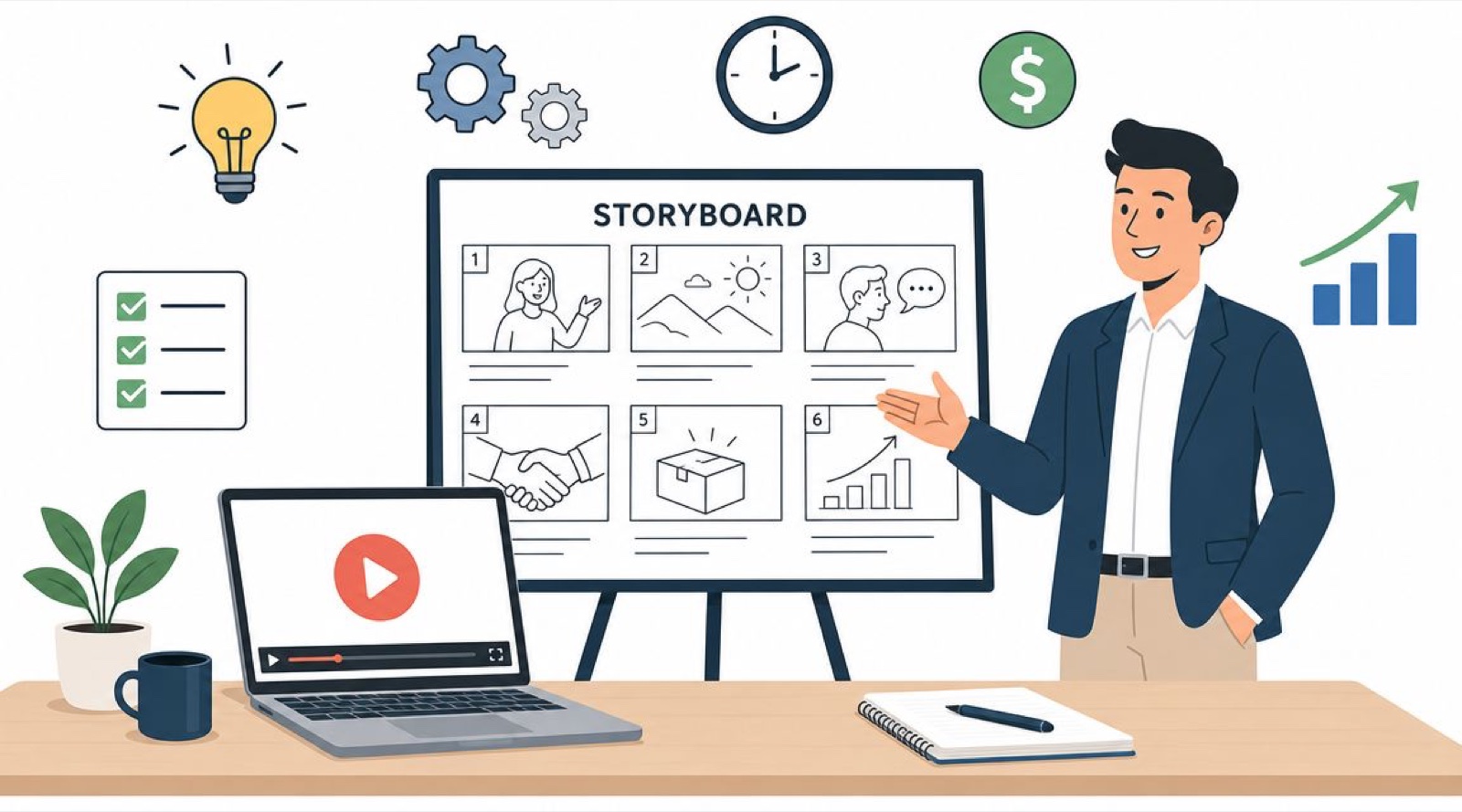
You are probably here because the request sounds simple and the work behind it is not.
Someone on your team said, “We need a company explainer video.” Now you are the one who has to decide what that means, who it is for, which format to use, what it should cost, how long it will take, and whether the finished piece helps sales or just looks polished in a review meeting.
That pressure is normal. A company explainer video sits where brand, product, sales, and operations all meet. It has to be short, it has to be clear, and it has to be useful to a real buyer. In 2026 it also has to survive two newer forces: attention split across a dozen channels, and buyers who have grown wary of content that feels machine made.
The format still works. What changes the outcome is how you treat it. When I approach an explainer as one asset inside a larger content system instead of a standalone art project, almost every hard decision gets easier.
What a Company Explainer Video Actually Is
A company explainer video is not a mini documentary about your business. It is not a founder interview chopped into a montage, and it is not a feature list set to upbeat music.
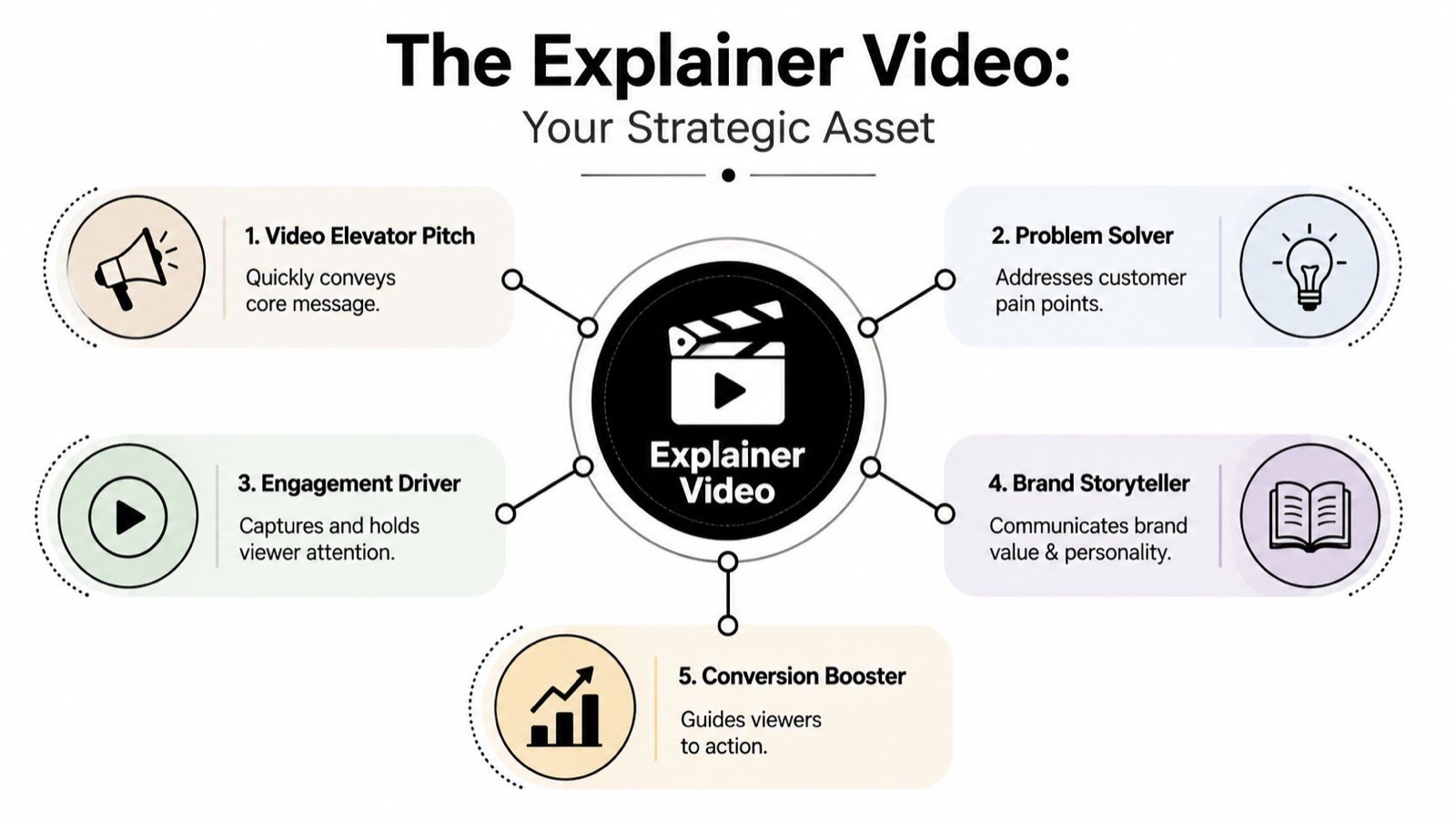
It is a video elevator pitch. Its one job is to help a specific viewer understand a single important thing fast enough to keep moving.
For most companies, that “one thing” is a version of:
- What you do
- Who it helps
- Why your approach matters
- How the product works at a high level
- What someone should do next
This is why the format shows up so often in SaaS, fintech, and healthcare, categories where the offer is not obvious on first read. If your homepage headline says something abstract like “the future of compliant operations,” people do not need more adjectives. They need orientation.
Think of it as a guided first conversation
A strong explainer does what a good salesperson does in the first minute of a call. It names the problem the buyer already feels and hands them a clean mental model of your solution.
That is the real value, and it is clarity.
I have watched buyers sit through a two minute animation and still not know what the company sold. I have also watched a plain sixty second screen recording close the gap in one viewing. The difference was never the polish. It was whether the video respected the viewer’s need to understand one thing quickly.
What it is not
First-time teams often confuse an explainer with a nearby format, and that is usually where scripts get bloated.
Here is a simple way to keep them apart:
| Format | Main purpose | Best use |
|---|---|---|
| Explainer video | Build understanding quickly | Homepage, product page, intro sequence |
| Product demo | Show the product in action | Sales follow-up, onboarding, feature pages |
| Brand film | Build emotion and identity | Events, campaigns, recruiting |
| Tutorial | Teach detailed tasks | Help center, onboarding, customer success |
If you have ever run a booth at a launch event, you already know the principle. You would not hand a passing visitor a full technical briefing before they know why they should care. You open with a short, sharp hook, then take interested people deeper. Online works the same way.
Practical rule: If your viewer needs a map before they need instructions, you need an explainer.
Why this matters more now
Attention is shorter, but the bigger shift is patience. People will not work hard to decode your offer. They leave and find the competitor whose value proposition is easier to grasp.
An explainer works because it compresses a complicated idea into a format people already know how to consume. They press play, you get a minute, and in that minute you can trade confusion for momentum.
The Four Core Ingredients of an Effective Explainer
Most weak explainers fail before anyone opens the editor. The script tries to say too much, the message wanders, and the team keeps adding “just one more point” until the whole thing reads like a voiceover on a slide deck.
A good explainer has a clean spine. Four parts carry it.
I keep the runtime near sixty to ninety seconds for a first touch explainer. That is not a rule handed down from anywhere, it is just where the message stays on one value proposition before a viewer starts to check out. The constraint is a gift, because it forces you to prioritize.
The problem
Open with tension, not company history.
The viewer needs to recognize themselves fast. If you sell payroll software, the opening problem might be late approvals or a finance team buried in spreadsheets. If you are a security company, it might be alert fatigue.
A lot of teams get timid here. They describe their market instead of naming the pain. A good problem statement sounds familiar enough that the viewer thinks, “yes, that is exactly it.”
The solution
Now your company enters. Briefly.
Do not make your brand the hero. Make it the guide. The viewer stays the main character, and your product is what helps them get unstuck.
Here is a test I use: if you deleted your logo from the script, would the solution still read clearly? If not, you are leaning on brand language instead of explanation.
The mechanism
This answers the question every buyer asks once the pitch lands: okay, but how does it actually work?
You do not need the full architecture. You need a simple model.
For example:
- Connect your tools
- See issues in one dashboard
- Automate the next action
- Give teams a clear audit trail
That is enough for a first-touch explainer. If you want help shaping this into a working narrative, our breakdown of explainer video script structure walks through it step by step.
The best scripts feel obvious after you hear them. They did not start that way. They got there because someone cut the fourth idea, simplified the second sentence, and removed the jargon.
The call to action
The final step is usually the weakest. Teams assume the viewer will know what to do. They will not.
Give one next action that matches the buying stage:
- Book a demo for high-consideration products
- Start a trial for product-led offers
- See how it works for early-stage education
- Talk to our team for service businesses
Do not stack three CTAs at the end. Choice creates drag.
A simple script blueprint
Here is a compact structure you can reuse:
- Opening tension: Name the pain or inefficiency
- New way forward: Introduce your company and your promise
- How it works: Show the mechanism in plain language
- Next move: Ask for one clear action
When a script loses focus over successive drafts, the fix is rarely better animation. It is a sharper decision inside one of these four parts.
Choosing the Right Explainer Video Style for Your Brand
Teams almost always ask, “should this be animated or live-action?” It is a fair question and still too broad.
The better question is: what format will make this message easiest to believe and easiest to understand? That is not the same as asking what looks nicest.
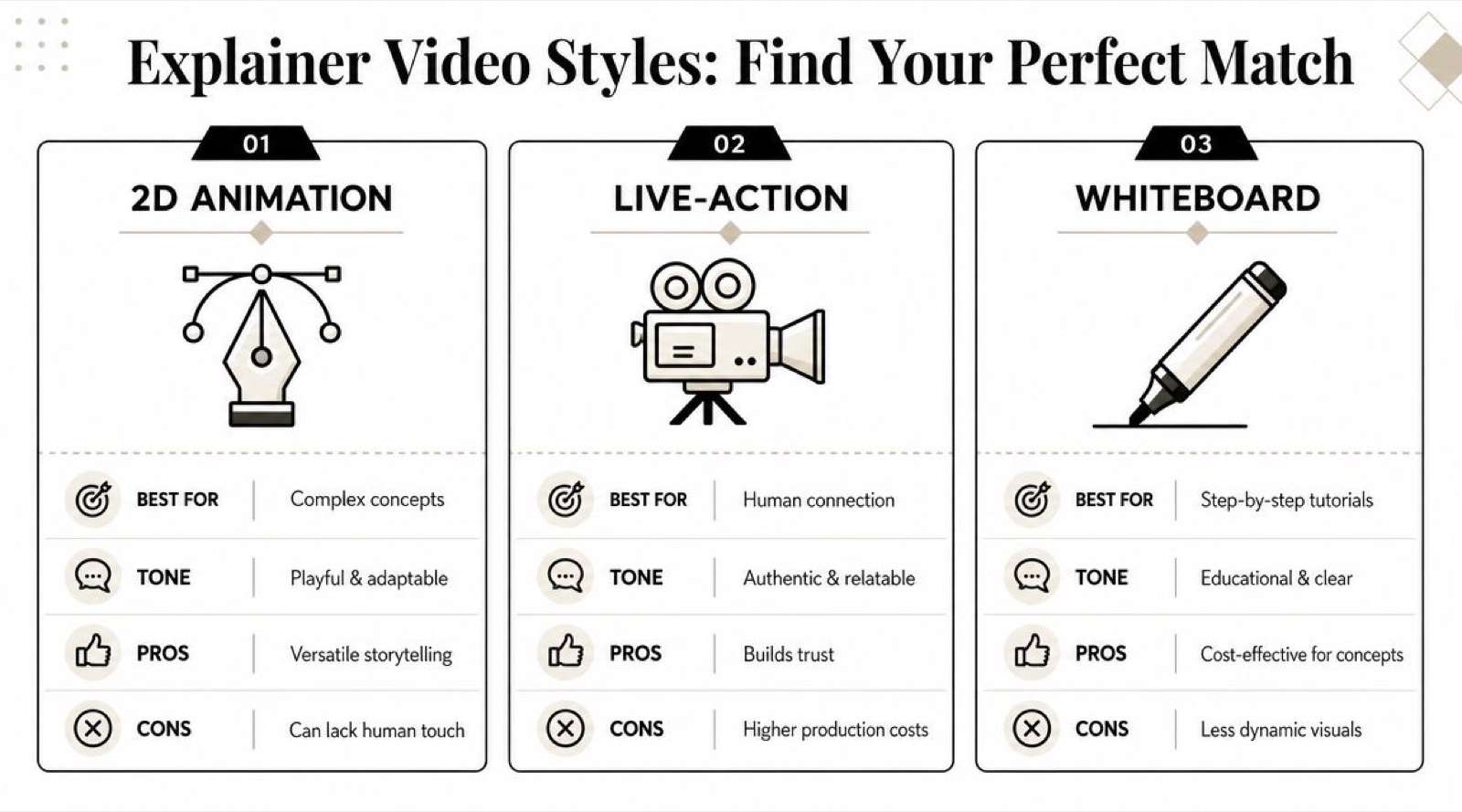
A rough map I keep in my head: 2D animation is flat and quick to produce, 3D reads as more realistic and suits technical or physical products, and a screen recording is the clearest choice for anything that lives inside software. Style should follow comprehension, not taste.
2D animation works well for abstract ideas
If your product solves something invisible, like compliance workflows, financial logic, or backend automation, 2D animation gives you room to move. You can visualize concepts that would be awkward or costly to film.
It also helps when the brand needs a controlled visual system, where every color, icon, character, and transition can align with your identity.
Good fit for:
- Fintech products
- Healthcare platforms
- Infrastructure and developer tools
- Service businesses with hard-to-film processes
The tradeoff is credibility. If the whole thing becomes generic floating shapes and faceless avatars, buyers may follow the idea but still wonder whether the product is real.
3D animation helps when detail matters
3D earns its keep when your audience needs to see structure, depth, or mechanics.
That could mean physical products, machinery, devices, or technical systems where realism improves trust. It can also support premium positioning when the product is visually complex.
Use it carefully. It is easy to spend weeks on visual polish that does not improve clarity. If a simpler illustration explains the idea better, simpler wins.
Live-action builds human connection
When the buyer needs to trust people as much as the product, live-action can do work animation cannot. A founder on camera, or a team member walking through a process, can make the company feel accountable and real.
This matters most where skepticism runs high: services, consulting, enterprise sales, and healthcare communication.
Even so, live-action can turn vague if you lean on office footage and brand mood shots. People smiling in a conference room does not explain anything by itself.
Screencast is often the right answer for software
If your product lives on a screen, show the screen.
That sounds obvious, but teams still over-animate software products because animation feels more “marketing ready.” For many SaaS companies, a clean screencast with callouts, zooms, and narration is more persuasive than a stylized abstraction.
A hybrid approach often works well:
- a brief animated opening for context
- real UI for the core mechanism
- simple motion graphics for reinforcement
If you are comparing formats more closely, our breakdown of explainer video types is a helpful reference.
A fast way to choose
Ask these three questions:
| Question | If yes | Likely style |
|---|---|---|
| Is the product hard to film or highly conceptual? | You need to visualize ideas | 2D animation |
| Does realism or physical detail affect trust? | Buyers need depth and precision | 3D animation |
| Does the core value happen inside software? | The UI is the proof | Screencast or hybrid |
Choose the format that removes the most doubt, not the one with the longest wishlist.
A strong company explainer video does not start with “what style do we like?” It starts with “what does this audience need to see to believe us?”
Your Step-by-Step Explainer Video Production Roadmap
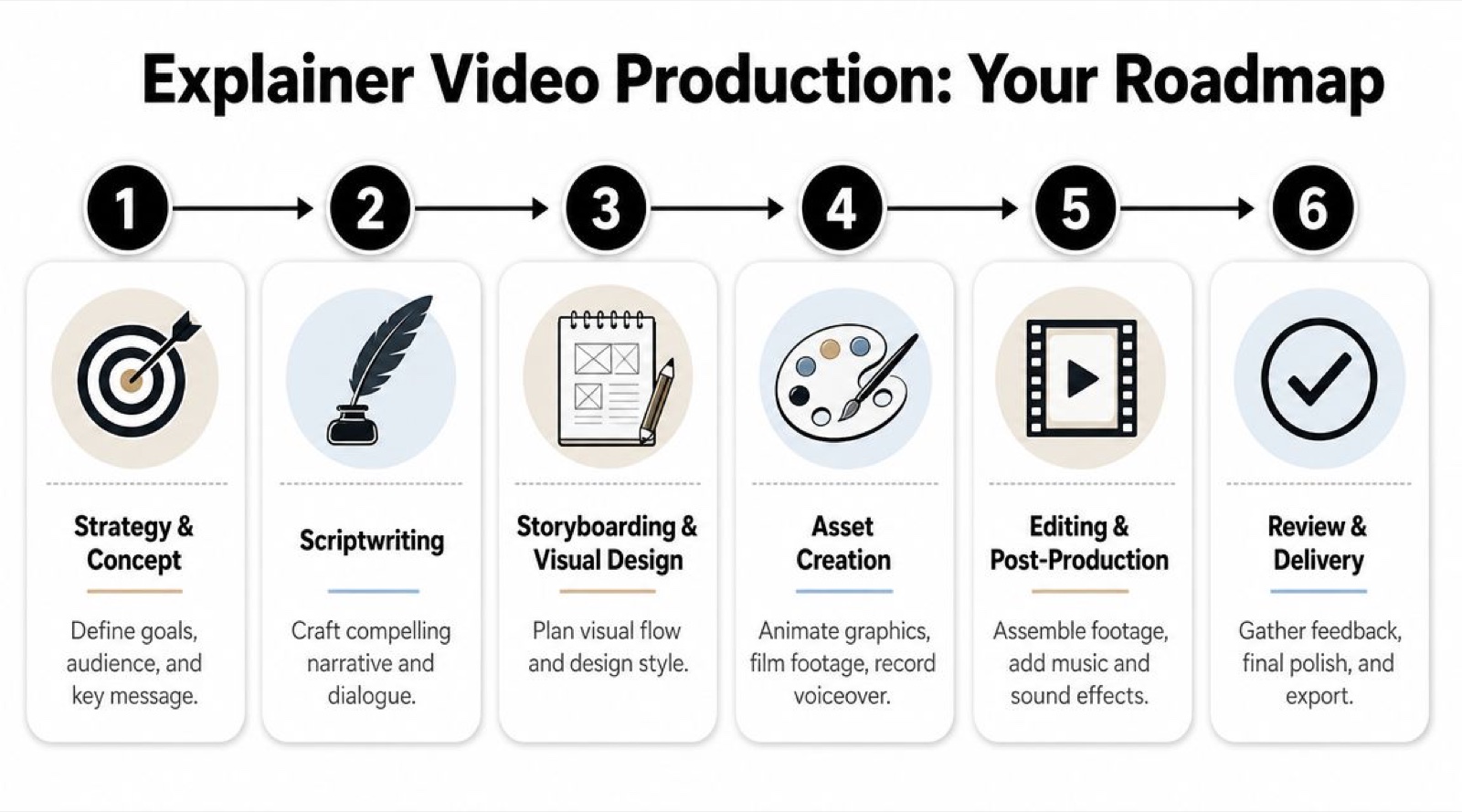
Production feels chaotic when teams treat it like one big creative blur. It gets calmer when you break it into stages and assign one decision to each stage.
The roadmap below keeps the project moving and heads off the two classic mistakes: endless revisions and late-stage messaging changes.
Start with strategy and a real brief
Before anyone writes a line, answer five questions:
- Who is this for
- What are they confused about right now
- What one message must land
- Where will the video live first
- What should happen after they watch
If a team cannot answer those, production should not start.
This is also the moment to decide whether the asset is a homepage explainer, a paid social cutdown, a product-page hybrid, or a sales enablement piece. Those are different jobs, even when they borrow from the same script.
Write the script before discussing visuals too deeply
Many teams want to jump straight to references, style frames, and animation samples, because visuals feel concrete. But if the script is muddy, beautiful execution will not save it.
Aim for one idea per beat. Short sentences. Plain words. If you catch yourself adding a second subordinate clause, stop and rewrite.
For teams building their first process, our walkthrough on how to make an explainer video is a practical reference for briefing, scripting, and review flow.
Review note: If stakeholders keep asking for “more detail,” ask what decision the viewer needs to make after watching. Most unnecessary detail disappears once that question is answered.
Storyboard the logic, not just the look
A storyboard does not need to be fancy. It just needs to show what appears on screen during each part of the script.
You work out things like:
- Should we show the actual product here?
- Is this better as iconography or live footage?
- Does the viewer need a text overlay for this term?
- Are we moving too fast for this concept?
The storyboard is the least costly place to catch confusion. Once animation or filming starts, changes get slower and more expensive.
An outside perspective helps here too, especially when you are juggling internal reviewers and a production partner. A quick planning review with whoever is filming or animating catches problems while they are still quick to fix.
Produce the assets with credibility in mind
In an AI-saturated market, polish alone does not build trust.
The more synthetic media a buyer sees, the harder they look for proof. You can still use AI-assisted tools in the workflow, but the content itself should stay anchored to something real. Verified claims. Actual product interface instead of a generic mockup. A named expert or a visible team member when the category is regulated or high-consideration.
Here is a simple trust checklist:
- Use real UI: Do not replace product proof with decorative animation if the interface is central to belief.
- Check every claim: If legal, compliance, or product cannot verify it, cut it.
- Show a human when trust matters: Founder, product lead, clinician, or specialist.
- Keep the voice natural: Over-processed narration can make the whole piece feel artificial.
When you get close to a finished cut, it helps to study a full walkthrough and talk through pacing, transitions, and how the voiceover sits under the visuals. This step-by-step example is a useful reference for that conversation.
Edit, review, and protect the original goal
Review rounds go sideways when everyone comments from a different objective. Sales wants more detail. Brand wants more tone. Product wants more precision. Leadership wants more vision.
Someone has to protect the primary job of the video.
Use focused review prompts instead of open-ended feedback:
- Was the problem clear in the opening?
- Did the solution feel believable?
- Did any scene feel confusing or slow?
- Is the CTA the right next step?
That keeps feedback tied to performance, not personal taste.
Final delivery should include versions, not one file
A finished explainer project should rarely end with a single export.
At minimum, the following versions are commonly required:
- Main horizontal version for the site or presentations
- Short cutdown for social or paid distribution
- Captioned version for sound-off viewing
- Optional product-page variant with a more utility-first opening
That is how you turn one production cycle into a usable asset set instead of a lone video file that gets posted once and forgotten.
Decoding Explainer Video Costs and Timelines
This is the part stakeholders ask about first, even when they pretend not to.
“How much will it cost?” “How long will it take?” “Can’t we just make something quick?”
Cost and timeline depend on scope, style, and review discipline. There is no universal price tag I could quote here without inventing a number, so it is more useful to think in cost drivers and schedule drivers.
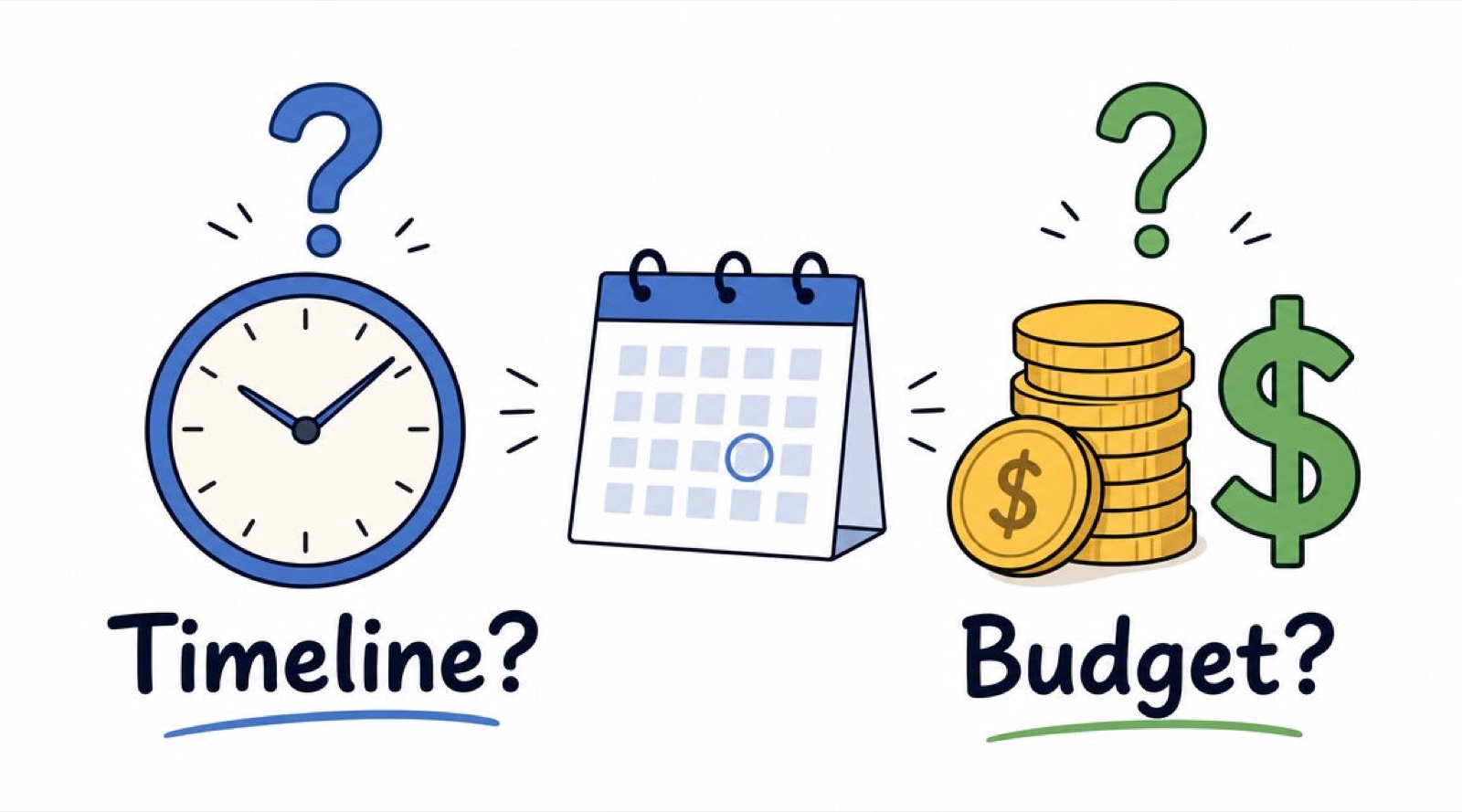
What pushes cost up
A company explainer gets more expensive when the team adds complexity in areas like these:
- Visual sophistication: 3D, custom illustration systems, or advanced motion design need more specialized work.
- Production method: Live-action introduces crew, location, lighting, filming logistics, and talent.
- Amount of custom work: Real product captures, custom storyboards, branded assets, and original sound all take time.
- Revision volume: The more rounds and stakeholders involved, the more labor the project absorbs.
A screencast-based software explainer usually has a different production profile than a polished animated brand film. That does not make one better than the other. It just means the spend should match the job.
What stretches the timeline
Time slips most often in pre-production, not in final editing.
Here are the usual causes:
- unclear approval owner
- script changes after storyboard sign-off
- late legal or compliance review
- missing product assets
- trying to satisfy multiple audiences in one video
If you want a cleaner process, decide early who has final say at each stage. One owner for script. One for visuals. One for final sign-off. Without that structure, the review thread becomes the project.
A fuller breakdown of what drives the cost of an explainer video is worth a look when you are scoping.
Why the cost conversation should include business impact
A video cost should not be defended only as a creative expense. It is better framed as a comprehension and conversion asset.
When a video helps a buyer understand the offer faster, both sales and marketing feel it downstream in fewer stalled conversations and cleaner handoffs. I cannot promise you a specific lift, and anyone quoting a precise percentage should be treated with suspicion. What I can say from experience is that the format earns its keep when it is placed at a real point of confusion in the journey.
When the video helps buyers understand the offer sooner, sales and marketing both benefit. That is the story stakeholders actually respond to.
A useful reframe: you are not paying for animation, editing, or voiceover in isolation. You are paying to remove confusion at an important moment.
When to Partner with an Ongoing Creative Team
You get approval for a new explainer. Then a second request appears for paid social cutdowns. Sales wants a shorter version for outbound. Product marketing needs an update two weeks later because the UI changed. At that point the decision is no longer “who can make one good video?” It is “what production model can support the content system around this video?”
That question matters more in 2026 because audiences are split across formats and buyer trust is harder to earn. A polished explainer on its own is not enough. Your team may also need shorter proof-driven edits, product-specific variants, and quick revisions that keep the message current.
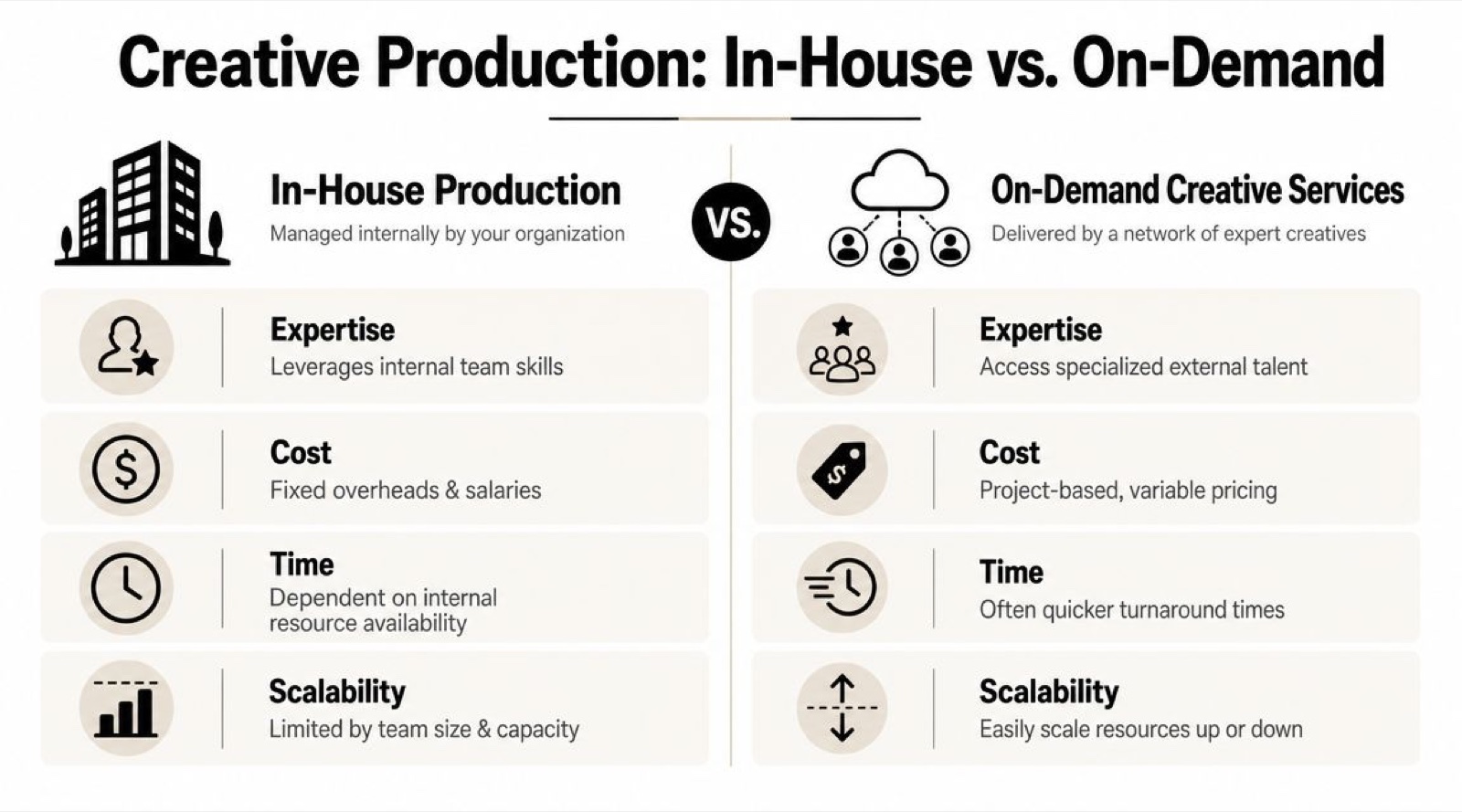
In-house works best when video is already a real capability
An internal team can be a strong option if you already have the full bench: a writer who can simplify the message, a designer or motion lead who can shape the visuals, an editor, and someone senior enough to protect quality.
The advantage is familiarity. Internal teams know the product, hear customer language every day, and can often make small updates quickly.
The risk is capacity and range.
A team that handles webinars, sales decks, launch support, and brand work may not have room to produce an explainer, three cutdowns, a testimonial edit, and a feature update on the same timeline. Internal teams can also be uneven by format: strong at screen-recorded demos, weaker at narrative scripting, or the reverse.
Traditional agencies fit focused, high-attention projects
An agency is often the right choice when the assignment is large, visible, and contained. A rebrand launch, a fundraising video, or a flagship homepage explainer can justify a dedicated outside team and a bigger creative development process.
That model works less well when your needs keep shifting month to month. If your buyers move between short-form social, product pages, email nurture, and sales follow-up, your video plan starts to behave less like a campaign and more like an editorial pipeline, and a one-project structure gets expensive to restart each time a new asset is needed.
An ongoing creative team fits recurring production needs
An ongoing creative team works like a flexible creative bench instead of staffing every specialty in-house. You are not hiring a full department, but you are also not restarting a scoping process for every new request.
That can be a good fit when your explainer is only one piece of a wider mix. You might need the core explainer first, then shorter derivatives, product demos, customer-proof edits, and refreshes as positioning changes. In that setup, an ongoing creative team can carry creative direction, scripting, design, motion, and production without you rebuilding a scope every month.
If you are weighing partner types side by side, this comparison of explainer video agencies and alternative sourcing models can help clarify the tradeoffs.
A practical way to choose
Use the production model that matches the shape of your demand, not the one that sounds most impressive.
- Choose in-house if you have the skills, the review structure, and enough free capacity to handle both the first video and the follow-on versions.
- Choose an agency if the project is high-stakes, creatively distinct, and unlikely to need constant spin-offs.
- Choose an ongoing creative team if requests are recurring, channels are multiplying, and your bottleneck is steady production capacity.
One more filter helps. Ask how often credibility updates will matter. In a lower-trust market, teams often need to add real product footage, customer evidence, or lighter-touch revisions that keep a video believable. The best partner model is the one that lets you make those changes without rebuilding the whole process every time.
A weak sourcing decision creates friction even when the concept is good. The message may be clear, but the team still struggles to produce the versions buyers actually need.
The goal is reliability. You want a setup your team can return to each time the market, message, or format changes.
How to Distribute and Measure Your Video’s Success
A company explainer video does not succeed because it exists. It succeeds because people see it in the right context and take the next step.
This is where many teams lose value. They publish the full video on the homepage, upload it to LinkedIn, and call distribution done.
A better approach is modular. One core message. Multiple versions. Different placements.
Match the format to the stage
One reframe that has helped me for 2026: stop asking “what is an explainer video?” and start asking “what is the lowest-friction format for this buying stage and this channel?” Audience behavior is fragmented enough now that the answer changes per placement.
That means:
- a homepage explainer may need broad clarity
- a product-page video may need more real UI and utility
- a paid social cutdown may need a much faster hook, closer to a thirty second explainer than the full piece
- a sales follow-up clip may work better as a short demo than a classic explainer
One video rarely does all of that well.
Where to place it
A practical distribution mix often includes:
- Homepage or hero section: Best for first-touch clarity
- Product pages: Better when adapted to specific features or use cases
- Email campaigns: Useful for re-engagement and launch communication
- Paid social: Best as shorter derivatives, not always the full explainer
- Sales enablement: Helpful in outreach, proposals, and post-call follow-up
The key is to stop treating the explainer as a single finished object. Treat it as a source asset. If you want to see how other companies handle these choices, our roundup of explainer video examples is a good place to browse.
What to measure
The metrics should match the video’s job.
If the video is meant to build top-of-funnel understanding, watch for:
- View-through rate
- Audience retention
- Drop-off points
- Completion rate
If it sits closer to conversion, pay attention to:
- Click-through rate
- Demo requests
- Trial starts
- Product-page engagement after viewing
A habit I recommend: watch the retention graph next to the script. If viewers leave during the setup, the opening is too slow. If they leave during the mechanism, the explanation is too dense or not credible enough.
Turn one project into a system
The strongest teams do not just “make an explainer.” They build a message library.
That usually includes:
- the master explainer
- short cutdowns by audience or use case
- channel-specific intros
- captioned versions
- snippets built around objection handling
That is how a company explainer video becomes part of a working content system instead of a one-off deliverable.
If your explainer quickly turns into demos, paid social cutdowns, onboarding assets, and launch content, that is exactly the workload an ongoing creative team is built to carry, across strategy, scripting, motion, design, and production. Moonb works that way, so one video project can grow into a full content system without restarting from scratch each time.
Frequently asked questions
For a first-touch explainer aimed at people who barely know you, sixty to ninety seconds is the sweet spot. That is enough to name a problem, show the mechanism, and ask for one action before attention fades. Cutdowns for paid social should run much shorter, sometimes fifteen to thirty seconds, with a faster hook. The full piece and the short derivatives are different jobs, so build the long version first and cut down from it.
Pick the format that makes the message easiest to believe and understand, not the one that looks nicest. 2D animation suits invisible or abstract products like workflows and financial logic. 3D helps when physical detail builds trust. A screen recording is usually clearest when the value lives inside software. Live-action is strongest when the buyer needs to trust people as much as the product, such as services and consulting.
There is no honest single number, because cost tracks scope, style, amount of custom work, and how many review rounds the project absorbs. A screencast with narration sits at one end, a fully custom animated brand film at the other. Instead of chasing a price tag, list your cost drivers and schedule drivers first, then decide how much complexity the job actually needs.