3D Explainer Videos: 22 Examples Worth Studying
A working creative director breaks down 22 of the best 3D explainer and product-visualization videos, from spacecraft cutaways to molecular mechanism animations.

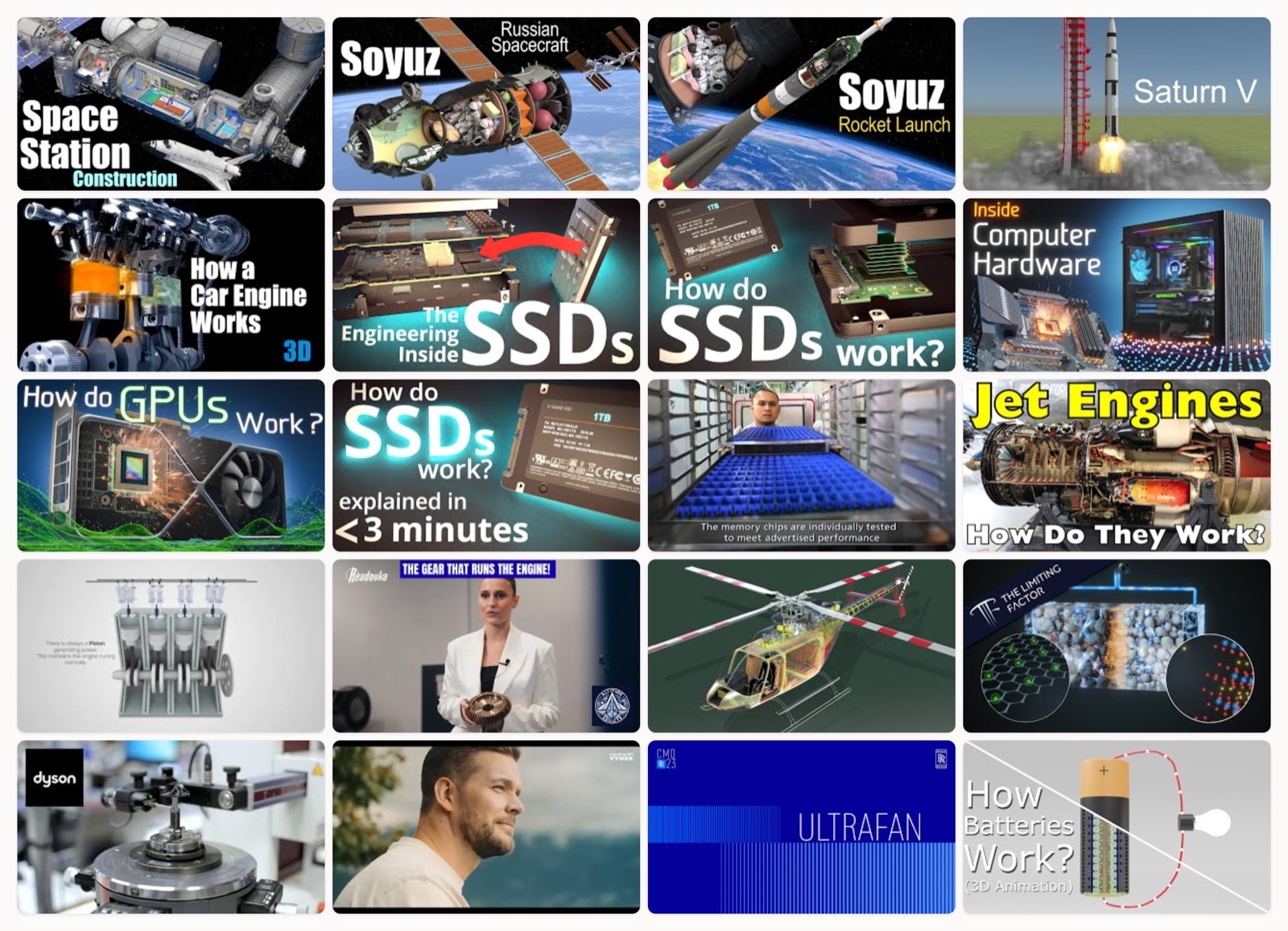
Some products refuse to explain themselves. You cannot open up a working jet engine while it runs, you cannot photograph a single transistor flipping states, and you cannot film the inside of a battery cell as ions cross it. This is the work 3D explainer videos exist to do. You rebuild the thing in software, then cut it open and show the part that words keep failing to describe.
I get asked about this format constantly, usually by someone with a physical or invisible product and a sales deck that is not landing. So I keep a running list of the 3D explainers that actually earn their runtime. Most do not. A lot of them look expensive and teach nothing: the camera swoops, the metal gleams, and thirty seconds in I still could not tell you what the object does or why I should care.
When I judge one of these, I am not grading the render. I am asking a simpler question. Did I understand the mechanism better at the end than at the start? Did the cutaway expose the part that matters, or the part that was fun to model? Did the camera move because the explanation needed it there, or because the move looked good in a demo reel? The twenty-two videos below all pass that test, and each one is doing something specific I think is worth stealing.
How I picked these
Every video here is one I would put in front of a client without apologizing for it. I leaned toward studios that treat 3D as a way to explain rather than a way to show off, which is why a few names repeat. I also kept a wide spread of subjects on purpose, from an entire space station down to a single molecule, because the craft problems change completely with the scale of the thing you are animating. A couple made the cut precisely because they answer a question the others never raise.
The 3D explainers worth studying
Jared Owen, the ISS built piece by piece
The reason this works is that it makes assembly the story. Owen floats each module out to its position, then walks the pieces back together in the order they actually launched, so you watch the station grow the way it was built across two decades. The exploded view is never decorative here. Every gap between parts is teaching you which piece connects to which, and in what sequence.
Jared Owen, the Soyuz spacecraft in cutaway
This is the labeled cutaway done right. He slices the capsule so the descent module and the orbital module read as separate volumes from the service section behind them, and the labels appear only once your eye is already resting on the part. The restraint is the craft. A weaker version would flood the frame with callouts before you had located a single thing.
Jared Owen, a Soyuz launch and reentry, staged
Where the previous video freezes the craft to inspect it, this one puts it in motion along a staged timeline. Each phase gets room to land, from stage separation to the long fireball of reentry, and the camera pulls back at exactly the moments where scale is the whole point. It is a clean lesson in pacing a process film. Give a beat its space before you move to the next one.
Jared Owen, the Apollo stack peeled apart
Apollo was a stack of separate vehicles pretending to be one rocket, and the layered cutaway is how Owen makes that legible. He lifts the command module off the service module and drops away the lunar lander folded underneath, so the nesting-doll logic of the spacecraft finally clicks. Part 1 earns its length because it never rushes the reveal of what is hiding inside what.
AutoTechTV, a car engine you can see through
The trick here is transparency used with discipline. The block turns to glass only where combustion is happening, so you can follow one piston through the full four-stroke loop without losing it in a sea of see-through metal. That selective glass separates a render that teaches from one that only performs. I keep this on the list because the four-stroke cycle is the classic thing every bad engine animation gets wrong.
Branch Education, inside an 8TB SSD
Branch Education is the studio I point people to when they insist 3D cannot make electronics interesting. This one flies down into the flash memory until individual cells become architecture you could walk around, and the scale transitions are handled so the camera never teleports. You feel the whole descent from chip to cell, which is what keeps the nanoscale from reading as fantasy.
Branch Education, from circuit board to a single transistor
Same studio, same move, this time aimed at the phone in your pocket. The camera starts on a circuit board you recognize and keeps pushing past the point where intuition gives up, down to one transistor switching between states. What sells it is the continuity of motion. Because the descent is a single unbroken push, you believe the transistor really is down there inside the thing you were just holding.
Branch Education, a full PC teardown in flight
This is the teardown as a flight path. Instead of listing components, the camera flies through a whole computer and hands off from part to part like a relay, so pieces that usually get explained in isolation finally relate to each other in space. It is the video I send to anyone who thinks a spec sheet is the same as understanding a machine.
Branch Education, GPU architecture up close
A graphics card is mostly repetition at a scale the eye cannot count, and this flythrough turns that repetition into visual rhythm. The camera moves through rows of identical cores so the parallelism of a GPU becomes something you feel rather than read off a bullet point. It is a smart answer to a hard brief, since the entire point of the hardware is doing many small things at once.
Branch Education, a microchip that holds weeks of TV
This is the condensed cut, built around one memorable framing: three weeks of television living inside a single microchip. Shorter than the studio’s deep dives, it trades some of the descent for a punchier payoff, which makes it the one I share when I want to hook someone in a couple of minutes. Same craft, tuned for a shorter attention span.
Micron Technology, how an SSD is actually made
Where Branch explains how the chip works, Micron shows how it gets born, and the register is completely different. This is photoreal fabrication: wafers under deposition, rendered with the clean geometry of a process almost no one gets to see. Coming from the manufacturer, it doubles as brand film, and it is a useful reminder that explaining how a thing works and showing how it is built are two different jobs.
History of Simple Things, a turbofan in section
A turbofan only makes sense once you can watch air move through it, and this sectioned model commits to that idea. The engine is cut lengthwise so you can follow one stream of air from the cold intake through ignition and out the back. The stages finally read as one connected path instead of a parts diagram, which is the entire difficulty with jet engines solved in a single visual decision.
Guilherme Goncalves, the four-stroke cycle, transparent
Another take on the engine, and worth including because it shows how much interpretation lives inside the same subject. The glass treatment here is more clinical than the AutoTechTV cut, closer to an engineering diagram brought to life, and the valve timing is the real star. Watch the two engine videos back to back and you get a small masterclass in how style changes what a viewer actually notices.
Altitude Addicts, the gear that runs a jet engine
This one earns its place by going narrow instead of broad. Rather than explain a whole engine, it isolates the accessory gearbox, the unglamorous cluster of gears that drives the fuel pumps and generators, and gives it the full cutaway treatment. I love a video brave enough to make one small part its entire subject, because that is usually where the real engineering is hiding.
Animagraffs, a helicopter’s drivetrain, fully rigged
Animagraffs builds mechanical models that actually articulate, and the Bell 407 breakdown shows a drivetrain moving as a system. You watch torque travel from the engine through the transmission and out to the rotor head, with the swashplate doing its strange dance as the blade pitch changes. Because every part moves in the correct relationship to every other, the animation is teaching real structure, and none of the movement is there for decoration.
The Limiting Factor, a lithium-ion cell from the atom up
Batteries are hard to picture because the interesting part is chemistry you cannot see, and this photoreal build climbs from atom scale up to the finished cell to fix that. The material rendering is the point. You come away with a feel for the layered electrodes and the packed density of a real cell rather than a cartoon of one. It is the rare battery explainer that respects the physics and the manufacturing in equal measure.
Dyson, a motor’s internals as product film
This is product-visualization in its purest commercial form. Dyson opens up its high-speed motor and lets the render show off tolerances and internals that no live camera could catch at those speeds, while the lighting treats the hardware like jewelry. It is a pitch as much as an explanation, which is the honest job of a lot of brand 3D, and it happens to be a very good one.
Nokian Tyres, a tire from the inside out
A tire looks like a solid black ring until someone shows you the structure inside it, and this journey format cuts through the layers to reveal the belts and the tread taking shape. Framing it as a journey gives the build a narrative spine, so the construction plays like a story with a beginning rather than an exploded parts chart. For a product most people never think twice about, that is a smart way to earn a few minutes of attention.
Rolls-Royce, the UltraFan engine revealed
This sits at the cinematic end of the spectrum, where the goal is awe more than instruction. The UltraFan reveal uses 3D to present an engine architecture that still mostly exists as engineering intent, and the calm in the camera work signals confidence rather than hype. When your subject is this ambitious, letting the form speak for itself is the right call.
3D Requiem, a battery’s ion flow visualized
Where The Limiting Factor goes photoreal, this one goes conceptual, animating the ion flow that makes a battery work at all. Charged particles migrate across the electrolyte in a way you could never film, and the abstraction is exactly what makes the mechanism visible. Put it beside the photoreal cell above and you have two valid answers to the same question, which is a handy thing to show a client who assumes there is only one right style.
Qiskit, a qubit rendered in the abstract
Quantum states resist visualization by definition, so I respect any studio willing to take the swing. Qiskit uses abstract 3D to give shape to superposition and probability, leaning on the Bloch sphere and motion to stand in for math that has no natural picture. It will not turn you into a physicist, but it lowers the barrier to a topic that usually opens with an equation and loses everyone.
Alila Medical Media, a drug’s mechanism at the receptor
Medical mechanism-of-action animation is its own discipline, and Alila is one of the dependable names in it. This one renders semaglutide binding to its receptor and the signaling that follows, at a clarity a slide deck could never carry. For pharma and biotech buyers, this is the reference point to study: the molecule as the hero, the mechanism as the plot.
What the best 3D explainers share
These videos span space stations, silicon, jet engines and molecules, and yet the good ones rhyme. A few patterns turn up every time.
They move for a reason. The camera goes where the explanation needs it, not where the render happens to look prettiest. When a shot pushes in, it is because something small matters right at that moment.
They respect scale. The strongest of these never jump-cut from huge to microscopic. They travel the distance, so your brain keeps its footing while the size of things changes by a factor of a million.
They cut away with intent. A cutaway is an editorial decision about what to hide. The ones I trust remove exactly the material that is in the way and keep everything that teaches.
They know whether they are teaching or selling. Branch Education is teaching. Dyson is selling. Both are legitimate, and the trouble only starts when a video pretends to do one job while it is actually doing the other.
How to get this right
If you are commissioning one of these, a few habits save you money and grief.
Start with the single idea. Every video above can be boiled down to one sentence about what it makes clear. Write that sentence before anyone opens a 3D program, because if you cannot write it, the animation will wander and no amount of rendering will rescue it.
Decide teach versus sell early. That one choice changes everything downstream, from the script to the lighting. A fabrication film and a mechanism film are built differently from the very first storyboard.
Pay for the model, not just the motion. Most of the cost and most of the quality in these lives in the accuracy of the underlying 3D model. A beautiful camera move over a wrong model is worse than nothing, because it teaches something confidently false.
Storyboard the reveals. The moments that land in every example here were planned in advance. Know which part you are exposing and in what order, long before the render farm ever spins up.
What this means if you are commissioning one
Here is what I tell buyers who arrive wanting 3D. The examples on this page look expensive because the thinking underneath them was expensive, not the pixels. A studio that understands your product can make a two-minute animation carry more than a page of spec sheets ever will. A studio that does not will hand you an ad that gleams and says nothing, and you will pay the same for it.
So watch these with a notebook. Notice which ones taught you something in the first thirty seconds and which ones only performed for you. That instinct is the exact one your customer will use on your video. When we take on this kind of work at Moonb, that first-thirty-seconds test is the bar we hold ourselves to, because a 3D explainer that does not clarify is just a screensaver with a logo on it.
If 2D animation is closer to what you actually need, I broke down a batch of those in our 2D explainer roundup, and for a wider mix of styles and formats there is our larger set of explainer video examples.
Frequently asked questions
It ranges widely based on model complexity, length and how photoreal you go. A simple mechanical cutaway sits well below a photoreal fabrication film with accurate materials and lighting. The biggest driver is the accuracy of the 3D model itself, since that is where most of the work and most of the credibility live. Lock a clear scope before you ask anyone for a quote.
Long enough to make one idea clear and no longer. Many of the strongest examples run two to five minutes because their subjects are complex, while a single-feature product reveal can land in under ninety seconds. Let the mechanism decide the runtime, and cut anything that neither teaches nor moves the story forward.
They overlap, but the intent differs. A 3D explainer exists to teach how something works, so it favors cutaways, labeled parts and mechanical motion. Product-visualization exists to sell how something looks and feels, so it favors hero lighting, finish and desire. Many brand videos try to do both at once, and the sharp ones decide which job leads before the first storyboard.



