Content brief template.
Seven fields that give a writer everything they need before the first draft. Type straight into the PDF, or use the Word file.
Free, no sign-up, no email.
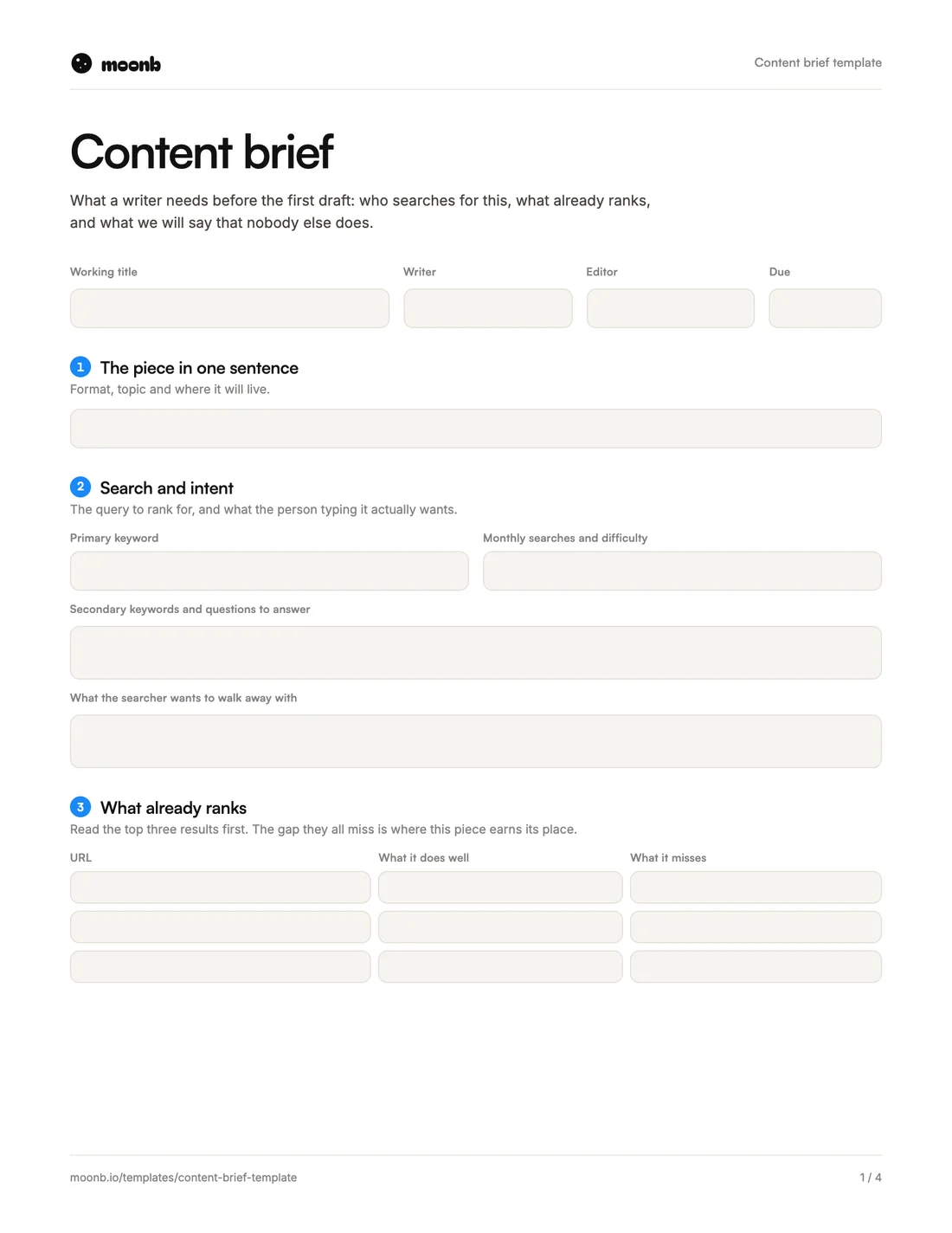
- Page 1
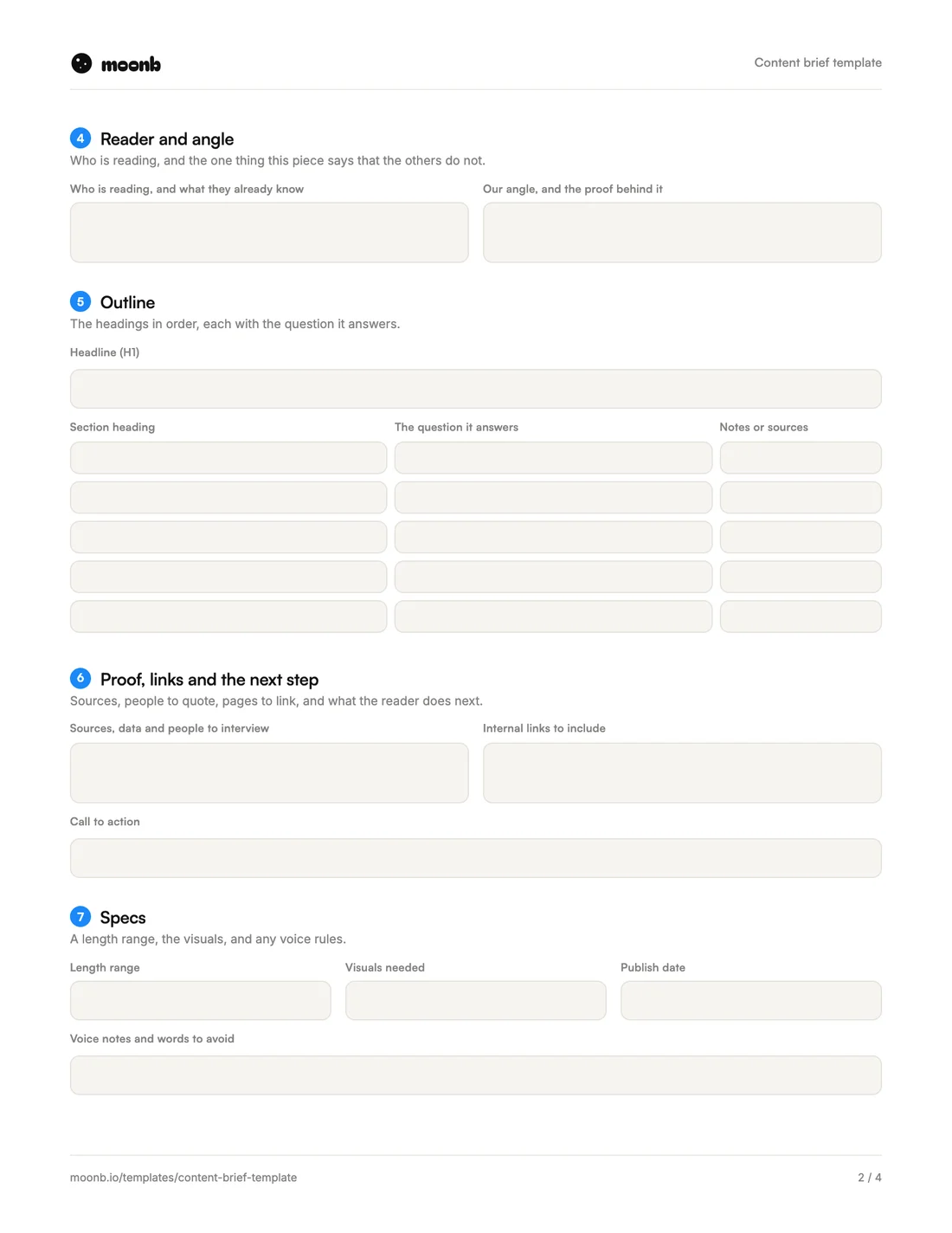 Page 2
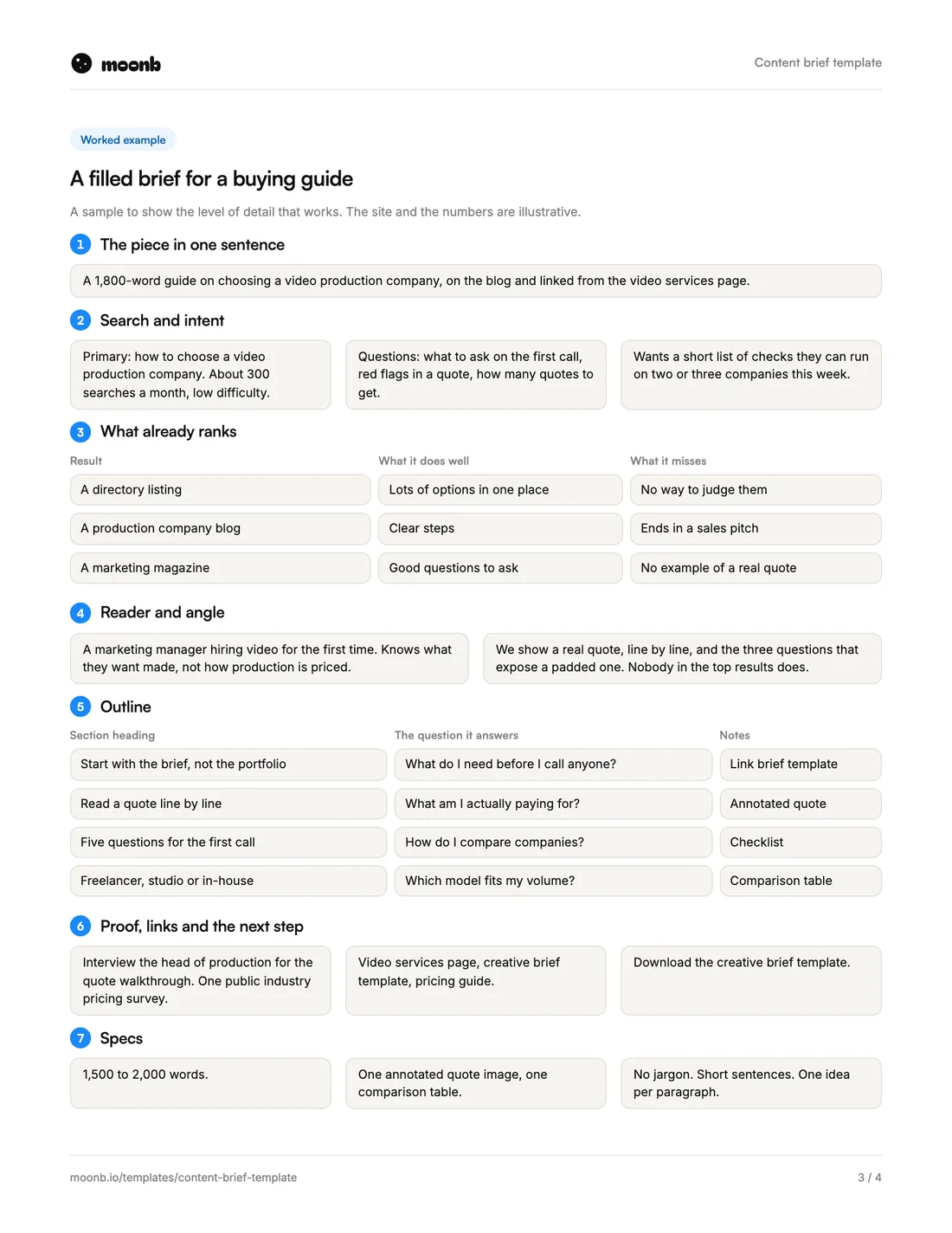 Page 3
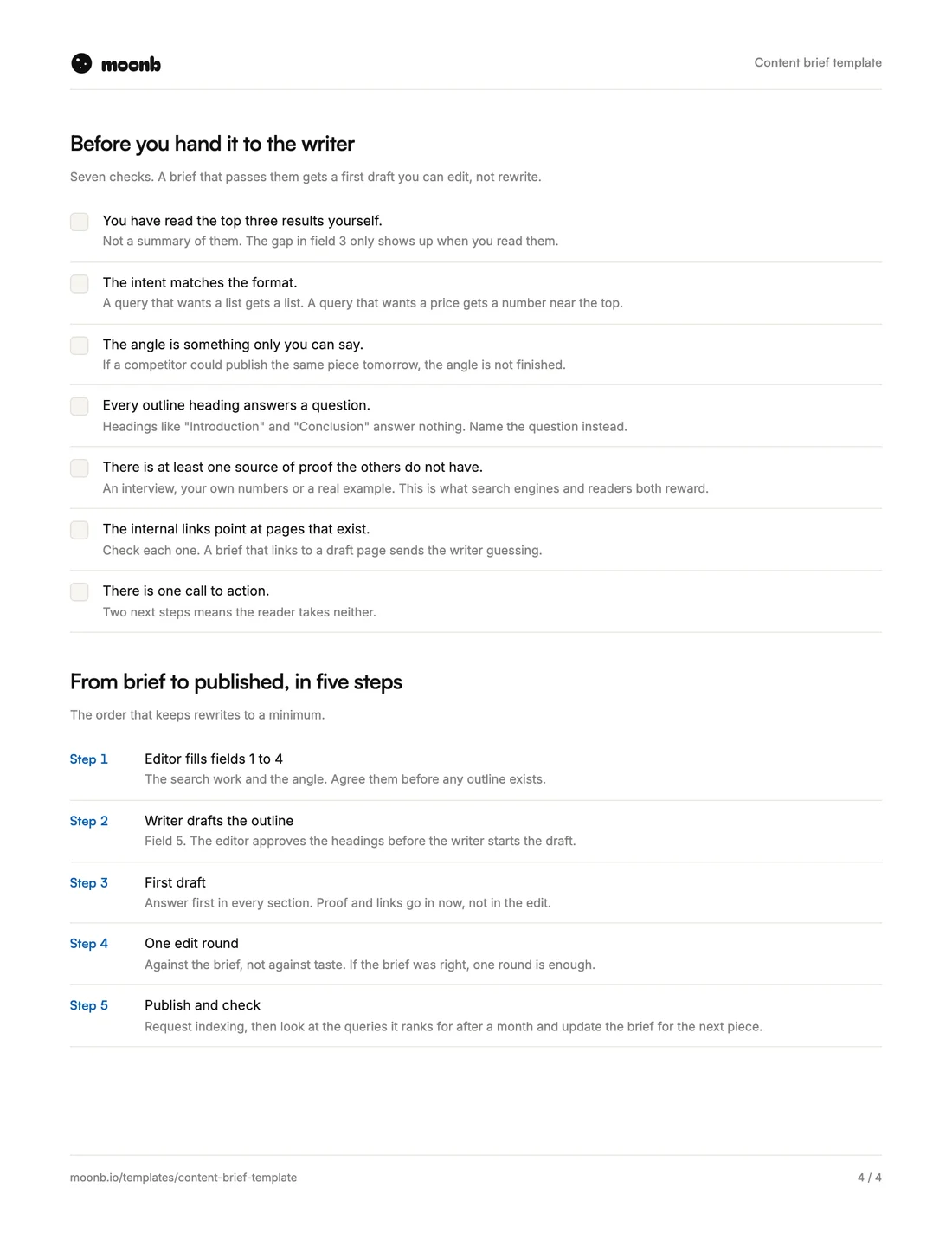 Page 4
A content brief is the page an editor fills in before a writer starts. It says what the piece is for, who is searching for it, what already ranks, and what yours will say that the others don’t.
This template has seven fields, one brief per piece. Page three shows a filled-in brief for a buying guide. Page four has the checks to run before you hand it over, and the five steps from brief to published.
What is in it
| Field | What goes in it | The usual mistake |
|---|---|---|
| 1. The piece in one sentence | Format, topic and where it will live | A topic with no format or home |
| 2. Search and intent | The keyword, its volume, what the searcher wants | Picking a keyword without reading the results |
| 3. What already ranks | The top three results, what they do well and miss | Skipping it to save time |
| 4. Reader and angle | Who reads it, and what only you can say | An angle any competitor could copy |
| 5. Outline | The headings in order, each with its question | “Introduction” and “Conclusion” |
| 6. Proof, links, next step | Sources, internal links, one call to action | Three calls to action |
| 7. Specs | Length range, visuals, voice notes, publish date | A word count instead of a range |
How to fill it in
- Read the results yourself. Search the keyword and open the top three pages before you touch field 3. The gap between them is usually your angle.
- Match the format to the intent. If people searching want a list, write a list. If they want a price, put a number near the top.
- Find proof the others don’t have. An interview with someone on your team, your own numbers or a real example.
- Turn headings into questions. Lead each section with its answer, so it still works when someone reads only that part.
- Check every internal link. Point only to pages that are live, not drafts.
- Pick one next step. Decide the single thing the reader should do after the last line.
- Give a length range. “1,500 to 2,000 words” tells the writer more than “2,000 words”, because the piece can end when it’s done.
The problem a brief fixes
In the Content Marketing Institute’s 2026 B2B trends research, the challenge marketers picked most often was creating content that gets the reader to act. 40% put it in their top three.
Fields 4 and 6 are there for that. Agree the angle and the one next step before the draft, and the writer can build toward them from the first line instead of bolting a call to action onto the end.
Next steps
Planning several pieces at once? Start with how to plan a month of content, then write one brief per piece. For campaign work around the content, use our creative brief template. And if you’d rather plan and make the content with a team that already knows your brand, that’s Moonb’s content strategy work.
Frequently Asked Questions
Usually the editor or content lead, because they own the search work and the angle. The writer should read it and push back before the outline is approved, not after the draft. On a small team one person can do both, but keep the two steps apart.
Plan for about an hour for a standard article, most of it spent reading the top results. A brief written in ten minutes usually skips that reading, and the draft shows it.
Yes. Swap the search fields for the platform and what people there are looking for, and turn the outline into a list of scenes or slides. The angle, the proof and the one next step stay the same.
More free templates
Briefs, plans and production sheets, built the way we use them.
The templates are free. The team isn't.
Need the video, design or motion actually made? Tell us what you're working on.