How to Plan a Month of Content in One Day
A step-by-step planning-day workflow: set one goal, choose content pillars, build a four-week calendar, then batch and repurpose everything.


The version of content planning that used to wreck my week was the daily kind: wake up, stare at a blank calendar, pick a topic, write it, design it, post it, then do the whole thing again tomorrow. That works until a busy day breaks the streak.
Setting aside a single focused day changes the math. In one sitting you can map, brief, and schedule a full month, so the other days are about making the work instead of deciding what the work should be. Below is the exact order I run a planning day in, from the first strategy question to the last scheduled post.
Why one planning day beats daily scrambling
Reacting every morning keeps you in a shallow loop. You post whatever comes to mind, the message wanders, and the content rarely ties back to anything you actually want the business to achieve. Every small decision also spends energy you could have put into the work itself.
A dedicated planning day changes the order of operations. Once you know what goes out for the next four weeks, momentum does a lot of the heavy lifting.
Consistency is what audiences reward
People come back to what they can predict. When a reader knows a new post lands every Wednesday, or a video every Friday, you stop being a name they half-remember and start being a habit. A planning day is what keeps that promise, because the content is already made before the week gets loud.
A calendar is the tool that makes this possible in one session. The move is to fix your goals first, then let every piece serve one of them. For a deeper look at building the calendar itself, Draft.dev has a solid guide.
Fewer decisions, more headspace
Think about a single post: topic, format, caption, hashtags, visual. Now do that thirty times. That is hundreds of tiny choices scattered across a month, each one a small tax on your attention.
Batching those choices into one session frees up the rest of the month. The daily question shifts from “what should I post” to “how do I make this planned post good.” That is the difference between reacting and directing.
Start the morning with strategy
A good plan starts before the ideas do. I spend the first block of the day on one question: what is this month for? Launching something and need qualified leads? Building a warmer community on Instagram? Widening reach? Whatever the answer, it becomes the filter every idea has to pass.
Set one goal for the month
Vague goals like “get more followers” give you nothing to aim at. Attach a number and a channel so you can tell later whether it worked. A few examples of what that looks like:
- Lead generation: lift webinar sign-ups by 15% using LinkedIn posts and one supporting blog.
- Community: raise Instagram comment rates by asking sharper questions and running a weekly poll.
- Awareness: grow Pinterest referral traffic with three new infographic pins a week.
Those are illustrations, not targets to copy. The point is that a specific goal makes every later choice easier.
Run a 30-minute look-back
Before planning forward, look back. A quick review of last month’s numbers tells you what actually landed versus what you assumed would. Thirty minutes is enough.
Open your analytics and find the top performers. Any patterns? Did the rough behind-the-scenes clip beat the polished graphic? Did one post about a specific customer problem pull real traffic? You are not grading yourself here, you are collecting clues for the month ahead.
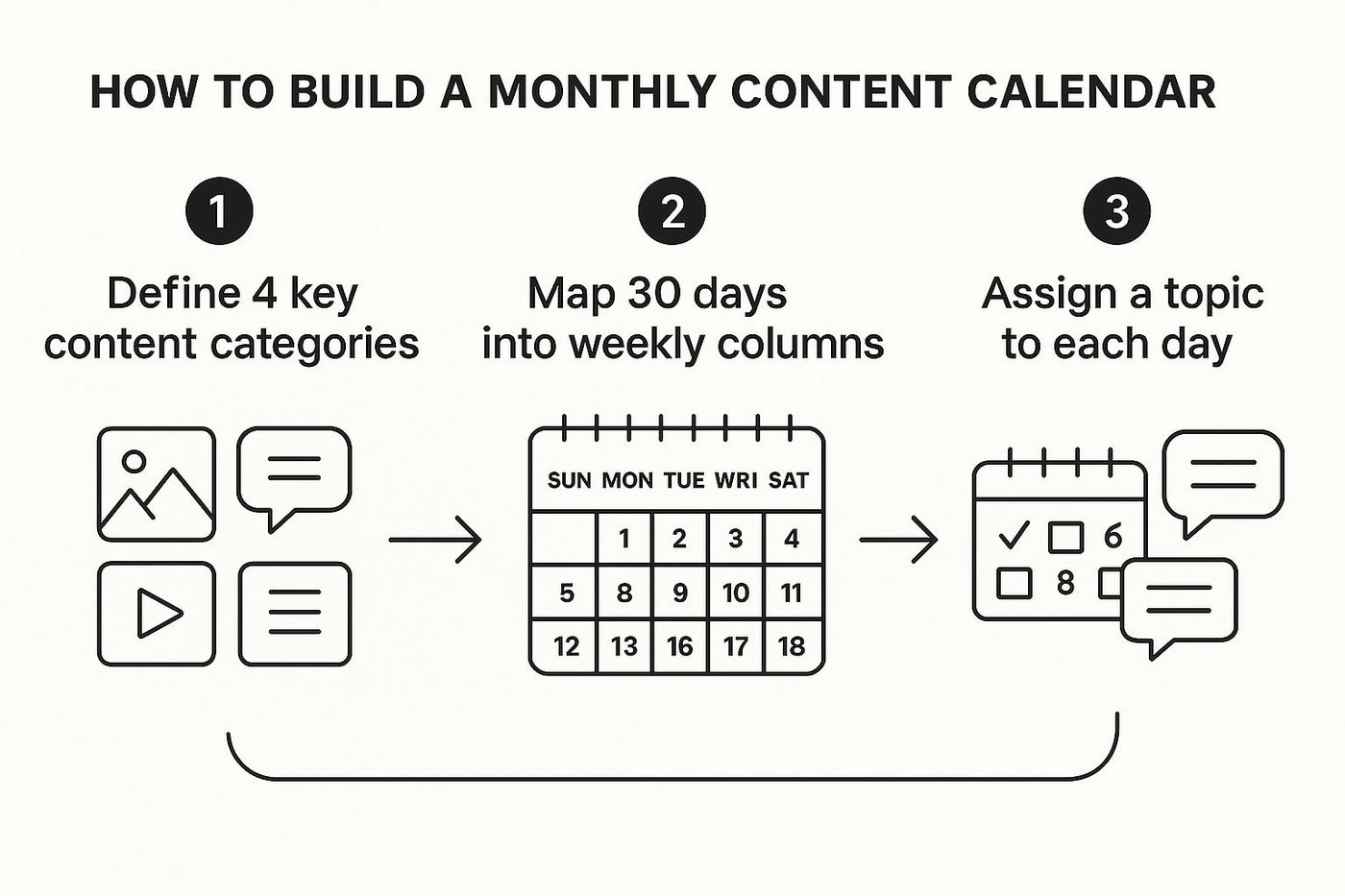
Mapping it out this way connects the high-level goal to the daily posts, so your morning session sets up a month with a point to it.
Build your content pillars
With the goal set, the next wall most people hit is the blank page. The fix is not more brainstorming, it is brainstorming inside a structure. That structure is your content pillars: three or four core themes that hold up everything you publish.

Pick 3 to 4 pillars
Your pillars should sit where your audience’s biggest problems meet what you actually do. If you advise freelancers on money, “budgeting” and “saving” are too broad. Something like this works better:
- Quarterly tax strategy: estimated payments, deductions specific to the self-employed.
- Retirement for the self-employed: SEP IRAs, Solo 401(k)s, long-term wealth without a company pension.
- Managing uneven income: handling months that swing, building a stable base.
Each one is specific, useful, and speaks straight to the reader.
Turn one pillar into a month of ideas
Once the pillars are set, a month of topics comes fast. Treat each pillar as a trunk and break it into branches. Sticking with quarterly tax strategy, that single theme gives you:
- Blog: a freelancer’s guide to estimated quarterly taxes.
- Reel: three deductions freelancers forget.
- LinkedIn: a short case study on what good tax planning saved a real client.
- Newsletter: a Q3 tax checklist.
Do that for each pillar and you have more ideas than one month can hold, with a mix of formats that still ties back to one message. For more angles, our guide to content marketing ideas has plenty to pull from.
Lay it all on a calendar
Ideas are just notes until they have a date and a home. This is the logistical middle of the day, where creative energy becomes a schedule you can actually follow.
Below is a simple four-week template. Rows are the weeks, columns are the days you publish, and each cell holds a format tied to one of your pillars. Fill it once and the whole month is visible in a single view.
A reusable monthly grid: one format per publishing day, pillars rotated across the four weeks, plus a flex slot each week for anything timely. The legend totals about 24 pieces a month.
A reusable monthly grid: one format per publishing day, pillars rotated across the four weeks, plus a flex slot each week for anything timely. The legend totals about 24 pieces a month.
Mix formats through the week
Aim for variety so nobody burns out, you included. Five dense technical posts in a row is a slog to make and to read. A week with more range holds better:
- Monday: a short, high-energy video to catch attention.
- Wednesday: a deeper blog post that earns authority on a pillar.
- Friday: an Instagram Q&A to hear back from people directly.
The tool matters less than the system. A spreadsheet, Trello, or Asana all do the job; the goal is one source of truth for the month.
Drop your biggest pieces in first, the blogs and videos, then build the smaller social posts around them. Every major piece needs a short brief so it comes back on-brand; here is how I write a creative brief that gives real direction.
Anchor to real dates
Your calendar has to respect the real world. Product launch on the 15th? Seasonal moment at month-end? Pin those first, then build content toward them. That keeps promotion balanced against the useful, entertaining posts, so you are not selling every single day. Leave one flex slot each week, too, for something timely you could not have planned. If nothing comes up, spend it on a topic that is already working. And if you are stuck on which dates to build around, a good holidays and recognition days calendar is a fast way to find ones that fit your audience.
Batch and repurpose to get it made
The calendar is the plan. Batching and repurposing are what make a single day’s plan feel like a month of output. If you want to push repurposing further, HubSpot Content Hub can take one long-form piece and spin it into a set of channel-ready assets, so a single recording seeds a blog post, a few clips, and an email without starting from scratch each time.
Batching just means grouping similar tasks and doing them together. Instead of writing today, filming tomorrow, and designing the day after, you do all the writing at once, all the filming at once, all the design at once.
Work in themed blocks
Every time you switch from writing to filming to design, your brain pays a setup cost. Batching removes most of that. A rough execution week:
- Monday morning: write all of the month’s blog posts.
- Tuesday afternoon: film every short-form video.
- Wednesday: design the graphics and thumbnails.
Staying in one mode does more than save time. Ideas connect better inside a writing block, and on camera your energy stays consistent across takes. If you want this inside a bigger system, our creative workflow process guide has the structure.
Turn one asset into ten
Once the core pieces exist, get everything you can out of each one. A single well-made piece is a source for many smaller ones. One 2,000-word blog post can become:
- Five takeaway posts pulled from the strongest lines.
- One carousel built from the main sections.
- A short video script using the outline as a spine.
- A newsletter feature on the most useful part.
You are not making more from scratch, you are repackaging what you already made for the platforms people actually use. That is what lets one planning day carry a full month.
If you want a repeatable framework to lay all of this out, our content marketing plan template gives you the skeleton to start from.
Frequently asked questions
Longer than one work day, usually, because you are building the system, not just filling it. Give yourself grace and split it over two sessions if you need to. Every planning day after that gets faster as your pillars and template settle. After two or three months, mapping a full month takes a few hours.
The one you will open every day. A Google Sheet with columns for date, topic, platform, status, and notes is plenty. If you think visually, Trello lets you drag ideas from Idea to Drafting to Scheduled. Notion suits anyone who wants ideas, drafts, and assets linked in one place. Any of them works as long as it is your single source of truth.
Your plan is a framework, not a contract. Leave one flex slot each week so you can jump on something timely without unraveling the rest. If nothing urgent comes up, use that slot to expand on a topic that is already performing.



