
Understanding Video Editing Rates for Smarter Hiring


Trying to pin down video editing costs can feel like you're trying to hit a moving target. You might get one quote that seems unbelievably low, while another feels sky-high for what looks like the same job.
What gives? Well, "editing" is a catch-all term for a whole lot more than just snipping clips together. It’s the art of storytelling, getting the pacing just right, designing the sound, correcting the color, and making sure everything aligns perfectly with your brand. All of that gets rolled into one process.
Video editing rates can swing from $25 per hour for a fresh-faced beginner to over $150 per hour for a battle-tested expert. Looking at a single project, that could mean a few hundred dollars for a quick social media clip or several thousand for a polished corporate video. The final number really boils down to the editor's experience, how complex your project is, and the pricing model you agree on.
Decoding Video Editing Rates
Getting a handle on the different pricing models is your first step to setting a realistic budget. Think of it as your cheat sheet for those initial conversations with an editor or agency. Knowing the difference between paying by the hour versus a flat project fee helps you ask the right questions and dodge surprise costs down the road.
A Quick Guide to Pricing Models
To make it simple, let's break down the most common pricing structures you'll run into when hiring an editor. This table gives you a quick snapshot of what to expect.
Of course, these rates often change based on location. In the United States and Canada, you can expect to pay between $50 and $150 per hour for an experienced editor. Globally, the sweet spot for solid mid-level talent tends to be $40 to $80 per hour. If you're curious, you can learn more about how global video editing rates compare over at CutJamm.com.
At the end of the day, your video editing rates are just one piece of the puzzle. They're directly tied to your overall video production budget. For a complete picture of where these costs fit in, check out our detailed guide to video production costs.
Exploring the Four Core Pricing Models
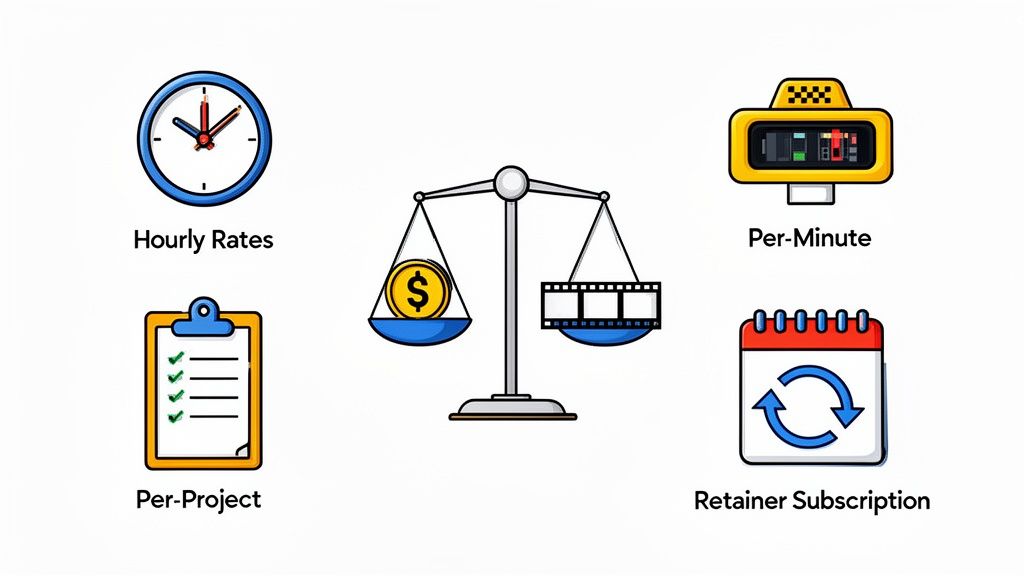
When you're ready to hire a video editor, the first thing you need to wrap your head around is how they charge. Getting a handle on their video editing rates is the key to a good partnership. There’s no single, universal answer; editors use a few different models, and each has its place. The right one for you really boils down to your project's scope, timeline, and how predictable you need the budget to be.
Think of it like this: are you paying for an editor's time, a specific finished product, or for ongoing access to their skills? Each pricing model answers that question differently, which directly shapes your total cost and the way you'll work together. Let's break down the four most common ways editors structure their fees.
This decision tree gives you a quick visual on which model might be the best fit.
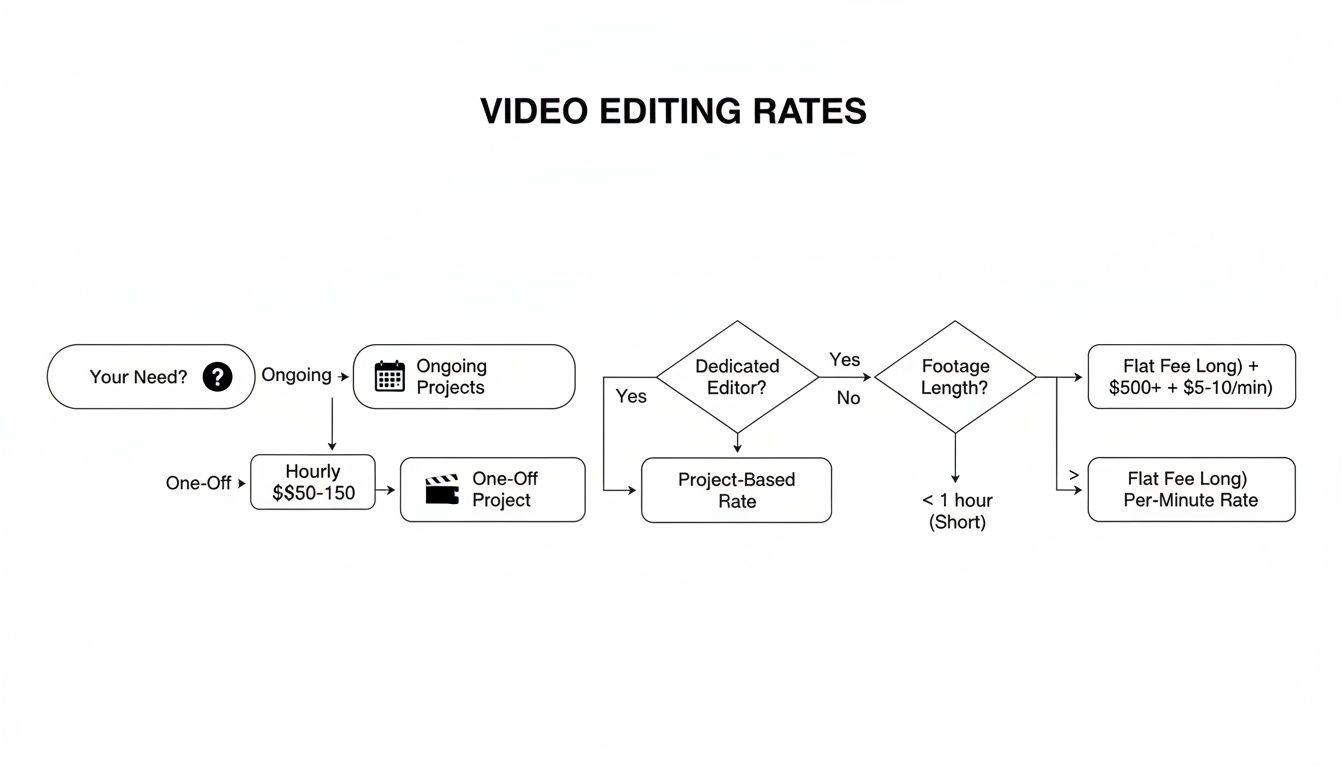
As you can see, the big question is whether you need help with a single, well-defined project or if you're looking for continuous creative support for the long haul.
The Hourly Rate Model
Paying an editor by the hour is a lot like bringing on a consultant. You're paying for their focused time and expertise, which is fantastic for projects where the scope feels a bit fuzzy or is hard to pin down from the start. This model gives you a ton of flexibility to make changes and add little tasks along the way.
But that flexibility can be a double-edged sword. Without a tight grip on the process, your budget can easily get away from you, especially if there are multiple rounds of feedback and tweaks.
- Best For: Projects with unclear deliverables, ongoing small tweaks, or when you just need an editor on call for quick jobs.
- Potential Downside: The final cost can be a moving target, which makes budgeting tough for larger, more concrete projects.
The Per-Project Fee Model
With a per-project fee, you agree on a fixed price for a specific, finished video. It’s like commissioning a custom piece of furniture—you both shake hands on the final design and the price before any work kicks off. This is a favorite for marketing teams because it offers total cost certainty, which is gold when you have a strict budget.
The secret to making this model work is an incredibly detailed creative brief. If you start asking for things that weren't in the original agreement—what we call scope creep—you can expect to see extra charges.
Key Takeaway: The per-project model is great for budget predictability, but it lives and dies by a crystal-clear project scope. Both sides need to agree on exactly what's included, from the number of revision rounds to specific extras like social media cutdowns.
The Per-Minute Pricing Model
This one is less common, but it has its moments. Per-minute pricing ties the cost directly to the final, edited length of your video. It works kind of like a taxi meter—the longer the final cut, the more you pay. It’s a super straightforward way to calculate costs when the final runtime is the main thing driving the workload.
You'll often see this model used for bulk content where the editing complexity is pretty consistent from one video to the next, like transcribing a bunch of interviews or creating a simple educational series.
The Retainer or Subscription Model
Think of a retainer as a creative subscription. You pay a set monthly fee to have ongoing access to an editor or a full creative team. This is the perfect setup for businesses that are constantly churning out video content, like weekly social media clips, a regular YouTube series, or internal training materials.
It does require more of an upfront commitment, but for high-volume work, a retainer often delivers much better value than hiring on a project-by-project basis. If you're looking to find top-tier talent, our guide on platforms to hire video editors is a great place to start your search.
What Really Drives Your Video Editing Costs
Ever get two quotes for the same video and wonder why one is triple the price of the other? The answer is almost never about the video's final runtime. The real costs are hidden in the details—the creative and technical work that turns raw footage into a polished final product.
Think of it like building a house. A basic blueprint is just the start. The final cost skyrockets depending on the materials you choose, the complexity of the architecture, and the skill of your construction crew. Video editing works the exact same way.
The price tag is shaped by how complex the edit is, the editor's experience level, and the creative heavy-lifting you need them to do. This is why a crystal-clear creative brief is your best friend; it prevents scope creep and ensures you're only paying for what your project genuinely needs.
The Impact of Project Complexity
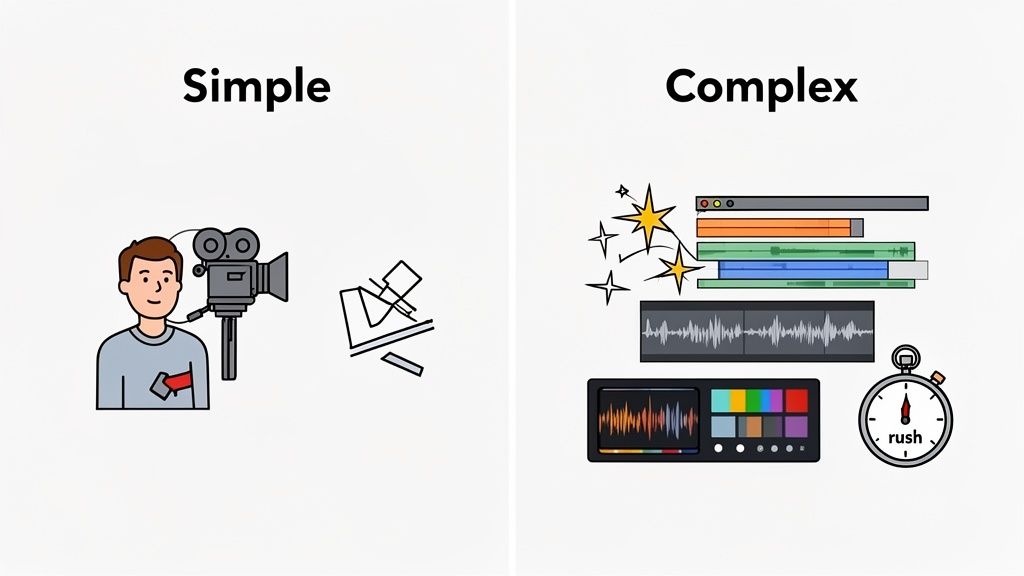
The biggest factor by far is the sheer complexity of the edit. A simple talking-head video that just needs a few cuts is worlds away from a high-energy brand anthem that’s packed with custom animations, layered sound design, and meticulous color grading.
There’s a huge difference between slapping clips together and true post-production artistry. Here are a few variables that can dramatically increase the time and skill required:
- Motion Graphics and Animation: Adding custom titles, slick lower thirds, or animated sequences isn't a simple drag-and-drop. It requires a specialized skillset and can add hours, or even days, to a project.
- Color Correction and Grading: Basic color correction to make sure shots match is standard. But professional color grading—the kind that creates a specific mood or cinematic look—is an art form that commands a much higher rate.
- Audio Mixing and Sound Design: Getting clean dialogue, mixing in the right music track, and adding subtle sound effects are non-negotiable for a professional feel. Each layer adds time and complexity.
- Footage Volume: If an editor has to sift through 10 hours of raw footage to find the perfect moments for a two-minute video, that’s a ton of labor you have to account for.
To get a clearer picture, it helps to see how these factors play out in real-world scenarios.
Cost Drivers in Video Editing
Ultimately, a simple project stays simple, while a project with many moving parts will always carry a higher price tag to reflect the work involved.
The Editor’s Experience and Niche
Just like you’d pay more for a surgeon with decades of experience, a seasoned video editor with a killer portfolio is going to charge a premium. A junior editor might have a lower hourly rate, but an expert often works faster, makes smarter creative choices, and delivers a much more polished product—potentially saving you money and headaches in the long run.
An editor with deep experience in your specific industry, whether it's SaaS product demos or fast-paced social media ads, brings more than just technical skill to the table. They understand your audience and can make strategic creative decisions that get better results.
This kind of specialized expertise is becoming more valuable every day. The global video editing market is on track to grow from USD 3.75 billion to USD 4.99 billion by 2031, a clear sign that the demand for skilled editors who can master different platforms and styles is exploding.
Timelines and Revisions
Finally, two very practical things will affect your bill: how fast you need it and how many changes you make.
A tight deadline that forces an editor to work nights and weekends will almost always come with a rush fee attached. Similarly, endless rounds of feedback can cause costs to spiral on an hourly project. To keep your budget in check, it’s crucial to define the number of revision rounds upfront, especially in a project-based agreement.
To truly get a handle on your video budget, using dedicated project budget management tools can be a game-changer for tracking every dollar. And if you're trying to figure out who to hire, our guide on top video editing companies can help you weigh your options.
How AI Is Changing Video Editing and Budgets
Artificial intelligence isn't some far-off concept anymore—it's here, and it's already shaking up video editing workflows and pricing. The best way to think about AI is as a hyper-efficient assistant editor. It automates all the tedious, repetitive tasks that used to eat up hours of an editor's day, which has a direct and pretty significant impact on project budgets.
For example, AI-powered tools can now churn out accurate transcriptions in minutes, automatically sniff out and remove awkward silences, or even piece together a rough "paper edit" from hours of raw footage just by following a script. This kind of automation slashes the manual labor involved, especially in those early, grind-heavy stages of post-production.
The Rise of AI in Video Marketing
The move toward AI in video production is more than just a trend; it's a fundamental shift in how marketing teams get things done. The numbers don't lie. Recent data shows that 51% of video marketers are already using AI for either creation or editing.
Even more telling, the number of businesses using AI to create videos shot up by a jaw-dropping 128% between 2023 and 2024. This signals a huge change in how projects are scoped and priced, since AI can take a huge chunk of the time-consuming work off the editor's plate. Seeing how automatic video editing with AI works in practice really drives home how much workflows and costs are being reinvented.
Balancing Automation and Human Creativity
But let's be clear: AI isn't about to replace human editors entirely. Right now, its superpower is tackling logic-based, repetitive jobs. It falls short when it comes to nuanced storytelling, emotional pacing, or big-picture brand strategy. An AI can assemble clips in the right order, but it can't (yet) grasp the subtle creative choices that make a video resonate with an audience.
The smartest approach is a hybrid one. Let AI handle the grunt work. This frees up a skilled human editor to zero in on what really matters: crafting a compelling narrative, maximizing creative impact, and making sure the final cut aligns perfectly with your business goals.
This partnership helps teams produce more content, faster and more affordably, without losing that essential human touch that makes a video memorable. It’s about using technology to amplify creativity, not replace it. For marketing teams, this means you can bring down your video editing rates on certain projects by using the right tools. If you're looking into these options, our guide to the best AI video editors is a great place to start.
A Smarter Way to Handle Video Production
If you’re a marketing leader, you know the drill. You’re constantly juggling freelance contracts, staring down unpredictable invoices, and watching scope creep slowly drain your budget. The old project-by-project scramble for creative work is starting to feel… well, old. It often leads to inconsistent quality, blown budgets, and a massive administrative headache.
But there’s a more strategic way to think about this, one built for the speed modern marketing teams actually work at. It’s a subscription model, often called Creative-as-a-Service.
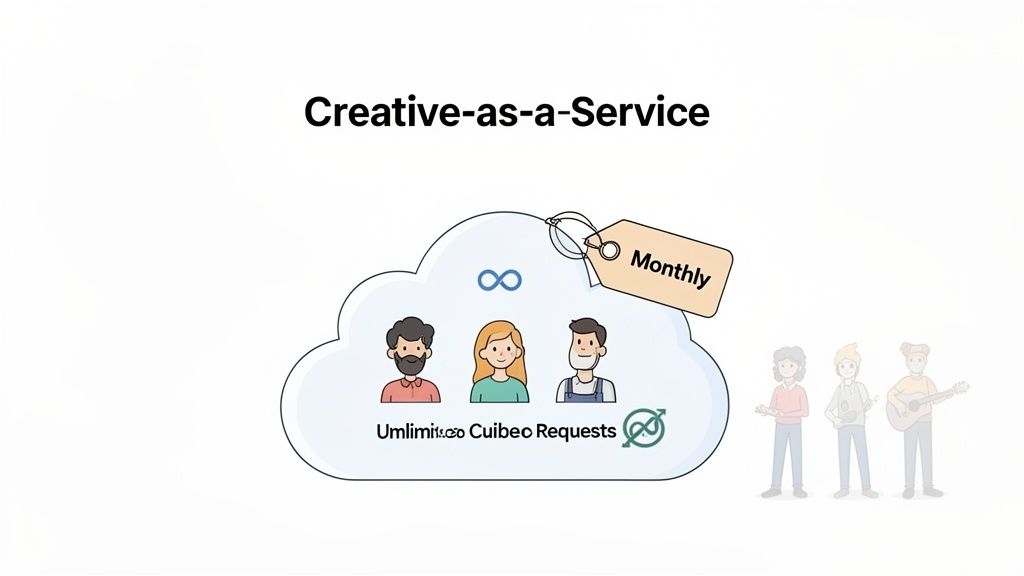
Think of it like having a dedicated creative team—editors, designers, and animators—on-call, ready for whatever you throw at them. It works a lot like your favorite SaaS platform: one predictable monthly fee unlocks a full suite of services with unlimited requests and revisions.
Moving Beyond Freelance Chaos
The biggest issue with hiring freelancers for every single project isn't just the direct cost; it’s the hidden tax on your team's time. You aren’t just paying for video editing rates. You’re paying with hours spent sourcing, vetting, onboarding, and managing each person. And that entire cycle repeats for every single project.
Let's walk through a real-world scenario to see how the numbers actually stack up.
Scenario: A Startup's Monthly Video Needs
Imagine a marketing manager at a growing SaaS company. This month, her team needs three key videos:
- A 2-minute product explainer with slick animated UI callouts.
- Four 30-second variations of a social media ad.
- A 5-minute customer testimonial video.
Trying to manage these as separate freelance gigs means finding the right person for each, negotiating three different rates, and juggling three different workflows. The coordination alone turns into a part-time job, pulling her away from high-level strategy.
Comparing Costs The Old Way vs The New Way
Now, let’s get down to the brass tacks and break down the true costs. The freelance route might look cheaper at a glance, but those hidden expenses pile up fast.
The real comparison isn't just about the invoice total. It’s about total cost of ownership, factoring in management overhead, opportunity cost, and the creative friction that slows down your entire marketing engine.
In this example, the subscription model is not only $700 cheaper in direct costs but also saves the manager nearly a full workweek of time. That's time that can be poured back into strategy and growth.
This new model gives you cost predictability and operational efficiency, killing the surprise fees and administrative burden of the old way. For teams weighing their options, figuring out how to hire a video editor effectively is the first step toward building a creative process that can actually scale.
Common Questions About Video Editing Rates
Figuring out video editing rates can feel a bit like navigating a maze, especially when you're a marketing leader trying to make every dollar count. Let's cut through the noise and get straight to the questions we hear all the time. Getting these answers right is the key to planning your projects and hiring with confidence.
How Much Should I Budget for a Marketing Video?
This is the million-dollar question, but the answer isn't a single magic number. A budget can swing from a few hundred bucks for a simple social media clip to thousands for a polished brand video that becomes the cornerstone of a campaign. The final cost is a direct reflection of the project's complexity and the creative firepower you need.
As a solid starting point, a standard 2-3 minute corporate video usually lands somewhere between $1,000 and $5,000 when you're working with a seasoned pro. That price tag generally gets you sharp storytelling, professional color grading, and clean audio mixing.
Budgeting Tip: Always work backward from your goal. A video meant to drive high-ticket sales justifies a bigger investment in a top-tier editor than a quick clip for an internal newsletter. The budget should always match the business impact.
What Are Common Hidden Fees in Video Editing?
Nothing blows up a budget faster than surprise costs. To avoid that sinking feeling, you need to know what to look for beyond the initial quote. Certain things almost always cost extra.
Keep an eye out for these common add-ons:
- Stock Asset Licensing: That perfect song or stunning drone shot? Fees for stock footage, music, and even special fonts are rarely baked into a base editing fee.
- Excessive Revision Rounds: Most editors include two or three rounds of revisions in a project-based quote. If you keep asking for "just one more tweak," expect to pay for the extra time.
- Project File Handover: Need the editable files (like an After Effects or Premiere Pro project) for your own archives? Editors often charge a separate, and sometimes hefty, fee to hand those over.
Always, always ask for an itemized quote that spells out exactly what's included and what's not. This one simple step can save you from major financial headaches later on.
When Is an Hourly Rate Better Than a Project Fee?
Choosing the right pricing model is all about the nature of your project. An hourly rate buys you flexibility, while a fixed project fee gives you predictability. Neither is universally "better"—it's about what fits the job.
Go with an hourly rate when the scope is a bit fuzzy or for ongoing work. Think of a weekly vlog that needs quick edits, small updates to existing videos, or a project where you know you'll be collaborating and brainstorming a lot with the editor.
A fixed project fee is your best friend for well-defined tasks. This is perfect for a single product explainer, a TV spot, or a social media ad where the deliverables and scope are crystal clear from the get-go.
How Can I Reduce Editing Costs Without Losing Quality?
Cutting your video editing costs without ending up with a subpar video is all about one thing: preparation. The more organized you are as a client, the more money you'll save. It's that simple.
Give your editor a detailed creative brief that leaves nothing to chance. Gather, organize, and clearly label all your footage, logos, and other assets before you send them over. If you have the in-house chops to create a rough cut, that alone can shave hours off the editor's time.
But for true cost control and predictability, especially for teams with a steady stream of video needs, nothing beats a subscription service. You get consistent quality without the per-project price tag.
For marketing teams who are tired of surprise invoices and the endless cycle of finding freelancers, Moonb offers a much smarter way to work. Get a dedicated creative team for one flat monthly fee, and stop worrying about scope creep or hidden costs for good. Learn how Moonb can scale your creative output.