Video Product Marketing: A Practical Playbook
Build video product marketing as a system: match videos to your funnel, pick the right formats, choose a production model, and measure real impact.

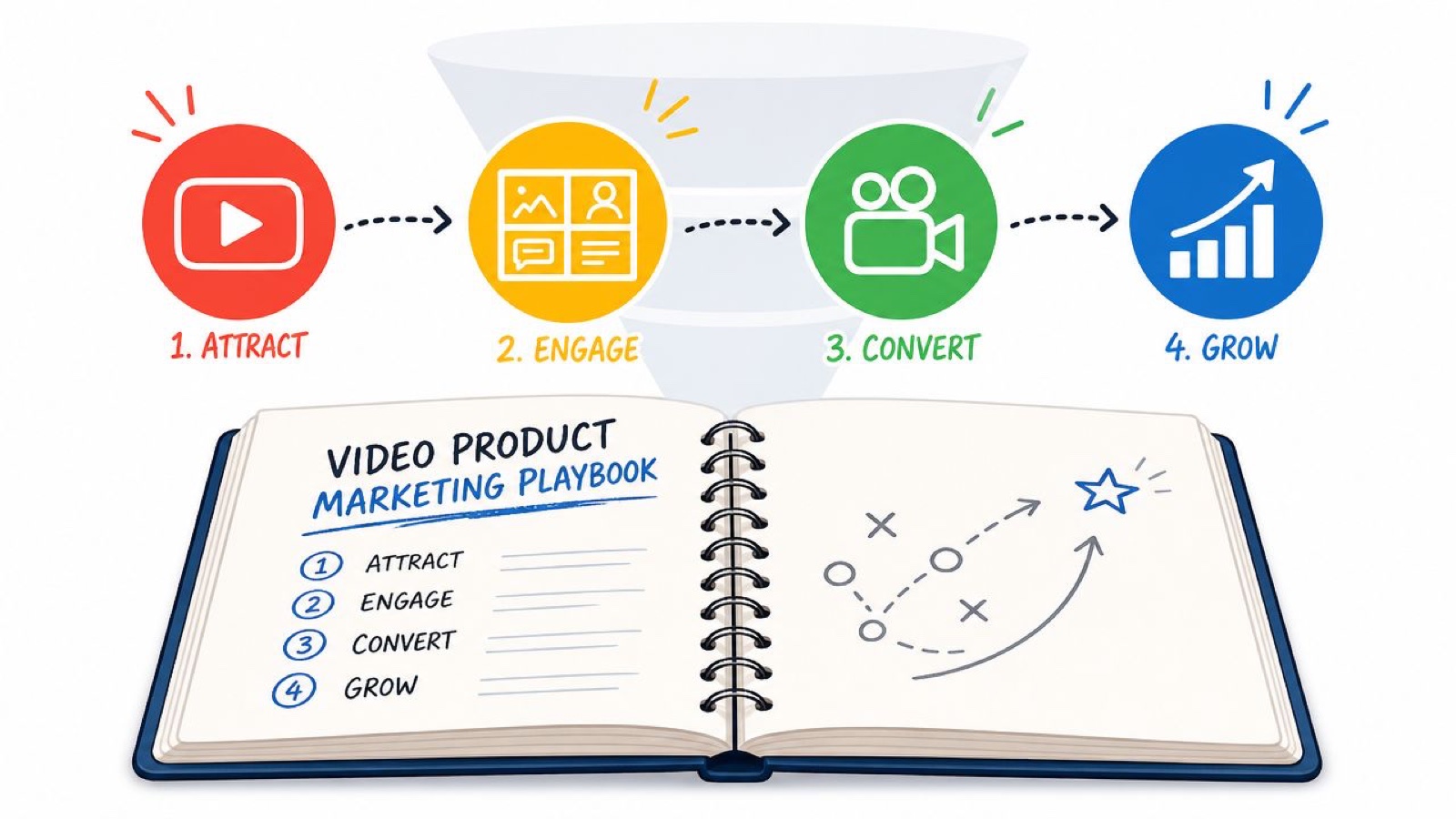
Your product page is doing a lot of work. It has to explain what the product is, why it matters, how it fits into someone’s day, and why they should trust it. Usually that whole load lands on screenshots, copy blocks, and a couple of static diagrams.
That is where the gap tends to open up.
People visit, skim, and leave with a fuzzy sense of what you actually do. Sales calls start with basic explanations. The same three questions come up in every demo. Internal teams ask for “a video” as a fix, but what they usually need is a system for video product marketing, not one more asset.
Good video product marketing closes that understanding gap. It shows the product in motion and gives people context in seconds, so buyers move forward with less back and forth. The teams that do this well do not treat video as decoration. They use it as part of the product story, across the whole journey.
What Is Video Product Marketing Anyway
Video product marketing is the practice of using video to help people understand your product and feel confident choosing it.
That covers more than launch trailers or paid ads. It includes the short explainer on your homepage, the demo on a product page, the walkthrough in a sales email, the customer story your revenue team leans on, and the how-to clip that helps a new user reach value faster.
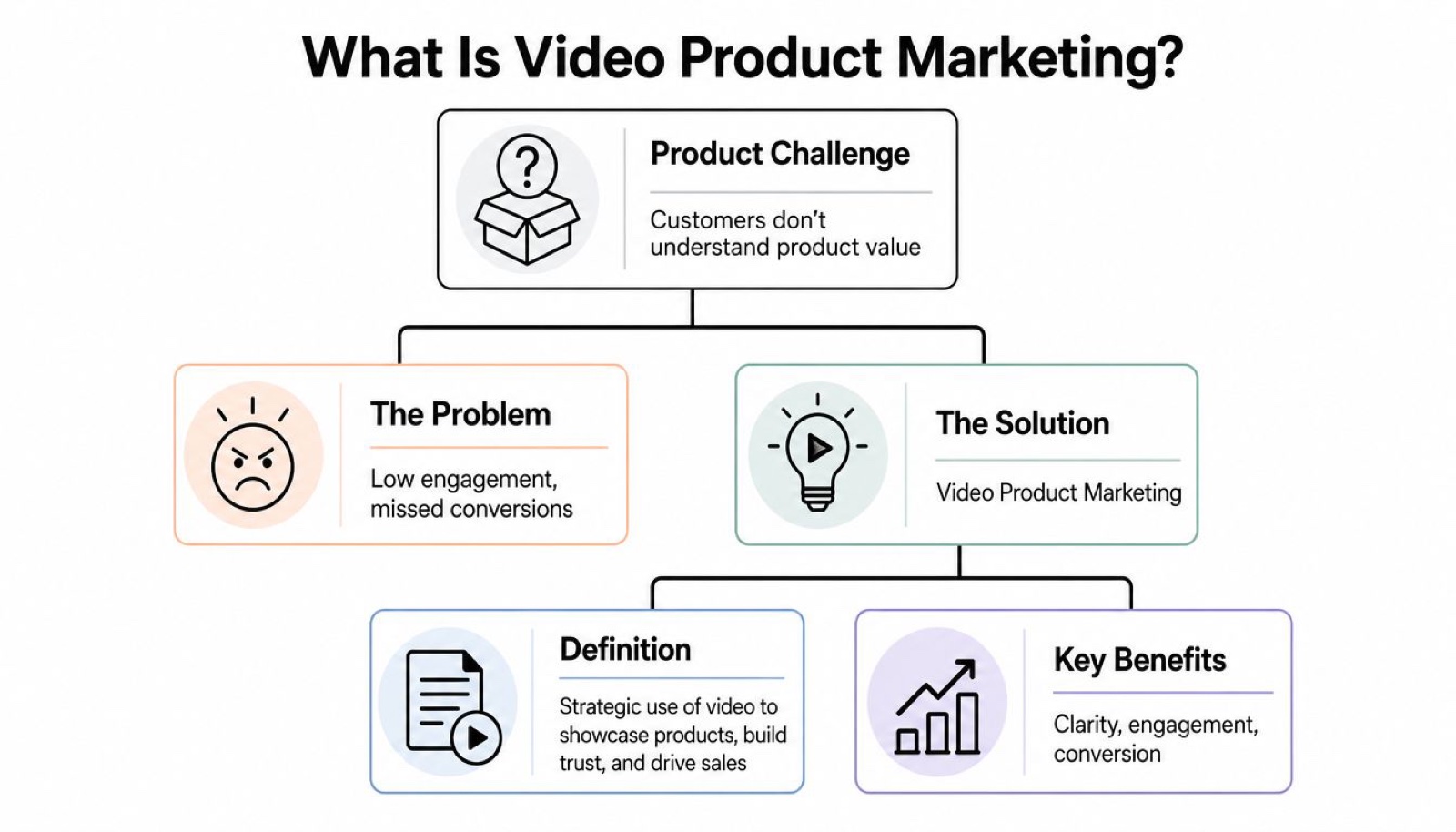
It starts with a clarity problem
Most products are easier to understand when you can watch them work. That holds for SaaS, fintech, healthcare tools, physical products, and internal platforms. Static copy can describe a feature. Video can show the moment that feature becomes useful.
So you are rarely deciding whether video belongs in your product marketing. You are deciding where it should do the most work first.
Practical rule: If your product needs a sales call to make basic sense, you probably need better product video before you need more traffic.
It supports the whole buyer journey
A lot of teams use video too narrowly. They think brand ad or promo clip. Useful video product marketing is broader than that.
It usually shows up in a few places:
- On-site education: A homepage explainer, feature overview, or product walkthrough that helps visitors understand the core value fast.
- Sales support: Short demos, objection-handling clips, and customer proof that help prospects compare options.
- Lifecycle marketing: Onboarding videos, feature updates, and adoption content that reduce confusion after signup.
- Social distribution: Short native edits that create awareness and drive people back to deeper product content.
For teams figuring out where demos fit, this guide to product demo videos is a practical place to start.
First Align Your Video Goals with Your Funnel
Most video problems start before production. A team makes a video without deciding what job it has to do.
A homepage explainer cannot do the same work as a testimonial. A social clip should not carry the full weight of a product demo. If every video tries to explain everything, none of them land.
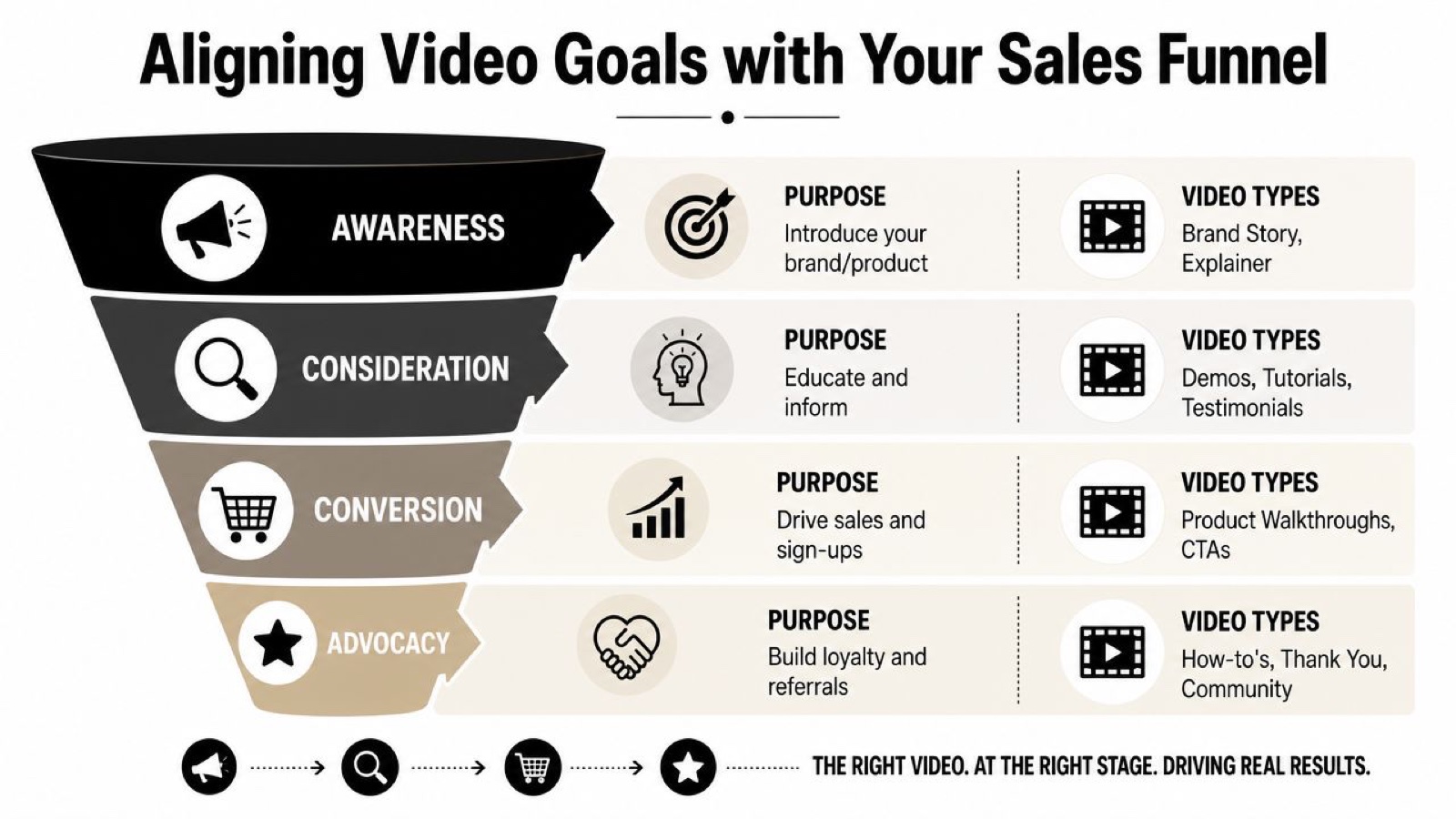
Match the format to the moment
One useful way to plan is by funnel stage.
Top of funnel is about quick understanding. People are just learning who you are and what problem you solve. Short explainers, simple animated overviews, and concise how-to content work well here.
Middle of funnel is where buyers compare and validate. They need more detail, more proof, and fewer claims. Case studies, webinars, customer stories, and role-based walkthroughs fit this stage.
Bottom of funnel is where friction has to drop. Prospects want to see the product, understand implementation, and feel confident in the choice. That is where demos, testimonials, and focused walkthroughs do their best work.
One pattern holds up across the teams I have watched do this well. Short beats long near the top of the funnel, and specific beats broad near the bottom. A tight explainer earns more finished views than a long brand film, and a demo that answers a real objection moves more deals than a glossy sizzle reel. The length matters less than the fit.
Build briefs around decisions, not assets
A strong brief for video product marketing does not start with “we need a video.” It starts with a buyer decision.
Try this instead:
- Name the decision: Are you helping a cold visitor understand the category, or helping an active buyer evaluate your product?
- Define the audience: A founder, an ops lead, a technical user, and a procurement stakeholder will not all need the same message.
- Pick one promise: Do not stack six outcomes into one script. Choose the one thing this video must make clear.
- Set the next step: Watch demo, book meeting, start a trial, share internally, or move to sales.
The cleanest video plan usually looks smaller than people expect. Fewer videos, each with a clear job, beats one oversized “master video” every time.
That is also why lead generation teams tend to get more from video when they tie it to specific conversion points instead of treating it like a brand layer floating above the funnel. This article on video for lead generation is useful if you are trying to map that more directly.
A simple planning lens
Use this lens before greenlighting any concept:
- If the buyer is unaware, explain the problem and your angle.
- If the buyer is comparing, show workflow, proof, and differentiation.
- If the buyer is close, remove risk and answer practical objections.
That is enough structure to keep production focused without burying the team in process.
Choosing the Right Video Format for Your Product
Once the funnel is clear, format choice gets easier. Instead of asking what video should we make, ask what format gives this audience the clearest next step.
Different formats carry different kinds of trust. A polished hero video shapes a first impression. A raw screen walkthrough answers real product questions faster. A testimonial lowers perceived risk in a way a branded script never will.
What each format does best
Here is a working cheat sheet.
| Video Format | Primary Goal | Funnel Stage | Ideal Length |
|---|---|---|---|
| Explainer video | Clarify the product and its value fast | Awareness | 30 to 90 seconds |
| Product demo | Show how the product works in practice | Conversion | 2 to 5 minutes |
| Testimonial video | Build trust with real customer proof | Consideration to Conversion | 60 to 120 seconds |
| Short social clip | Drive attention and spark curiosity | Awareness | Under 60 seconds |
| Webinar or deep dive | Educate serious evaluators | Consideration | Longer-form |
| Tutorial or how-to | Support adoption and reduce confusion | Advocacy | 1 to 5 minutes |
Start with the format closest to purchase
If your team is early in video product marketing, do not start with the flashiest piece. Start with the format buyers need most when they are trying to decide.
That usually means a product demo or a product page video.
For SaaS, that demo should show workflow, not a feature parade. Show the interface, the trigger, the result, and what changes for the user. For ecommerce, the equivalent might be materials, setup, fit, or use in context. For fintech or healthcare, clarity and compliance often matter more than speed, so scripts need to be tighter and claims need sharper review.
Don’t let every video try to be a hero piece
A common mistake is forcing every asset into a high-production, all-audience format. That slows production and muddies the message.
Use simpler rules:
- Explainers are for the big picture. Good when the market needs context.
- Demos are for active evaluation. Good when buyers ask “show me.”
- Testimonials are for credibility. Good when trust is the blocker.
- Short clips are for distribution. Good when you need reach and repeat exposure.
If you are deciding between production styles, this comparison of animation vs live action helps, because the choice often comes down to what you need to explain. Animation is strong for abstract workflows, invisible processes, and complex systems. Live action is stronger when physical presence, people, or customer context matter more.
A weak format choice creates more script revisions than a weak editor does.
A practical way to choose your first three
If I were building from scratch, I would usually prioritize in this order.
First, a core demo for the product page and sales use.
Second, a short explainer that simplifies the category and value proposition.
Third, a set of cutdowns for social, email, and retargeting use.
That sequence gives you depth first, then distribution. It also creates footage and messaging you can reuse instead of reinventing the story every time.
How to Get Your Videos Made
Teams get stuck here. They know they need more video, but they are not sure what production model will hold up after the first few requests.
Most companies end up choosing between familiar options and miss the middle ground. They weigh an in-house hire against an outside production company, maybe add a couple of freelancers, and still wonder why output feels uneven.
The production work itself is usually straightforward
At the asset level, most video product marketing runs through the same core steps:
- Script first: Tight language, one audience, one outcome.
- Storyboard second: Even a rough scene plan helps catch pacing problems early.
- Production third: Screen capture, live action, voiceover, motion graphics, or some mix.
- Edit and adapt: One master cut rarely survives untouched. Teams need versions for site, email, paid, social, and sales.
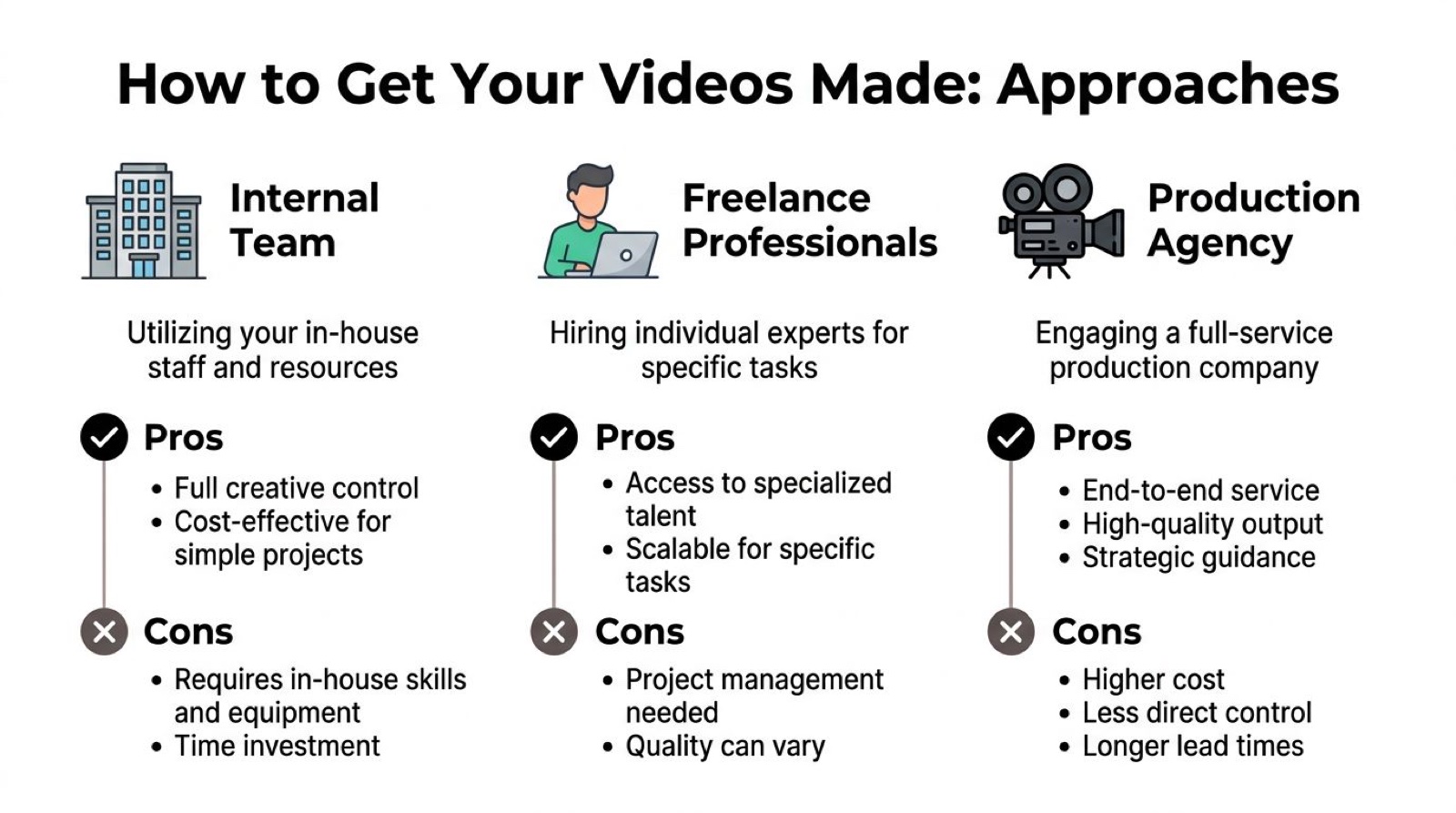
The real choice is operating model
Here is the trade-off most leaders are actually making.
In-house team gives you proximity and control. It works well when video volume is constant and you already have people who can script, produce, edit, and manage reviews. The downside is obvious. Hiring takes time, specialists are hard to stack efficiently, and one person cannot cover every format well.
Freelancers help when the need is narrow. A motion designer for product launch week. A shooter for one event. A strong editor for repurposing footage. That flexibility is useful, but someone on your side still has to brief, coordinate, review, and keep quality consistent.
Outside production companies are still useful for large campaigns, commercials, and high-stakes launch moments. They can bring strong craft and a clear process. They can also be slower to activate for recurring needs, especially when your roadmap changes weekly.
There is also a more modern model. An embedded creative team sits closer to your internal team, learns the product and brand over time, and produces work on a steady rhythm instead of only around big projects. That works well when your challenge is not one hero video, it is sustaining output without building a full bench internally. Moonb is one example of that kind of setup, a dedicated creative team that delivers video, motion graphics, design, animation, and brand content on a steady weekly rhythm.
For teams sorting through vendors, this guide on how to choose a video production company is a good framework, because it looks at fit, process, and output, not just reel quality.
Deciding between raw and polished
This one comes down to the job, not your taste. The choice between a polished piece and a rougher, native one depends on the audience and where they are watching.
In social feeds, especially TikTok and Reels, native content that looks quick and unproduced often outperforms a glossy ad, because it matches what the viewer expects to see there. That does not make polished production wrong. It means authenticity and speed can beat finish when the moment calls for something immediate.
Reach for polished production when trust depends on precision, brand perception, or stakeholder visibility. Reach for raw formats when speed, clarity, and human presence matter more than finish.
For technical products I usually run both, for different jobs. A polished explainer earns category clarity. A fast, lightly edited walkthrough is often better for feature education and demand capture.
Getting Your Videos Seen and Measuring Success
A strong product video with weak distribution is just a well-made file. Teams spend weeks on scripting and edits, then publish once, count views, and move on. That is where a lot of value gets lost.
Distribution should start with owned channels. Put the video where buying decisions happen, not just where content calendars happen.
Put the video where it reduces friction
The first placements I would look at are practical ones:
- Product pages: Especially for high-intent features, plans, or use cases.
- Sales emails: Not as attachments, but as linked assets tied to a clear next step.
- Lifecycle flows: Trial onboarding, feature adoption, and customer education.
- Social cutdowns: Short edits that drive attention back to the product page or demo.
- Sales enablement libraries: A place reps can quickly pull the right clip for the right objection.
If product pages are where you are focusing first, this breakdown of video landing pages covers how placement and page structure change what a video converts.
This is also where video teams need discipline. Do not export one aspect ratio and call it done. Build variants. Change hooks. Rewrite captions. Test thumbnails. The same core message often needs different packaging across channels.
Measure business movement, not just attention
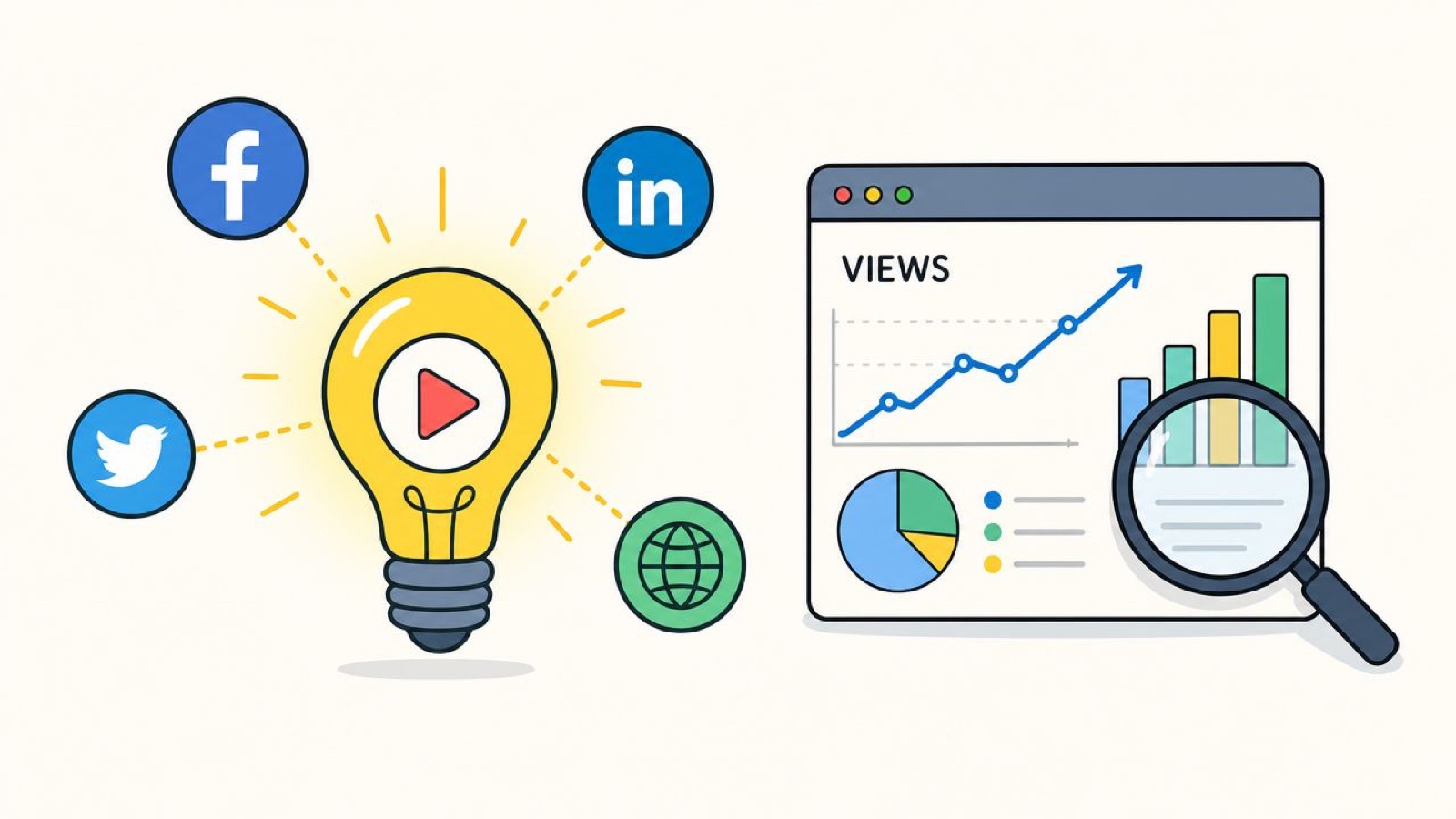
View count tells you whether distribution happened. It cannot tell you whether the video did its job. Opens and plays matter, but treat them as early signals, not proof.
Track a tighter set of numbers:
- Conversion rate by page or campaign: Did the page perform better with the video in place?
- Viewer drop-off points: Where do people lose interest, get confused, or bounce?
- Qualified actions: Demo requests, trial starts, sales replies, or feature adoption.
- Sales usage: Which videos reps send, and which ones move deals forward.
If your reporting stops at plays and completion rate, you are measuring attention, not impact.
A practical analytics stack usually includes platform metrics, page behavior, CRM tagging, and a naming convention the whole team can follow. If you are trying to tie video to revenue rather than views, this piece on video marketing ROI is a useful companion. And if you are still comparing measurement setups, these tools for analyzing video can help you decide what belongs in your workflow.
One review habit that saves a lot of waste
Watch drop-off with the script in front of you.
If people leave while the intro is still warming up, cut faster. If they fall off at the same product term every time, rewrite it. If a video gets watched but not acted on, the message may be clear but the next step may be weak.
A lot of video optimization is not glamorous. It is editing out confusion.
Making Video a Repeatable Part of Your Marketing
The goal is not one standout launch asset. It is a repeatable system that helps people understand the product again and again, across the places where they make decisions.
That system is usually simple. Tie each video to a funnel stage. Pick formats based on buyer need, not internal preference. Choose a production model that can keep pace with the business. Then measure whether the work changes behavior, not just whether it gets watched.
Build a rhythm, not a backlog
The teams that get the most from video product marketing work in a steady cadence. They do not wait for a major launch to justify production. They create a base layer of explainers, demos, customer proof, and cutdowns that keep evolving as the product changes.
A reliable workflow usually includes:
- A clear intake process: What is the audience, the promise, and the next action?
- A repeatable review loop: Fewer reviewers, sharper feedback, faster approvals.
- A repurposing habit: One core asset becomes versions for site, sales, lifecycle, and social.
- A measurement loop: Review performance, update scripts, improve the next round.
Good video product marketing compounds when the team treats it like an operating function. That is when videos stop being isolated projects and start becoming part of how the company explains itself.
None of this needs a big launch to justify it. Pick one funnel stage, make one video with a clear job, put it where the decision happens, and watch whether behavior changes. Then do it again. That is how video product marketing stops being a pile of one-off projects and becomes part of how the product sells itself.
Frequently asked questions
It is using video to help people understand your product and feel confident choosing it, across the whole buyer journey. That covers the explainer on your homepage, the demo on a product page, the walkthrough in a sales email, the customer stories your sales team sends, and the how-to clips that help new users reach value. The point is a connected system, not a single hero asset.
Start with the format buyers need most when they are close to deciding, which is usually a product demo or a product page video. It shows the workflow, answers the questions that come up on sales calls, and gives you footage and messaging you can reuse. Explainers and social cutdowns get easier to build once that core piece exists.
Look past plays and completion rate. Track conversion rate on the page or campaign that carries the video, where viewers drop off, qualified actions like demo requests or trial starts, and which clips your sales team actually sends to move deals. Views tell you distribution happened; those numbers tell you the video did its job.



