
A Practical Guide to Winning with LinkedIn Video Ads


When you think about marketing to other businesses, "video ads" might not be the first thing that comes to mind. But on LinkedIn, they're an absolute powerhouse for connecting with professional audiences. Forget static images and text-heavy posts for a moment. Video lets you tell a story, show off your product, and connect with people on a much more human level, right in their feed.
Why LinkedIn Video Ads Are a B2B Game Changer
Imagine you're trying to explain a complex software solution. You could hand someone a dense, multi-page brochure. Or, you could show them a quick, dynamic video that walks them through the key features and real-world benefits. See the difference? That's the power of LinkedIn video ads in the B2B space.
Decision-makers aren't scrolling LinkedIn for entertainment; they're looking for solutions to their business problems. They want valuable insights, not just another ad. This is where video truly shines. It has a unique knack for taking complicated, jargon-filled concepts and turning them into digestible, memorable stories.
Educate and Build Trust with High-Value Audiences
Video has a way of humanizing a brand like nothing else. When a potential customer can see and hear from your team, watch a client's success story, or get a peek behind the scenes, it builds an immediate sense of connection and credibility. This is absolutely critical in B2B, where buying decisions are high-stakes and often lead to long-term partnerships.
A well-crafted video does more than just list features; it demonstrates value and builds the confidence needed for a high-stakes business decision. It bridges the gap between a faceless company and a trusted partner.
By focusing on genuinely helpful, educational content, you stop being a vendor and start becoming an authority. You're not just selling; you're offering solutions. This approach resonates deeply with a professional audience and is central to the best practices for video marketing.
Shorten the B2B Sales Cycle
The B2B sales cycle is notoriously long and winding, often involving dozens of touchpoints with multiple stakeholders. LinkedIn video ads can be a powerful shortcut, accelerating the entire process.
Here’s how they help speed things up:
- Simplifying Complexity: A punchy, 60-second animated explainer can communicate a value proposition that would otherwise take pages of a whitepaper to get across.
- Targeted Engagement: You can serve up compelling product demos or case studies directly to the feeds of key decision-makers, warming them up long before a sales call is even on the calendar.
- Driving Action: With a clear call-to-action, your video can guide viewers to the next logical step, whether that's downloading a resource, signing up for a webinar, or booking a demo.
At the end of the day, video ads on LinkedIn aren't just another ad format. They're a strategic way to grab attention, deliver real value, and move your ideal customers through the sales funnel much more efficiently.
Decoding LinkedIn Video Ad Formats And Specifications
Trying to wrap your head around the technical side of LinkedIn video ads can feel like you're staring at a complex blueprint. But it’s not as complicated as it looks, and getting the specs right is absolutely critical if you want your ads to look professional and actually perform.
Think of it like choosing the right size canvas before you start painting. Pick the wrong one, and your masterpiece gets awkwardly cropped or stretched. The same goes for video ads. Each ad placement on LinkedIn—whether it’s in the main feed or in Stories—has its own set of rules for things like aspect ratios and video length. These aren't just arbitrary limits; they're designed to give members the best possible viewing experience on whatever device they're using.
Key Video Ad Placements And Their Specs
The most common spot for your LinkedIn video ads is right in the member feed. This is where people spend most of their time, making it prime real estate for grabbing their attention as they scroll. But don't overlook other placements, as each has its own unique requirements that are worth knowing.
To get the nitty-gritty details, you should always keep the official LinkedIn video size specifications handy. Bookmarking a resource like this will save you a ton of headaches during campaign setup.
The goal isn't just to meet the minimum requirements, but to optimize for the user's context. A vertical video on mobile feels native and immersive, while a horizontal video might feel disruptive and get skipped.
This simple visual breaks down why B2B video ads are so effective on the platform.
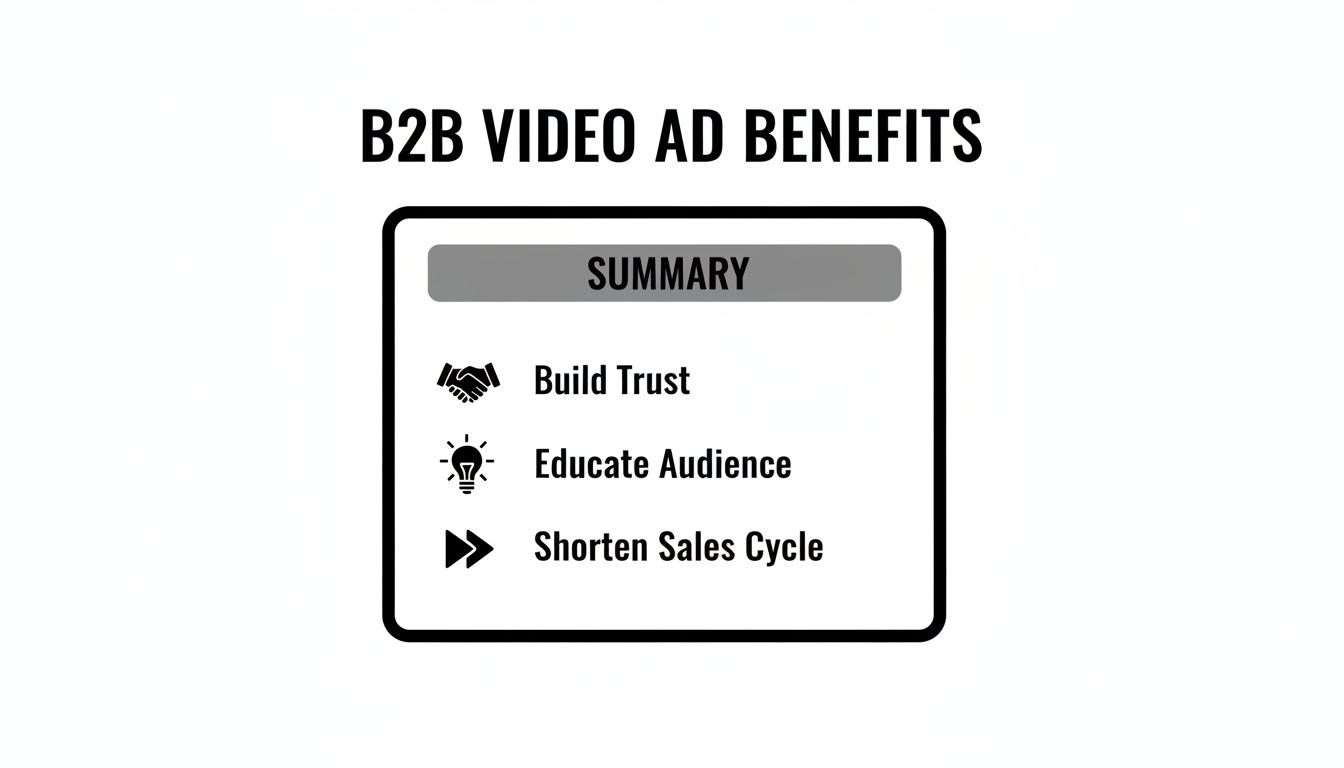
As you can see, it all comes down to building trust, educating your audience, and ultimately, shortening that notoriously long B2B sales cycle.
LinkedIn Video Ad Specifications Cheat Sheet
To make things easier, here’s a quick-reference table with the essential specs for the two most common LinkedIn video ad placements.
While this table covers the basics, always double-check the latest official guidelines from LinkedIn before you finalize your creative assets.
Understanding Aspect Ratios And Video Length
So, what exactly is an aspect ratio? It’s just the relationship between a video's width and its height. On LinkedIn, a few key ratios dominate, and picking the right one is crucial, especially since most people will see your ad on their phones.
- Vertical (9:16 or 4:5): This is your go-to for a mobile-first approach. Vertical video takes up more of the screen, which naturally grabs more attention and makes your ad feel much more immersive. It's a non-negotiable for Stories.
- Square (1:1): This is a super versatile option that looks great on both mobile and desktop feeds. If you need one asset that works well everywhere, a square video is a safe and effective bet.
- Horizontal (16:9): This is the classic widescreen format we're all used to from TV and YouTube. While it's still supported, it just doesn't have the same punch on a vertical mobile screen compared to the other formats.
If you really want to nerd out on how these formats influence viewer behavior, take a look at our guide on the https://www.moonb.io/blog/best-video-formats-and-aspect-ratios-for-maximum-engagement. It'll help you align your creative choices with your campaign goals.
When it comes to video length, LinkedIn is pretty generous—you can upload a video up to 30 minutes long. But you shouldn't. The sweet spot for most feed ads is somewhere between 15 and 45 seconds. Remember, those first three seconds are everything. You have to give people a reason to stop scrolling, and you have to do it fast.
Designing For A Sound-Off Experience
Here’s a stat that should change how you think about video creative: a huge number of people watch social media videos with the sound off. If your whole message is buried in a voiceover, a massive chunk of your audience will completely miss it.
That’s why designing for a "sound-off" experience isn't just a good idea—it's essential.
Make sure your message gets across, audio or not, by using these simple techniques:
- On-Screen Text and Captions: Use clear, concise text overlays to hit your key points. And always include captions. It's a must for both accessibility and engagement.
- Compelling Visuals: Your visuals need to do the heavy lifting. Use strong imagery, slick motion graphics, and clean animation to tell your story without relying on sound.
- Clear Branding: Get your logo and brand colors on screen early. Viewers should know who the ad is from in the first few seconds, even if their sound is off.
This approach ensures your LinkedIn video ads work hard for you, no matter how someone is watching. It’s worth the effort, too. Native videos on LinkedIn can hold a viewer's attention for 3x longer than on other platforms. And with a potential audience of over one billion members, getting your message in front of executives—who increased their own video posting by 52% in just two years—can make a huge difference.
Crafting Video Creative That Resonates with Professionals
Okay, let's switch gears from the technical side of things to creative strategy. This is where the real magic happens. On LinkedIn, you’re not just making another ad; you’re crafting a piece of professional content that has to be good enough to stop a busy decision-maker mid-scroll. The big secret? Ditch the hard sell and lead with genuine value. Build trust before you ever ask for a click.
This means your LinkedIn video ads need to be polished, insightful, and, above all, respectful of your audience's time. Professionals scrolling their feed are looking for solutions, not another interruption. Your video has to instantly prove it’s the former.
Storytelling Frameworks That Build B2B Trust
The best LinkedIn videos don't just list product features; they tell a story. A solid narrative can make even the most complex ideas feel relatable and can turn a faceless brand into a partner your audience feels they know and trust.
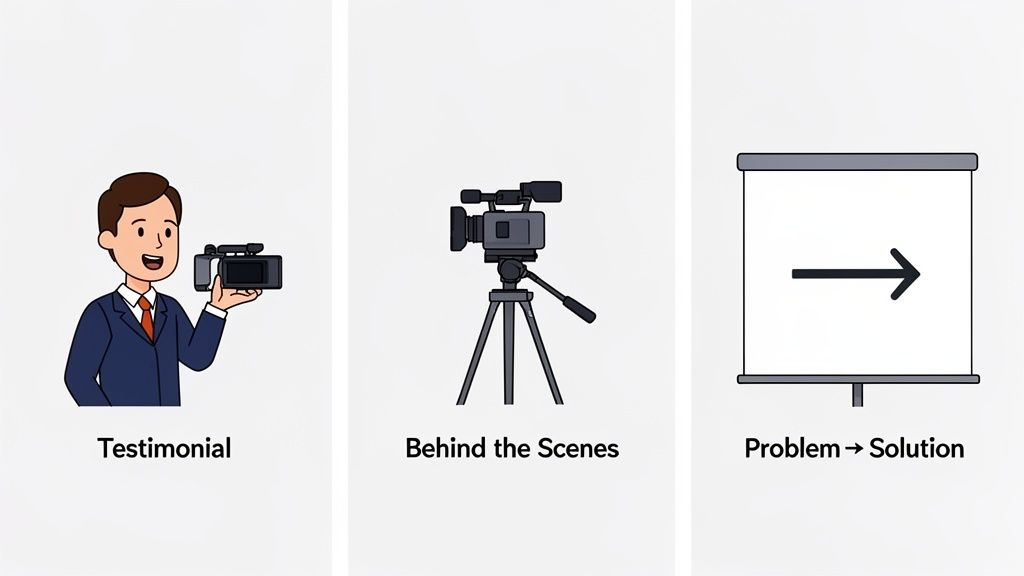
Here are three storytelling frameworks that are absolute gold for a B2B audience:
- The Problem and Solution Narrative: It’s a classic for a reason. Start by hitting on a common pain point your audience knows all too well. Then, position your product not as a collection of features, but as the hero that swoops in to solve their problem.
- Authentic Customer Testimonials: Forget your marketing spiel and let your happy customers do the talking. A video of a real client sharing their success story is powerful social proof—it’s far more convincing than anything you could say about yourself.
- Behind-the-Scenes Glimpses: Pull back the curtain and show the human side of your business. This could be a peek at your product development, an introduction to your team, or just a look at your company culture. This kind of transparency builds a genuine connection.
And a pro tip: a huge chunk of your audience will be watching with the sound off. Learning how to caption videos for enhanced accessibility and SEO isn't just a nice-to-have; it's essential for getting your message across.
Essential Creative Best Practices
Beyond the story, how you execute the video is what separates the winners from the losers. A few best practices can mean the difference between an ad that gets skipped and one that actually drives results.
First, and this is non-negotiable, you must hook viewers within the first three seconds. The opening moments need to be visually arresting and immediately signal the value they'll get from watching. Think of a provocative question, a surprising statistic, or some slick motion graphics.
On LinkedIn, attention is earned, not given. The first three seconds of your video ad are an audition. If you don't immediately prove your relevance, your audience will simply scroll on.
Next, use visuals to make complex ideas simple. Animated text, clean charts, and motion graphics can make data-heavy concepts a breeze to understand. Visuals do the heavy lifting, especially for silent viewers, ensuring your core message always lands.
Writing CTAs That Drive B2B Goals
Your Call-to-Action (CTA) is the final, crucial piece of the puzzle. A generic "Learn More" just doesn't cut it for a sharp B2B audience. Your CTA needs to be specific, packed with value, and perfectly aligned with your campaign goal.
Think about what you actually want them to do:
- For Lead Generation: Try "Download the Report," "Get the Checklist," or "Register for the Webinar." These offer something tangible in exchange for their contact info.
- For Consideration: Use "Watch the Full Demo," "See a Case Study," or "Explore Features." These guide interested prospects further down the rabbit hole.
- For Brand Awareness: Go with "Follow Us for Insights" or "Visit Our Blog." These are lower-commitment actions that help you build a long-term audience.
When you focus on educational content and clear, valuable CTAs, you stop being just another vendor and start becoming an industry authority. You lead with expertise, building a relationship that naturally turns into business down the road. For some real-world inspiration, check out these excellent LinkedIn video ad examples that nail these principles.
Mastering LinkedIn's Powerful Targeting and Bidding
Once your creative is locked in, it’s time to switch gears from the art of your campaign to the science. Making a great video is only half the job; the other half is getting it in front of the right people, at the right price. This is where LinkedIn's targeting and bidding engine truly shines, turning your campaign from a hopeful shout into a targeted conversation.
Forget the "spray and pray" approach of other platforms. On LinkedIn, you can slide your video ads directly into the feeds of key decision-makers with almost startling accuracy. It's this professional context that makes all the difference, letting you go way beyond basic demographics and into the nitty-gritty of someone's actual career.
Reaching Your Ideal Audience with Surgical Precision
LinkedIn's targeting is practically built from the ground up for B2B marketers. You can build incredibly specific audiences based on professional details that just don't exist anywhere else. This means every dollar of your ad spend is working harder, reaching prospects who can actually move the needle on a purchase.
Just think about the exact person you want to talk to. With LinkedIn, you can layer different criteria to pinpoint them.
- Job Title and Function: Go straight for "Chief Marketing Officers" or everyone in the "Human Resources" department.
- Company Size and Industry: Zero in on "Software companies with 50-200 employees."
- Skills and Seniority: Find professionals with "Project Management skills" at a "Director" level or higher.
This level of detail ensures your LinkedIn video ads aren't just getting views—they're getting views from the people who matter most. This precision is especially critical when using video for lead generation, as it guarantees the leads coming in are high-quality from the get-go.
Understanding Bidding Strategies for Video Campaigns
So, you’ve nailed down who you're targeting. Now you have to decide how you'll pay to reach them. LinkedIn's ad system is an auction, but you're in the driver's seat when it comes to your strategy. The right choice here depends entirely on what you want to achieve.
For most video campaigns, your go-to bidding model will be Cost Per View (CPV). With CPV, you only pay when someone watches at least two continuous seconds of your video while it's at least 50% on their screen. This makes it a perfect match for awareness and consideration goals because you're literally paying for viewership.
Think of your bidding strategy as the instruction you give LinkedIn's algorithm. CPV tells the system, "Find me people who are likely to watch my video," which is ideal for building brand recall and educating your audience.
But CPV isn't the only tool in the shed. Depending on your ultimate goal, you might also look at:
- Cost Per Mille (CPM): Here, you pay for every 1,000 impressions. This is your best bet for top-of-funnel brand awareness campaigns where getting as many eyeballs as possible is the name of the game.
- Cost Per Click (CPC): You pay when someone clicks your ad's link or call-to-action. This is much better for conversion-focused campaigns where the main goal is to drive traffic to a landing page or a sign-up form.
Aligning Your Bid with Your Campaign Goal
Picking the right bidding strategy is all about connecting your budget to your desired result. There’s no single "best" option. The smart choice flows directly from what you're trying to accomplish.
Let's look at a few common scenarios:
Always start your video campaigns with a clear goal. If you want to tell a powerful brand story, a CPV bid makes perfect sense. But if your video is designed to get sign-ups for a webinar, a CPC approach will almost certainly give you a better return on your ad spend. By mastering both targeting and bidding, you give your LinkedIn video ads the power to not only find the right audience but to do it in the most cost-effective way possible.
How to Measure and Optimize Your Video Ad Performance
Getting your LinkedIn video ads live is the starting line, not the finish. A truly successful campaign is a feedback loop. You listen to the data, learn what resonates, and make smart adjustments along the way. This cycle of measuring and optimizing is what separates a decent campaign from a lead-generating powerhouse.
The first step is to look past the vanity metrics. A ton of views might feel good, but it doesn't tell you if you're actually reaching the right people or, more importantly, driving real business results. You have to focus on the numbers that actually move the needle.
Key Metrics to Focus On
The best way to know if you're winning is to measure against the objective you set from the very beginning. LinkedIn's Campaign Manager is swimming with data, but you need to know which numbers to grab onto to keep your analysis sharp and actionable.
Here are the vital signs for your LinkedIn video ads:
- View Rate: This is the percentage of people who started watching your video after seeing it. A high view rate means your creative is good enough to make someone stop scrolling through their feed. It's your first win.
- Completion Rate: This shows you the percentage of viewers who stuck around to watch 97-100% of your video. A high completion rate is a massive signal that your message is hitting home and your content is genuinely engaging.
- Click-Through Rate (CTR): This one's simple: how many people clicked your ad's link or CTA? While video ads often focus more on awareness and have a global benchmark CTR of 0.44%, this metric is crucial if clicks are your goal. For a deeper dive, check out these LinkedIn advertising statistics.
- Cost Per View (CPV): This tells you exactly what you're paying each time someone watches your video. It's a key indicator of your campaign's efficiency.
- Conversion Rate: If you're running a lead gen campaign, this is your north star. It tracks how many viewers took the final step, like submitting a Lead Gen Form.
A Simple Framework for A/B Testing
You can't optimize what you don't test. A/B testing is just running two slightly different versions of an ad to see which one performs better. It's the best way to stop guessing and start making data-driven decisions.
The trick is to test only one thing at a time. That way, you know exactly what caused the change in performance.
- Video Creative: Test two different hooks in the first three seconds. Maybe a question grabs more attention than a bold statistic?
- Ad Headline: Pit a benefit-driven headline against a problem-focused one. Think "Boost Your ROI by 50%" versus "Tired of Wasting Ad Spend?"
- Call-to-Action (CTA): Try out different button text. Does "Download the Guide" get more clicks than "Get the Free Ebook"?
The real goal of A/B testing isn’t just to find a one-time winner. It’s to build a deep, data-backed understanding of what truly motivates your specific audience on LinkedIn. This becomes your playbook for every campaign you run in the future.
Actionable Optimization Strategies
Once the data starts rolling in, it's time to put it to work. Optimization is all about making small, continuous adjustments to dial in your performance for better and better results.
Here are a few practical ways to start improving your campaigns:
- Retarget Engaged Viewers: Someone who watched 50% or more of your video is clearly interested. Create a custom audience of these viewers and hit them with a follow-up ad—something with a stronger call-to-action, like a demo request or a free trial.
- Adjust Bids Based on Performance: Notice a specific audience segment, like "Marketing Directors in SaaS," is giving you a fantastic cost per lead? Don't be shy. Increase your bid for that group to capture more of that high-value traffic.
- Refine Your Targeting: If you see a low completion rate, it might be a sign your audience is too broad. Try tightening your targeting by adding another layer, like specific skills or company size, to make sure your message is landing with the most relevant people.
Scaling Video Production for Consistent Campaigns
So, you've got your strategy nailed down. Your targeting is dialed in, and you have a solid grasp of what creative will connect with your audience. But then you hit the wall. The all-too-common, frustrating bottleneck: actually making the videos. For most marketing teams, creating a steady stream of high-quality LinkedIn video ads is a huge operational headache.
Let’s be honest. Traditional in-house production can be slow and eye-wateringly expensive. On the flip side, juggling freelancers often leads to a mixed bag of quality and blown deadlines. This is where brilliant strategies die—not from a lack of vision, but from the simple inability to create content at scale. How are you supposed to build momentum when every new ad kicks off another long, resource-draining production cycle?
The answer isn't to work harder; it's to work smarter by shifting from a project-by-project mindset to a production workflow built for speed and reliability. Imagine having a dedicated creative team ready to go, turning your brief into a polished ad without all the usual delays and drama.
The Modern On-Demand Workflow
This new way of creating video completely changes the game for marketing teams. It’s about partnering with a creative provider that acts like a true extension of your own team, one that’s specifically designed to smash through those production roadblocks.
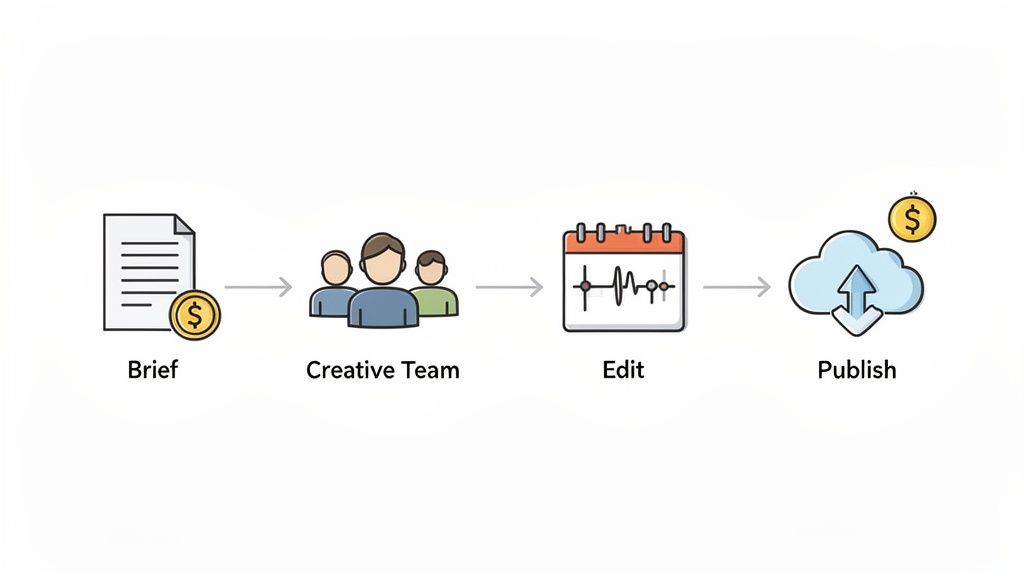
Here’s a look at how this smoother process typically works:
- Submit a Clear Brief: It all starts with you outlining the video concept, your goals, and the key message. A solid brief is your foundation, and a good partner will help you sharpen it.
- Dedicated Team Takes Over: Once you hit "submit," a full creative team—think creative director, designers, animators—gets to work. No more chasing down individuals.
- Unlimited Revisions: The back-and-forth is built right in. You get to review drafts and request as many tweaks as you need until the video is exactly right.
- Receive Final Assets: You get the finished video, perfectly formatted and ready to launch in your next campaign. All without having to manage multiple vendors or timelines yourself.
Key Benefits of a Scalable Model
This approach is about more than just getting videos made. It’s about gaining a serious competitive advantage by removing the operational friction so you can focus on what really matters: campaign performance.
This on-demand model isn't just about outsourcing tasks; it's about integrating a reliable creative infrastructure that lets you execute campaigns at the speed your business demands.
The biggest wins you'll see include:
- Predictable Costs: Forget about surprise invoices and fluctuating project fees. You operate on a fixed monthly subscription, which makes budgeting a breeze.
- Guaranteed Brand Consistency: Your dedicated team gets to know your brand inside and out. That means every single video they produce will have the same consistent look, feel, and voice.
- Elimination of Hiring Delays: You get instant access to a full suite of creative talent without the months-long, expensive process of recruiting, hiring, and training new people.
By adopting a production workflow that can actually scale, you can finally create the volume of high-quality LinkedIn video ads you need to drive consistent, measurable results. To get a better handle on what to include in that initial brief, check out our comprehensive video production checklist.
Your LinkedIn Video Ad Questions, Answered
Even after going through a detailed guide, a few questions always seem to bubble up right when you're about to hit "launch" on your first LinkedIn video ads. We get it. This last section is designed to clear up those final lingering doubts.
Think of this as your quick-reference sheet for the most common sticking points, from budgeting to creative. Let's tackle them so you can move forward with confidence.
How Much Should I Budget for My First Campaign?
When you're just starting, dipping your toes in the water is the smart move. A test budget of $50-$100 per day is a great place to start. It’s enough cash to get meaningful data on what’s working and what’s not, without breaking the bank right out of the gate.
LinkedIn’s auction system technically lets you get started with a minimum of $10 per day, but that's a bit too low to learn much. In this initial testing phase, keep a close eye on your cost-per-view (CPV) and click-through rate (CTR). These numbers will give you a baseline. Once you spot a winning combination of creative and audience, you can start scaling your budget with confidence.
What Is the Ideal Length for a LinkedIn Video Ad?
LinkedIn lets you run videos up to 30 minutes long, but please don't. For most ads you see in the feed, the sweet spot is between 15 and 45 seconds. The real key? You absolutely have to grab their attention in the first three to five seconds, or they're gone.
People on LinkedIn are in a professional headspace, so they're more willing to watch valuable content than on other platforms. But their time is still precious. Get to the point fast.
For top-of-funnel campaigns where you're just trying to build brand awareness, shorter is better. Aim for under 30 seconds. If you're targeting the middle of the funnel—maybe showing off a product feature or sharing a case study—you can stretch it out a bit, even up to 90 seconds. Just make sure every single second is engaging.
Can I Repurpose Ads from Other Social Platforms?
Technically, yes. Should you? Probably not. Just dropping a fast-paced, vertical TikTok or Instagram Reel into the LinkedIn feed is a recipe for poor performance. It feels completely out of place in a more professional environment.
Each platform has its own vibe and technical specs. Your best bet is to tailor your video specifically for the B2B crowd on LinkedIn. That means focusing on providing real professional value, using crystal-clear messaging, and maintaining a polished look. You can absolutely reuse the core idea or message, but the execution—everything from the video's shape to its pacing—needs to be adapted to fit LinkedIn perfectly.
Ready to scale your video production and execute flawless campaigns consistently? Moonb provides an on-demand creative infrastructure, giving you instant access to a full creative team for a flat monthly fee. Stop worrying about production bottlenecks and start creating today.