
How to Onboard Users with Video: A Proven Framework


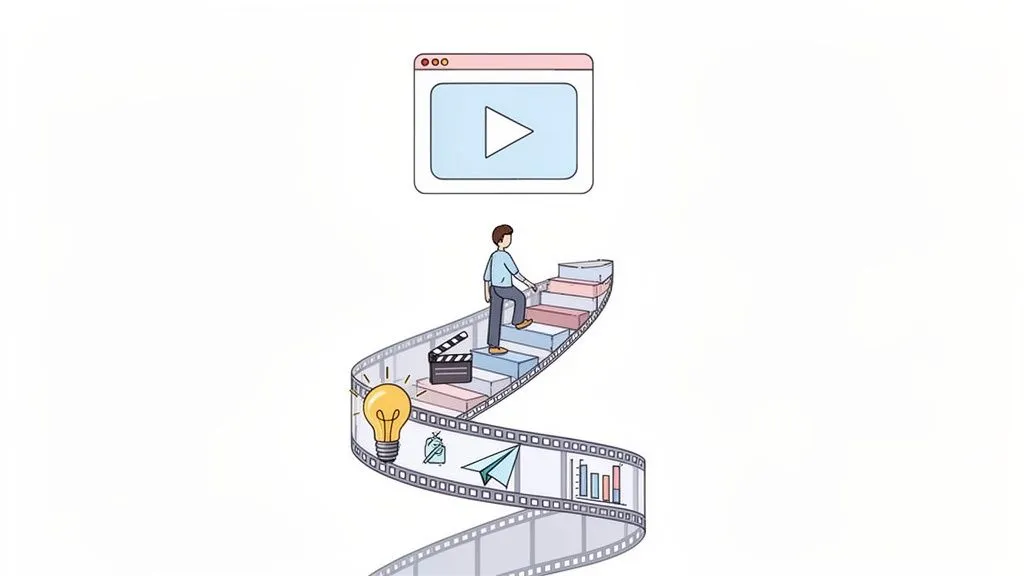
Getting users to stick around after they sign up is one of the toughest challenges we face. We’ve all been there: you build a fantastic product, people sign up, and then… radio silence. They get overwhelmed, can't find that one key feature, and disappear before they ever experience that "aha!" moment.
Traditional onboarding methods, like dense help docs or a flurry of tooltips, just don't cut it anymore. They often fail to grab attention or show the real value of your product. This is where video completely flips the script, making your product’s purpose crystal clear from the very first interaction.
Why Video Is Your Strongest Onboarding Ally
Video isn’t just a nice-to-have; it’s a strategic lever for growth. It swaps out dull walls of text for dynamic, easy-to-follow content that shows users how to succeed, rather than just telling them. This visual approach is incredibly powerful, especially when you’re trying to explain complex workflows or abstract concepts. By showing your product in action, you close the gap between a user signing up and them actually achieving something meaningful.
The impact isn't just theoretical. The data shows that users who watch an onboarding video are 2x more likely to convert to a paid plan. That single stat says it all. A well-placed video can make your product's value tangible, answer critical questions before they're even asked, and build the confidence a new user needs to stick around.
Imagine you're a marketing director. A simple two-minute video walking new users through the main dashboard could be the difference between a wave of trial expirations and doubling your conversion rate. It's that powerful.
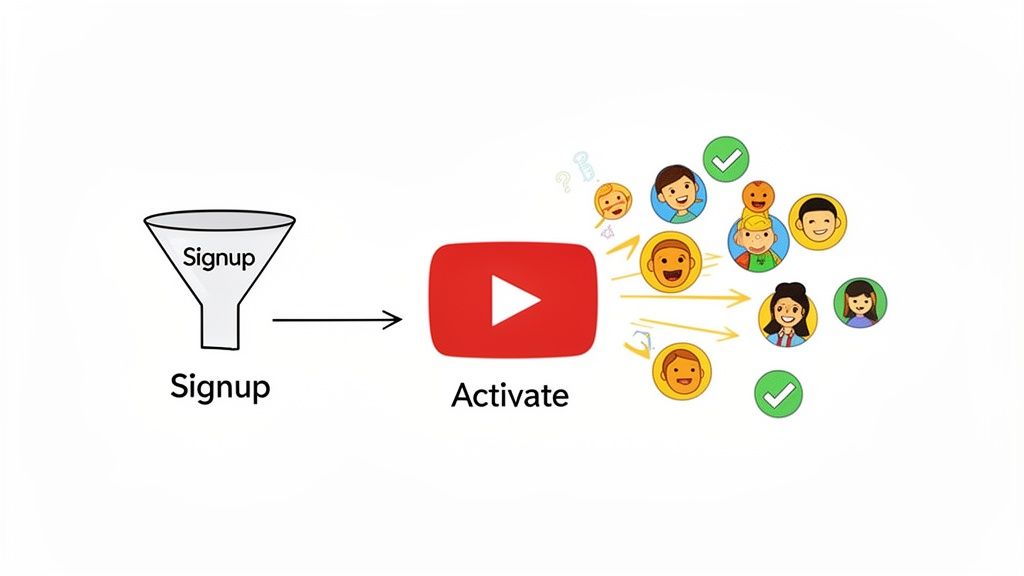
To get this right, you need a plan. Winging it won't work. We've found the most effective way to approach this is with a simple, four-phase framework that acts as a playbook for creating an onboarding experience that actually works.
To give you a bird's-eye view, here's how we break down the entire process. Think of this table as your strategic roadmap for turning video onboarding into a reliable growth engine.
The Four Phases of a Winning Video Onboarding Strategy
By thinking in these distinct phases, you can build a system that not only welcomes new users but actively guides them toward success and long-term loyalty. The benefits of explainer videos, for example, go far beyond just the initial tutorial; they become a core part of your customer education and feature adoption strategy.
When you focus on these four phases, you stop making random videos and start building a cohesive, results-driven onboarding system. This is how you turn onboarding from a churn risk into your most effective growth channel.
Mapping Your Onboarding Video Content Strategy
Great video onboarding is so much more than a single, generic "welcome" video. It’s a deliberate strategy, mapping specific, helpful content to the most critical moments in your user's journey. The real goal is to get past the guesswork and find the exact friction points where a well-timed video makes the difference between a user giving up and finally having that "Aha!" moment.
This means you have to be intentional. Instead of a one-size-fits-all tutorial, you’re building a library of content designed to serve users exactly when and where they need it.
Identify Key Moments and Friction Points
Before you even think about scripts or cameras, you need to become an expert on your user's journey. Where do new sign-ups get stuck? What features are incredibly powerful but totally underused? The answers to these questions are the bedrock of your video strategy.
Start digging into your analytics and support tickets. Look for the patterns:
- Common Drop-Off Points: Where in the initial setup or product tour do users just bail? This is a perfect spot for a short, encouraging walkthrough video.
- Frequently Asked Questions: What questions does your support team answer on repeat? Every single one is a potential topic for a quick, focused micro-lesson.
- Underused "Sticky" Features: Pinpoint the features that correlate with long-term retention. If new users aren't finding them on their own, a feature spotlight video can be the perfect guide.
By focusing on these data-backed pain points, you make sure every video you create solves a real problem. This directly impacts user activation and cuts down on that dreaded early-stage churn. It's the first step in building a much broader customer education strategy.
Key Takeaway: Don’t make videos based on what you think users need. Use your product analytics and support data to find the precise moments they struggle. A video that solves a known problem is infinitely more valuable than a generic tour.
Choose the Right Video Format for Each Stage
Once you’ve mapped out the journey, the next step is to pair the right video format with each touchpoint. Different stages of onboarding demand different types of content to actually be helpful. The wrong format can be just as bad as no video at all.
Here are the core video types to consider:
- The Welcome Video (First Login): This is your first impression. Keep it short (60-90 seconds), full of energy, and focused on the value they're about to get. Its job is to build excitement and get the user oriented, not teach them everything at once. A warm welcome from a founder or team lead adds a great human touch.
- The Product Walkthrough (Initial Exploration): Think of this as a guided tour of the core UI and the must-know features. It can be a bit longer (2-5 minutes), but break it into clear chapters so users can easily skip to the parts they care about.
- The Feature Launch (Ongoing Education): When you roll out something new, a concise video is the best way to get people to actually use it. Show the feature in action, highlight its main benefit, and keep it under two minutes.
- Micro-Lessons (Contextual Help): These are hyper-focused, 30-60 second videos that explain one single task or concept. They’re perfect for tooltips or help center articles, offering on-demand help without yanking the user out of their workflow.
Develop Practical User Personas
User personas often feel like a fluffy marketing exercise, but for video onboarding, they are a genuinely practical tool for tailoring your message. A fintech app, for instance, serves completely different kinds of people.
- Scenario 1: The Novice Investor: This person is probably feeling overwhelmed. Your onboarding video for them needs to be reassuring and use simple, jargon-free language. A video titled "Your First Portfolio in 5 Minutes" could demystify the whole process and build their confidence.
- Scenario 2: The Seasoned Trader: This user doesn't need the basics explained. They want to know about advanced features and how to be more efficient. A quick video like "How to Set Up Automated Trades" is going to be far more relevant and valuable.
Thinking through these personas helps you nail down the tone, language, and specific goals for each video. In a world of shrinking attention spans, static tutorials are relics. Video is king, with a staggering 97% of people believing it's an effective way to welcome and educate new customers. For creative directors and entrepreneurs, that stat is a massive green light to make abstract services feel tangible through dynamic video. You can check out Wyzowl's full report on the power of onboarding videos to see just how essential this approach has become.
Building a Scalable Video Production Workflow
The idea of churning out a whole library of high-quality videos can feel pretty intimidating, especially if you don't have a big creative department on standby. But here's the thing: creating effective onboarding videos doesn't have to be some monumental undertaking. The secret is building a repeatable, scalable workflow that keeps the process smooth, predictable, and on budget.
This isn’t about creating one-off, heroic videos that drain all your resources. It’s about building a system. A well-oiled production machine gives you consistency and lets you react fast, whether you're launching a new feature or trying to smooth out a common user friction point. It turns video creation from a scary project into a core, manageable part of your business.
This simple flow breaks down how to think about your video strategy. It's all about mapping the user journey, picking the right format for the job, and then tailoring it to a specific persona.
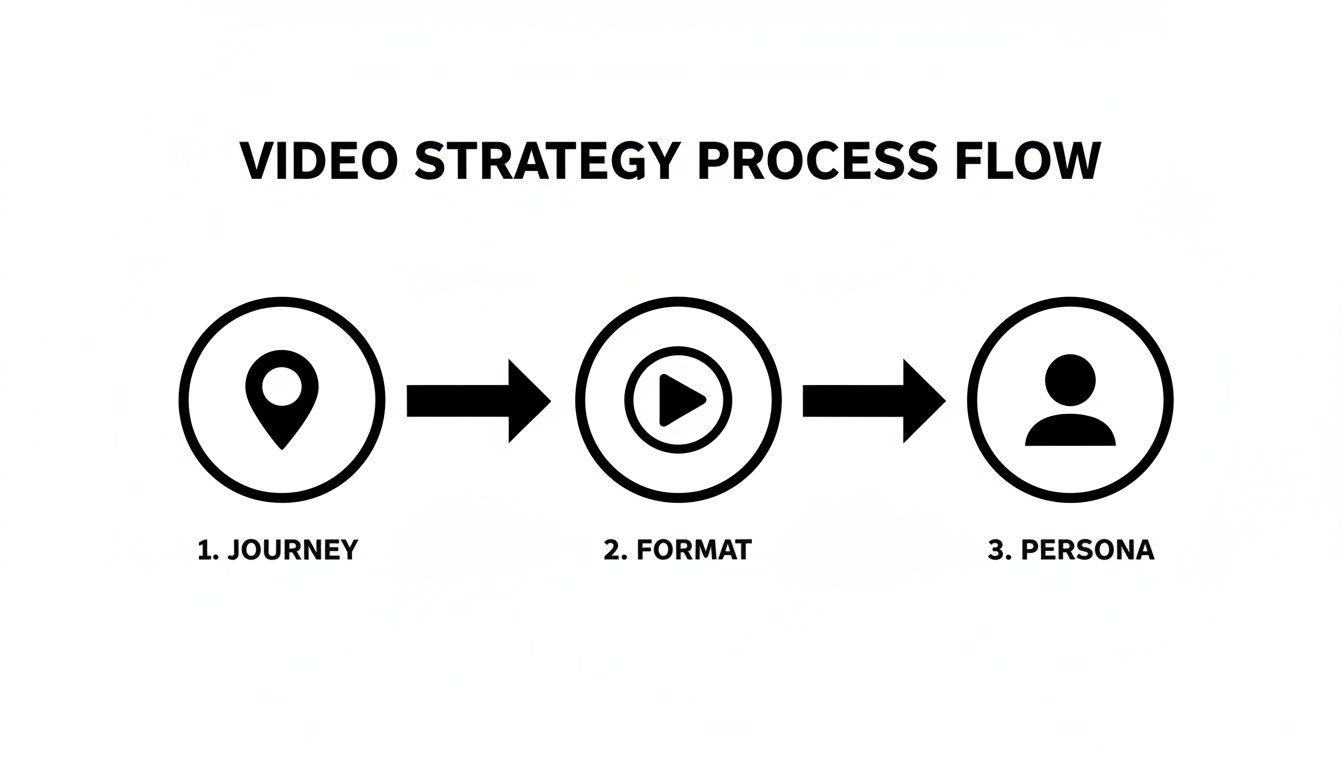
Following this process ensures every video you make is strategically aimed at a specific user need at a specific point in their lifecycle. That's how you maximize its impact.
Start with a Solid Creative Brief
Every single great video starts with a great brief. Think of this document as your North Star. It gets everyone, from stakeholders to designers, on the same page about the video's purpose, audience, key message, and what you want to happen after someone watches it. Honestly, skipping this step is a recipe for endless revisions and mismatched expectations.
A strong creative brief should nail down:
- The "Why": What’s the main goal here? Are you trying to cut down support tickets for a specific feature? Boost activation rates? Announce a new integration? Get specific.
- The Audience: Who is this video for? Dust off your user personas. A video for a non-technical manager will have a completely different tone and focus than one made for a developer.
- The Core Message: What is the one thing you want the viewer to walk away with? If they remember nothing else, what should it be?
- The Call to Action (CTA): What do you want the user to do immediately after watching? This could be anything from "Try the new feature" to "Complete your profile."
- Tone and Style: Should it be upbeat and encouraging? Calm and instructional? Check your brand guidelines to stay consistent.
The creative brief isn't just paperwork; it’s a strategic alignment tool. A well-written brief can easily cut production time in half by killing the guesswork and ensuring the first draft is already pretty close to the final vision.
Practical Scripting Templates for Onboarding
You don't need to be a professional screenwriter to pull together a solid script. It's all about structure. For a typical feature tutorial or product walkthrough, a simple three-act structure works like a charm.
Here’s a basic framework you can adapt for almost anything:
- The Hook (Problem): Kick things off by hitting on a user's pain point right away. Something like, "Tired of manually exporting reports every single month?" This grabs attention because it’s real and relatable.
- The Solution (Demo): Immediately pivot to showing how your product solves that exact problem. Use clear, action-focused language. "With our new scheduling tool, you can automate your reports in just three clicks. Let me show you how."
- The Payoff (Benefit & CTA): Wrap it up by hammering home the value and telling them what to do next. "Now you can save hours every week. Go to your dashboard and set up your first scheduled report now."
This simple formula keeps your video focused, concise, and geared toward action. For a deeper dive, our comprehensive video production checklist covers everything from pre-production to final delivery.
Choosing the Right Production Model
As you start to scale up your video efforts, you'll have to decide how you're actually going to make the videos. There are really three main ways to go, and each comes with its own set of pros and cons. The right choice really just depends on your team's budget, the volume you need, and the expertise you already have in-house.
For more on building out a process that delivers consistent quality, it's worth reading up on mastering your video creation workflow to see which model might be the best long-term fit.
Comparing Video Production Models
Deciding how to produce your videos is a big step. Each model offers different benefits, so it's important to understand the trade-offs before you commit. This table breaks down the most common approaches.
Ultimately, the best production model is the one that removes friction and lets you consistently create helpful content for your users. Whether you build an internal team, rely on freelancers, or use a subscription service like Moonb, the goal is to get a reliable system in place that turns your video ideas into reality.
Getting Your Videos in Front of Users Where It Counts
Look, creating a brilliant onboarding video is a huge win, but it's only half the battle. If that video never reaches the right user at the right moment, its impact is completely lost. Smart distribution isn't just about making your videos available; it's about weaving them into the user journey so they feel less like an interruption and more like a helping hand.
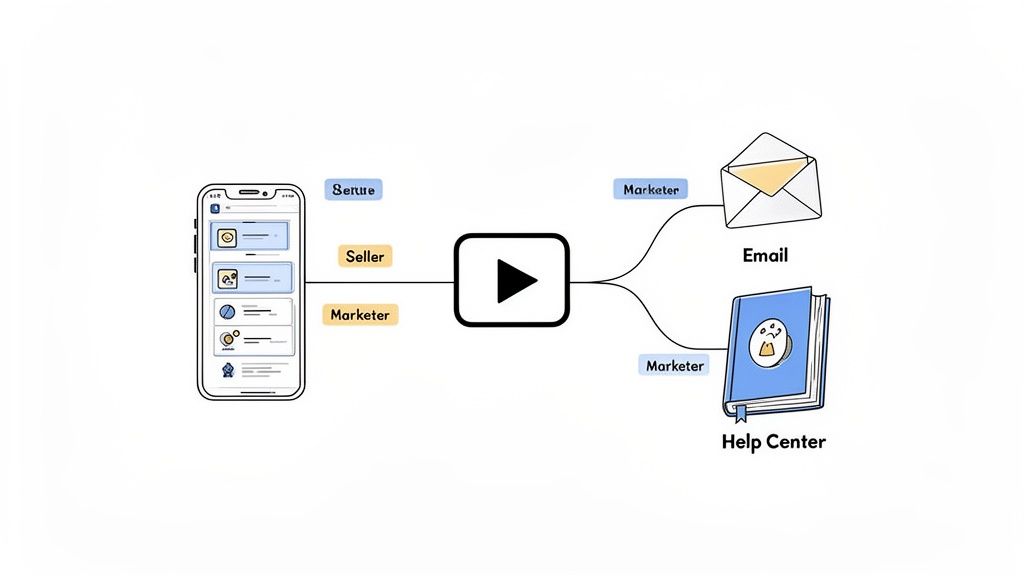
An amazing video buried on a forgotten help page isn’t going to stop anyone from churning. The real goal is to get your content in front of users proactively, meeting them exactly where they are—whether that's logging in for the first time, exploring a new feature, or checking their email for setup instructions. This is how you turn video from a passive resource into an active tool that drives engagement.
Pinpoint High-Impact Integration Points
To really get the most out of your onboarding videos, you have to put them in high-traffic, high-intent spots. Don't bury them. Surface them at the precise moments when a user is most likely to need a bit of guidance.
From my experience, these are the most effective places to integrate your videos:
- In-App Modals: A welcome video that pops up in a modal on a user's first login is a fantastic way to make an immediate, personal connection. You can also use modals to show off feature tutorials the first time a user clicks into a new part of your app.
- Welcome Email Sequences: Did you know emails with video can see a click-through rate increase of up to 300%? Embedding a short, action-oriented video in your first email can pull new users right back into the product and push them toward that critical first "aha!" moment.
- Contextual Tooltips: For more complex features, a small, silent looping GIF or a micro-video inside a tooltip is perfect. It offers help on demand without breaking the user's flow. It's a subtle but incredibly effective way to clarify how something works.
- Help Center or Resource Hub: Your help center should be a well-organized library of video tutorials. Grouping videos by topic or user goal creates a self-service resource that empowers people to find their own answers, which is a huge win for reducing support tickets.
Go Beyond One-Size-Fits-All With Personalization
The most sophisticated onboarding strategies don't just serve up generic content; they deliver personalized video experiences. When you start segmenting users based on their role, plan, or in-app behavior, you can provide guidance that's hyper-relevant and resonates on a much deeper level. It shows users you actually understand what they're trying to accomplish.
Imagine an e-commerce platform. Instead of one generic product tour for everyone, it could:
- Show a new seller a video on managing inventory and connecting payment gateways.
- Show a marketer on that same platform a video about optimizing checkout flows and setting up promotions.
- Show an enterprise user a video that covers advanced reporting and team permission settings.
This kind of personalization makes users feel like the product was built just for them, which dramatically speeds up their time-to-value. It’s a powerful tactic that turns your video library into a dynamic, responsive onboarding engine. And to make sure you're reaching the widest audience possible, you should also think about accessibility—for example, it's easy to create SRT files for subtitles to include with your videos.
Key Insight: Personalization isn't about creating hundreds of unique videos. It's about strategically showing the right video from your existing library to the right user segment at the right time.
Match the Video Format to the Channel
Context is everything. The format of your video has to match the channel where you're distributing it. A long, narrated tutorial that’s perfect for a help center article would feel completely jarring as a quick in-app tooltip.
Here are a few rules of thumb I stick to:
- In-App: Keep it short, silent, and looping (think GIFs). These are easy to digest and don't force users to plug in headphones.
- Email: Medium-length videos, around 60-90 seconds, with clear narration and subtitles work best here. The goal is to entice them to click back into your product.
- Help Center: This is the place for your longer, more detailed tutorials (2-5 minutes). Users coming here are actively looking for in-depth information, so give it to them.
Finally, think about where you host your videos. Pushing users to a platform like YouTube creates friction and bombards them with distractions. Hosting your videos natively or using one of the top video hosting platforms built for businesses keeps users inside your ecosystem, providing a much smoother and more professional experience.
Measuring and Optimizing Your Onboarding Funnel
Getting your onboarding videos out the door is a huge win, but the work doesn't stop there. Now comes the fun part: turning that hard work into a data-driven growth engine. This is where you stop guessing what works and start knowing for sure, using cold, hard data to refine your approach and prove the ROI of your efforts.
Too many teams get hung up on vanity metrics like total views. Sure, it’s nice to see a big number, but it tells you nothing about whether a video is actually helping users stick around. We need to dig deeper and tie video engagement to the actions that actually matter for your business.
Moving Beyond Vanity Metrics
To really see the impact of your videos, you have to track metrics that show a real change in user behavior. It’s all about swapping out those feel-good numbers for actionable insights that help you build an onboarding flow that gets better and better.
Here are the core KPIs you should be watching like a hawk:
- Play Rate: Of all the people who saw the video, what percentage actually hit play? A low play rate can be a sign of a weak thumbnail, a boring title, or just bad placement in the user journey.
- Video Completion Rate: How many viewers make it all the way to the end? If you see a massive drop-off at the 30-second mark, that’s a huge red flag. It tells you that part of your video is either confusing, boring, or just way too long.
- User Activation After Viewing: This is the gold standard. Did the user do the thing the video was meant to teach them? For example, after watching a tutorial on setting up a new project, did they actually create one?
- Support Ticket Volume: A great onboarding video should be a silent support agent, answering questions before they're even asked. Keep an eye on the number of support tickets related to topics your videos cover. A noticeable drop is a clear win.
Focusing on these metrics changes the conversation from "How many people watched?" to "How did this video make our users more successful?"
Running A/B Tests to Refine Your Strategy
Once you have a baseline for your metrics, it's time to start experimenting. A/B testing is your best friend here. It lets you make small, controlled changes and measure their direct impact, taking all the guesswork out of the creative process.
Just remember to test one thing at a time. Otherwise, your data will be a mess.
The goal of testing isn't just to find a "winner." It's to build a deeper understanding of what resonates with your users, allowing you to make smarter creative decisions in the future.
Here are a few high-impact A/B tests you can start running right away:
- Thumbnail vs. Thumbnail: Pit a clean, polished graphic against an animated GIF. Does a little bit of motion catch the eye and boost your play rate?
- Video Length: Take one of your tutorials and create two versions: a detailed 3-minute deep dive and a punchy 90-second cut. Does the shorter video lead to a higher completion rate and better user activation?
- Call-to-Action (CTA) Placement: Try putting your CTA right at the very end versus having it pop up as a mid-roll banner. Which one gets more clicks and drives users to take that critical next step?
The Right Tools for the Job
Of course, tracking all this and running tests requires the right toolkit. Your analytics stack doesn't need to be crazy complicated, but it does need to connect what people do in your videos with what they do inside your product.
You'll probably end up with a mix of these:
- In-App Analytics Tools: You can't live without something like Mixpanel or Amplitude. They're essential for tracking whether a user actually completes a key action after watching a video.
- Specialized Video Hosting Platforms: Business-focused hosts like Wistia or Vidyard give you incredibly detailed video analytics, like engagement graphs and heatmaps that show you the exact second viewers start to lose interest.
- Digital Adoption Platforms (DAPs): Tools such as Userpilot let you embed videos directly into in-app tooltips or modals and trigger them based on user behavior. This gives you super granular control over both the experience and the measurement.
If you're looking to dive deeper into the options, we've put together a detailed breakdown of the best tools for analyzing video performance. It’ll help you pick a platform that gives you the specific insights you need to keep making your onboarding better.
Common Questions About Onboarding Videos
Even with the best-laid plans, a few questions always pop up when you start creating onboarding videos. Let's tackle some of the most common ones we hear from teams, with quick answers to help you navigate the process.
What's the "Right" Length for an Onboarding Video?
There's no magic number here. The ideal length really hinges on the video's purpose and, more importantly, where your user is encountering it. The name of the game is delivering value without demanding too much of their time.
Here are some good rules of thumb:
- Welcome Videos: Keep these short, punchy, and full of energy. Aim for 60-90 seconds. You want to build excitement and hammer home your core value prop, not get lost in the weeds.
- Product Walkthroughs: These can be a bit longer, maybe 2-5 minutes, but they need to be well-organized. Use chapters or timestamps so users can easily skip to the parts they actually care about.
- Feature Tutorials & Micro-Lessons: Think hyper-focused and quick. Get in, explain a single task or workflow, and get out. Keep these under 2 minutes.
The most critical rule is to respect the user's context. A quick video in an in-app tooltip needs to be way shorter than one you'd feature in a dedicated onboarding email. Always keep an eye on your completion rates—the data will tell you exactly where people are dropping off.
How Can I Make High-Quality Videos on a Startup Budget?
"High-quality" doesn't have to mean a Hollywood-sized budget. For startups, the goal is clarity and professionalism, not cinematic flair. With the right tools and a smart approach, any team can create polished, effective videos.
Start with accessible screen recorders like Loom or Camtasia for crisp product demos. And please, prioritize audio quality. A good USB microphone is a small investment that pays huge dividends—clear sound is often far more important for instructional content than 4K resolution. A little attention to simple lighting and a clean background goes a long way, too.
If you're looking for animation and a more professional sheen without hiring a full-time creative, a subscription-based service can be a game-changer. This model gives you access to a whole team of animators, scriptwriters, and voiceover artists for one predictable monthly fee. It’s a much more cost-effective route than hiring freelancers for a bunch of one-off projects and avoids all the overhead of building an in-house team.
Should Our Videos Be Animated or Live-Action?
This really comes down to your brand, your product, and the story you're trying to tell. Both animation and live-action have their own unique superpowers.
Animation is brilliant for:
- Breaking down abstract concepts or complex workflows into something simple and easy to digest.
- Creating a consistent brand look that won’t get dated every time your UI changes.
- Showcasing digital products like SaaS or fintech where the interface is the real star.
Live-action, on the other hand, is unbeatable for:
- Building a genuine human connection and earning trust right out of the gate.
- Creating authentic "welcome from the CEO" videos or team introductions.
- Adding that personal touch that makes your company feel real and approachable.
Honestly, some of the best onboarding experiences use a hybrid approach. Picture an animated screen recording of your product with a small, live-action bubble of the speaker in the corner. You get the clarity of animation and the personal connection of a real human guide—the best of both worlds.
Ready to create stunning, effective onboarding videos without the production headaches? Moonb provides a full creative team on-demand for a flat monthly fee. Get consistent, high-quality video content that drives user activation and retention.